









Updated: 27.09.2026
As an Amazon Associate I earn from qualifying purchases.
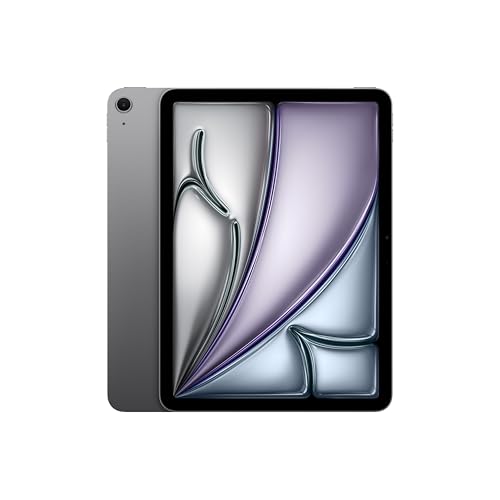
Quick answer: Which charger for Apple iPad Air M4? The best choice is Samsung 25W Power Adapter EP-T2510 25 W - about 100% of the maximum charging speed (tablet: max 24 W). A regular USB-PD charger also delivers full power.

Which charger for Apple iPad Air M4? Here is what you need to know
You plug your new tablet into an old phone plug you found in a drawer, and three hours later the battery indicator has barely moved. Before you start worrying that your brand-new iPad has a defective battery, the explanation is almost certainly much simpler: your power plug cannot keep up.
When you are choosing which charger for Apple iPad Air M4 to pick, the core number to keep in mind is 24W. The M4 tablet negotiates power using standard USB Power Delivery (USB PD) and reaches its ceiling at roughly 24W. If you bought your tablet in the US, you will find Apple's 20W power adapter and a 1-meter USB-C cable inside the box, whereas European retail packaging includes only the USB-C cable. A 20W brick does a solid job, but stepping up to a 30W USB PD plug is what unlocks the tablet's absolute maximum charging speed.
Specs and charging
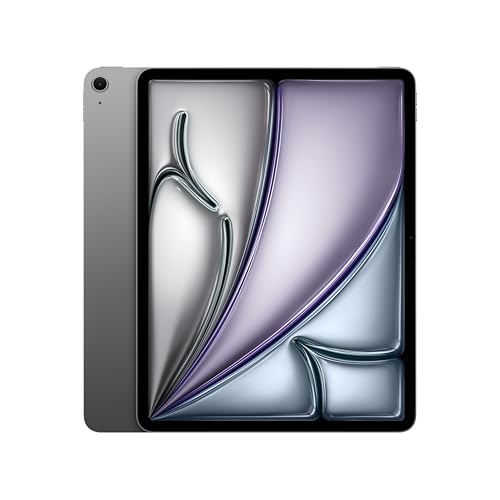
The key Apple iPad Air M4 specs that matter when choosing a charger:
- Battery: 28.93 Wh (11-inch; 13: 36.59 Wh)
- Wired charging: 24 W
- On a standard USB PD charger: ~24 W
Can you use the charger you already own?
You probably do not need to order a new plug right away if you already have modern USB-C gear around the house. The iPad Air M4 works smoothly with standard USB PD profiles, meaning it draws whatever power it needs without demanding proprietary protocols.
- Standard phone charger (5W to 10W): Plugs without fast charging standards will charge the tablet at a crawl, often taking five hours or longer.
- Fast phone charger (20W to 25W): If your phone charger uses USB-C and supports USB PD, it will supply around 19W to 24W. Independent measurements show an Apple 20W adapter delivers around 19.21W, which is very close to full performance.
- USB-C laptop power supply (45W, 65W, or higher): You can safely plug your iPad into a laptop power adapter. The tablet will communicate with the power supply and draw its maximum of around 24W, while the rest remains unused.
Check the tiny text printed on your power adapter. If you see "USB-C" alongside voltage profiles like 9V/3A or 15V/2A, your plug supports USB PD and will easily power the M4 Air.
How charging times look in everyday use
In independent testing across 77 different power adapters, the iPad Air M4 reached an absolute peak of 24.16W, with typical sustained fast charging averaging 20.97W. A 30W USB PD plug settles at around 21.75W in real-world conditions. According to Tech Advisor measurements, replenishing the tablet with an Apple 20W adapter takes roughly 2 hours for a complete cycle.
In practice, plugging the tablet in for 30 minutes before heading out will give you a noticeable boost if you are on a 25W or 30W adapter, as the battery takes power fastest during the first half of the charge. Leaving it connected overnight means even a 20W adapter finishes the job with plenty of time to spare.
Keep in mind that the two display sizes have different battery capacities. The 11-inch iPad Air has a 28.93 Wh battery, while the 13-inch model houses a much larger 36.59 Wh pack. Because both variants share the exact same 24W charging ceiling, the 13-inch tablet takes noticeably longer to hit 100%.
Which power adapter fits your daily routine best?
If you want the cheapest route to the tablet's maximum speed, the Samsung 25W Power Adapter EP-T2510 is a compact, single-port option that delivers the full ~24W limit. For those who want extra headroom in a single-port format, the Google 45W USB-C Charger and Samsung 45W Power Adapter EP-T4511 also max out the iPad while running cool.
If you want a single brick to handle your iPad and a laptop on the go, look at the Motorola TurboPower 68W. For desks with multiple gadgets, the UGREEN Nexode 65W features three ports, allowing you to charge your iPad Air, phone, and accessories from one wall outlet.
| Charger | Power | Estimated speed |
|---|---|---|
| Samsung 25W Power Adapter EP-T2510 | 25 W | 100% |
| Google 45W USB-C Charger | 45 W | 100% |
| Samsung 45W Power Adapter EP-T4511 | 45 W | 100% |
| Motorola TurboPower 68W | 68 W | 100% |
| UGREEN Nexode 65W | 65 W | 100% |

1. Samsung 25W Power Adapter EP-T2510 (25W GaN)
Cheapest at full speed · Compact, single port
25W GaN charger. With the Apple iPad Air M4 it charges at up to about 24 W via USB PD (100% of the tablet's maximum power, estimate based on specs and protocols).

2. Google 45W USB-C Charger (45W GaN)
45W GaN charger. With the Apple iPad Air M4 it charges at up to about 24 W via USB PD (100% of the tablet's maximum power, estimate based on specs and protocols).

3. Samsung 45W Power Adapter EP-T4511 (45W)
45W charger. With the Apple iPad Air M4 it charges at up to about 24 W via USB PD (100% of the tablet's maximum power, estimate based on specs and protocols).

4. Motorola TurboPower 68W (68W GaN)
Enough power for a USB-C laptop
68W GaN charger. With the Apple iPad Air M4 it charges at up to about 24 W via USB PD (100% of the tablet's maximum power, estimate based on specs and protocols).

5. UGREEN Nexode 65W (65W GaN)
3 ports - several devices at once · Enough power for a USB-C laptop
65W GaN charger. With the Apple iPad Air M4 it charges at up to about 24 W via USB PD (100% of the tablet's maximum power, estimate based on specs and protocols).
Common charging mistakes with the iPad Air M4
The most common misconception is buying an oversized 100W or 140W power brick expecting lightning-fast charging. The M4 iPad Air has an internal hardware cap of roughly 24W. Any wattage above 30W simply goes unused by the tablet.
Another pitfall comes with multi-port adapters. When you plug a phone into a second port, multi-port chargers split their total output across connections. If the primary port drops down below 20W, your iPad Air will revert to slower charging speeds.
Finally, using old USB-A to USB-C bricks will leave you stuck. Standard USB-A ports generally lack the USB PD protocol required by the iPad Air M4, dropping charging power down to 5W-10W.
Frequently asked questions
Which charger for Apple iPad Air M4 delivers the fastest charging speed?
Any quality USB-C charger rated at 30W or higher that supports USB Power Delivery (USB PD) provides the maximum speed. Independent measurements show the iPad Air M4 caps out at roughly 24W (peaking at 24.16W), so a 30W adapter ensures you extract every bit of charging performance available.
Does the iPad Air M4 come with a charger in the box?
It depends on where you buy it. In the United States, retail packages include a 20W USB-C power adapter alongside a 1-meter woven USB-C cable. In European countries, the box contains only the 1-meter USB-C cable, meaning you need to provide your own power plug.
Can a 65W or 100W laptop charger damage the tablet?
No, it is completely safe. Modern USB PD devices negotiate power delivery dynamically. The tablet will only draw its maximum limit of roughly 24W, and the charger will not force extra wattage into the battery.
Why does the 13-inch iPad Air M4 take longer to charge than the 11-inch?
The 13-inch model features a 36.59 Wh battery, compared to the 28.93 Wh battery in the 11-inch version. Because both tablets share the exact same 24W charging limit, replenishing the larger battery naturally takes more time.
Which Apple Pencil models are compatible with the iPad Air M4?
The iPad Air M4 works exclusively with the Apple Pencil Pro and the Apple Pencil (USB-C). Older styluses, such as the Apple Pencil 1st generation and Apple Pencil 2nd generation, are not compatible with this tablet.
Sources
- Apple iPad Air M4 - apple.com - official manufacturer specifications (apple.com)
- Apple iPad Air M4 - techadvisor.com - industry article (techadvisor.com)
- Apple iPad Air M4 - cultofmac.com - industry article (cultofmac.com)
- Apple iPad Air M4 - maplee-tech.com - industry article (maplee-tech.com)
- Apple iPad Air M4 - trustedreviews.com - industry article (trustedreviews.com)


Leave a comment
This site is protected by hCaptcha and the hCaptcha Privacy Policy and Terms of Service apply.