








As an Amazon Associate I earn from qualifying purchases.
Quick answer: our top pick is ASUS TUF Gaming VG27AQ3A (27 inch · 1440p · 180 Hz · Fast IPS).
Best monitor for Steam Machine? Ideally 27 inches, 1440p and a high refresh rate
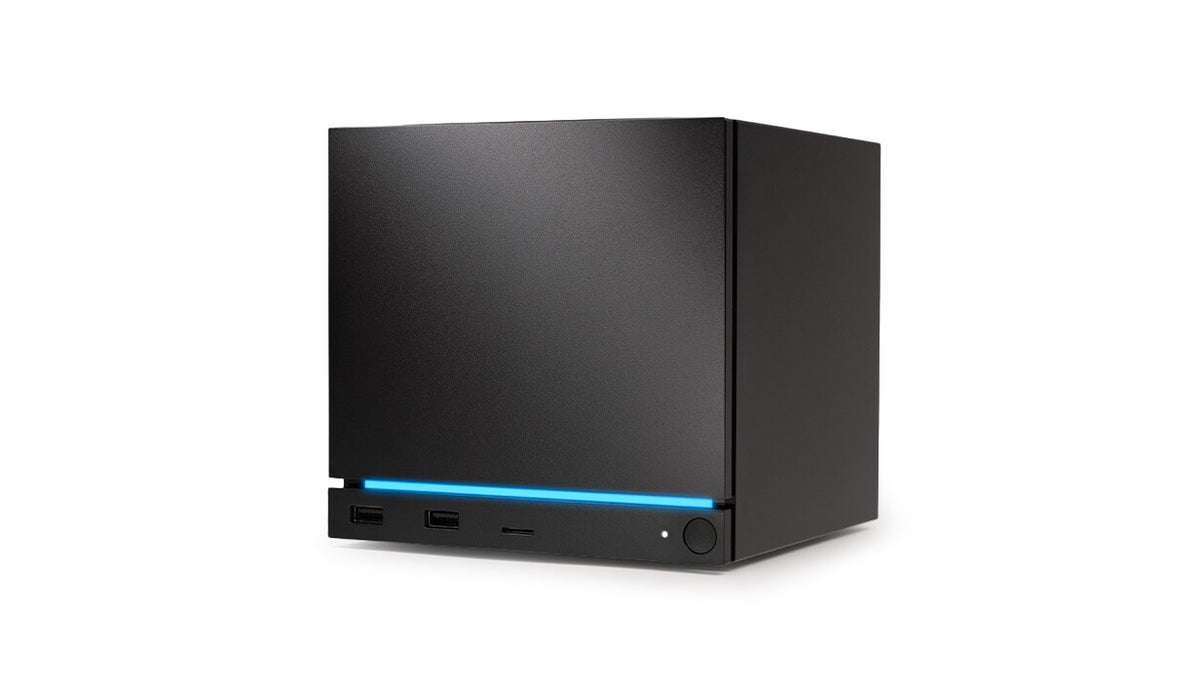
The best match is a 27-inch monitor with 1440p resolution and a 180 Hz refresh rate. The Steam Machine is a small gaming computer running SteamOS, sold without a screen, so you choose the monitor yourself.
If you play older titles, watch movies or work on the SteamOS desktop, a sensible alternative is 4K with a 120-160 Hz refresh rate. Such a screen gives a sharper picture, but in new, demanding games it won't make use of the console's capabilities.
Below we explain where this conclusion comes from, which cable to use to connect the monitor and whether it's worth paying extra for an OLED. We cover the controller and the SSD for the Steam Machine in separate articles.

1440p or 4K: what the review says about performance
According to Tom's Hardware's review, in new, demanding games the Steam Machine is a 1080p or 1440p computer. The AMD RDNA 3 graphics chip has 8 GB of GDDR6 memory, and according to many enthusiasts that is already too little for some games above 1080p.
The reviewer says it outright: if the goal is 60 frames per second, this is not a 4K machine. It suits 1080p or 1440p at medium and high settings much better.
The Steam Machine reaches 4K in older games and sometimes with FSR. Engadget reminds us that Valve promised 4K gaming at 60 frames with FSR, so this solution makes sense, but more as an add-on than a foundation.
For you, this means the following: 1440p gives a noticeably sharper picture than 1080p, and the console can still handle it. A high refresh rate, for example 180 Hz, makes sense mainly in older and lighter games, where the frame count is high.
Choose a 4K monitor when the screen is also meant for work, movies and older titles. In new games you can lower the resolution and get help from FSR.
Fun fact: according to Tom's Hardware, most games launched on the Steam Machine at 1080p by default. Only changing the maximum resolution in the game settings to 4K gave a full-resolution picture, so after connecting a new monitor, check the graphics options.
We selected the monitors below based on resolution, refresh rate and the 27-inch size, that is, based on what the review implies for this console. They include 1440p and 4K options, flat and curved, IPS and OLED.

Monitors for Steam Machine we recommend
1. ASUS TUF Gaming VG27AQ3A
27 inch · 1440p · 180 Hz · Fast IPS
A 1440p monitor with a 180 Hz refresh rate, the resolution at which the Steam Machine handles new games best according to the Tom's Hardware review. Fast IPS panel, 27 inches. Connect it with a DisplayPort cable.
2. Dell 27 Plus S2725QS
27 inch · 4K · 120 Hz · IPS
A 4K monitor with a 120 Hz refresh rate and FreeSync Premium. Sharp image in older games, movies and on the desktop, and in new titles you can drop to a lower resolution with FSR. A good choice if the monitor will also be used for work.
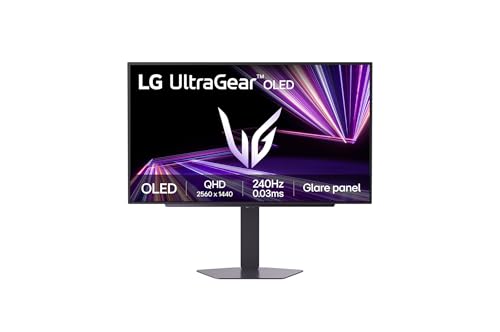
3. LG UltraGear OLED 27GX704A
27 inch · OLED · 1440p · 240 Hz
A 1440p OLED monitor with a 240 Hz refresh rate. It delivers deep blacks and fast pixel response, and the resolution fits the Steam Machine's capabilities. The most expensive pick on the list, for people who care about image quality.
DisplayPort or HDMI: which cable to use to connect your monitor
On the back of the Steam Machine you will find DisplayPort 1.4 and HDMI 2.0, plus Ethernet, two USB-A 2.0 ports and USB-C 3.2 Gen 2. Choosing a cable comes down to a simple rule.
Connect your monitor with a DisplayPort cable. On gaming monitors this is usually the connector with the highest refresh rate, so it is the easiest way to make use of 144, 160 or 180 Hz.
Leave HDMI for the TV. The port also has HDMI-CEC, which turns on the TV together with the console, and that is where it does its job best.
Fun fact: the HDMI port in the Steam Machine is listed as HDMI 2.0, yet it supports 4K at 120 Hz. Tom's Hardware points out that it has no 2.1 label, so do not go by the number in the specification alone.
If your monitor has only HDMI, nothing bad happens, you will still get a picture. But when you have both connectors to choose from, a DisplayPort cable is the more sensible default.
OLED or IPS, flat or curved: who each is for
A Fast IPS panel is a safe choice for everyday gaming. You get good colors and a high refresh rate without paying top-tier prices. For most people, it is the right starting point.
OLED offers deep blacks and fast pixel response. It is the most expensive screen type on the list, aimed at people who care about image quality. A 1440p OLED monitor also suits the capabilities of the Steam Machine.
A curved 1440p 180 Hz monitor has the same specs as its flat counterpart, but in a curved housing. Some gamers prefer such screens for racing and cockpit-view games. For work and the SteamOS desktop, a flat panel is a better fit.
Among 4K monitors, you choose between 120 Hz and 160 Hz refresh rates. A 120 Hz model is better suited to work and movies, while 160 Hz gives more headroom for older games and future, more powerful hardware.
Frequently asked questions about a monitor for the Steam Machine
What monitor for the Steam Machine?
Ideally 27 inches, 1440p resolution and a refresh rate of around 180 Hz. Such a monitor will make good use of the console in new games. If you mainly play older titles and work on the desktop, consider 4K with a 120-160 Hz refresh rate.
Does the Steam Machine support 4K 120 Hz?
Yes, according to Tom's Hardware the HDMI port supports 4K at 120 Hz, even though it has no 2.1 label. However, this does not mean new games will reach that frame rate in 4K. Such values are realistic mainly in older titles.
1440p or 4K monitor for the Steam Machine?
For new, demanding games, 1440p is better. The Tom's Hardware reviewer writes that with a target of 60 frames per second, the console fits 1080p or 1440p much better. 4K makes sense for older games, movies and work.
DisplayPort or HDMI in the Steam Machine?
For a monitor, choose DisplayPort, because on gaming monitors it is usually the connector with the highest refresh rate. Leave HDMI for the TV, where HDMI-CEC comes in handy.
Does the Steam Machine come with a monitor?
No. The Steam Machine is sold without a monitor, so you have to buy a screen separately. You also need a cable for the console, preferably DisplayPort.
More Steam Machine storage guides
- Best SSD for Steam Machine - M.2 2280 or 2230 and how much storage
- Best controller for Steam Machine - Xbox, DualSense or 8BitDo
- Best microSD card for Steam Machine - size and speed
See also
- Best keyboard and mouse for Steam Machine - for the couch and desk
- Best monitor for ROG Xbox Ally X and X20 - portable or 27-inch with USB-C
Sources
- Valve: Steam Machine - manufacturer page (store.steampowered.com)
- Tom's Hardware: Valve Steam Machine review - industry article (tomshardware.com)
- Engadget: Steam Machine starts at $1,049 with no controller - industry article (engadget.com)
- Engadget: Valve Steam Controller review - industry article (engadget.com)

Leave a comment
This site is protected by hCaptcha and the hCaptcha Privacy Policy and Terms of Service apply.