








As an Amazon Associate I earn from qualifying purchases.
Quick answer: our top pick is Xbox Wireless Controller (Bluetooth · USB-C · AA batteries).
Best controller for Steam Machine? The simplest choice is an Xbox pad
If you don't want to overthink it, get an Xbox controller. It connects via Bluetooth or a USB-C cable, and Steam supports a huge range of devices, so you don't have to force any configuration.
Already have a PlayStation at home and like the stick layout? Choose the DualSense. Steam recognizes this pad and gives games access to its features.
Want to connect through a dedicated receiver instead of Bluetooth? Take a look at the 8BitDo Ultimate 2 Wireless. You plug the 2.4 GHz receiver into a USB port, and a charging dock is included in the box.
Fun fact: according to Valve's data, across more than 3 billion controller sessions in one year, 60% of players used an Xbox pad and 27% used PlayStation models. The rest were Steam Deck, Switch Pro and hundreds of other devices.

Does the Steam Machine come with a controller, and what about the Steam Controller
The base version with a 512 GB drive is sold without a controller. This was reported by Engadget on June 22, 2026. Valve also offers a bundle with the Steam Controller, and the controller can be bought separately.
The Steam Controller is Valve's own pad. It is sold by the Valve store and is not available on Amazon, which is why you won't find it on our list. If you want the official pad, look for it there or choose the bundle with the console.
According to Engadget, the Steam Controller connects via its own receiver (puck), Bluetooth or a cable.
Fun fact: the Steam Machine has a built-in 2.4 GHz receiver for the Steam Controller, so you don't need to plug in a separate one. Tom's Hardware points this out.
There is one condition. To play with the Steam Controller, the game has to be launched through Steam. Non-Steam titles must first be added to your Steam library. You can also use a different controller, which the Tom's Hardware reviewer states outright.
Below we have collected controllers that connect to the Steam Machine via Bluetooth, a USB cable or their own USB receiver. We selected them based on how they connect and how they are powered: AA batteries, a rechargeable battery, a charging dock.

Controllers for Steam Machine we recommend
1. Xbox Wireless Controller
Bluetooth · USB-C · AA batteries
The simplest choice: according to Valve's data, most gamepad sessions on Steam are played on an Xbox controller. It connects over Bluetooth or a USB-C cable. It runs on two AA batteries, so you don't have to charge it, but it's worth keeping spares.
2. PlayStation DualSense
Bluetooth · USB-C · built-in battery
The PlayStation 5 controller, a good choice if you prefer its stick layout or already have one at home. Steam recognizes the DualSense and makes its features available to games. It connects over Bluetooth or a USB-C cable and has a built-in battery.

3. 8BitDo Ultimate 2 Wireless
2.4 GHz receiver · Bluetooth · charging dock
A PC controller with its own 2.4 GHz receiver that you plug into the console's USB port, plus Bluetooth. A charging dock is included, where you rest the pad after playing. The pick for anyone who wants a receiver connection instead of Bluetooth.

4. 8BitDo Ultimate 2C Wireless
2.4 GHz receiver · Bluetooth · cheaper model
The cheaper 8BitDo model, also with a 2.4 GHz receiver and Bluetooth, but without a charging dock. You charge it with a USB-C cable. A good second pad for two-player games.

5. GameSir G7 Pro
Xbox license · charging dock · 2.4 GHz receiver
A controller with an Xbox license and the same button layout as Microsoft's pad, sold with a charging dock. It connects to a computer through a 2.4 GHz receiver or a cable. An option for anyone who wants the Xbox layout and a rechargeable battery instead of AA batteries.
Bluetooth, USB receiver or cable: which to choose
The Steam Machine has a separate Bluetooth 5.3 antenna and Wi-Fi 6E, so Bluetooth works without buying anything extra. It's the most convenient option for the Xbox and DualSense controllers: you pair the controller once and forget about it.
A USB receiver makes sense for 8BitDo and GameSir controllers. You plug it into the console's USB port and the controller connects over its own radio link. For the Steam Controller, Engadget notes that Bluetooth has the highest latency of all three connection methods. If you play fast-paced games, choose a receiver or a cable.
A cable is the simplest option when the battery dies in the middle of the evening. It also works well when you play on the couch close to the console, because the controller charges at the same time.
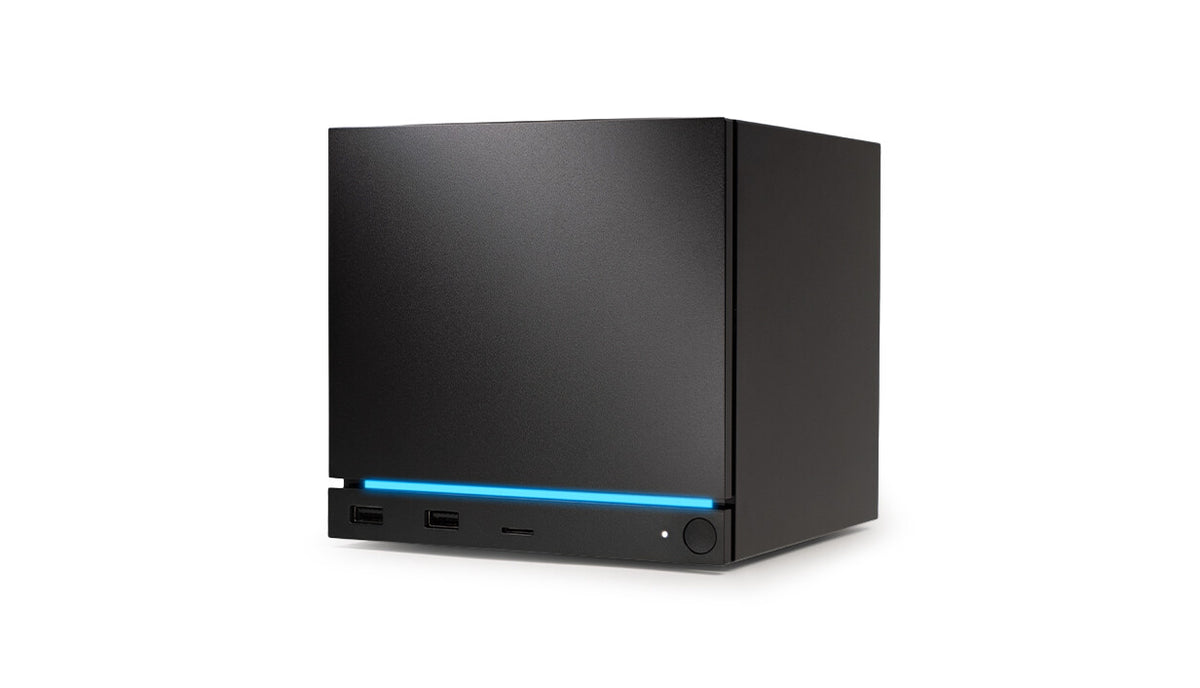
You have ports on both sides of the case. At the front there are two USB-A 3.2 Gen 1 ports and a microSD reader. At the back there are two USB-A 2.0 ports and one USB-C 3.2 Gen 2. It's convenient to plug the receiver in at the front and route the cable wherever it gets in the way the least.
Xbox or DualSense: AA batteries vs. rechargeable battery
The biggest difference is the power supply. The Xbox Wireless Controller runs on two AA batteries. You don't have to charge it, but it's good to keep spares in a drawer.
The DualSense has a built-in rechargeable battery and you charge it over USB-C. You don't buy batteries, but the controller needs charging, ideally after a gaming session. If you prefer a rechargeable battery in a controller with the Xbox layout, consider the GameSir G7 Pro, which is Xbox-licensed and comes with a charging dock.
In terms of Steam support, both options are safe. The Xbox controller is the one most sessions are played on, and Steam also recognizes the DualSense and DualShock. So the difference comes down to the stick layout and which controller you already have at home.
Playing with someone else? The second controller can be cheaper: the 8BitDo Ultimate 2C Wireless has a 2.4 GHz receiver and Bluetooth, but no charging dock. You charge it with a USB-C cable.
Separate articles cover the monitor and SSD for the Steam Machine.
Most common questions about Steam Machine controllers
Which controller for the Steam Machine?
The simplest choice is an Xbox controller, because it connects over Bluetooth or a cable and Steam supports it well. If you own a PlayStation, choose the DualSense. If you want a 2.4 GHz receiver, go for the 8BitDo Ultimate 2.
Does the Steam Machine come with a controller?
The base 512 GB version is sold without a controller. Valve has a separate bundle with the Steam Controller. You can also buy the controller separately in the Valve store.
Does an Xbox controller work with the Steam Machine?
Yes. The Xbox Wireless Controller connects over Bluetooth or a USB-C cable. According to Valve's data, it's the most commonly used controller on Steam.
Does the DualSense work with the Steam Machine?
Yes. Steam recognizes the DualSense and makes its features available to games. You can connect it over Bluetooth or a USB-C cable.
Do you need to buy a Steam Controller for the Steam Machine?
No, you can use another controller. The Steam Controller, however, has a built-in receiver in the console and requires you to launch games through Steam. Non-Steam games must be added to your library beforehand.
More Steam Machine storage guides
- Best SSD for Steam Machine - M.2 2280 or 2230 and how much storage
- Best monitor for Steam Machine - 1440p or 4K, DisplayPort or HDMI
- Best microSD card for Steam Machine - size and speed
Sources
- Valve: Steam Machine - manufacturer page (store.steampowered.com)
- Tom's Hardware: Valve Steam Machine review - industry article (tomshardware.com)
- Engadget: Steam Machine starts at $1,049 with no controller - industry article (engadget.com)
- Engadget: Valve Steam Controller review - industry article (engadget.com)
- Tom's Hardware: Steam adds official support for DualShock and DualSense - industry article (tomshardware.com)

Leave a comment
This site is protected by hCaptcha and the hCaptcha Privacy Policy and Terms of Service apply.