









Updated: 27.09.2026
As an Amazon Associate I earn from qualifying purchases.
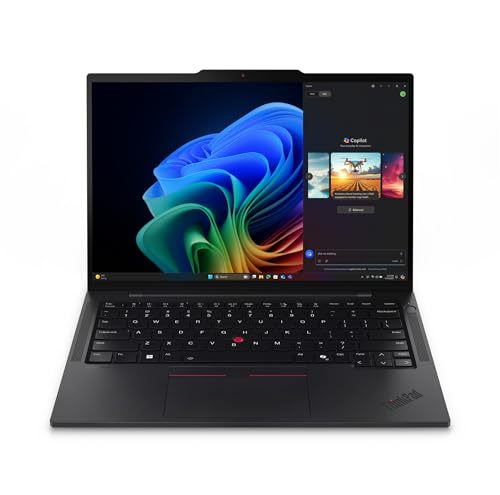
Quick answer: Which charger for Lenovo ThinkPad T14s Gen 6? The simplest choice is Motorola TurboPower 68W 68 W - full charging speed (from 65 W USB-C PD). Cheaper alternatives below.

Which charger for Lenovo ThinkPad T14s Gen 6? Real-world power needs
If you are wondering which charger for Lenovo ThinkPad T14s Gen 6 will keep your machine running smoothly, the short answer is any reliable USB-C Power Delivery adapter rated at 65 W or higher. In the European Union, whether an adapter comes in the box depends on your configuration, as EU directive 2022/2380 requires manufacturers to offer laptops without bundled chargers, and many retail configurations now ship without one.
The ThinkPad T14s Gen 6 charges exclusively via its dual USB-C Thunderbolt 4 ports. It reaches its full, fast charging speed starting at 65 W USB-C PD, which provides enough energy to replenish the 58 Wh battery while running demanding workloads.
This guide will help you pick the right adapter if your laptop arrived without a power supply, or if you simply want a smaller, multi-port replacement for your office desk and travel bag.
Specs and charging
The Lenovo ThinkPad T14s Gen 6 specs that matter when choosing an adapter:
- Battery: 58 Wh
- Full charging speed: from 65 W USB-C PD

Should you buy an official Lenovo brick or a universal Power Delivery charger?
An original Lenovo adapter is a straightforward choice if you want guaranteed compatibility and only ever need to plug in one computer at a time. However, Lenovo uses standard USB-C Power Delivery rather than a locked proprietary protocol, meaning you do not have to stick to the original brand.
A reputable third-party USB-C PD charger that supplies 65 W will charge this laptop just as quickly and reliably as the original brick. Third-party power supplies also offer major advantages: they are often more compact, cost less, and feature multiple ports so you can power your ThinkPad and your phone from a single wall socket.

Can you use the phone or laptop chargers you already have at home?
You might not need to buy a new charger immediately if you have modern USB-C adapters around the house. Here is how the ThinkPad T14s Gen 6 behaves depending on what you plug into it:
- 20 W phone charger: This is far below the laptop's needs. The ThinkPad will show a slow-charging warning in Windows, charge very slowly while the lid is closed, and will lose battery percentage if you try to work while plugged in.
- 30 W to 45 W tablet or ultrabook charger: This can recharge the 58 Wh battery while the system is idle or asleep. Under heavier office tasks, however, the laptop may draw supplementary power from the battery even while connected to the wall.
- 65 W standard USB-C PD charger: This hits the full charging threshold for the T14s Gen 6. Independent testing by Notebookcheck recorded a maximum power draw of 58.9 W for this machine, meaning a 65 W charger easily keeps up with maximum system load while charging the battery.
- 100 W or higher high-power adapter: This is completely safe to plug in. The laptop's internal charging controller negotiates power delivery and will simply draw its required power (around 65 W), leaving the extra capacity free.
The best power adapters for the ThinkPad T14s Gen 6
If you want the most affordable way to power your laptop at full speed, the Motorola TurboPower 68W delivers around 65 W to this ThinkPad, reaching 100% of its real-world charging potential in a compact single-port design.
For those who want to charge multiple devices at once, 3-port models like the UGREEN Nexode 65W, Anker 735 (Nano II 65W), or the Anker Nano Charger 70W 3-Port (B121A) provide around 65 W on their main port while leaving extra ports open for your phone or accessories.
If you keep several devices plugged in simultaneously while pushing the laptop hard, step up to the UGREEN Nexode 100W. With four ports and a 100 W power ceiling, it maintains the necessary 65 W flow to the ThinkPad even when lower ports are actively charging other gear.
| Charger | Power | Estimated speed |
|---|---|---|
| Motorola TurboPower 68W | 68 W | 100% |
| UGREEN Nexode 65W | 65 W | 100% |
| Anker 735 (Nano II 65W) | 65 W | 100% |
| Anker Nano Charger 70W 3-Port (B121A) | 70 W | 100% |
| UGREEN Nexode 100W | 100 W | 100% |

1. Motorola TurboPower 68W (68W GaN)
Cheapest at full speed
68W GaN charger. With the Lenovo ThinkPad T14s Gen 6 it charges at up to about 65 W via USB PD (100% of the laptop's full charging speed, estimate based on specs and protocols).

2. UGREEN Nexode 65W (65W GaN)
3 ports - several devices at once
65W GaN charger. With the Lenovo ThinkPad T14s Gen 6 it charges at up to about 65 W via USB PD (100% of the laptop's full charging speed, estimate based on specs and protocols).
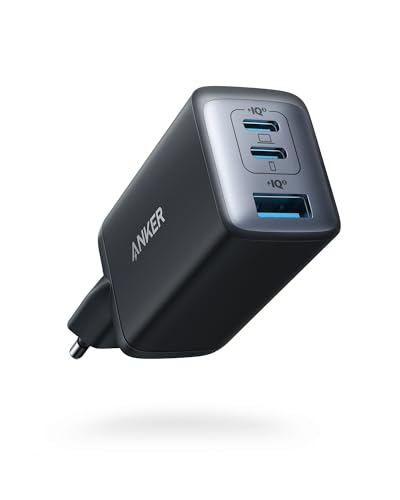
3. Anker 735 (Nano II 65W) (65W GaN)
3 ports - several devices at once
65W GaN charger. With the Lenovo ThinkPad T14s Gen 6 it charges at up to about 65 W via USB PD (100% of the laptop's full charging speed, estimate based on specs and protocols).
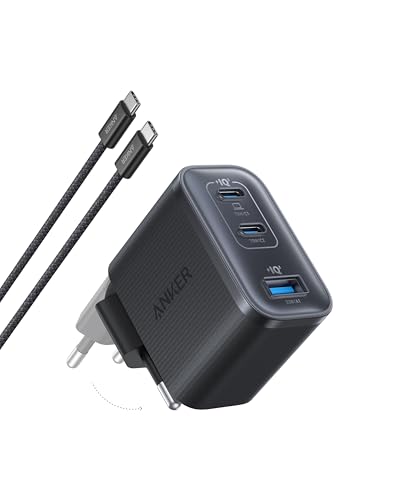
4. Anker Nano Charger 70W 3-Port (B121A) (70W GaN)
3 ports - several devices at once
70W GaN charger. With the Lenovo ThinkPad T14s Gen 6 it charges at up to about 65 W via USB PD (100% of the laptop's full charging speed, estimate based on specs and protocols).
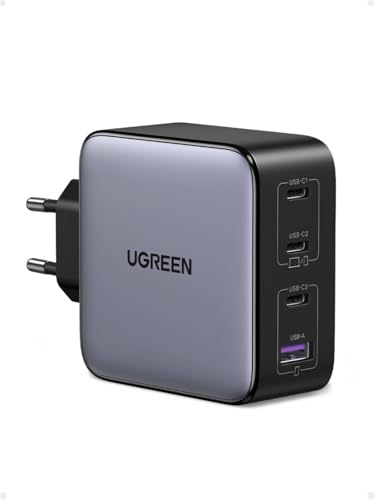
5. UGREEN Nexode 100W (100W GaN)
4 ports - several devices at once
100W GaN charger. With the Lenovo ThinkPad T14s Gen 6 it charges at up to about 65 W via USB PD (100% of the laptop's full charging speed, estimate based on specs and protocols).
Pitfalls to watch out for when powering your ThinkPad
Multi-port chargers automatically divide their wattage when you connect a second device. For instance, plugging a phone into a 65 W multi-port brick often drops the primary laptop port down to 45 W, which will slow down battery replenishment under heavy system use.
Working on demanding applications while connected to an underpowered phone charger can cause battery drain. Because independent tests measured peak power consumption at 58.9 W, providing less than that during high workloads means the laptop has to borrow juice from its 58 Wh battery.
Do not expect charging times to drop by buying a 100 W or 140 W brick. The ThinkPad T14s Gen 6 reaches its full charging speed starting at 65 W USB-C PD, so extra wattage only benefits secondary devices plugged into the same charger.
Regional packaging differences: While European buyers often find no charger inside their box due to EU directive 2022/2380, customers purchasing the identical ThinkPad T14s Gen 6 outside Europe routinely receive a 65 W USB-C PD GaN adapter included in the package.
Frequently asked questions about charging the ThinkPad T14s Gen 6
Which charger for Lenovo ThinkPad T14s Gen 6 provides full charging speed?
Any USB-C Power Delivery (PD) charger rated at 65 W or higher will charge the ThinkPad T14s Gen 6 at full speed. Independent testing shows the laptop consumes up to 58.9 W under maximum load, so a 65 W brick provides all the headroom the machine can use.
Does the Lenovo ThinkPad T14s Gen 6 come with a charger in the box?
It depends on your region and specific configuration. In the European Union, under directive 2022/2380, many configurations are sold without a power brick, whereas models sold outside the EU typically include a 65 W USB-C GaN power supply.
Can I use a 20 W or 30 W phone charger with this ThinkPad?
A 20 W or 30 W charger can slowly recharge the 58 Wh battery when the laptop is turned off or in sleep mode. However, when the laptop is powered on and running tasks, such weak chargers cannot supply enough energy, causing the battery to drain while plugged in.
Will connecting a 100 W charger damage the laptop's battery?
No, a 100 W charger will not harm the laptop. Modern USB-C Power Delivery actively negotiates voltage and current, so the ThinkPad will only draw the power it needs (around 65 W), ignoring the remaining available wattage.
Does the ThinkPad T14s Gen 6 support magnetic charging connectors like MagSafe?
No, this ThinkPad does not feature proprietary magnetic charging ports. It charges strictly through its universal USB-C Thunderbolt 4 ports using standard USB-C Power Delivery.
Sources
- Lenovo ThinkPad T14s Gen 6 - psref.lenovo.com - official manufacturer specifications (psref.lenovo.com)
- Lenovo ThinkPad T14s Gen 6 - notebookcheck.net - industry article (notebookcheck.net)
- Lenovo ThinkPad T14s Gen 6 - xda-developers.com - industry article (xda-developers.com)
- Lenovo ThinkPad T14s Gen 6 - digitaltrends.com - industry article (digitaltrends.com)

Leave a comment
This site is protected by hCaptcha and the hCaptcha Privacy Policy and Terms of Service apply.