









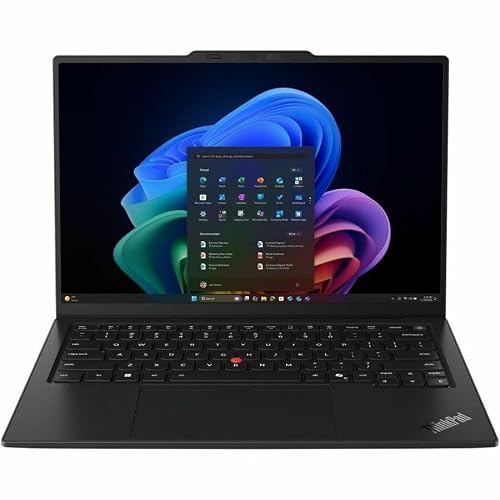
Updated: 27.09.2026
As an Amazon Associate I earn from qualifying purchases.
Quick answer: Which charger for Lenovo ThinkPad X1 Carbon Gen 14 Aura Edition? The simplest choice is Motorola TurboPower 68W 68 W - full charging speed (from 65 W USB-C PD). Cheaper alternatives below.

Which charger for Lenovo ThinkPad X1 Carbon Gen 14 Aura Edition? Real power needs and adapter choices
Which charger for Lenovo ThinkPad X1 Carbon Gen 14 Aura Edition will keep your machine running at its best? Depending on where you buy this business laptop in the European Union, the box may not include a power adapter at all. Under EU directive 2022/2380, manufacturers offer configurations without an in-box charger, and Lenovo PSREF lists models shipping bare to reduce electronic waste.
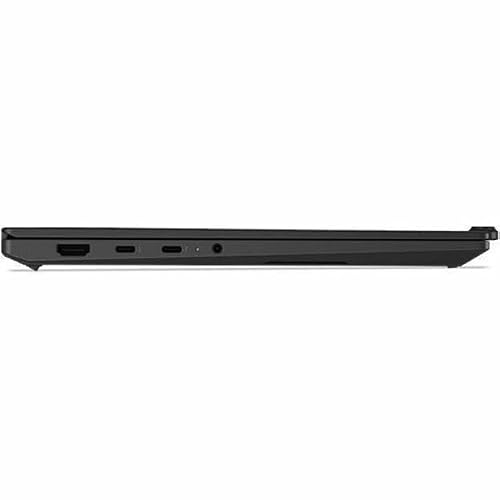
To charge this ThinkPad at full speed, you need an adapter that delivers at least 65 W over USB-C Power Delivery (USB-C PD). The laptop features three Thunderbolt 4 USB-C ports, and you can plug your power source into any of them. Lenovo does not specify a hard ceiling for maximum input power, but independent testing shows power draw peaks at around 64 W before settling between 45 W and 55 W during sustained loads.
This guide helps you choose the right power brick if your laptop arrived without one, or if you simply need a more versatile adapter for your desk or travel bag.
Specs and charging
The Lenovo ThinkPad X1 Carbon Gen 14 Aura Edition specs that matter when choosing an adapter:
- Battery: 58 Wh
- Full charging speed: from 65 W USB-C PD
Do you have to buy an official Lenovo brick, or does a multi-port charger make more sense?
An original Lenovo 65 W adapter is a safe and reliable choice, but it is far from your only option. The ThinkPad X1 Carbon Gen 14 Aura Edition relies entirely on the open USB-C Power Delivery standard. Any reputable third-party USB-C PD charger supplying 65 W or more will charge the 58 Wh battery just as quickly as the factory adapter.
An original single-port brick makes sense if you only want to power the laptop at an office desk and do not care about extra features. However, modern third-party chargers offer a huge practical upgrade: multiple ports. With a multi-port adapter, you can power your ThinkPad, charge your phone, and juice up your earbuds simultaneously from a single wall socket.

Can you use your existing phone or tablet charger?
Before spending extra money, you might wonder whether a brick you already have at home will work. The short answer depends entirely on the wattage rating printed on your plug:
- 20 W phone charger (such as an iPhone adapter): It provides too little power to sustain an active laptop. It might slowly trickle charge the 58 Wh battery while the ThinkPad is completely asleep or shut down, but under actual work, the battery will continue to drain.
- 30 W to 45 W tablet or ultrabook charger: Your ThinkPad will display a slow-charging warning. It will charge slowly during light browsing, but under heavy office multitasking, charging will stall or the battery percentage may slowly drop.
- 65 W USB-C PD charger: This is the sweet spot. It hits the full-speed threshold, delivering up to 64 W initially and sustaining 45 W to 55 W as needed during demanding workloads.
- 100 W or higher USB-C laptop charger: Perfectly fine to use. The laptop's internal power management negotiates only what it requires (around 64 W peak), so a beefier brick runs cooler without any risk of damaging the hardware.
Finding the right adapter for your daily workflow
If you want the most affordable way to hit full speed, Motorola TurboPower 68W is a standout pick that delivers roughly 65 W to this laptop at a minimal footprint. For versatile everyday use, UGREEN Nexode 65W, Anker 735 (Nano II 65W), or Anker Nano Charger 70W 3-Port (B121A) all provide three charging ports while supplying the full 65 W threshold when powering the ThinkPad alone. If you run multiple demanding gadgets side by side and need extra power overhead, UGREEN Nexode 100W features four ports and easily handles your laptop alongside phones and accessories.
| Charger | Power | Estimated speed |
|---|---|---|
| Motorola TurboPower 68W | 68 W | 100% |
| UGREEN Nexode 65W | 65 W | 100% |
| Anker 735 (Nano II 65W) | 65 W | 100% |
| Anker Nano Charger 70W 3-Port (B121A) | 70 W | 100% |
| UGREEN Nexode 100W | 100 W | 100% |

1. Motorola TurboPower 68W (68W GaN)
Cheapest at full speed
68W GaN charger. With the Lenovo ThinkPad X1 Carbon Gen 14 Aura Edition it charges at up to about 65 W via USB PD (100% of the laptop's full charging speed, estimate based on specs and protocols).

2. UGREEN Nexode 65W (65W GaN)
3 ports - several devices at once
65W GaN charger. With the Lenovo ThinkPad X1 Carbon Gen 14 Aura Edition it charges at up to about 65 W via USB PD (100% of the laptop's full charging speed, estimate based on specs and protocols).
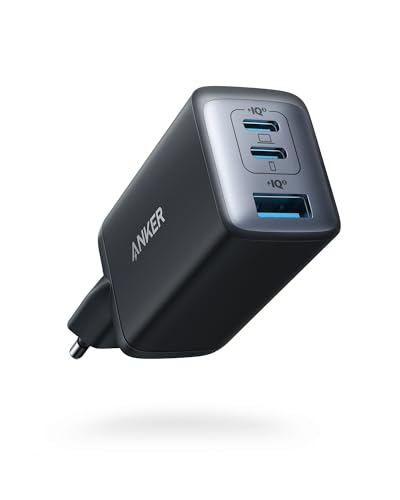
3. Anker 735 (Nano II 65W) (65W GaN)
3 ports - several devices at once
65W GaN charger. With the Lenovo ThinkPad X1 Carbon Gen 14 Aura Edition it charges at up to about 65 W via USB PD (100% of the laptop's full charging speed, estimate based on specs and protocols).
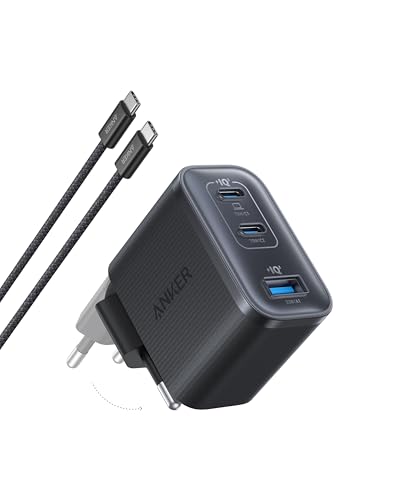
4. Anker Nano Charger 70W 3-Port (B121A) (70W GaN)
3 ports - several devices at once
70W GaN charger. With the Lenovo ThinkPad X1 Carbon Gen 14 Aura Edition it charges at up to about 65 W via USB PD (100% of the laptop's full charging speed, estimate based on specs and protocols).
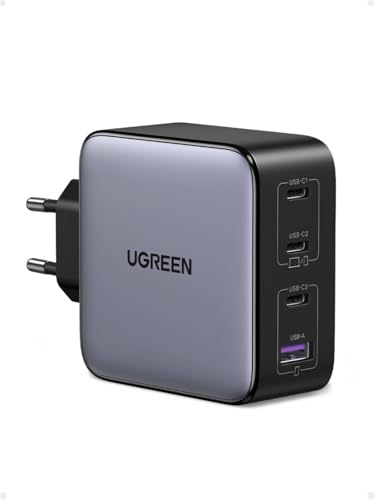
5. UGREEN Nexode 100W (100W GaN)
4 ports - several devices at once
100W GaN charger. With the Lenovo ThinkPad X1 Carbon Gen 14 Aura Edition it charges at up to about 65 W via USB PD (100% of the laptop's full charging speed, estimate based on specs and protocols).
Watch out for these power pitfalls with this ThinkPad
The primary issue to keep in mind is power splitting on multi-port adapters. A 65 W multi-port charger drops its primary port output to 45 W or lower the moment you plug a second device into another socket. When that happens, your ThinkPad will drop below its 65 W full-speed threshold and switch to slower charging.
Another detail involves sustained power consumption under load. Independent benchmarks from Notebookcheck show that this ThinkPad pulls up to 64 W at peak demand and stabilizes between 45 W and 55 W during heavy compute tasks. If your adapter provides less than 45 W, working under intense load will actively pull power from the 58 Wh battery even while plugged in.
A notable global difference: While European buyers frequently receive this laptop without a power brick in the package due to updated EU environmental regulations, Lenovo bundles a 65 W USB-C adapter (including compact GaN variants in certain markets) as standard equipment in regions outside Europe.
Lenovo ThinkPad X1 Carbon Gen 14 Aura Edition power guide: Common questions answered
Which charger for Lenovo ThinkPad X1 Carbon Gen 14 Aura Edition is recommended for full-speed charging?
You need any quality USB-C charger supporting the USB Power Delivery (USB-C PD) protocol with an output of at least 65 W. Adapters matching or exceeding this wattage allow the laptop to draw its peak rate of around 64 W and sustain 45 W to 55 W under load.
Does the ThinkPad X1 Carbon Gen 14 Aura Edition come with a power adapter in the box?
It depends on your region and specific configuration. In the European Union, Lenovo offers configurations without an adapter in compliance with EU directive 2022/2380, whereas markets outside the EU typically include a 65 W USB-C power supply.
Can I safely charge this laptop with a 100 W USB-C power brick?
Yes, it is completely safe. Modern USB Power Delivery standardizes two-way communication between the laptop and the adapter, meaning the laptop will only draw the power it needs (peaking near 64 W) regardless of how much extra wattage the brick can supply.
Will a 20 W phone charger keep the ThinkPad running while I work?
No, a 20 W adapter cannot deliver enough power to run the laptop during active use. The battery will continue to lose charge while you work, though it may slowly replenish when the laptop is fully powered down or in sleep mode.
Can I plug the charger into any USB-C port on this laptop?
Yes, all three USB-C ports on the ThinkPad X1 Carbon Gen 14 Aura Edition support Thunderbolt 4 and USB Power Delivery. You can plug your charging cable into whichever port is most convenient for your desk setup.
Sources
- Lenovo ThinkPad X1 Carbon Gen 14 Aura Edition - psref.lenovo.com - official manufacturer specifications (psref.lenovo.com)
- Lenovo ThinkPad X1 Carbon Gen 14 Aura Edition - notebookcheck.net - industry article (notebookcheck.net)
- Lenovo ThinkPad X1 Carbon Gen 14 Aura Edition - engadget.com - industry article (engadget.com)
- Lenovo ThinkPad X1 Carbon Gen 14 Aura Edition - tomshardware.com - industry article (tomshardware.com)
- Lenovo ThinkPad X1 Carbon Gen 14 Aura Edition - ultrabookreview.com - industry article (ultrabookreview.com)


Leave a comment
This site is protected by hCaptcha and the hCaptcha Privacy Policy and Terms of Service apply.