









Updated: 27.09.2026
As an Amazon Associate I earn from qualifying purchases.
Quick answer: Which charger for Dell 16 Plus? The simplest choice is Motorola TurboPower 68W 68 W - full charging speed (from 65 W USB-C PD). Cheaper alternatives below.

Which charger for Dell 16 Plus? Real power requirements explained
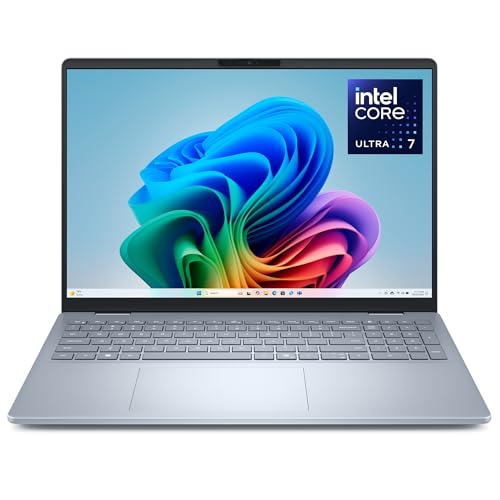
If you are wondering which charger for Dell 16 Plus will actually keep your machine powered without slowing down performance, the setup is simpler than it seems. Dell does not set an aggressive ceiling on charging, but the hardware requires at least 65 W over USB-C Power Delivery (PD) to achieve full charging speed. Both available ports - the USB-C 3.2 Gen 2 and the Thunderbolt 4 port - accept power at the same rate.
In the European Union, Dell frequently ships configurations of this laptop without an AC adapter in the box to comply with unbundling rules (EU 2022/2380), whereas US packages include a standard 65W adapter. Whether you received your laptop without a power brick or just want a versatile secondary block for your bag, getting the right wattage matters.
Specs and charging
The Dell 16 Plus specs that matter when choosing an adapter:
- Battery: 64 Wh
- Full charging speed: from 65 W USB-C PD

Dell factory power supply versus universal USB-C chargers
You do not need to buy an expensive Dell-branded replacement to get optimal performance. As long as a third-party charger supports standard USB-C Power Delivery (PD) and outputs at least 65 W, your Dell 16 Plus will charge at its intended full speed.
An original Dell adapter is a practical choice if you want a dedicated charger that stays permanently tethered to your desk. However, universal multi-port adapters offer a distinct advantage: you can charge your laptop, smartphone, and headphones at the same time using a single wall socket.
Universal GaN adapters from reputable brands are also noticeably more compact and lighter to carry than traditional laptop power bricks. They negotiate voltage automatically with the laptop, making them completely safe for your 64 Wh battery.

Can you power the Dell 16 Plus with your everyday home chargers?
Before purchasing a new charger, you might already have power bricks at home. Here is how the Dell 16 Plus responds to different wattages:
- 20W phone adapters: Insufficient for running the system. At 20W, the laptop may trickle-charge very slowly when completely shut down, but if the laptop is powered on, the battery will continue to discharge.
- 30W to 45W tablet adapters: The laptop will post a "slow charger" warning in the operating system. It can slowly replenish the battery while sleeping, but under real work tasks, charging will stall or remain flat.
- 65W USB-C PD adapters: This is the threshold for full, unrestricted speed. Independent testing by Notebookcheck recorded a temporary peak draw of 62 W under load, meaning a quality 65W block comfortably covers 100% of the laptop's charging demand.
- 100W or higher chargers: Fully compatible and safe. The Dell 16 Plus will only draw what it needs (around 62-65 W), leaving the surplus power available for other connected devices or allowing the charger to run cooler.
Choosing the best adapter for your desk and travel
If you want the most affordable way to hit full speed, the Motorola TurboPower 68W provides full 65 W charging performance without unnecessary bulk.
If you prefer a single charger that handles your entire daily tech carry, multi-port 65W-70W models are ideal. The UGREEN Nexode 65W, Anker 735 (Nano II 65W), and Anker Nano Charger 70W 3-Port (B121A) all deliver full charging speed when plugged into the laptop alone, while offering extra ports for phones and accessories.
For users who regularly charge multiple high-drain devices simultaneously, stepping up to the UGREEN Nexode 100W is the smartest move. It guarantees the primary port maintains full 65W output for your Dell 16 Plus even when secondary ports are occupied.
| Charger | Power | Estimated speed |
|---|---|---|
| Motorola TurboPower 68W | 68 W | 100% |
| UGREEN Nexode 65W | 65 W | 100% |
| Anker 735 (Nano II 65W) | 65 W | 100% |
| Anker Nano Charger 70W 3-Port (B121A) | 70 W | 100% |
| UGREEN Nexode 100W | 100 W | 100% |

1. Motorola TurboPower 68W (68W GaN)
Cheapest at full speed
68W GaN charger. With the Dell 16 Plus it charges at up to about 65 W via USB PD (100% of the laptop's full charging speed, estimate based on specs and protocols).

2. UGREEN Nexode 65W (65W GaN)
3 ports - several devices at once
65W GaN charger. With the Dell 16 Plus it charges at up to about 65 W via USB PD (100% of the laptop's full charging speed, estimate based on specs and protocols).
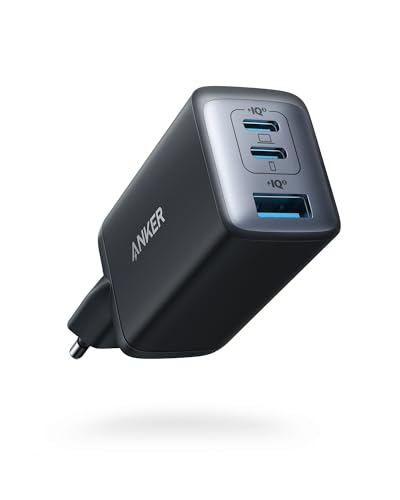
3. Anker 735 (Nano II 65W) (65W GaN)
3 ports - several devices at once
65W GaN charger. With the Dell 16 Plus it charges at up to about 65 W via USB PD (100% of the laptop's full charging speed, estimate based on specs and protocols).
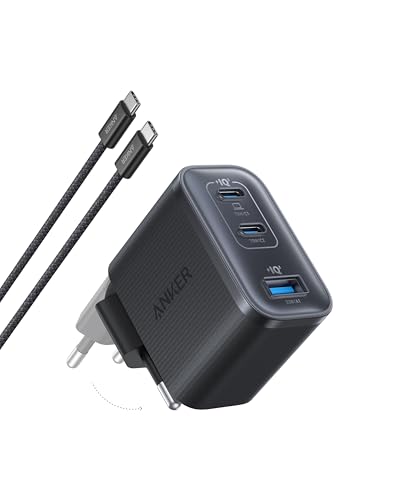
4. Anker Nano Charger 70W 3-Port (B121A) (70W GaN)
3 ports - several devices at once
70W GaN charger. With the Dell 16 Plus it charges at up to about 65 W via USB PD (100% of the laptop's full charging speed, estimate based on specs and protocols).
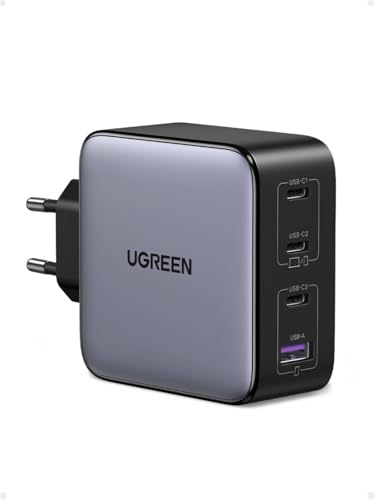
5. UGREEN Nexode 100W (100W GaN)
4 ports - several devices at once
100W GaN charger. With the Dell 16 Plus it charges at up to about 65 W via USB PD (100% of the laptop's full charging speed, estimate based on specs and protocols).
Important technical details to keep in mind
Multi-port chargers automatically split their total power budget across connected cables. If you connect a phone to a 65W multi-port charger while your Dell 16 Plus is plugged in, the laptop port drops to 45W or lower, which triggers a low-wattage charging warning.
You can charge via either the Thunderbolt 4 port or the USB-C 3.2 Gen 2 port. Both ports feature identical Power Delivery support on this model, so you can freely choose whichever side is more convenient on your desk.
Always ensure your charger specifies USB Power Delivery (USB-PD). Chargers that rely solely on proprietary phone protocols without PD fallback cannot provide the 20V profile required by laptops, limiting output to unusable basic trickle rates.
A tale of two markets: Depending on where you buy the Dell 16 Plus, your unboxing experience will differ drastically. Under EU directive 2022/2380, Dell sells configurations in Europe without a power adapter (Dell support document 000226078), while customers in the US still get a 65W brick bundled as standard.
Common questions about Dell 16 Plus charging
Which charger for Dell 16 Plus provides full charging speed?
Any certified USB-C Power Delivery (PD) charger rated at 65 W or higher will charge the Dell 16 Plus at full speed. Independent tests show the laptop peaks at roughly 62 W, so a standard 65W power brick delivers 100% of its real-world capability.
Does the Dell 16 Plus come with a charger in the box?
It depends on your region and specific configuration. In the EU, Dell offers configurations without an adapter in accordance with directive EU 2022/2380, whereas US purchases include a 65W USB-C charger.
Can a 100W charger damage the Dell 16 Plus battery?
No, it is completely safe. Modern USB-C Power Delivery chargers communicate with the laptop before supplying power, meaning the Dell 16 Plus draws only the 65 W it requires.
Which USB-C port should you use to charge the Dell 16 Plus?
You can use either port. Both the USB-C 3.2 Gen 2 port and the Thunderbolt 4 port support USB Power Delivery input at the exact same charging rate.
Can an iPhone or tablet charger power the Dell 16 Plus?
A standard 20W phone charger is too weak to keep the laptop running and will only trickle-charge while the system is powered off. A 30W or 45W tablet charger can slowly charge the battery while in sleep mode, but under active use, the system will warn you about a slow charger.
Sources
- Dell 16 Plus - dell.com - official manufacturer specifications (dell.com)
- Dell 16 Plus - notebookcheck.net - industry article (notebookcheck.net)
- Dell 16 Plus - pcworld.com - industry article (pcworld.com)
- Dell 16 Plus - rtings.com - industry article (rtings.com)
- Dell 16 Plus - pickr.com.au - industry article (pickr.com.au)

Leave a comment
This site is protected by hCaptcha and the hCaptcha Privacy Policy and Terms of Service apply.