









Updated: 27.09.2026
As an Amazon Associate I earn from qualifying purchases.
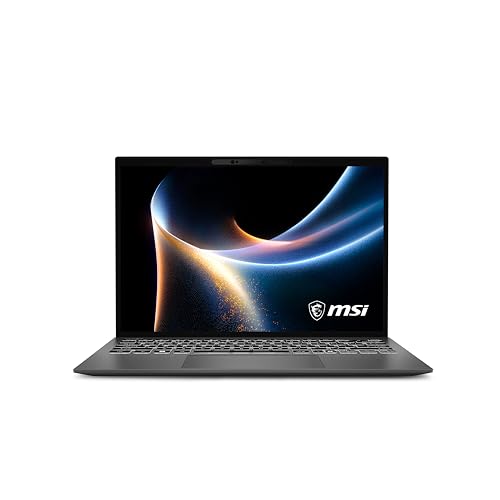
Quick answer: Which charger for MSI Prestige 13 AI+? The simplest choice is Motorola TurboPower 68W 68 W - full charging speed (from 65 W USB-C PD). Cheaper alternatives below.
Which charger for MSI Prestige 13 AI+? Real power requirements explained
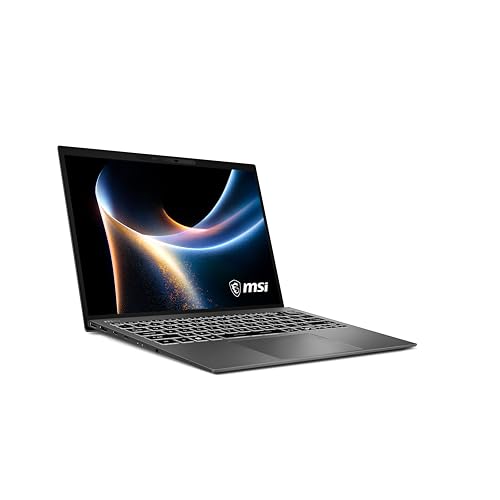
You might be wondering which charger for MSI Prestige 13 AI+ will keep your laptop running smoothly without carrying bulky power bricks. MSI supplies a 65W USB-C PD power adapter in the retail box across European markets and worldwide, but having a compact backup for your desk or travel bag makes daily life much easier.
Full-speed charging begins at 65 W over standard USB-C Power Delivery (PD). This lightweight laptop charges exclusively through its two Thunderbolt 4 USB-C ports, meaning any compliant universal USB-C charger will do the job without proprietary cables.
Whether you need an ultra-portable replacement or a multi-port wall adapter to power your phone alongside your laptop, here is what you need to know about powering this machine.
Specs and charging
The MSI Prestige 13 AI+ specs that matter when choosing an adapter:
- Battery: 53.8 Wh
- Full charging speed: from 65 W USB-C PD

Original MSI brick or a third-party USB-C adapter?
MSI includes their standard 65W power adapter with the machine, which provides reliable single-device charging right out of the box. But you are not locked into buying an official MSI replacement if you misplace it or need an extra one for the office.
Any reliable USB-C Power Delivery (PD) charger delivering at least 65 W will charge this laptop at full speed. Third-party multi-port adapters often make more sense because they let you power your phone and laptop from a single wall socket while saving bag space.
Stick with the original adapter if you just want a straightforward dedicated plug, but high-quality third-party options offer identical charging performance at a competitive price and with greater versatility.

Can you use the phone charger you already have?
Before spending money on a new plug, take a look at what is already plugged into your wall. The Prestige 13 AI+ features a 53.8 Wh battery and requires adequate wattage depending on your workflow:
- 20 W phone adapter (such as standard iPhone plugs): Barely enough to trickle-charge the laptop while it is turned off or in sleep mode. If you use the laptop while connected to a 20 W brick, the battery will continue to discharge.
- 30 W to 45 W phone or tablet charger: Workable for light office tasks or web browsing. It will recharge the laptop slowly, but under heavy CPU loads, the system may consume energy faster than the adapter can supply.
- 65 W or higher laptop charger: Reaches the full charging speed threshold. Independent lab tests show the Prestige 13 AI+ draws 44 W on average and peaks around 54 W under heavy load, meaning a 65 W adapter covers peak power while recharging the battery simultaneously.
Best charger options for your MSI Prestige 13 AI+ setup
If you want the lowest price tag without compromising on speed, Motorola TurboPower 68W reaches 100% of the laptop's real maximum charging rate at the lowest cost.
For everyday desk work where you want to top up your phone at the same time, compact multi-port units like UGREEN Nexode 65W or Anker 735 (Nano II 65W) hit the sweet spot. Both deliver the required 65 W over a single USB-C port when used alone.
If you travel frequently and carry extra accessories, Anker Nano Charger 70W 3-Port (B121A) provides slightly more overhead. Users needing to connect several devices simultaneously should consider UGREEN Nexode 100W, which leaves ample wattage for your laptop even when charging extra hardware.
| Charger | Power | Estimated speed |
|---|---|---|
| Motorola TurboPower 68W | 68 W | 100% |
| UGREEN Nexode 65W | 65 W | 100% |
| Anker 735 (Nano II 65W) | 65 W | 100% |
| Anker Nano Charger 70W 3-Port (B121A) | 70 W | 100% |
| UGREEN Nexode 100W | 100 W | 100% |

1. Motorola TurboPower 68W (68W GaN)
Cheapest at full speed
68W GaN charger. With the MSI Prestige 13 AI+ it charges at up to about 65 W via USB PD (100% of the laptop's full charging speed, estimate based on specs and protocols).

2. UGREEN Nexode 65W (65W GaN)
3 ports - several devices at once
65W GaN charger. With the MSI Prestige 13 AI+ it charges at up to about 65 W via USB PD (100% of the laptop's full charging speed, estimate based on specs and protocols).
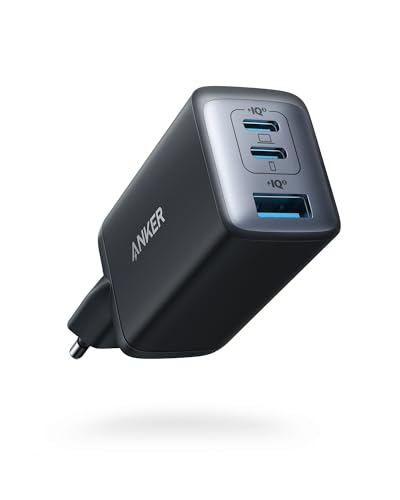
3. Anker 735 (Nano II 65W) (65W GaN)
3 ports - several devices at once
65W GaN charger. With the MSI Prestige 13 AI+ it charges at up to about 65 W via USB PD (100% of the laptop's full charging speed, estimate based on specs and protocols).
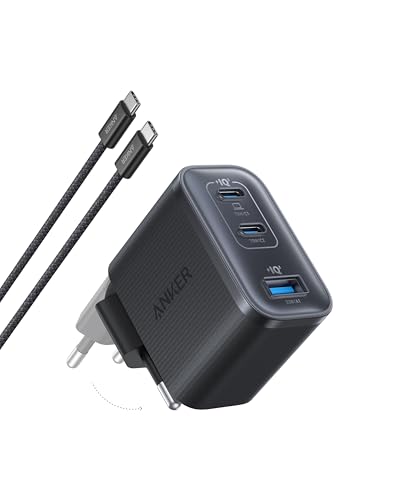
4. Anker Nano Charger 70W 3-Port (B121A) (70W GaN)
3 ports - several devices at once
70W GaN charger. With the MSI Prestige 13 AI+ it charges at up to about 65 W via USB PD (100% of the laptop's full charging speed, estimate based on specs and protocols).
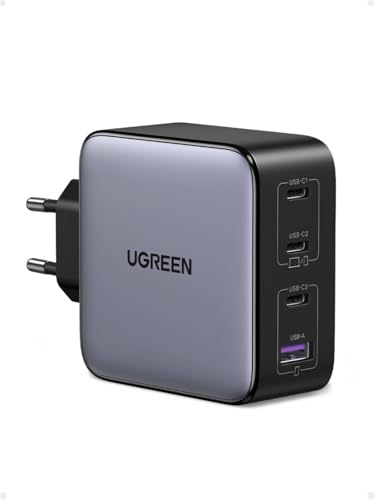
5. UGREEN Nexode 100W (100W GaN)
4 ports - several devices at once
100W GaN charger. With the MSI Prestige 13 AI+ it charges at up to about 65 W via USB PD (100% of the laptop's full charging speed, estimate based on specs and protocols).
Real-world charging traps to avoid with this ultrabook
Multi-port power splitting is the main trap. If you buy a 65 W multi-port charger and connect a phone while working on the Prestige 13 AI+, the charger drops the laptop port output to 45 W. Under sustained workloads (where the laptop pulls up to 54 W peak), charging will stall or slow down drastically.
Watch out for underpowered USB-C hubs. Plugging your charger through an unpowered monitor or travel hub that only passes 15 W to 30 W to the host will trigger slow-charging notifications in Windows and drain the battery under load.
The laptop uses standard USB-C Thunderbolt 4 ports for power delivery. You do not need proprietary cables, but you must ensure your wall adapter specifically supports the USB-C Power Delivery standard rather than brand-exclusive mobile phone fast-charging protocols.
Power consumption reality check: While MSI provides a 65W adapter, independent measurements from Notebookcheck revealed that the Prestige 13 AI+ draws an average of 44 W and maxes out at 54 W under maximum stress loads. This means a 65 W power supply is perfectly dimensioned, leaving just enough extra power to recharge the 53.8 Wh battery while running heavy computational tasks.
Key questions about charging the MSI Prestige 13 AI+
Which charger for MSI Prestige 13 AI+ delivers full speed?
Full-speed charging requires a USB-C charger that supports Power Delivery (PD) with an output of at least 65 W. Adapters matching this specification, such as Motorola TurboPower 68W or UGREEN Nexode 65W, deliver 100% of the ultrabook's real charging performance.
Does MSI include a power adapter in the box?
Yes, MSI includes an official 65W USB-C PD power adapter in the retail box in European markets and worldwide. You only need to purchase an aftermarket charger if you misplace the original or want a smaller multi-port unit for travel.
Can I safely charge the laptop with a 100W power brick?
Yes, using a higher-wattage charger like UGREEN Nexode 100W is completely safe. The laptop's internal power management communicates with the charger and only draws the power it requires (up to roughly 65 W).
Will my 20W smartphone charger work in an emergency?
A 20W charger can replenish the 53.8 Wh battery very slowly, but only while the laptop is turned off or in sleep mode. If you try to use the laptop while connected to a 20W plug, the battery will continue to deplete because the system consumes more power than the adapter provides.
Which port on the Prestige 13 AI+ should I use for charging?
You can plug your charger into either of the two USB-C Thunderbolt 4 ports located on the laptop. Both ports support Power Delivery input and offer identical charging speeds.
Sources
- MSI Prestige 13 AI+ - msi.com - official manufacturer specifications (msi.com)
- MSI Prestige 13 AI+ - notebookcheck.net - industry article (notebookcheck.net)
- MSI Prestige 13 AI+ - tomsguide.com - industry article (tomsguide.com)
- MSI Prestige 13 AI+ - itpro.com - industry article (itpro.com)
- MSI Prestige 13 AI+ - liliputing.com - industry article (liliputing.com)

Leave a comment
This site is protected by hCaptcha and the hCaptcha Privacy Policy and Terms of Service apply.