









Updated: 30.09.2026
As an Amazon Associate I earn from qualifying purchases.
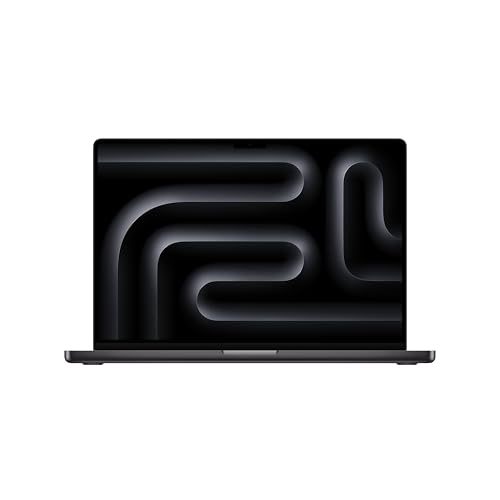
Quick answer: Which charger for Apple MacBook Pro 16 M5 Max? The simplest choice is Apple 140W USB-C Power Adapter 140 W - full charging speed (from 140 W USB-C PD). Cheaper alternatives below.
Which charger for Apple MacBook Pro 16 M5 Max? Power requirements explained
If you recently unboxed this workstation in Europe, you probably noticed that Apple does not include a power adapter in the packaging. You get a 2-meter USB-C to MagSafe 3 cable, but you have to supply the wall plug yourself. Finding out which charger for Apple MacBook Pro 16 M5 Max will let you work without power throttling comes down to a single standard: USB Power Delivery 3.1 with Extended Power Range (EPR).
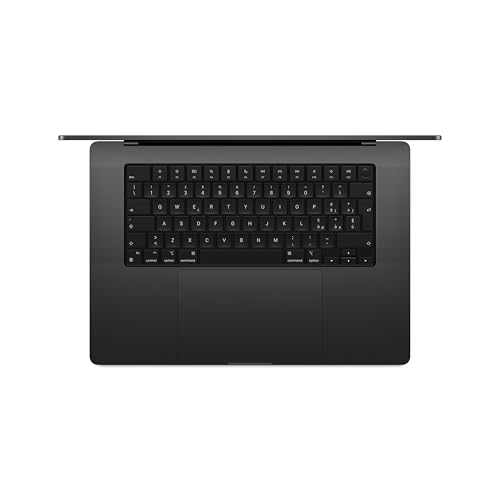
To hit the maximum charging rate and support fast charging, Apple specifies a 140 W power adapter operating at 28 V. The laptop accepts power either through its dedicated MagSafe 3 port or via any of the three Thunderbolt 5 USB-C ports at up to 140 W. Anything below this threshold means your machine will charge slower or even pull supplemental power from the battery when rendering heavy scenes.
Whether you need a primary power brick because your European unit came without one, or you want a second adapter for your desk, here is what you need to know before buying.
Specs and charging
The Apple MacBook Pro 16 M5 Max specs that matter when choosing an adapter:
- Battery: 100 Wh
- Full charging speed: from 140 W USB-C PD 3.1 (28 V)

Should you buy the original Apple brick or a third-party alternative?
The original Apple 140W USB-C Power Adapter is the safest baseline choice. It delivers the exact 28 V EPR voltage profile the M5 Max expects, fits the white aesthetic, and guarantees flawless power negotiation. However, it only features a single USB-C port, which means you cannot plug in your phone alongside your computer.
A reputable third-party adapter that supports USB PD 3.1 at 140 W will charge the MacBook just as fast as the original. Third-party models frequently cost less and often provide multiple ports, letting you run your laptop, phone, and headphones from one wall outlet. As long as the charger meets the 140 W PD 3.1 specification, there is no technical drawback to stepping away from the first-party brick.
Can you use a charger you already have in a drawer?
Plugging an existing USB-C adapter into this machine will work, but the power output determines whether the laptop actually charges or slowly drains while you work:
- 20 W to 30 W phone charger: It will supply power while the laptop lid is closed, but it will take many hours to fill the 100 Wh battery. If you use the laptop while plugged into a 20 W brick, the battery level will actively drop.
- 65 W laptop charger: Fine for typing documents or web browsing, but insufficient when the M5 Max chip spins up. Under moderate multi-core loads, the battery will deplete alongside wall power.
- 100 W USB-C charger: Standard USB PD 3.0 chargers max out at 20 V and 5 A, capping them at 100 W. The machine will charge steadily during light use, but it cannot trigger fast charging and may run out of headroom during intense workloads.
- 140 W USB PD 3.1 charger: Reaches the full 140 W ceiling, enables fast charging to 50% quickly, and matches the manufacturer-specified minimum for sustained productivity.
- 240 W charger: Completely safe, but the MacBook negotiates a maximum draw of 140 W. You will not gain any extra charging speed over a standard 140 W PD 3.1 brick.
Selecting the right 140 W adapter for your setup
If you prefer an official solution and only charge one machine at a time, pick the Apple 140W USB-C Power Adapter. It matches the laptop perfectly and delivers 100% of the maximum 140 W speed through either MagSafe 3 or USB-C.
If you want the most cost-effective way to get full charging speed while powering accessories, the Anker Charger 140W 4-Port PD 3.1 (A2697) is an excellent pick. It hits the same 140 W ceiling on a single port for the MacBook, while giving you four total ports to handle your phone and tablet simultaneously.
| Charger | Power | Estimated speed |
|---|---|---|
| Apple 140W USB-C Power Adapter | 140 W | 100% |
| Anker Charger 140W 4-Port PD 3.1 (A2697) | 140 W | 100% |

1. Apple 140W USB-C Power Adapter (140W)
Original Apple charger
140W charger. With the Apple MacBook Pro 16 M5 Max it charges at up to about 140 W via USB PD (100% of the laptop's full charging speed, estimate based on specs and protocols).

2. Anker Charger 140W 4-Port PD 3.1 (A2697) (140W GaN)
Cheapest at full speed · 4 ports - several devices at once
140W GaN charger. With the Apple MacBook Pro 16 M5 Max it charges at up to about 140 W via USB PD (100% of the laptop's full charging speed, estimate based on specs and protocols).
Power traps to watch out for with the M5 Max
The biggest pitfall is confusing a multi-port charger's total wattage with its single-port output. Many chargers advertised as "140 W" or "160 W" split that power across several sockets (for example, 100 W + 30 W). The M5 Max needs a full 140 W delivered through a single port to fast charge, which requires native USB PD 3.1 28 V support.
Another factor is the extreme power consumption of the M5 Max silicon. Independent testing by Notebookcheck revealed that even when connected to the full 140 W power supply, the laptop battery drains by roughly 12% per hour under sustained maximum load. Because the hardware can pull more than 140 W during combined CPU and GPU stress, using anything less than a 140 W brick guarantees heavy battery drain during render jobs.
Fun fact: While buyers in the European Union and the UK receive the MacBook Pro 16 with only a cable, Apple still includes the genuine 140 W power adapter inside the retail box for customers in the United States and other non-EU regions.
Common questions about powering the MacBook Pro 16 M5 Max
Which charger for Apple MacBook Pro 16 M5 Max provides the fastest charge?
To reach the fastest possible charging speed, you need any power adapter rated at 140 W or higher that supports the USB PD 3.1 EPR standard at 28 V. Both the original Apple 140W USB-C Power Adapter and certified third-party 140 W PD 3.1 adapters provide the exact same maximum charging speed.
Is a power adapter included in the box?
In the EU and Poland, Apple does not include a power adapter in the box; you only receive a 2-meter USB-C to MagSafe 3 cable. Outside the EU, such as in the United States, Apple still bundles the 140 W USB-C power brick with the laptop.
Can I charge this laptop safely through the USB-C ports instead of MagSafe 3?
Yes, the MacBook Pro 16 M5 Max supports charging up to 140 W across all three Thunderbolt 5 USB-C ports as well as the MagSafe 3 port. Both connection types draw power safely and deliver identical performance when paired with a compatible 140 W PD 3.1 adapter.
Will a 240 W charger charge the MacBook Pro 16 M5 Max faster?
No, a 240 W charger will not charge the laptop any faster than a 140 W unit. The charging controller inside the MacBook caps incoming power at 140 W, meaning extra adapter capacity simply remains unused.
What happens if I use an older 65 W or 100 W charger?
An older 65 W or 100 W charger will charge the machine slowly during light tasks or while sleeping. However, under heavy sustained workloads, the M5 Max consumes more power than those adapters can deliver, causing the laptop to drain its internal battery even while plugged into the wall.
Sources
- Apple MacBook Pro 16 M5 Max - apple.com - official manufacturer specifications (apple.com)
- Apple MacBook Pro 16 M5 Max - notebookcheck.net - industry article (notebookcheck.net)
- Apple MacBook Pro 16 M5 Max - engadget.com - industry article (engadget.com)
- Apple MacBook Pro 16 M5 Max - appleinsider.com - industry article (appleinsider.com)
- Apple MacBook Pro 16 M5 Max - macrumors.com - industry article (macrumors.com)

Leave a comment
This site is protected by hCaptcha and the hCaptcha Privacy Policy and Terms of Service apply.