









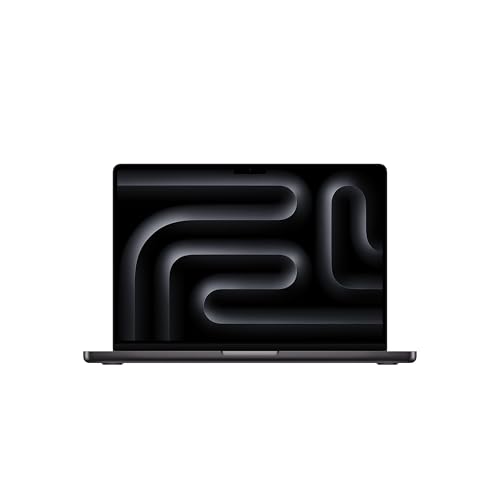
Updated: 26.09.2026
As an Amazon Associate I earn from qualifying purchases.
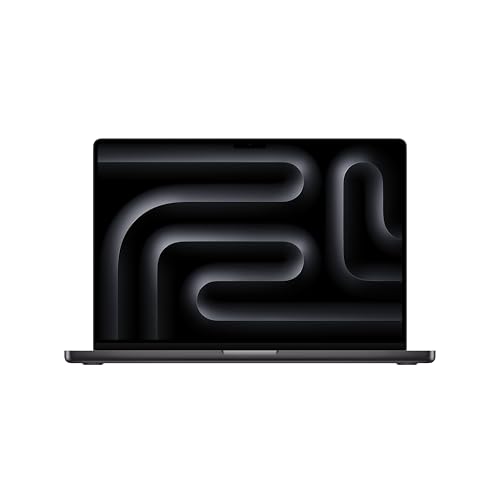
Quick answer: Which charger for Apple MacBook Pro 14 M5 Pro? The simplest choice is Anker Nano 100W (3 Ports, Smart Display) 100 W - full charging speed (from 96 W USB-C PD). The minimum is 70 W - a weaker charger will not do. Cheaper alternatives below.
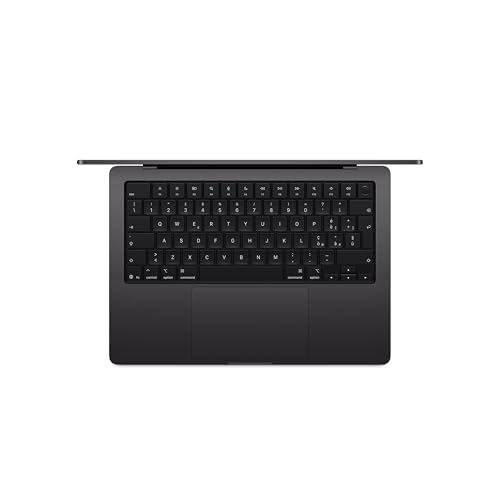
Which charger for Apple MacBook Pro 14 M5 Pro? Everything you need to know
If you purchased your laptop inside the European Union, you will find a 2-meter USB-C to MagSafe 3 cable in the box, but no power adapter. Apple expects you to provide your own wall plug. To run this machine reliably without battery drain under load, you need a charger that supplies at least 70 W. To unlock full fast charging, you need an adapter rated at 96 W or higher via USB-C Power Delivery (USB-C PD).
You can supply power through either the dedicated MagSafe 3 port or any of the three Thunderbolt 5 USB-C ports. Both options accept standard USB-C PD power sources. If you are trying to figure out which charger for Apple MacBook Pro 14 M5 Pro to buy because your box arrived without one, or you simply need a more versatile adapter for travel and office work, this guide covers the exact numbers you need.
Specs and charging
The Apple MacBook Pro 14 M5 Pro specs that matter when choosing an adapter:
- Battery: 72.4 Wh
- Minimum adapter power (manufacturer): 70 W
- Full charging speed: from 96 W USB-C PD

Apple original power adapter or a third-party USB-C charger?
You do not need to buy an original white Apple power brick to get optimal charging performance. Apple uses standard USB-C Power Delivery communication. Any high-quality third-party charger that delivers the right wattage will charge your MacBook Pro 14 M5 Pro just as quickly and safely as an official Apple unit.
An original Apple adapter makes sense if you prefer brand uniformity and only ever plan to plug in one device at a desk. However, third-party alternatives often offer much better utility. A multi-port GaN charger allows you to charge your laptop, phone, and headphones from a single wall outlet, all while taking up less physical space in your bag and costing significantly less money.
Can you use your existing phone or laptop charger?
Before spending money on a new brick, check the power rating printed on the chargers you already own. Here is how the MacBook Pro 14 M5 Pro behaves with different power levels:
- 20 W iPhone charger: Far too weak. It can provide a very slow trickle charge while the laptop is completely shut down or in sleep mode. If you use the laptop while connected to a 20 W plug, the 72.4 Wh battery will continue to discharge.
- 30 W to 45 W iPad or phone charger: Below Apple's 70 W baseline. The laptop will recognize the connection, but standard productivity workloads will draw power directly from the internal battery rather than the wall.
- 65 W standard USB-C laptop charger: Just beneath the official 70 W minimum. It will keep the laptop powered during light web browsing, but sustained creative workloads or export tasks can still cause the battery percentage to slowly drop.
- 70 W charger: Apple's confirmed minimum operating threshold. At 70 W, the laptop runs stably under full computational load without draining the battery, reaching roughly 73% of maximum charging speed.
- 96 W to 100 W USB-C PD charger: Meets the manufacturer fast-charging threshold. It delivers 100% of the laptop's real-world charging speed while powering heavy workloads simultaneously.
Which power adapter should you pick for your daily setup?
If you want the lowest cost per watt at maximum speed, UGREEN Nexode 100W is the most practical choice. It supplies around 96 W to this machine to hit 100% of its full charging potential, and its 4 ports let you power your phone and accessories alongside the laptop.
If you prefer real-time power monitoring and compact dimensions, Anker Nano 100W (3 Ports, Smart Display) also hits the full 96 W threshold on this model. Its built-in screen shows current wattage draw, making it easy to confirm your MacBook is drawing full speed.
If your priority is a tiny travel footprint, Anker Nano Charger 70W 3-Port (B121A) provides the exact 70 W minimum required by Apple. It operates the laptop at about 73% of maximum charging speed, which is plenty for everyday office work while keeping weight to a minimum.
| Charger | Power | Estimated speed |
|---|---|---|
| Anker Nano 100W (3 Ports, Smart Display) | 100 W | 100% |
| UGREEN Nexode 100W | 100 W | 100% |
| Anker Nano Charger 70W 3-Port (B121A) | 70 W | 73% |

1. Anker Nano 100W (3 Ports, Smart Display) (100W GaN)
3 ports - several devices at once
100W GaN charger. With the Apple MacBook Pro 14 M5 Pro it charges at up to about 96 W via USB PD (100% of the laptop's full charging speed, estimate based on specs and protocols).
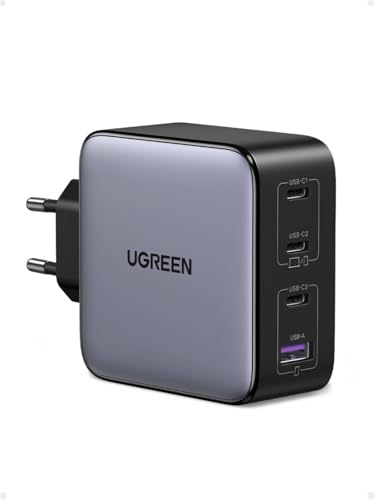
2. UGREEN Nexode 100W (100W GaN)
Cheapest at full speed · 4 ports - several devices at once
100W GaN charger. With the Apple MacBook Pro 14 M5 Pro it charges at up to about 96 W via USB PD (100% of the laptop's full charging speed, estimate based on specs and protocols).
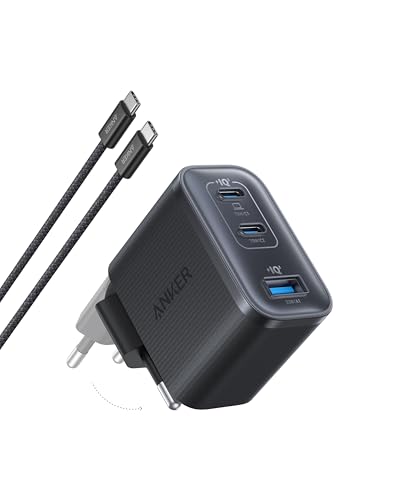
3. Anker Nano Charger 70W 3-Port (B121A) (70W GaN)
3 ports - several devices at once
70W GaN charger. With the Apple MacBook Pro 14 M5 Pro it charges at up to about 70 W via USB PD (73% of the laptop's full charging speed, estimate based on specs and protocols).
Crucial charging traps to avoid with the M5 Pro
The biggest mistake is using an adapter rated under 70 W. Apple set 70 W as the hard minimum because the M5 Pro chip and liquid retina display draw noticeable power under load. A 45 W or 65 W adapter simply cannot supply enough energy during intense tasks, leading to annoying battery drain while plugged in.
Another common trap is multi-port power sharing. When you plug a phone into a 100 W multi-port charger, the charger splits its total capacity across ports. If your primary USB-C port drops from 100 W down to 65 W, your MacBook falls below the 70 W threshold and drops out of fast-charging mode. Always check the port-distribution chart on multi-port plugs.
Finally, remember that 96 W is the threshold where fast charging activates, not an absolute power ceiling. Picking a quality 100 W USB-C PD adapter ensures you comfortably clear that 96 W requirement without bottlenecking your machine.
Frequently asked questions about charging MacBook Pro 14 M5 Pro
Does the Apple MacBook Pro 14 M5 Pro come with a charger in the box?
In the EU and Poland, no wall charger is included in the packaging. Apple only includes the laptop and a 2-meter USB-C to MagSafe 3 braided cable. Outside the EU, Apple bundles either a 70 W or 96 W adapter depending on the specific chip configuration.
Which charger for Apple MacBook Pro 14 M5 Pro provides full fast charging?
To achieve full fast charging, Apple specifies a USB-C Power Delivery adapter rated at 96 W or higher. A 100 W USB-C PD charger delivers around 96 W to this laptop, reaching 100% of its real-world fast charging speed.
Can I charge my MacBook Pro 14 M5 Pro with an iPhone 20W charger?
A 20 W charger is not suitable for daily use. It will only slowly charge the battery when the lid is closed and the machine is sleeping. If you try to work on the laptop while connected to 20 W, the battery will continue to discharge.
Should I charge via MagSafe 3 or USB-C Thunderbolt 5?
Both ports support charging. MagSafe 3 leaves all three Thunderbolt 5 ports free for peripherals and safely disconnects if someone trips over the cord. The Thunderbolt 5 USB-C ports allow you to charge using standard USB-C cables, which is convenient when connecting through docks or monitors.
Will using a 100W or 140W charger damage the battery?
No, it is completely safe. Modern USB-C Power Delivery communication ensures the laptop only draws the exact amount of power it requests. Connecting a higher-wattage charger will not force excess power into the battery or cause any damage.
Sources
- Apple MacBook Pro 14 M5 Pro - apple.com - official manufacturer specifications (apple.com)
- Apple MacBook Pro 14 M5 Pro - pickr.com.au - industry article (pickr.com.au)
- Apple MacBook Pro 14 M5 Pro - cgmagonline.com - industry article (cgmagonline.com)
- Apple MacBook Pro 14 M5 Pro - fstoppers.com - industry article (fstoppers.com)
- Apple MacBook Pro 14 M5 Pro - macrumors.com - industry article (macrumors.com)

Leave a comment
This site is protected by hCaptcha and the hCaptcha Privacy Policy and Terms of Service apply.