









Updated: 30.09.2026
As an Amazon Associate I earn from qualifying purchases.
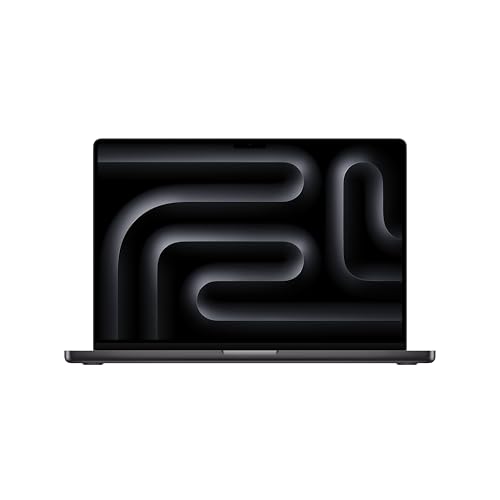
Quick answer: Which charger for Apple MacBook Pro 16 M5 Pro? The simplest choice is Apple 140W USB-C Power Adapter 140 W - full charging speed (from 140 W USB-C PD). Cheaper alternatives below.
Which charger for Apple MacBook Pro 16 M5 Pro? Essential power requirements
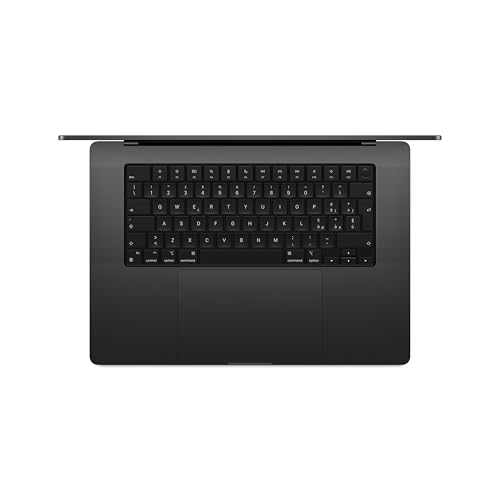
If you recently purchased your Apple laptop in Europe, you might have noticed an empty space in the packaging. You will need to decide which charger for Apple MacBook Pro 16 M5 Pro to pick up, because Apple no longer includes a power adapter in the box within the EU, supplying only a 2-meter USB-C to MagSafe 3 cable.
To power this machine at full throttle, you need an adapter that delivers 140 W using USB Power Delivery 3.1 EPR (Extended Power Range, an updated standard that pushes voltage up to 28 V). You can charge through the dedicated MagSafe 3 port or any of the three USB-C Thunderbolt 5 ports, as both paths support the full 140 W intake.
Whether you need your primary home adapter, an extra unit for your office desk, or a versatile travel companion, here is practical advice on how to power your laptop without overpaying.
Specs and charging
The Apple MacBook Pro 16 M5 Pro specs that matter when choosing an adapter:
- Battery: 100 Wh
- Full charging speed: from 140 W USB-C PD 3.1 (28 V)

Original Apple brick or a reputable third-party power adapter?
You do not need to buy the official Apple accessory to achieve maximum charging speed. Modern USB-C Power Delivery is an open universal standard, meaning any certified replacement matching the 140 W specification will charge your machine just as fast as the stock unit.
The original Apple adapter is a solid pick if you value brand consistency and only need to charge one machine at a time. It features a single USB-C port, a sturdy build, and straightforward plug-and-play operation.
Third-party alternatives make far more sense when you travel or want to declutter your desk. Multi-port chargers let you juice up your laptop, phone, and tablet from a single wall outlet, usually at a lower cost than buying official single-port adapters.
Can an older charger from your drawer keep this laptop alive?
Plugging an existing charger into this laptop will not harm the battery, but your charging speed will vary dramatically depending on the output rating:
- 20 W or 30 W phone charger: Unusable during active work. It might slowly replenish the 100 Wh battery overnight while the lid is closed, but it cannot charge the machine while the display is turned on.
- 65 W laptop charger: Acceptable for lightweight office work, web browsing, and standby charging. Under intensive computing loads, the battery will gradually drain even while connected to the wall.
- 100 W USB-C charger: A decent everyday backup, but it caps out at standard 20 V delivery. It will charge slower than the laptop's real potential and leaves little headroom during heavy rendering or compiling.
- 140 W PD 3.1 adapter: The official sweet spot. It provides maximum fast-charging capabilities and keeps the battery filled even when the hardware runs under load.
Which 140W power supply should you choose?
If you prefer original accessories, the Apple 140W USB-C Power Adapter provides full 140 W speed through a single connection and matches the factory design. If you want more flexibility and better pricing, the Anker Charger 140W 4-Port PD 3.1 (A2697) hits the same 140 W maximum output while giving you four ports to charge multiple devices at the same time.
| Charger | Power | Estimated speed |
|---|---|---|
| Apple 140W USB-C Power Adapter | 140 W | 100% |
| Anker Charger 140W 4-Port PD 3.1 (A2697) | 140 W | 100% |

1. Apple 140W USB-C Power Adapter (140W)
Original Apple charger
140W charger. With the Apple MacBook Pro 16 M5 Pro it charges at up to about 140 W via USB PD (100% of the laptop's full charging speed, estimate based on specs and protocols).

2. Anker Charger 140W 4-Port PD 3.1 (A2697) (140W GaN)
Cheapest at full speed · 4 ports - several devices at once
140W GaN charger. With the Apple MacBook Pro 16 M5 Pro it charges at up to about 140 W via USB PD (100% of the laptop's full charging speed, estimate based on specs and protocols).
Key power traps to avoid with this 16-inch model
The main trap is assuming any 100 W laptop charger will provide maximum performance. Standard USB-C adapters top out at 100 W (20 V at 5 A), so hitting 140 W requires a newer adapter featuring USB PD 3.1 EPR running at 28 V.
Watch out for multi-port power redistribution as well. When you connect a phone or tablet to a secondary port on a multi-charger, the primary port automatically lowers its wattage, which will drop your laptop below the 140 W threshold.
Finally, keep workload demands in mind. Independent performance tests show that a 140 W power supply is not always sufficient under absolute peak load, meaning any charger rated below 140 W will inevitably cause the battery level to drop during intense rendering sessions.
Fun fact: While European buyers get only the 2-meter MagSafe cable in the box, Apple still bundles the full 140 W USB-C power adapter with this exact laptop for customers in the United States and other markets outside Europe.
Frequently asked questions about charging Apple MacBook Pro 16 M5 Pro
Which charger for Apple MacBook Pro 16 M5 Pro provides the fastest charging speed?
You need an adapter that supports USB Power Delivery 3.1 EPR with at least 140 W output at 28 V. A standard 100 W charger cannot deliver maximum fast charging to this model.
Is a power adapter included in the box in Europe?
No, in the European Union you will only find the 2-meter USB-C to MagSafe 3 cable inside the packaging. You must purchase the 140 W power adapter separately.
Can I charge through Thunderbolt 5 USB-C ports instead of MagSafe 3?
Yes, this laptop supports up to 140 W charging through both the MagSafe 3 port and the three USB-C Thunderbolt 5 ports. You can use standard USB-C cables and chargers supporting PD 3.1 without losing charging performance.
Will a 65W or 100W laptop charger damage the battery?
No, modern USB Power Delivery automatically negotiates voltage and current, so a weaker charger is completely safe. However, a 65 W or 100 W brick will charge the 100 Wh battery much slower and might lose charge under heavy load.
Is a third-party 140W charger safe for this machine?
Yes, certified third-party adapters from reliable manufacturers that follow USB-C PD 3.1 standards work just like the original Apple unit. They negotiate power safely and can charge the laptop at full 140 W speed.
Sources
- Apple MacBook Pro 16 M5 Pro - apple.com - official manufacturer specifications (apple.com)
- Apple MacBook Pro 16 M5 Pro - notebookcheck.net - industry article (notebookcheck.net)
- Apple MacBook Pro 16 M5 Pro - expertreviews.co.uk - industry article (expertreviews.co.uk)
- Apple MacBook Pro 16 M5 Pro - notebookcheck.net - industry article (notebookcheck.net)
- Apple MacBook Pro 16 M5 Pro - macrumors.com - industry article (macrumors.com)

Leave a comment
This site is protected by hCaptcha and the hCaptcha Privacy Policy and Terms of Service apply.