









Updated: 26.09.2026
As an Amazon Associate I earn from qualifying purchases.
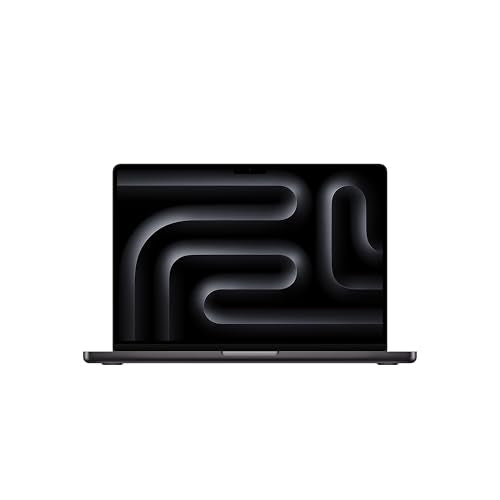
Quick answer: Which charger for Apple MacBook Pro 14 M5? The simplest choice is Anker Nano 100W (3 Ports, Smart Display) 100 W - full charging speed (from 96 W USB-C PD). The minimum is 60 W - a weaker charger will not do. Cheaper alternatives below.
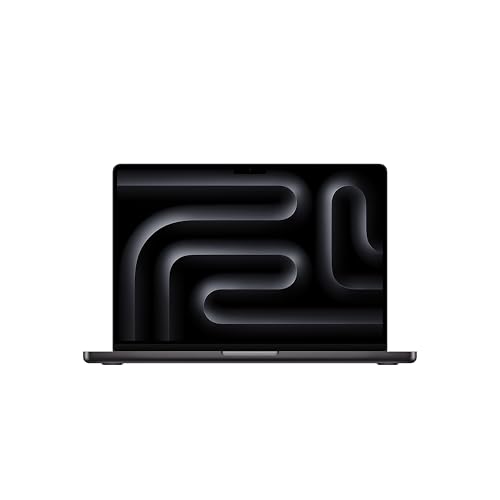
Which charger for Apple MacBook Pro 14 M5? Essential facts right away
If you bought your MacBook Pro in the European Union, you probably noticed the box is unusually slim. Apple does not include a power adapter in the box in the EU, packing only a 2-meter USB-C to MagSafe 3 cable. Outside Europe, the company bundles a 70W adapter, so you will need to supply your own plug to run the machine.
Which charger for Apple MacBook Pro 14 M5 should you get? Apple sets the official minimum at 60W to prevent the laptop from draining its battery under heavy loads. If you want full-speed fast charging, you need a USB Power Delivery (USB-C PD) adapter rated at 96W or higher. The laptop charges flexibly through either the dedicated MagSafe 3 port or any of the three Thunderbolt 4 USB-C ports.
Whether you just unboxed your computer without a wall plug or need a lighter spare for travel, picking the right adapter is straightforward once you know the exact power thresholds.
Specs and charging
The Apple MacBook Pro 14 M5 specs that matter when choosing an adapter:
- Battery: 72.4 Wh
- Minimum adapter power (manufacturer): 60 W
- Full charging speed: from 96 W USB-C PD

Original Apple adapter or third-party alternative?
Apple makes solid power bricks, but you do not need to buy an original Apple adapter. Modern MacBooks rely on the universal USB Power Delivery standard, which means any certified USB-C PD brick of sufficient wattage will charge your laptop just as reliably.
An original Apple adapter makes sense if you prefer staying within the first-party ecosystem and only plan to charge one machine at your desk. However, genuine Apple chargers usually offer only a single port and cost considerably more.
Third-party chargers from reputable brands often provide multiple ports. That allows you to fast-charge your MacBook alongside an iPhone and headphones from a single wall outlet, saving bag space and money.

Can you use a charger you already own?
You might already have a collection of USB-C plugs at home. Here is how your MacBook Pro 14 M5 handles different power levels in practice:
- Phone chargers (20W to 30W): These fall well below Apple's 60W operating minimum. They might add some percentage points overnight when the lid is closed, but while working, the 72.4 Wh battery will continue to discharge.
- Mid-range chargers (65W to 68W): Bricks like the UGREEN Nexode 65W or Motorola TurboPower 68W clear the 60W minimum threshold. They deliver ample power for office work, web browsing, and steady replenishment.
- 70W power supplies: Independent testing by Notebookcheck showed that a 70W power supply was sufficient to keep this laptop running reliably without battery drain, matching Apple's standard non-EU power brick.
- 96W to 100W adapters: This is the threshold for Apple's official fast charging. A 100W USB-C PD charger delivers around 96W to the laptop, quickly topping up the 72.4 Wh cell.
Which power adapter should you pick for your setup?
If you want full charging speed and the ability to power other gear, the Anker Nano 100W (3 Ports, Smart Display) reaches roughly 96W on this laptop. That gives you 100% of the practical charging maximum while offering three ports and a handy power screen.
For the most budget-friendly path to peak speed, the UGREEN Nexode 100W also supplies around 96W to this machine. With four charging ports, it can easily power your MacBook and several desk accessories at the same time.
If you want a compact daily charger that matches Apple's 70W baseline, the Anker Nano Charger 70W 3-Port (B121A) provides around 70W (73% of maximum speed). For minimal travel kits, the Motorola TurboPower 68W (approx. 68W) and UGREEN Nexode 65W (approx. 65W) keep your setup comfortably above Apple's 60W operating minimum.
| Charger | Power | Estimated speed |
|---|---|---|
| Anker Nano 100W (3 Ports, Smart Display) | 100 W | 100% |
| UGREEN Nexode 100W | 100 W | 100% |
| Anker Nano Charger 70W 3-Port (B121A) | 70 W | 73% |
| Motorola TurboPower 68W | 68 W | 71% |
| UGREEN Nexode 65W | 65 W | 68% |

1. Anker Nano 100W (3 Ports, Smart Display) (100W GaN)
3 ports - several devices at once
100W GaN charger. With the Apple MacBook Pro 14 M5 it charges at up to about 96 W via USB PD (100% of the laptop's full charging speed, estimate based on specs and protocols).
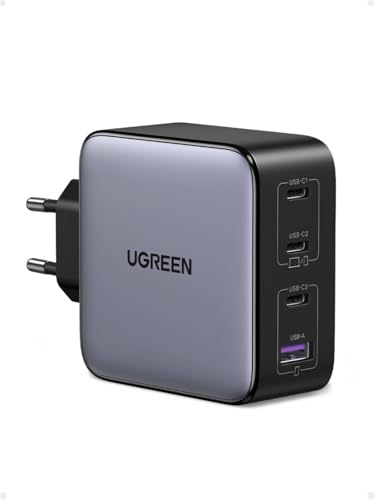
2. UGREEN Nexode 100W (100W GaN)
Cheapest at full speed · 4 ports - several devices at once
100W GaN charger. With the Apple MacBook Pro 14 M5 it charges at up to about 96 W via USB PD (100% of the laptop's full charging speed, estimate based on specs and protocols).
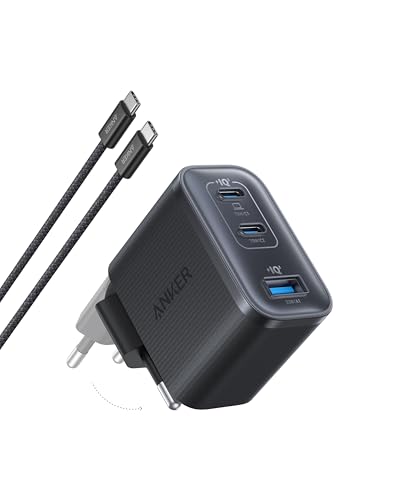
3. Anker Nano Charger 70W 3-Port (B121A) (70W GaN)
3 ports - several devices at once
70W GaN charger. With the Apple MacBook Pro 14 M5 it charges at up to about 70 W via USB PD (73% of the laptop's full charging speed, estimate based on specs and protocols).

4. Motorola TurboPower 68W (68W GaN)
68W GaN charger. With the Apple MacBook Pro 14 M5 it charges at up to about 68 W via USB PD (71% of the laptop's full charging speed, estimate based on specs and protocols).

5. UGREEN Nexode 65W (65W GaN)
3 ports - several devices at once
65W GaN charger. With the Apple MacBook Pro 14 M5 it charges at up to about 65 W via USB PD (68% of the laptop's full charging speed, estimate based on specs and protocols).
Key power traps to avoid with the M5 MacBook Pro
The biggest trap is using an adapter rated under 60W for demanding tasks. If you run photo exports or compile code on a 30W plug, the laptop will draw energy directly from the battery to compensate, leaving you with less charge than when you started.
Another detail involves multi-port chargers. When you plug a secondary device like a phone into a 100W multi-port brick, the charger automatically splits the wattage across ports, typically dropping the primary slot to around 65W. That is still safely above the 60W minimum for stable work, but fast charging will temporarily pause until you disconnect the extra gear.
Lastly, take advantage of the included 2-meter USB-C to MagSafe 3 cable. Using MagSafe keeps all three Thunderbolt 4 ports completely free for external drives, monitors, and accessories.
Frequently asked questions about charging MacBook Pro 14 M5
Which charger for Apple MacBook Pro 14 M5 gives full speed?
To reach full fast-charging speed, you need a USB-C Power Delivery adapter rated at 96W or higher. Chargers like the Anker Nano 100W or UGREEN Nexode 100W hit around 96W with this model, giving you 100% of its fast-charge performance.
Does the Apple MacBook Pro 14 M5 include a charger in the box?
In the European Union and Poland, Apple does not include a power adapter in the box. You receive only the laptop and a 2-meter braided USB-C to MagSafe 3 cable. Outside the EU, Apple includes a 70W USB-C adapter.
Can I charge my MacBook Pro 14 M5 with an iPhone charger?
A standard 20W iPhone plug is well below the manufacturer's 60W minimum requirement. It might slowly charge the laptop when it is shut down or asleep, but during regular use, the battery will continue to drain.
Is it better to charge via MagSafe 3 or USB-C?
Both MagSafe 3 and the Thunderbolt 4 USB-C ports support Power Delivery charging. MagSafe 3 offers magnetic breakaway protection and frees up all three USB-C ports for peripherals, while USB-C allows you to use standard USB-C cables you might already have on your desk.
Will a 100W or higher charger damage the MacBook battery?
No, it will not cause any damage. Modern laptops communicate directly with the power adapter via the USB Power Delivery handshake, drawing only the wattage they are designed to take.
Sources
- Apple MacBook Pro 14 M5 - apple.com - official manufacturer specifications (apple.com)
- Apple MacBook Pro 14 M5 - notebookcheck.net - industry article (notebookcheck.net)
- Apple MacBook Pro 14 M5 - tomshardware.com - industry article (tomshardware.com)
- Apple MacBook Pro 14 M5 - rtings.com - industry article (rtings.com)
- Apple MacBook Pro 14 M5 - macrumors.com - industry article (macrumors.com)

Leave a comment
This site is protected by hCaptcha and the hCaptcha Privacy Policy and Terms of Service apply.