









Updated: 26.09.2026
As an Amazon Associate I earn from qualifying purchases.
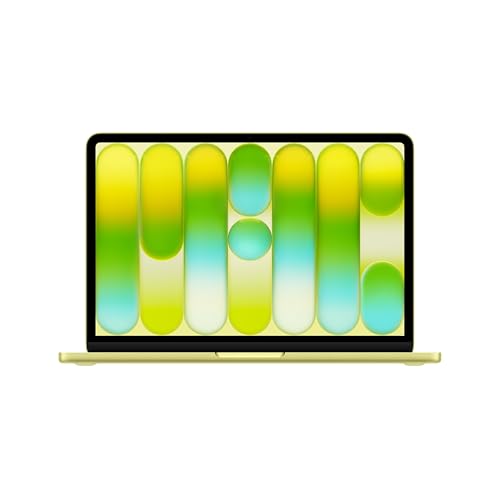
Quick answer: Which charger for Apple MacBook Air 13 M5? The simplest choice is Motorola TurboPower 68W 68 W - full charging speed (from 70 W USB-C PD). The minimum is 30 W - a weaker charger will not do. Cheaper alternatives below.

Which charger for Apple MacBook Air 13 M5? Here is what you actually need
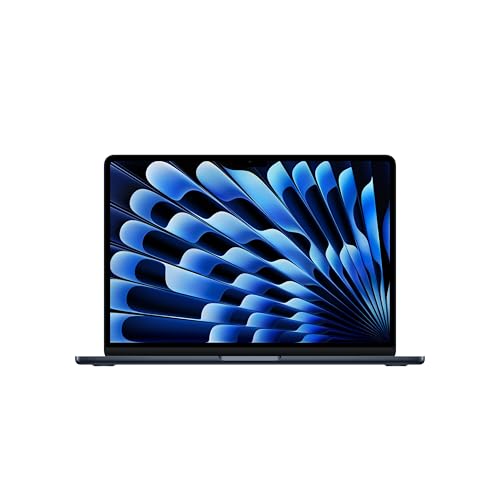
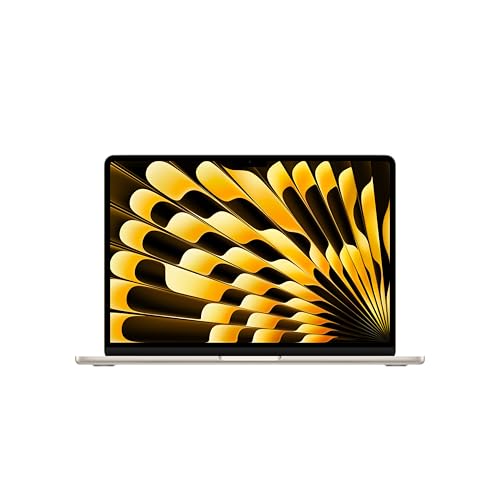
If you are wondering which charger for Apple MacBook Air 13 M5 to choose, the first surprise might come right out of the box. In the European Union, Apple supplies this laptop without a power adapter, including only the 2-meter USB-C to MagSafe 3 cable. Outside the EU, Apple bundles a 40W Dynamic adapter, but European buyers must source their own plug.
To run this machine and keep the battery steady under normal tasks, Apple specifies a minimum adapter power of 30 W. However, if you want full fast-charging speeds, Apple states that you need a USB Power Delivery (USB-C PD) adapter rated at 70 W or higher. You can feed that power through either the dedicated MagSafe 3 port or either of the two Thunderbolt 4 USB-C ports.
Whether you just unboxed your laptop and need your primary power brick, or you want a lighter multi-port travel adapter for your desk, here is a straightforward breakdown of what works best.
Specs and charging
The Apple MacBook Air 13 M5 specs that matter when choosing an adapter:
- Battery: 53.8 Wh
- Minimum adapter power (manufacturer): 30 W
- Full charging speed: from 70 W USB-C PD
Do you have to buy an official Apple power brick?
You do not need to buy an original Apple adapter to get top charging performance. The laptop relies on universal USB Power Delivery (USB-C PD) standards, meaning any certified third-party USB-C charger with the right output will charge it reliably.
An original Apple 70 W charger makes sense if you prefer official accessories and only ever charge one device at a time. It delivers the intended fast-charging power without any configuration needed.
A reputable third-party charger is often the more practical choice. Quality alternatives cost significantly less, come in smaller physical sizes, and typically feature two or three ports so you can charge your laptop, phone, and headphones from a single wall outlet.
Can you use a charger you already own?
Before spending money on a new brick, take a look at the adapters already sitting in your drawers. Here is how common chargers behave with the 53.8 Wh battery inside this laptop:
- 20 W iPhone charger: This is below Apple's 30 W minimum threshold. It will slowly charge the battery while the lid is closed overnight, but if you use the laptop actively, the system will consume more energy than the plug delivers, draining your battery while plugged in.
- 30 W to 45 W tablet or laptop charger: This meets the baseline requirement. Independent tests from Notebookcheck show that on a 30 W power supply, the laptop briefly limits its power under a heavy stress test before consumption settles at around 24 W, pulling a maximum of 30.4 W at the wall. For web browsing, document writing, and media playback, a 30 W to 45 W adapter works fine.
- 65 W standard USB-C laptop charger: A common 65 W power brick delivers about 93% of the laptop's speed threshold. While Apple officially designates 70 W or higher for maximum fast charging, 65 W is more than enough to handle heavy workloads while replenishing the battery quickly.
- 100 W or higher USB-C laptop charger: Safe and fully functional. The MacBook Air communicates with the power supply and only takes what it needs, reaching full charging speed without overloading the system.
Which adapter fits your everyday setup best?
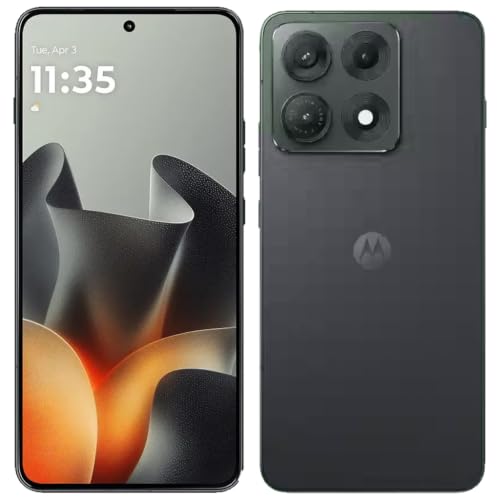
If you want the most affordable way to hit near-peak speeds, the Motorola TurboPower 68W delivers roughly 68 W to this machine, giving you around 97% of its real-world speed threshold at a budget-friendly price point.
If you want full 70 W fast charging alongside versatility, the Anker Nano Charger 70W 3-Port (B121A) hits 100% of the target speed while letting you plug in accessories simultaneously.
For users who need a heavy-duty desk hub, the UGREEN Nexode 100W or the Anker Nano 100W (with smart display) provide full 70 W charging to the laptop while keeping ample power headroom to fast-charge a phone on the secondary ports. If portability is your main priority, the compact UGREEN Nexode 65W delivers approximately 65 W (93% speed) across three convenient ports.
| Charger | Power | Estimated speed |
|---|---|---|
| Motorola TurboPower 68W | 68 W | 97% |
| Anker Nano Charger 70W 3-Port (B121A) | 70 W | 100% |
| UGREEN Nexode 100W | 100 W | 100% |
| Anker Nano 100W (3 Ports, Smart Display) | 100 W | 100% |
| UGREEN Nexode 65W | 65 W | 93% |

1. Motorola TurboPower 68W (68W GaN)
Cheapest at full speed
68W GaN charger. With the Apple MacBook Air 13 M5 it charges at up to about 68 W via USB PD (97% of the laptop's full charging speed, estimate based on specs and protocols).
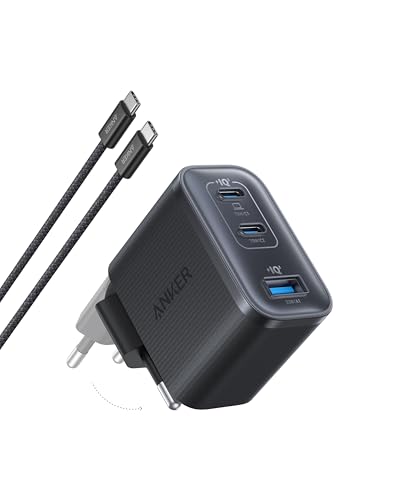
2. Anker Nano Charger 70W 3-Port (B121A) (70W GaN)
3 ports - several devices at once
70W GaN charger. With the Apple MacBook Air 13 M5 it charges at up to about 70 W via USB PD (100% of the laptop's full charging speed, estimate based on specs and protocols).
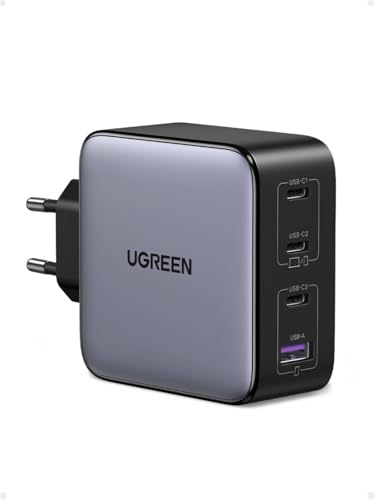
3. UGREEN Nexode 100W (100W GaN)
4 ports - several devices at once
100W GaN charger. With the Apple MacBook Air 13 M5 it charges at up to about 70 W via USB PD (100% of the laptop's full charging speed, estimate based on specs and protocols).

4. Anker Nano 100W (3 Ports, Smart Display) (100W GaN)
3 ports - several devices at once
100W GaN charger. With the Apple MacBook Air 13 M5 it charges at up to about 70 W via USB PD (100% of the laptop's full charging speed, estimate based on specs and protocols).

5. UGREEN Nexode 65W (65W GaN)
3 ports - several devices at once
65W GaN charger. With the Apple MacBook Air 13 M5 it charges at up to about 65 W via USB PD (93% of the laptop's full charging speed, estimate based on specs and protocols).
Charging traps to watch out for with this machine
The first trap is running a charger rated below 30 W. Apple sets 30 W as the working baseline because heavy system tasks will outpace a smaller 18 W or 20 W phone charger, leading to performance limits or a slowly depleting battery during work sessions.
The second trap involves multi-port chargers. If you buy a 65 W or 70 W multi-port adapter and plug in your phone alongside your laptop, the charger will split its wattage (often dropping the primary port to 45 W). To maintain full 70 W fast charging while powering other devices, you need a charger rated at 100 W.
Finally, remember that 70 W is the threshold for fast charging, not a strict consumption cap. However, buying a massive 140 W brick will not double your charging speed, as the laptop actively manages its power intake according to Apple's charging parameters.
Frequently asked questions about charging Apple MacBook Air 13 M5
Which charger for Apple MacBook Air 13 M5 do I need for fast charging?
To enable official fast charging, Apple specifies a USB Power Delivery (USB-C PD) adapter rated at 70 W or higher. Adapters delivering 65 W to 68 W get very close to this threshold, while a 70 W or 100 W unit unlocks the full fast-charging rate.
Is a power adapter included in the box in the EU?
No, Apple does not include a power adapter in the box in EU markets, including Poland. The package contains only the laptop and a 2-meter USB-C to MagSafe 3 braided cable, meaning you must provide your own compatible USB-C charger.
Can I charge this laptop with an iPhone 20 W charger?
You can use a 20 W charger for emergency overnight charging while the laptop is sleeping, but it falls below the official 30 W operational minimum. Under active daily use, the laptop draws more power than a 20 W brick provides, causing the battery level to drop.
Should I charge via the MagSafe 3 port or USB-C?
Both options work reliably. MagSafe 3 keeps both Thunderbolt 4 USB-C ports open for external drives or displays and disconnects cleanly if someone trips over the cable, while standard USB-C charging lets you use any standard USB-C cable you have on hand.
Will a 100 W charger damage the MacBook Air battery?
No, a 100 W charger will not harm your laptop or battery. The MacBook Air negotiates power delivery with the charger and only draws what it requires, operating safely at its full speed threshold while leaving spare capacity on the adapter.
Sources
- Apple MacBook Air 13 M5 - apple.com - official manufacturer specifications (apple.com)
- Apple MacBook Air 13 M5 - notebookcheck.net - industry article (notebookcheck.net)
- Apple MacBook Air 13 M5 - tomshardware.com - industry article (tomshardware.com)
- Apple MacBook Air 13 M5 - rtings.com - industry article (rtings.com)
- Apple MacBook Air 13 M5 - 9to5mac.com - industry article (9to5mac.com)

Leave a comment
This site is protected by hCaptcha and the hCaptcha Privacy Policy and Terms of Service apply.