








As an Amazon Associate I earn from qualifying purchases.
Quick answer: our top pick is Dell 27 Plus S2725QC (27-inch · 4K · 120 Hz · USB-C 65 W).
Best monitor for MacBook Air M5? The simple answer: 27-inch 4K with USB-C
For everyday work, a 27-inch 4K monitor with USB-C is enough. One cable carries video and data, and it also charges your laptop.
If sharp text matters most to you, go for 5K. Among the monitors we describe below, that means the ASUS PA27JCV or the Apple Studio Display.
Below, we explain how many screens you can connect, how charging from the monitor works, and when 5K makes sense.

How many monitors and at what resolution
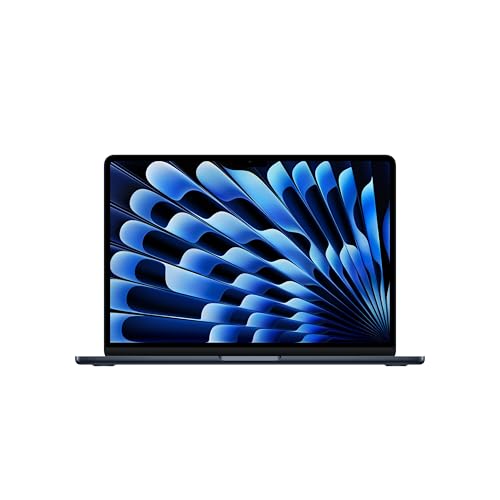
The MacBook Air with M5 (13 and 15 inch) supports up to two external monitors at the same time, in addition to the built-in display. Closing the lid does not raise this limit, so two external displays is the maximum with the lid both open and closed.
You connect monitors to the Thunderbolt 4 ports on the side. The laptop has two such ports (USB-C) and MagSafe 3, but no HDMI. If your monitor only has HDMI, you need an adapter.
The limits according to Apple look like this:
- One monitor: up to 8K 60 Hz, 5K 120 Hz or 4K 240 Hz.
- Two monitors: up to 6K 60 Hz or 4K 144 Hz each.
In practice: two 4K 60 Hz or 4K 120 Hz monitors fit within the limit without a problem. Two 5K monitors at full resolution are something to double-check, because for two displays Apple lists 6K 60 Hz or 4K 144 Hz.
Fun fact: the MacBook Air with M5 can drive a single 5K monitor even at 120 Hz, and 4K at 240 Hz.
We picked 27-inch monitors for working with a laptop: 4K, 5K and one cheaper QHD option, all with a USB-C or Thunderbolt input.

Recommended monitors for MacBook Air M5
1. Dell 27 Plus S2725QC
27-inch · 4K · 120 Hz · USB-C 65 W
The best-selling USB-C monitor in this list: 27 inches, 4K and 120 Hz. One USB-C cable carries video and data and charges the MacBook at 65 W.
2. Apple Studio Display (2026)
27-inch · 5K · 600 nits · Thunderbolt 5
Apple's monitor: 27-inch 5K, 600 nits, two Thunderbolt 5 ports, a 12 MP camera and six speakers. All in one housing, so no separate webcam or speakers on the desk.

3. LG UltraFine 27UP850K
27-inch · 4K · 95% DCI-P3 · USB-C about 90 W
A 27-inch 4K panel with 95% DCI-P3 and DisplayHDR 400 per LG. USB-C charges the laptop at about 90 W (listings say 90 or 96 W), plus two HDMI ports and DisplayPort.

4. Dell 27 Plus S2725DC
27-inch · QHD · 144 Hz · USB-C 65 W
Dell's cheaper option with QHD (2560 x 1440) at 144 Hz, still with USB-C and 65 W charging. Text on 27 inches is less sharp than 4K, but fine for the browser and spreadsheets.
Charging from the monitor: 65 W is enough, but not fast
A 65 W USB-C monitor will charge a MacBook Air, so with a single-cable desk setup you won't run out of power. It won't be a fast charging mode, though.
Apple states that fast charging requires a USB PD power adapter of 70 W or more. 65 W monitors, such as the Dell S2725QC and Dell S2725DC, sit just below that threshold.
The LG 27UP850K offers about 90 W (listings give 90 or 96 W), so it exceeds the 70 W threshold. If fast charging through the monitor matters to you, it's the only one on our list that meets it.
It's also worth knowing what comes in the box. In the US, a 40 W Dynamic adapter (max. 60 W) is included. That is below the 70 W fast-charge threshold too, so a monitor with about 90 W over USB-C charges faster than the adapter from the box.
4K or 5K, and two monitors via a hub
4K on 27 inches is a sensible choice for most tasks: spreadsheets, browsing, email, working with documents. The Dell S2725QC adds 120 Hz to that, and the LG 27UP850K offers stronger charging and additional inputs (two HDMI and DisplayPort).
Choose 5K if you read and write a lot on screen. The ASUS PA27JCV has the same number of pixels (5120 x 2880) as the Apple Studio Display. Apple adds two Thunderbolt 5 ports, a 12 MP camera and six speakers, so on your desk you don't need a separate camera or speakers.
If your budget is tighter, the Dell S2725DC in QHD with 144 Hz will also do the job. Text on 27 inches will be less sharp than in 4K, but it's enough for browsing and spreadsheets.
You can connect two monitors in two ways: with two cables to two Thunderbolt ports or with a single hub. A hub or daisy chain lets you connect two screens to one port, but it doesn't raise the limit. The advantage is a free second port, for example for charging.
Fun fact: closing the lid of the MacBook Air with M5 doesn't give you a third monitor, because the limit is two external displays.
Frequently asked questions about a monitor for the MacBook Air M5
Which monitor to choose for the MacBook Air M5?
For everyday work, a 27-inch 4K monitor with USB-C is enough. If text sharpness matters, consider 5K: the ASUS PA27JCV or the Apple Studio Display. For fast charging through the monitor, you need power above 70 W.
How many monitors does the MacBook Air M5 support?
Up to two external monitors at once, in addition to the built-in screen. You connect them to the Thunderbolt 4 ports on the side. A hub lets you use one port for both, but it doesn't raise the limit.
Does the MacBook Air M5 support two monitors with the lid open?
Yes. Two external monitors work in addition to the built-in screen, and closing the lid doesn't raise the limit. For two monitors, Apple states up to 6K at 60 Hz or 4K at 144 Hz each.
Does a 5K monitor work with the MacBook Air M5?
Yes. With a single monitor, Apple states support for up to 5K at 120 Hz. With two screens, the limit is up to 6K at 60 Hz or 4K at 144 Hz each, so check Apple's specifications first if you plan to use two 5K monitors.
Will a 65 W USB-C monitor charge the MacBook Air M5 quickly?
It will charge it, but not in fast charging mode. Apple requires a USB PD power adapter of 70 W or more for that. A monitor around 90 W, like the LG 27UP850K, exceeds that threshold.
Sources
- Apple Support: How many displays can be connected to MacBook Air - manufacturer page (support.apple.com)
- Apple: MacBook Air technical specifications - manufacturer page (apple.com)
- 9to5Mac: The M5 MacBook Air comes with a more powerful charger - industry article (9to5mac.com)
- MacRumors: Apple does not include a charger with new MacBooks in the UK and EU - industry article (macrumors.com)
- Plugable: Products for the Apple MacBook Air (M5) - industry article (plugable.com)
- Tom's Hardware: Apple MacBook Air 13-inch M5 review - industry article (tomshardware.com)

Leave a comment
This site is protected by hCaptcha and the hCaptcha Privacy Policy and Terms of Service apply.