









As an Amazon Associate I earn from qualifying purchases.
Quick answer: our top pick is Samsung 990 PRO Heatsink (1TB · PCIe 4.0 · up to 7450 MB/s · with heatsink).
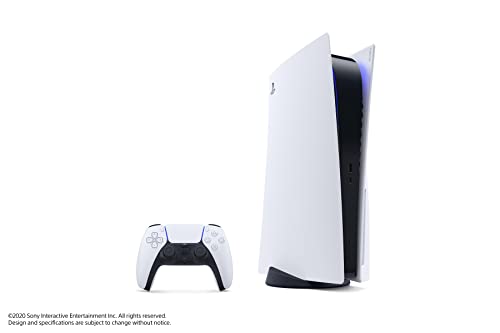
What to do when PS5 storage is full?
The quickest solution is to delete games you are not currently playing, as you can redownload them from your library at any time. If you have PS4 games installed, move them to an external USB drive, where they will still run normally. In the long run, the only way to expand space for PS5 games is to install an internal M.2 SSD.
You cannot launch PS5 games directly from an external USB drive, according to Sony. If you regularly run out of space for new titles, an additional internal drive will completely solve this problem for you.
How much storage on the PS5 do you actually have available?
The number on the console box does not mean all that space is available for your games. In the original PS5 model, the built-in drive has 825 GB, of which about 667 GB remains for games, as the rest is taken up by the system and software files. In the PS5 Slim version, the built-in drive is 1 TB, while in the PS5 Pro you get 2 TB, leaving about 1.89 TB for games, save files, and video recordings.
Modern titles take up more and more space, which is clearly visible with upcoming releases. The release of GTA 6 has been announced for November 19, 2026, with pre-loading starting on November 12. Although Rockstar has not announced an official file size, estimates range from 150 to 300 GB, with just under 200 GB being mentioned most frequently.
If we assume around 200 GB for one major game, the math is simple. A 1 TB drive will hold roughly 4-5 such titles, while a 2 TB drive will let you keep around 9-10 games, keeping in mind that formatting itself takes up some of the capacity.
Fun fact: Out of the 825 GB in the original PS5 model, only about 667 GB is left for your games, which means the factory storage would hold just 4 games of the estimated size of GTA 6.
External USB drive or internal M.2 SSD - which one to choose?
An external USB drive is a good and affordable way to store data. According to Sony guidelines, you can use a USB drive ranging from 250 GB to 8 TB, with SuperSpeed USB 5 Gb/s or faster. Remember that the drive must be plugged directly into the console port without a USB hub, and the console supports only one such drive at a time.
However, USB storage has a fundamental limitation. You can only store PS5 games on it, so before launching them, you must copy them back to the console storage. This is done via the menu: Game Library, Installed tab, Options button, and the Copy function. Only PS4 games can be launched directly from USB.
An M.2 SSD is a completely different category, as it is the only place besides the console built-in storage from which PS5 games launch directly. All console versions - the standard PS5, PS5 Slim, and PS5 Pro - support M.2 NVMe PCIe 4.0 x4 drives with capacities from 250 GB to 8 TB. Length form factors from 2230 to 22110 are supported, and the total thickness of the drive including cooling must not exceed 11.25 mm.
Sony recommends a read speed of 5500 MB/s or higher and strictly requires cooling in the form of a heatsink or a thermal transfer sheet. Standard M.2 SATA drives are not supported and will not work in the console.
Fun fact: Right after formatting a new M.2 drive in the slot, the PS5 console automatically runs a test and displays its measured read speed on the screen.
When choosing a drive for the console, it is worth looking for ready-made models with a factory heatsink or purchasing separate cooling that fits the PS5 bay.
SSDs that add storage to a PS5

1. Samsung 990 PRO Heatsink
1TB · PCIe 4.0 · up to 7450 MB/s · with heatsink
The factory heatsink version, which Samsung lists as PS5 compatible. 1TB is enough if you keep a few big games installed at a time and delete the rest.
See Samsung 990 PRO Heatsink (1TB) on Amazon → · 2TB version →

2. WD_BLACK SN850P (PS5)
1TB · Sony licensed · PCIe 4.0 · up to 7300 MB/s
An officially licensed PS5 SSD with a heatsink shaped for the console. Insert it, screw it down and format it.

3. Samsung 990 EVO Plus
1TB · PCIe 4.0 x4 · up to 7150 MB/s · no heatsink
A Samsung without DRAM. It beats Sony's recommended speed comfortably, but the PS5 needs a separate heatsink.

4. Kingston NV3
1TB · PCIe 4.0 · up to 6000 MB/s · no heatsink
A budget SSD that meets Sony's recommendation from 1TB up (up to 6000 MB/s). You need to buy a heatsink separately.

5. ICY BOX IB-M2HS-PS5
M.2 2280 heatsink for PS5 · 10 mm
A heatsink for SSDs without factory cooling. It is 10 mm tall and comes with thermal pads.
Step-by-step risk-free M.2 SSD installation
Installing a new drive in the console is simple. The only tool you will need to unscrew the slot cover and the mounting screw is a standard #1 Phillips screwdriver.
Before inserting the drive, make sure you check the cooling requirements. If you buy an SSD with a pre-installed heatsink, such as the Samsung 990 PRO Heatsink or the licensed WD_BLACK SN850P, you insert it directly into the slot without adding any secondary cooling. For models without a factory heatsink, such as the Samsung 990 EVO Plus or Kingston NV3, you must attach a compatible heatsink, such as an ICY BOX model, before installing it in the console.
The drive must be formatted when used for the first time. Formatting erases all data on the M.2 SSD, so if you are using a drive from another device, back up your files beforehand. After formatting, the PS5 will automatically benchmark the read speed of the new drive.
Once the drive is ready, you can configure storage settings so that new games are installed directly to the M.2 SSD. You can move previously installed games to the new drive from the game library using the move games and apps option.
Questions and answers about PS5 storage expansion
Can you play PS5 games from a USB drive?
No, games designed for the PS5 will not run directly from an external USB drive. You can store PS5 game installation files on it to avoid downloading them from the internet again, but you must copy the game back to the console storage before playing. However, an external USB drive allows you to play older PS4 games directly.
Which SSD fits the PS5 Slim and PS5 Pro?
The PS5 Slim and PS5 Pro consoles use the exact same type of drive as the original PS5 model. It must be an M.2 NVMe PCIe 4.0 x4 SSD with a capacity ranging from 250 GB to 8 TB, a form factor size between 2230 and 22110, and a maximum thickness of 11.25 mm including the heatsink. Sony recommends a read speed of at least 5500 MB/s and requires an installed cooling mechanism.
Is 1 TB enough for GTA 6 and other large games?
A 1 TB drive will easily be enough to install GTA 6 and several other large titles. With an estimated game size of just under 200 GB, a 1 TB capacity holds about 4-5 such massive titles, taking into account the space used by formatting. If you plan to keep a dozen large games stored on the console at the same time, the 2 TB variant will be a safer choice.
Does a PS5 SSD require a heatsink?
Yes, Sony explicitly states in its official specifications that any M.2 SSD installed in the console must have a heatsink or another heat-dissipation structure, such as a thermal transfer sheet. You can choose a model that comes with a heatsink pre-installed by the manufacturer, or buy a separate cooler and attach it to the drive before inserting it into the console slot.
How do you transfer games to a new M.2 SSD?
You can move installed games from the game library using the move games and apps option, selecting the new M.2 SSD as the destination. You can also set new games to install directly to the M.2 SSD by selecting it as the installation location in the storage settings. The drive must be formatted before its first use, which erases all data that was previously stored on it.
Guides that help you choose
- Black Friday 2026: best PS5 SSD to buy before GTA 6
- Is the Samsung 990 Pro compatible with PS5? What size for GTA 6
- Is the WD SN850P compatible with PS5? How it differs from the SN850X
- Is the Samsung 990 EVO Plus compatible with PS5? Only with a heatsink
- Is the Kingston NV3 compatible with PS5? Is 1TB enough for GTA 6?
- Is the WD SN850X compatible with PS5? How many games like GTA 6 it holds
Sources
- PlayStation: How to add an M.2 SSD to a PS5 console - manufacturer page (playstation.com)
- PlayStation: USB extended storage on PS5 consoles - manufacturer page (playstation.com)
- Tom's Guide: PS5 doesn't have as much storage as you think - industry article (tomsguide.com)
- Push Square: PS5 Pro gives you almost all its 2TB of storage - industry article (pushsquare.com)
- Tom's Hardware: Best SSDs for PS5 - industry article (tomshardware.com)
- GamesRadar: GTA 6 file size - industry article (gamesradar.com)

Leave a comment
This site is protected by hCaptcha and the hCaptcha Privacy Policy and Terms of Service apply.