








As an Amazon Associate I earn from qualifying purchases.
Quick answer: our top pick is Apple Magic Keyboard (USB-C) (Apple · Bluetooth · USB-C · local layout).
Best keyboard for iPad mini A20 Pro?
Buy a compact Bluetooth keyboard rather than a keyboard case. The iPad mini works with practically any Bluetooth keyboard, so you don't need to look for a model made "for the A20 Pro".
For most people, the best choice will be a laptop-sized keyboard, for example the Logitech MX Keys Mini. If you prefer something lighter for your bag, take a look at the Logitech Pebble Keys 2 K380s. The Apple Magic Keyboard works too.
The tablet has been on sale since 6 November 2026, so there aren't many accessories made specifically for it on the market yet. A Bluetooth keyboard gets around this problem.
Why Bluetooth rather than a keyboard case
Apple doesn't list a Smart Connector in the technical specifications. That is why the iPad mini has no keyboard case from Apple, such as the Magic Keyboard for the iPad Air and Pro.
That leaves cases from other companies, but there is a problem here. Manufacturers describe them for the iPad mini 7 (A17 Pro) and 6, and the new model is currently listed by only one little-known brand, with an unconfirmed key layout. Until well-known brands confirm compatibility, no case is included in our roundup.
A Bluetooth keyboard doesn't depend on the case. The iPad mini with the Apple N1 chip has Bluetooth 6 and Wi-Fi 7, and the USB-C port is handy for charging.
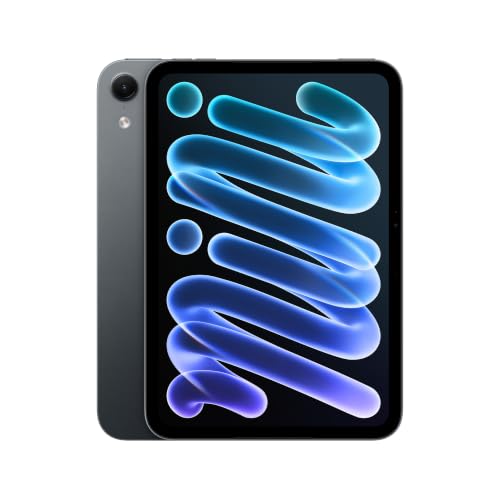
Fun fact: the new iPad mini has an 8.5-inch display, while its predecessor had 8.3 inches, in almost the same body. The tablet measures 195.3 x 132.6 x 5.4 mm and weighs 255 g in the Wi-Fi version, so it is still a small device you can hold in one hand.
We chose the products below based on what EveryMac and BGR point to as sensible keyboards for a small tablet, and on the availability of versions with a local layout.
Keyboards for the iPad mini A20 Pro we recommend

1. Apple Magic Keyboard (USB-C)
Apple · Bluetooth · USB-C · local layout
Apple keyboard without Touch ID, connected over Bluetooth and charged via USB-C. EveryMac explicitly lists it as compatible with the iPad mini. The keys have Apple system shortcuts, so everything in iPadOS is where you expect it.

2. Logitech Pebble Keys 2 K380s
lightweight · Bluetooth · AAA batteries · local layout
Lightweight, cheaper Bluetooth keyboard for tablet and laptop. Logitech quotes up to 36 months on two AAA batteries, so you never think about charging. A good pick for your bag together with the iPad mini.

3. Logitech Keys-To-Go 2
flat · built-in cover · Bluetooth
Very flat keyboard with a built-in cover, in the version with the layout for iPhone, iPad and Mac. It is the easiest to carry together with a small tablet.
Magic Keyboard, MX Keys Mini or Pebble Keys 2
Start with your hands. EveryMac notes that a keyboard as wide as the tablet itself can be too small for people with medium and large hands.
That is why a compact laptop-sized keyboard is better for most people. The Logitech MX Keys Mini has full-size keys but no numeric keypad, so it takes up little space. It also has backlighting and switches between three devices. If you type on an iPad, a phone and a laptop, that is convenient.
The Apple Magic Keyboard (USB-C) is a good choice if you like the Apple layout. It has no Touch ID, connects via Bluetooth and charges via USB-C. The keys include Apple system shortcuts, so everything in iPadOS is where you expect it to be.
The Logitech Pebble Keys 2 K380s is a lightweight Bluetooth keyboard for tablets and laptops. It runs on two AAA batteries, so you don't have to look for a cable before a trip. It is a sensible choice if the keyboard will mostly travel in a bag.
Fun fact: Logitech states that the Pebble Keys 2 K380s runs for up to 36 months on two AAA batteries (BGR).
How to prop up your iPad and which key layout to choose
A standalone keyboard doesn't hold up the tablet. You need a stand or a case that will prop the iPad at a comfortable angle. Choose something that fits the size of the iPad mini and stands steadily on your desk or lap.
If you often type on the go, consider a keyboard with a built-in cover. In the US, there is one such option: the Logitech Keys-To-Go 2 in a version for iPhone, iPad and Mac. It is a very flat keyboard that is easy to carry together with a small tablet.
Pay attention to the key layout. In each country, the link in the box leads to the version with the layout appropriate for that country. This way, the key arrangement will be the one you are used to.
If you are also looking for a stylus or a charger, separate articles cover the stylus and the charger for the iPad mini A20 Pro.
Most common questions about a keyboard for the iPad mini
Which keyboard for the iPad mini A20 Pro?
For most people, the best choice is a compact laptop-sized Bluetooth keyboard, for example the Logitech MX Keys Mini. For a bag, the lightweight Logitech Pebble Keys 2 K380s is a good option. The Apple Magic Keyboard is also compatible with the iPad mini.
Is there a Magic Keyboard case for the iPad mini?
No. Apple doesn't list a Smart Connector in the iPad mini's technical specifications, so there is no Apple keyboard case like the Magic Keyboard for the iPad Air and Pro. However, you can use a Magic Keyboard connected via Bluetooth.
Does the keyboard case from the iPad mini 7 fit the A20 Pro?
There is no confirmation of this from well-known brands. For now, the new model is listed only by one little-known brand with an unconfirmed key layout, so it is better to choose a Bluetooth keyboard.
Does a regular Bluetooth keyboard work with the iPad mini?
Yes. EveryMac writes that the iPad mini supports practically any Bluetooth keyboard, including the Apple Magic Keyboard. Just remember to get a stand to prop up the tablet.
How do I connect a Bluetooth keyboard to the iPad mini?
Turn on Bluetooth in the iPad settings and put the keyboard in pairing mode. Then select it from the list of devices and confirm if the iPad asks for a code. On later uses, the keyboard usually connects on its own.
See also
- Which charger for Apple iPad mini A20 Pro - recommended USB-C chargers
- Which Apple Pencil for iPad mini A20 Pro - Pencil Pro or USB-C
- Which keyboard for iPad A16 - Apple Folio or Logitech
- Which keyboard for iPad Pro M5 - the M4 one fits, older ones don't
- Which keyboard for iPad Air M4 - the M2 and M3 one fits too
Sources
- Apple: iPad mini technical specifications - manufacturer page (apple.com)
- MacRumors: Apple announces new iPad mini with 8.5-inch OLED display - industry article (macrumors.com)
- EveryMac: Best iPad mini keyboards - industry article (everymac.com)
- BGR: 9 of the best Bluetooth keyboards for your tablet - industry article (bgr.com)
- TidBITS: iPad mini gets larger OLED display and A20 Pro - industry article (tidbits.com)

Leave a comment
This site is protected by hCaptcha and the hCaptcha Privacy Policy and Terms of Service apply.