








As an Amazon Associate I earn from qualifying purchases.
Quick answer: our top pick is Apple Pencil Pro (Apple original · pressure · squeeze · Find My).
Which Apple Pencil for iPad mini A20 Pro? Pencil Pro or Pencil USB-C
Two Apple styluses work with the new iPad mini A20 Pro: Apple Pencil Pro and Apple Pencil (USB-C). Both are listed in the iPad specifications on Apple's website, and The Next Web and TidBITS report them too. The stylus is not included in the box, so you need to buy it separately.
There is one caveat. Apple's compatibility page (Apple Support 108937, dated 27.10.2026) does not yet list the mini A20 Pro. For both styluses, it shows the iPad mini A17 Pro. So support for the new model is confirmed by its specifications, not by that list.
If you have a stylus from the mini A17 Pro, you can keep using it: Pencil Pro and Pencil USB-C also work with the A20 Pro. The 2nd generation Apple Pencil from the mini 6 is not listed for the new model, so don't count on it working.

Pencil Pro or Pencil USB-C: what really differs
The most important difference is pressure sensitivity. Pencil Pro has it, Pencil USB-C does not. If you draw, sketch, or paint and want harder pressure to produce a thicker or darker line, choose the Pro.
Both styluses offer precision, low latency, tilt sensitivity, and hover preview. For handwriting, note-taking, and selecting text, that is enough in practice.
Pencil Pro adds gestures: a double tap to switch tools, squeeze, barrel roll, and haptic feedback. It also has Find My, so it is easier to find when it disappears between the cushions.
Charging differs too. Pencil Pro attaches magnetically to the side of the iPad, where it pairs and charges wirelessly. Pencil USB-C pairs and charges with a USB-C cable, and the magnet is only for storage.
Who is the USB-C one enough for? People who mostly take notes, sign documents, and highlight parts of PDFs. If you don't need pressure sensitivity or gestures, there is no reason to pay extra for the Pro.
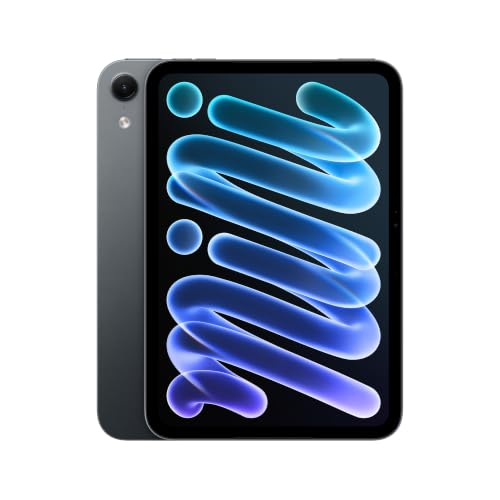
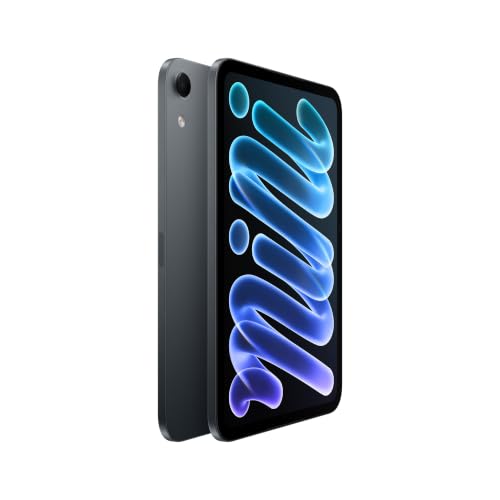
Fun fact: in the new mini, the front camera has moved to the longer edge, as reported by The Next Web and TidBITS. In landscape orientation, it is therefore in the center of the top edge.

Stylus alternatives: which one actually lists this model
Among the alternatives, only one description explicitly lists the iPad mini A20 Pro: the KEEPRO stylus. The manufacturer states tilt sensitivity, palm rejection, and USB-C charging. It does not state pressure sensitivity, so Pencil Pro will be better for drawing.
The bestsellers Metapen and MYSTILUCK have iPads from 2018-2026 in their titles, but their compatibility descriptions do not list the A20 Pro. That is why we don't recommend them: the manufacturer does not say they fit this model.
General rule: third-party styluses usually do not detect pressure (the manufacturer does not state it) and lack Pencil Pro features such as squeeze or Find My. They may be enough for notes, but not for more serious drawing.
Below you will find both Apple styluses and KEEPRO. We chose them based on Apple's specifications and the manufacturers' compatibility descriptions.
Recommended pencils for iPad mini A20 Pro

1. Apple Pencil Pro
Apple original · pressure · squeeze · Find My
Apple's most capable pencil: pressure and tilt sensitivity, double-tap, squeeze, barrel roll, haptic feedback and Find My. It pairs and charges magnetically on the side of the iPad. Apple lists it for the iPad Air M2-M4, Pro M4/M5 and mini A17 Pro, but not for the iPad A16.

2. Apple Pencil (USB-C)
Apple original · tilt · charges over USB-C
Apple's cheaper pencil. It has precision and tilt sensitivity, but no pressure sensitivity and no double-tap. It pairs and charges over a USB-C cable and only attaches magnetically for storage. Apple lists it for all four current iPads, including the A16.

3. KEEPRO iPad stylus
Alternative · listing names mini A20 Pro · tilt · USB-C
The one alternative whose listing names the iPad mini A20 Pro. It has tilt sensitivity, palm rejection and USB-C charging. The maker does not list pressure sensitivity, so for drawing the Apple Pencil Pro is the better choice.
Cases and keyboard for the iPad mini A20 Pro
Apple sells a Smart Folio case made of TechWoven fabric for the new mini (according to MacRumors). The mini weighs 255 g in the Wi-Fi version and 263 g with Cellular, so a light case makes sense, because you can still hold the tablet in one hand.
Apple does not list a keyboard for the mini, either in the model's specification or on MacRumors. If you plan to do a lot of typing, check what the keyboard manufacturer says about compatibility with this specific model.
Fun fact: the mini's screen is OLED, but Apple's specification does not list ProMotion, so according to MacRumors it stays at 60 Hz. This matters for drawing, because the refresh rate affects how smoothly the line follows the stylus.
Frequently asked questions about styluses for the iPad mini A20 Pro
Which Apple Pencil works with the iPad mini A20 Pro?
Apple Pencil Pro and Apple Pencil (USB-C). Both are listed in the new mini's specification on Apple's website. The Pro supports pressure sensitivity and gestures, while the USB-C model is simpler and charges with a cable.
Does the Apple Pencil 2 work with the iPad mini A20 Pro?
It is not among the styluses listed for this model. Apple's compatibility page lists the 2nd generation Pencil only for the iPad mini 6th generation. If you have it from the mini 6, buy a Pencil Pro or a Pencil USB-C for the new iPad.
Will the stylus from the iPad mini A17 Pro work with the new mini?
Yes, if it is a Pencil Pro or a Pencil USB-C. Apple lists both for the mini A17 Pro and the mini A20 Pro, although the compatibility page has not been updated yet. Support for the new model is confirmed by its specification.
Does a cheap stylus for the iPad mini A20 Pro detect pressure?
Usually not. Third-party styluses most often do not detect pressure, and the manufacturer does not state it. One example is KEEPRO, which lists the A20 Pro but does not claim pressure sensitivity. If you need pressure sensitivity, choose the Apple Pencil Pro.
Is there an Apple keyboard for the iPad mini A20 Pro?
The model's specification and MacRumors do not list one. Apple sells a Smart Folio case made of TechWoven fabric for the new mini.
See also
- Which charger for Apple iPad mini A20 Pro - recommended USB-C chargers
- Best keyboard for iPad mini A20 Pro - Bluetooth instead of a case
- Which Apple Pencil for iPad Pro M5 - Pro for drawing or USB-C
- Which Apple Pencil for iPad mini A17 Pro - why your Pencil 2 won't work
- Which Apple Pencil for iPad A16 - USB-C or 1st gen, not Pro
Sources
- Apple: iPad mini - Technical Specifications - manufacturer page (apple.com)
- Apple: Apple Pencil - manufacturer page (apple.com)
- Apple Support: Apple Pencil compatibility - manufacturer page (support.apple.com)
- MacRumors: Apple announces new iPad mini with OLED display - industry article (macrumors.com)
- The Next Web: new iPad mini with OLED, A20 Pro and IP67 - industry article (thenextweb.com)
- TidBITS: iPad mini gets larger OLED display and A20 Pro - industry article (tidbits.com)
- MacRumors: TechWoven iPad mini Smart Folio - industry article (macrumors.com)

Leave a comment
This site is protected by hCaptcha and the hCaptcha Privacy Policy and Terms of Service apply.