









As an Amazon Associate I earn from qualifying purchases.
Quick answer: our top pick is Apple Pencil Pro (Apple original · pressure · squeeze · Find My).
Which Apple Pencil for iPad Pro M5? The choice depends on your use case
If you plan to draw, paint digitally, or design graphics, choose the Apple Pencil Pro. For regular handwritten notes, marking up documents, and simple screen navigation, the more affordable Apple Pencil with a USB-C port will be plenty. The 2nd generation Apple Pencil from older tablets does not work with this model at all.
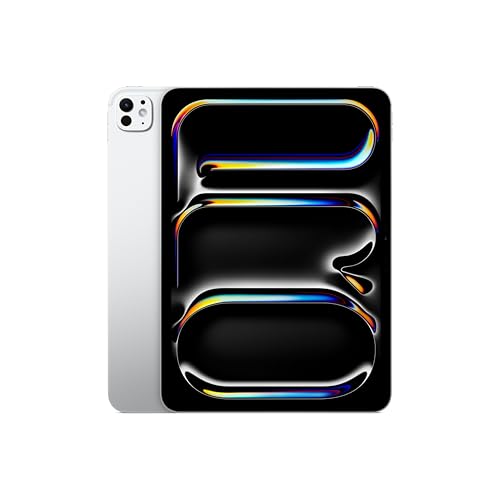
In the box with the 11-inch or 13-inch iPad Pro M5, you will find only the tablet itself, a 1 m USB-C cable, and a 20 W power adapter. You need to purchase a stylus separately if you want to take advantage of the Ultra Retina XDR display with tandem OLED technology and 120 Hz ProMotion refresh rate.
TechRadar editors rate the iPad Pro M5 as a top-tier tablet, and a reviewer from Stuff emphasizes that every graphic designer will benefit from buying a stylus. The final choice comes down to your workflow and the features you need on a daily basis.
What Apple Pencil Pro offers in everyday creative work
The Apple Pencil Pro features pressure sensitivity and tilt detection. This means that line thickness and opacity change naturally with pressure, just like with a traditional pencil or brush.
This model pairs and charges wirelessly on the right side of the iPad Pro M5. It also supports the hover feature, which lets you preview the exact point where the tool will land before it touches the glass.
You can use a squeeze gesture on the barrel to bring up a tool palette, as well as barrel roll to control the orientation of shaped pen and brush tools. Built-in haptic feedback confirms gesture execution, and a double-tap lets you quickly switch to the eraser.
The stylus works with the Find My network, making it easier to locate if misplaced. However, a Stuff reviewer notes that the stylus detaches from the edge of the tablet quite easily and could benefit from stronger magnets.
Meanwhile, an Expert Reviews assessment points out that the tip can feel slippery on the glass surface. For those used to paper, working on a smooth screen may take some getting used to.
Fun fact: When buying the Apple Pencil Pro directly from the manufacturer, you can take advantage of a free engraving service. The cheaper Apple Pencil with a USB-C port does not offer this personalization option.
Budget third-party alternatives: when they suffice and what they lack
You will find plenty of cheaper styluses on the market, such as the Metapen A8 or KEEPRO. These pens offer tilt detection, palm rejection, and precise line drawing.
The main limitation of third-party alternatives is the lack of pressure sensitivity. Manufacturers like Metapen or KEEPRO do not list this feature in their specs, which effectively rules these accessories out for advanced shading and digital painting.
Third-party styluses also lack wireless charging on the side of the tablet and require plugging in a USB-C cable. The magnet in these designs is used solely for attaching the pen to the side of the iPad Pro M5 for storage.
An interesting exception is the ESR Geo Digital Pencil, which works with Apple's Find My network. It allows you to locate the lost stylus in the app, although it still charges via cable and lacks the Apple Pencil Pro gestures.
If you are looking for a tool purely for taking notes, signing contracts, and highlighting text, such an alternative will be completely sufficient. It lets you maintain handwriting precision without paying for advanced graphic features.
Below you will find a comparison of models we selected based on their compatibility with the iPad Pro M5 and their popularity among users looking for accessories for text and graphic work.
Recommended pencils for iPad Pro M5

1. Apple Pencil Pro
Apple original · pressure · squeeze · Find My
Apple's most capable pencil: pressure and tilt sensitivity, double-tap, squeeze, barrel roll, haptic feedback and Find My. It pairs and charges magnetically on the side of the iPad. Apple lists it for the iPad Air M2-M4, Pro M4/M5 and mini A17 Pro, but not for the iPad A16.

2. Apple Pencil (USB-C)
Apple original · tilt · charges over USB-C
Apple's cheaper pencil. It has precision and tilt sensitivity, but no pressure sensitivity and no double-tap. It pairs and charges over a USB-C cable and only attaches magnetically for storage. Apple lists it for all four current iPads, including the A16.

3. Metapen A8
Alternative · tilt · palm rejection · USB-C
The best-selling stylus in Amazon's tablet stylus category. Its listing names the iPad A16, Air M4 and Pro M5. It has tilt sensitivity and palm rejection and charges over USB-C; the maker does not claim pressure sensitivity.

4. ESR Geo Digital Pencil with Find My
Alternative · Find My · tilt
A stylus that works with Apple's Find My network, so you can locate it in the Find My app if you lose it. Its listing names the iPad A16, Air M4, Pro M5 and mini A17 Pro. It does not charge wirelessly.
Styluses from older iPads and compatibility with M5
If you are upgrading from an iPad Pro M4, your current Apple Pencil Pro will work with the Pro M5 without any issues. Apple's official support list for this stylus includes both of these tablets in the 11-inch and 13-inch versions.
The situation is different with the older 2nd generation Apple Pencil. This model only works with older devices such as the iPad Air 4 and 5, iPad mini 6, or older generations of the iPad Pro 11-inch and 12.9-inch. None of the current iPads support it.
If you have an Apple Pencil with a USB-C port, you can easily connect it to the iPad Pro M5. Just keep in mind that pairing and charging are done via a cable, and the magnetic connector is only used for storage.
The oldest 1st generation Apple Pencil is also not directly compatible with the iPad Pro M5. To work with modern entry-level tablets, it requires a special USB-C to Apple Pencil adapter, but there is no official support for the Pro M5 line.
Fun fact: In a review by Stuff, the author noted the strength of the magnetic attachment on the side of the iPad Pro M5. During everyday transport, the stylus can detach from the edge quite easily, so it is worth being careful when putting the tablet into a backpack.
Questions and answers about styluses for the Apple tablet
Which Apple Pencil fits the iPad Pro M5?
Two official models fit the iPad Pro M5: Apple Pencil Pro and Apple Pencil with a USB-C port. The former charges wirelessly on the side of the tablet, while the latter requires a cable connection. Older versions of Apple styluses do not work with this device.
Does Apple Pencil 2 work with iPad Pro M5?
No, the 2nd generation Apple Pencil does not work with the iPad Pro M5. This model only works with older generations of iPad Pro, iPad Air, and iPad mini 6. None of the currently produced Apple tablets support it.
Will the Apple Pencil Pro from the iPad Pro M4 work with the M5?
Yes, the Apple Pencil Pro purchased for the iPad Pro M4 works with the iPad Pro M5 without any problems. Apple lists the Pencil Pro on the compatibility list for the iPad Pro M4 and M5. You do not need to replace the stylus when upgrading to the newer tablet.
Is the Pencil USB-C sufficient for drawing on the iPad Pro M5?
For simple sketches or technical designs, this model is sufficient because it offers high precision and tilt detection. However, it lacks pressure sensitivity, making it impossible to naturally control line thickness with hand pressure. If you care about advanced digital drawing, the Apple Pencil Pro remains the better choice.
Does a cheap stylus for iPad Pro M5 detect pressure?
Cheap third-party alternatives, such as the Metapen A8 or KEEPRO, do not list pressure sensitivity in their specifications. These types of accessories typically offer only tilt sensitivity and palm rejection. They work great for writing, but they will not replace a professional graphics pen.
Sources
- Apple Support: Apple Pencil compatibility - manufacturer page (support.apple.com)
- Apple: iPad Pro - Technical Specifications - manufacturer page (apple.com)
- Apple: Apple Pencil - manufacturer page (apple.com)
- TechRadar: Apple iPad Pro 11-inch (2025) review - industry article (techradar.com)
- Expert Reviews: Apple iPad Pro (M5, 2025) review - industry article (expertreviews.co.uk)
- Stuff: Apple iPad Pro M5 review - industry article (stuff.tv)

Leave a comment
This site is protected by hCaptcha and the hCaptcha Privacy Policy and Terms of Service apply.