









As an Amazon Associate I earn from qualifying purchases.
Quick answer: our top pick is Apple Magic Keyboard Folio (Apple original · trackpad · function row).
Which keyboard for iPad A16?
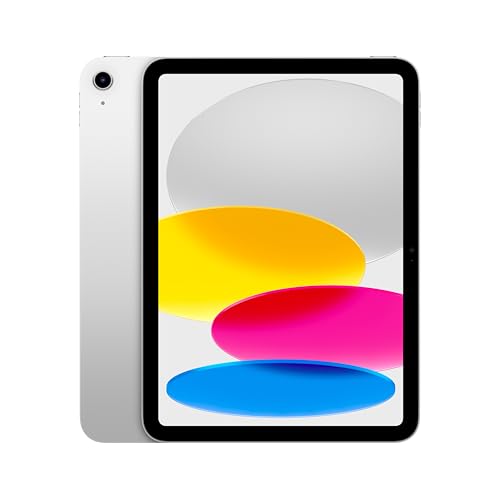
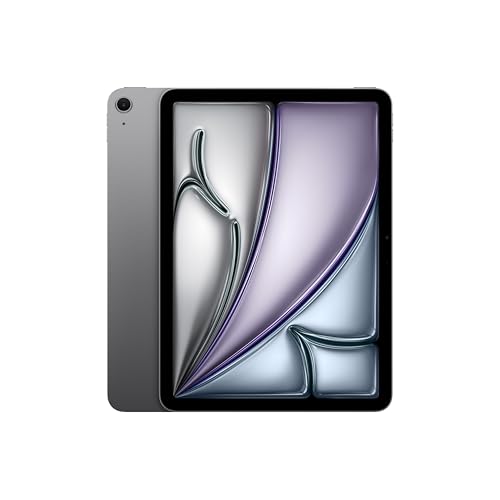
If you have an 11-inch iPad A16 from 2025 and want to type on it like on a laptop, your choice essentially comes down to two models: Apple Magic Keyboard Folio and Logitech Combo Touch. The Apple keyboard attaches magnetically, while Combo Touch connects via the Smart Connector. Apple does not list Magic Keyboard models for iPad Air and iPad Pro as compatible with iPad A16, so they will not fit.
In the box with iPad A16, you will find only the tablet itself, a one-meter USB-C cable, and a 20 W power adapter. As Tech Advisor notes, the lack of bundled accessories means you need to buy one separately. Before you choose a specific accessory, however, make sure you have the right tablet model. Simply go to Settings, select General, tap About, and check the Model Name field.
Fun fact: iPad A16 does not work with any Magic Keyboard designed for Air and Pro models. Apple has designed a separate accessory for the base iPad called Magic Keyboard Folio, which the device shares only with the 10th generation iPad.
Apple Magic Keyboard Folio vs. Logitech Combo Touch
Apple Magic Keyboard Folio is a two-piece set consisting of a magnetic back cover and a detachable keyboard with a trackpad and a full row of function keys. This solution allows you to detach the keys in a split second when you just want to read an article or watch a video. However, it is worth knowing that the Apple keyboard lacks backlit keys and a pass-through charging port in the hinge, and according to an Engadget reviewer, it is less stable on your lap.
Logitech Combo Touch solves some of these issues by offering backlit keys, and according to the Engadget reviewer, it protects the iPad better. You can detach the keyboard with the trackpad at any time, and thanks to the Smart Connector, there is no need to pair or charge it.
Fun fact: The Engadget reviewer testing iPad A16 decided against buying the Apple keyboard and opted for Logitech Combo Touch instead, pointing out that Logitech's accessory provides better protection for the tablet.
If you do not need a trackpad or backlighting, you can opt for more affordable wireless designs. A good example is Logitech Slim Folio, a classic case with a built-in Bluetooth keyboard. Another interesting alternative is the ESR case, which offers a magnetically detachable keyboard with a large trackpad, although it lacks key backlighting.
Below are the Apple keyboard and models that list iPad A16 in their description.
Recommended keyboards for iPad A16

1. Apple Magic Keyboard Folio
Apple original · trackpad · function row
Apple's keyboard for the iPad A16 and 10th generation: a two-piece folio with a detachable keyboard, trackpad and function row. Apple makes it for no other iPad.

2. Logitech Combo Touch for iPad A16
Smart Connector · backlit · trackpad
A case with a detachable backlit keyboard and trackpad. It connects through the Smart Connector, so there is no pairing or charging. Logitech's listing names the iPad 10th generation and A16.

3. ESR keyboard case for iPad A16
Detachable keyboard · large trackpad · no backlight
A light case with a magnetically detachable keyboard and a large trackpad, without backlighting. The maker says it fits only the iPad A16 and 10th generation.
Keyboard layout in keyboard cases
When buying an iPad keyboard, you need to check the physical key layout very carefully. Manufacturers produce the same case model in many language variants, including the German QWERTZ, French AZERTY, Italian, and English US or UK versions. The markings printed on the keys differ depending on the target market.
In online stores, each language variant is listed as a completely separate inventory item. Before clicking the buy button, read the listing title and model designation thoroughly to avoid accidentally ordering a version with an unfamiliar layout. Such a mistake can seriously hinder fast typing for people used to standard markings.
Smart Connector or Bluetooth - which one to choose?
iPad A16 features a Smart Connector located on its left side, while the bottom edge houses a classic USB-C port. The Smart Connector solution transfers data and power through physical magnetic contacts. A keyboard like the Logitech Combo Touch does not require pairing, turning on, or monitoring battery levels, as it draws power directly from the iPad.
Keyboards connecting via Bluetooth, such as the Logitech Slim Folio, operate independently of the tablet's connectors. They have their own power source, which means having to replace batteries or recharge regularly via cable. Although they require manual pairing in the system settings, they are often friendlier on the wallet than accessories utilizing the Smart Connector.
Questions and answers about iPad A16 keyboards
Does the Magic Keyboard for iPad Air fit the iPad A16?
No, the Magic Keyboard designed for iPad Air does not fit the iPad A16. Apple lists it only for iPad Air M2, M3, and M4, as well as Air 4th and 5th generation. For iPad A16, Apple designated the Magic Keyboard Folio.
Which Apple keyboard fits the iPad A16?
The only Apple-branded keyboard compatible with this tablet is the Magic Keyboard Folio. It is a two-piece design featuring a detachable keyboard, a row of function keys, and a trackpad. It was designed specifically for iPad 10th generation and iPad A16, and it does not fit Air, Pro, or mini models.
Does the Logitech Combo Touch need to be charged?
No, the Logitech Combo Touch keyboard does not need to be charged or connected with a cable. The accessory connects to the iPad via the Smart Connector on the side of the housing, from which it draws the power required to operate the keys, trackpad, and backlighting. It works immediately once attached to the tablet.
Does a keyboard from iPad 10th generation fit the A16?
Yes, keyboards dedicated to iPad 10th generation fit the iPad A16. This applies to both the official Apple Magic Keyboard Folio and third-party models such as Logitech Combo Touch, Logitech Slim Folio, or ESR. Apple, Logitech, and ESR list these keyboards for both models.
Which keyboard layout should I choose?
The most convenient choice is usually the English International or US layout, which corresponds to the standard layout used in Poland. Pay special attention to this when browsing listings in online stores, as models with the German QWERTZ or French AZERTY layout are sold on separate product pages.
Sources
- Apple: Find the keyboard that works with your iPad - manufacturer page (apple.com)
- Apple: iPad 11-inch (A16) - Technical Specifications - manufacturer page (apple.com)
- Engadget: iPad (2025) with A16 review - industry article (engadget.com)
- TechRadar: Apple iPad 11-inch (2025) review - industry article (techradar.com)
- Tech Advisor: Apple iPad (A16) review - industry article (techadvisor.com)
- Hoxton Macs: iPad Keyboard Compatibility Guide - industry article (hoxtonmacs.co.uk)

Leave a comment
This site is protected by hCaptcha and the hCaptcha Privacy Policy and Terms of Service apply.