








As an Amazon Associate I earn from qualifying purchases.
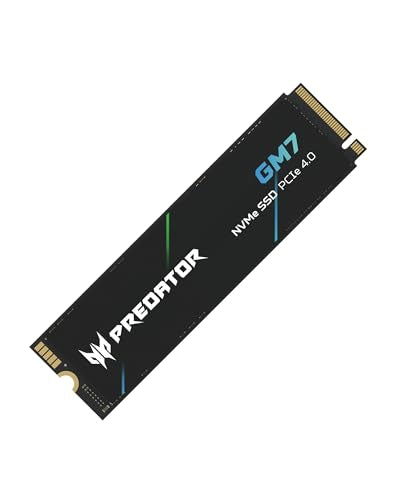
Quick answer: our top pick is Acer Predator GM7 1TB (M.2 2280 · PCIe 4.0 · up to 7400 MB/s · no heatsink).
Is the Acer Predator GM7 compatible with PS5? Yes, but you have to buy a heatsink
Yes, it works with the PS5, PS5 Slim and PS5 Pro. You often hear that a drive without its own DRAM won't cut it in a console. According to PCWorld, though, such drives do work, but they can slow down during long copies. The heatsink isn't included, so you'll need to buy one and fit it yourself.
| Spec | Sony requirement | Predator GM7 | Result |
|---|---|---|---|
| Interface | PCIe 4.0 x4 NVMe | PCIe 4.0 x4 | yes |
| Sequential read | 5500 MB/s or faster recommended | 7400 MB/s | yes |
| M.2 size | 2230 to 22110 | 2280 | yes |
| Heatsink | required | not included, buy one | caution |
The interface and read speed meet Sony's requirements. The only thing left to buy is cooling.
What kind of drive this is and what to expect
The Predator GM7 is an M.2 2280 PCIe 4.0 x4 NVMe drive. According to StorageReview, read speeds reach 7,400 MB/s and writes reach 6,300 MB/s. Sony recommends 5,500 MB/s reads or faster, so you have headroom. The manufacturer gives you a 5-year warranty.
TechPowerUp describes a Maxio MAP1602A controller, no DRAM, and use of HMB, a cache borrowed from the host computer's memory. Tom's Hardware points out that the 1 TB version is single-sided, has a small controller and has no DRAM chip. At the time of the review, it was the most energy-efficient drive that outlet had measured.
There is one honest caveat. The PS5 doesn't support HMB, so in the console the drive works without that help. According to PCWorld, it works, but it can slow down during long copies. After you format it, the PS5 measures the new drive's read speed on its own, so you'll see right away what you got.
Here's a concrete example. GTA 6 came out on the PS5 on November 19, 2026, and takes up about 210 GB. If the M.2 drive is already in the console, you set it as the install location and download the game straight to it. You don't have to move it later from the console's internal storage, and large transfers like that are exactly where a drive without DRAM can briefly slow down.
Fun fact: the 2023 PS5 system update raised the maximum M.2 drive capacity from 4 TB to 8 TB.
Heatsink: what to buy and how to install the drive
Sony requires cooling, meaning a heatsink or a thermal conductive plate. Don't use an M.2 drive without one. GamesRadar notes that there are many PS5 heatsink models on sale, so you have plenty to choose from.
The GM7 is thin and single-sided, so it fits within the height limit with a typical PS5 heatsink. Sony allows drives up to 11.25 mm thick in total, including the cooling. If you prefer a ready-made solution, the ARCTIC M2 Pro goes onto a 2280 drive without tools, and thermal pads are included. Don't add a second heatsink to a drive that has its own built in.
Installation, following Sony's guidance:
- Get a #1 Phillips screwdriver. A flashlight is optional.
- Before removing the cover, touch a grounded metal object to discharge static electricity.
- Use Sony's instructions for your model group: CFI-1000 or CFI-2000/7000.
- Don't turn the console on with the cover off.
- Format the drive the first time you use it. This erases all data on it.
M.2 SATA drives aren't supported, but the GM7 is NVMe, so that doesn't affect you.
GM7 vs. GM7000: don't mix up the models
The Predator lineup also includes a separate GM7000 model. It's a different drive from the GM7, so when you order, check that the name in your cart says exactly GM7. Only then pick the capacity. We don't list GM7000 specs here, because this guide covers the GM7 only.
1 TB, 2 TB or 4 TB for GTA 6
Rockstar says GTA 6 can take up to 212 GB depending on the device. According to Dexerto and TweakTown, citing PlayStation Game Size data, the standard version on the PS5 is about 210 GB.
At that size, a 1 TB drive holds roughly 4 such games, a 2 TB drive about 9, and a 4 TB drive about 18. That's a rough estimate, because formatting takes up some of the capacity. Other big titles add up too, so 1 TB fills quickly if you play several games at once.
The 4 TB version is for people with a large library, if it's available at your retailer. You can also move the drive with your games to another PS5 signed in to the same account. Remove the drive before sending the console in for service.
In short: choose 1 TB if you play a few titles at a time and don't mind moving games around. Choose 2 TB if you want GTA 6 plus several other big games without constantly clearing space.
Acer Predator GM7 and a heatsink for PS5
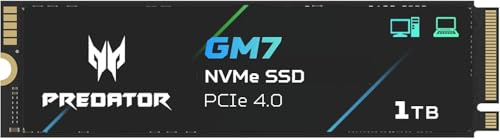
1. Acer Predator GM7 1TB
M.2 2280 · PCIe 4.0 · up to 7400 MB/s · no heatsink
Single-sided drive with reads up to 7400 MB/s according to the manufacturer. It has no heatsink or DRAM of its own, so you need to buy a heatsink for the PS5.

2. Acer Predator GM7 2TB
M.2 2280 · PCIe 4.0 · up to 7400 MB/s · no heatsink
The same series in a 2 TB capacity. Reads up to 7400 MB/s according to the manufacturer. You buy the heatsink separately.

3. Acer Predator GM7 4TB
M.2 2280 · PCIe 4.0 · 4 TB · no heatsink
The 4 TB version for anyone with a big game library. You buy the heatsink separately.

4. ARCTIC M2 Pro M.2 heatsink
heatsink for M.2 2280 drives · thermal pads included
The most popular M.2 heatsink in this roundup. You fit it on a 2280 drive without tools, and the thermal pads are included.
Frequently asked questions about the GM7 in the PS5
Does the Acer Predator GM7 need a heatsink in the PS5?
Yes. Sony requires cooling for the M.2 drive, and the GM7 is sold without a heatsink. You can use a heatsink or a thermal pad. Don't add a second one if the drive already has its own.
Does the lack of DRAM in the Predator GM7 matter in the PS5?
The drive works, but the PS5 doesn't support HMB, so it runs without that help. According to PCWorld, it may slow down during long copy jobs. If you download new games straight to the M.2 drive, you avoid the biggest transfers.
How is the Predator GM7 different from the GM7000?
They are two separate models in the Predator lineup, so don't mix them up. This guide covers the GM7. When you buy, check the full name in the listing title.
Does the Acer Predator GM7 fit the PS5 Pro and PS5 Slim?
Yes. According to Sony, the PS5, PS5 Slim and PS5 Pro all have an M.2 NVMe PCIe 4.0 x4 slot. When installing, follow Sony's instructions for your model group.
Is the Predator GM7 1 TB enough for GTA 6?
It will fit, since the game is about 210 GB. A 1 TB drive holds roughly 4 games of that size, and formatting takes up some of the space. If you plan to install more big titles, consider 2 TB.
See also
- Best SSD for GTA 6 on PS5 - 210 GB per Game and How Many TB to Buy
- Best Heatsink for a PS5 SSD - up to 11.25 mm and Fits Under the Slot Cover
- PS5 storage full? How to free up space and which SSD to add
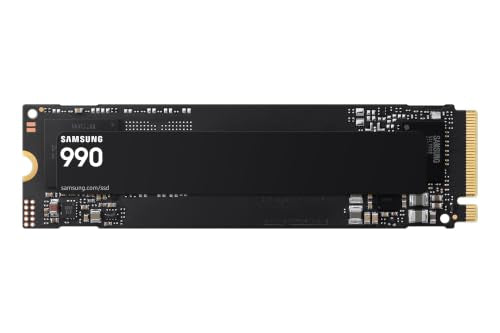
- Is the Samsung 990 compatible with PS5? Yes, but the heatsink is sold separately
- Is the SanDisk Optimus GX 7100 (formerly WD_BLACK SN7100) compatible with PS5?
- Is the Crucial P310 compatible with PS5? Yes, in 2280 with a heatsink
Sources
- PlayStation: How to add M.2 SSD storage to PS5 consoles - manufacturer page (playstation.com)
- Tom's Hardware: Acer Predator GM7 SSD review - industry article (tomshardware.com)
- TechPowerUp: Acer Predator GM7 1 TB review - industry article (techpowerup.com)
- TechPowerUp: Acer Predator GM7 4 TB review - industry article (techpowerup.com)
- StorageReview: Predator GM7 SSD review - industry article (storagereview.com)
- PCWorld: WD Black SN770 review (PS5 and HMB) - industry article (pcworld.com)
- GamesRadar: Best PS5 heatsink - industry article (gamesradar.com)
- Tom's Hardware: PlayStation 5 update adds support for 8TB SSDs - industry article (tomshardware.com)
- Rockstar Games Newswire: Grand Theft Auto VI pre-load begins on November 10 - manufacturer page (rockstargames.com)
- Dexerto: GTA 6 file size revealed - industry article (dexerto.com)

Leave a comment
This site is protected by hCaptcha and the hCaptcha Privacy Policy and Terms of Service apply.