





As an Amazon Associate I earn from qualifying purchases.
Quick answer: our top pick is Crucial P310 1 TB (M.2 2280) (M.2 2280 · PCIe 4.0 · no heatsink · up to 7,100 MB/s).
Best SSD for Lenovo Legion Go 2? The simplest choice is a 2280 without a heatsink
According to Lenovo (PSREF specification), the Legion Go 2 has one M.2 2280 PCIe 4.0 x4 slot. The simplest option is to buy a standard M.2 2280 drive without a heatsink, with a capacity of up to 2 TB.
Lenovo gives two limits: up to 2 TB in the 2280 format or up to 1 TB in the 2242 format. So if you are looking for a large drive, 2280 is the right way to go.
Online you will find conflicting advice, because some of it mixes up two different console models. Below we explain it based on the manufacturer's data.


2242 or 2280: where the discrepancies come from
From the factory, Lenovo fits the Legion Go 2 with M.2 2242 PCIe 4.0 x4 drives of 512 GB and 1 TB. The 2 TB version gets an M.2 2280 PCIe 4.0 x4 drive. So both formats are in the manufacturer's offer.
The first Legion Go (8APU1) is a different model. It supports only M.2 2242 and a maximum of 1 TB. That is where advice like "2280 won't fit" comes from: it is true for the older console, not for the Legion Go 2.
The confusion shows up even in serious sources. The Windows Central comparison table mentions 2 TB in the 2242 format, and some guides claim that 2280 does not fit. We rely on PSREF, meaning Lenovo's data, and we say it plainly: the slot is the 2280 standard. This is confirmed by Tom's Hardware, which writes that the 1 TB unit it tested had a 2242 drive, and that the slot fits a standard 2280.
Fun fact: Lenovo sells the 512 GB and 1 TB versions with a short 2242 drive, even though the slot is 2280 long.
One practical note: a 2280 drive is longer than the factory 2242. After opening the console, check that the mount in the slot fits the length of the new drive. Do this before you install anything.
Below we have collected M.2 2280 drives without a heatsink, in 1 TB and 2 TB capacities. We selected them based on format, the PCIe 4.0 interface, and sales position.

Recommended SSDs for Lenovo Legion Go 2

1. Crucial P310 1 TB (M.2 2280)
M.2 2280 · PCIe 4.0 · no heatsink · up to 7,100 MB/s
A solid seller among M.2 2280 drives. No heatsink, PCIe 4.0, and reads up to 7,100 MB/s according to Crucial. 1 TB makes sense when the stock drive fills up after a few big games.

2. Samsung 990 PRO 1 TB (M.2 2280)
M.2 2280 · PCIe 4.0 · no heatsink · up to 7,450 MB/s
The top-selling NVMe drive in this list, in the version with no heatsink. Samsung rates it for reads up to 7,450 MB/s. Skip the heatsink version: every millimeter counts under the back cover.

3. Kingston NV3 1 TB (M.2 2280)
M.2 2280 · PCIe 4.0 · no heatsink · up to 6,000 MB/s
Slower on paper at up to 6,000 MB/s according to Kingston, but it is still PCIe 4.0 in the 2280 size with no heatsink. It is also one of the best sellers in its category.
4. Crucial P310 2 TB (M.2 2280)
2 TB · M.2 2280 · PCIe 4.0 · no heatsink
The same model as the 1 TB version, with 2 TB of space. A good pick if your game library already outgrows 1 TB.

5. Lexar EQ790 2 TB (M.2 2280)
2 TB · M.2 2280 · PCIe 4.0 · no heatsink
A second 2 TB option. No heatsink, PCIe 4.0, and reads up to 7,000 MB/s according to Lexar.

1 TB or 2 TB: how much space you really need
According to Lenovo, the upper limit is 2 TB. A larger drive is not covered by the specification, so there is no point in looking for 4 TB models in the hope that they will work.
Choose 1 TB if you play a few titles at a time and swap them out every now and then. It is a sensible option when the factory drive fills up after just a few big games.
2 TB makes sense when your library already doesn't fit on 1 TB today, or you don't want to keep deleting games and downloading them again. You also get this size from the factory in one of the console versions, so it is fully supported by Lenovo.
Lenovo notes that the limit comes from testing with drives from its own range, so a larger drive would be at your own risk.
Speed on paper differs between models, but it is more important that the drive is the 2280 format, has no heatsink, and runs on PCIe 4.0.
Replacing the drive without sugarcoating
This is not a quick swap. To get to the drive, you have to remove the back cover, the battery, and the fan. The drive itself is held by a single screw. Tom's Hardware rates it as more difficult than on some competing devices.
Notebookcheck points out that the M.2 2280 drive sits under the fan and can be replaced, but you first have to disconnect the cable. Write down the order in which you take things apart, so you can put everything back together in the same order.
The fan also has a thermal plate above the drive. Windows Central says this outright and does not recommend the replacement to anyone without experience.
Fun fact: the Legion Go 2 fan has a metal plate above the drive that helps with cooling, but makes replacement harder.
That is why you should not buy a drive with a heatsink. Every millimeter counts under the console's cover, and the plate above the drive already takes up its share.
If this is your first time taking a console apart, consider getting help from someone experienced or from a repair shop. With tiny screws and cables, it is easy to damage something.
Most common questions about the drive in the Legion Go 2
What drive format does the Lenovo Legion Go 2 have?
The slot is M.2 2280 PCIe 4.0 x4, one slot for one drive. From the factory, the 512 GB and 1 TB versions have a short 2242 drive, and the 2 TB version has a 2280 drive.
Does an M.2 2280 drive fit the Legion Go 2?
Yes, according to the Lenovo PSREF specification. This is confirmed by Tom's Hardware, which writes that the slot fits a standard 2280. After opening the console, also check that the mounting fits the length of the drive.
What is the maximum drive capacity in the Legion Go 2?
Up to 2 TB in the M.2 2280 format or up to 1 TB in the M.2 2242 format. Lenovo notes that this limit comes from testing with drives from its own range.
Do the Legion Go 2 and the original Legion Go use the same drive?
No. The original Legion Go (8APU1) supports only M.2 2242 and up to 1 TB. The Legion Go 2 also accepts 2280 and up to 2 TB, and mixing up these two models is the source of conflicting advice online.
Is replacing the drive in the Legion Go 2 difficult?
It is demanding. You have to remove the back cover, the battery, and the fan, and under it there is a thermal plate above the drive. Windows Central does not recommend this procedure for people without experience.
See also
- Best docking station for Legion Go 2 - official or cheaper
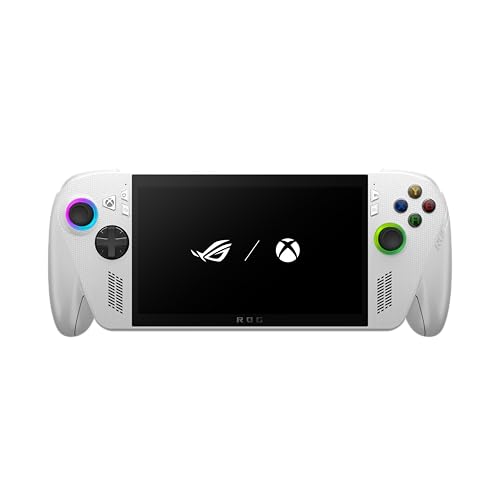
- Best SSD for ROG Xbox Ally and Ally X - M.2 2280, capacity and the thermal cover
- Best SSD for Steam Machine - M.2 2280 or 2230 and how much storage
Sources
- Lenovo PSREF: Legion Go 8ASP2 - manufacturer page (psref.lenovo.com)
- Lenovo PSREF: Legion Go 8ASP2 specifications (PDF) - manufacturer page (psref.lenovo.com)
- Tom's Hardware: Lenovo Legion Go 2 review - industry article (tomshardware.com)
- Notebookcheck: Lenovo Legion Go 2 review - industry article (notebookcheck.net)
- Windows Central: Xbox Ally and Legion Go 2 SSD upgrade paths seem to diverge - industry article (windowscentral.com)
- Windows Central: Lenovo Legion Go 2 review - industry article (windowscentral.com)
- Windows Central: Xbox Ally X vs Legion Go 2 - industry article (windowscentral.com)

Leave a comment
This site is protected by hCaptcha and the hCaptcha Privacy Policy and Terms of Service apply.