








As an Amazon Associate I earn from qualifying purchases.
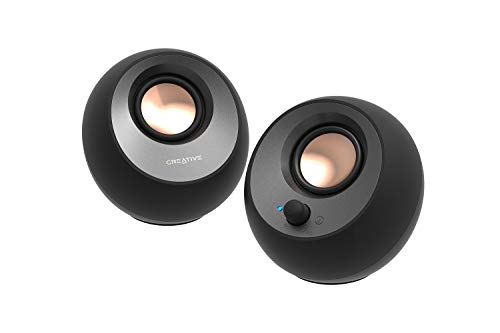
Quick answer: our top pick is Creative Pebble V3 (2.0 · one USB-C cable · Bluetooth 5.0).
Best speakers for Mac mini M6? The simplest answer
If you are short on space, get small USB-C speakers that run on a single cable. For music, powered monitors connected through the 3.5 mm jack or Bluetooth will be better.
The built-in Mac mini speaker is enough for system sounds and the occasional video. iMore says plainly that the built-in speakers in Macs are quite decent, but computer speakers sound much better. You will hear the difference right away, especially with music.
The two picks recommended by iThinkDifferent are the Edifier MR3 for most desks and the Creative Pebble V3 for a small desk with a single USB-C cable. You can start with these and choose the rest to suit your desk layout.
If you are also thinking about a display, a separate article covers the monitor for Mac mini M6.
How to connect speakers to Mac mini M6
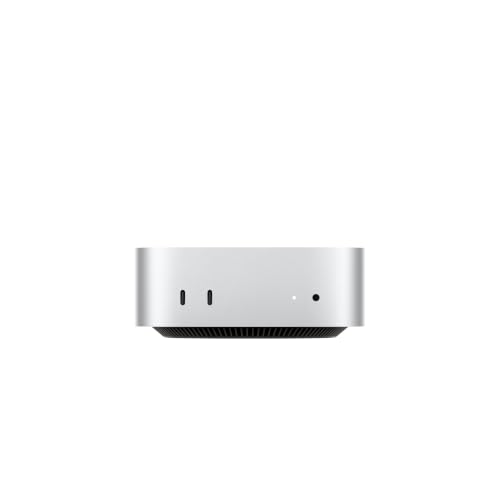
You have three options: USB-C, Bluetooth 6, or the front 3.5 mm jack. Mac mini has no USB-A port, so speakers with a classic USB plug will not connect without an adapter.
USB-C
There are two USB-C ports on the front (up to 10 Gb/s) and three Thunderbolt ports on the back: Thunderbolt 4 in the M6 version, Thunderbolt 5 in the M5 Pro. You can plug USB-C speakers into any of them. If you care about a tidy setup, pick a port on the back and hide the cable behind the desk.
Bluetooth 6
Bluetooth is the most convenient option when you do not want cables on your desktop. Speakers with a higher Bluetooth version than the computer will also connect, but it always works at the level of the weaker side.
Fun fact: Mac mini with the M6 has Bluetooth 6 thanks to the Apple N1 chip.
Front 3.5 mm jack
The front jack works with any powered speakers that have an AUX input. It is a good solution for classic bookshelf speakers or monitors, because it does not depend on the Bluetooth version or on USB-C ports.
HDMI to speakers in a monitor
The HDMI port carries multichannel audio, so you can listen through the speakers built into your monitor. They usually sound more modest than a separate set, but to start with, it is a solution that requires buying nothing extra.
Keep in mind that the box contains only the Mac mini and a power cable. Below we have gathered speakers that we picked by connection type and desk size.

Recommended speakers for Mac mini M6
1. Creative Pebble V3
2.0 · one USB-C cable · Bluetooth 5.0
Small speakers on one USB-C cable: power and sound come from the Mac mini, no power brick. They also have Bluetooth 5.0 and Clear Dialog for calls. iThinkDifferent picks them for small desks.
2. Edifier MR3
2.0 monitors · Bluetooth 5.4 · Hi-Res · TRS
Powered studio monitors with Bluetooth 5.4 and Hi-Res certification, a TRS input and a headphone output. iThinkDifferent picks them for most Mac mini desks.
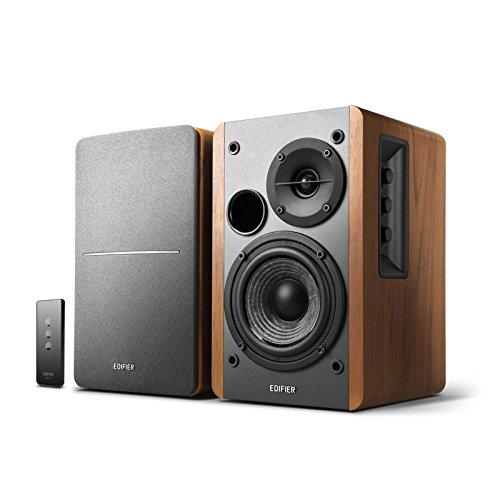
3. Edifier R1280T
bookshelf 2.0 · 42W RMS · RCA inputs
Popular powered 2.0 bookshelf speakers with 42W RMS in a wooden cabinet. They connect to the Mac mini with a cable from the front 3.5 mm jack.
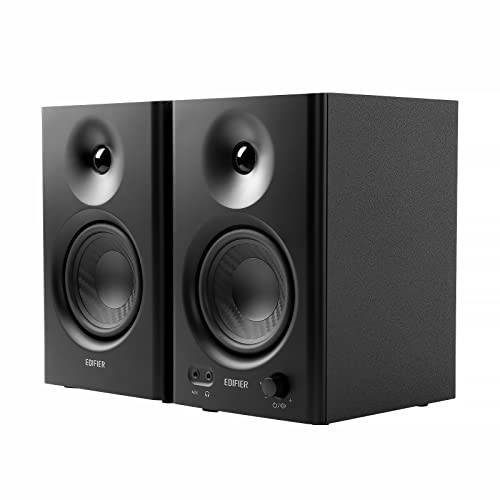
4. Edifier MR4
4" monitors · 42W · 2 sound modes
Studio monitors with a 4-inch woofer and a 1-inch silk dome tweeter, two sound modes and 42W. For listening to music or editing video at your desk.

5. PreSonus Eris 3.5 Gen 2
3.5" monitors · powered · desktop
Small powered studio monitors with a 3.5-inch woofer, made for close listening at a desk. Their neutral sound suits podcasts and voice recording.
Active or passive: which to choose for the Mac mini
For a Mac mini, go for active speakers. They have their own amplifier, so they receive the signal from the computer and amplify it themselves. They usually come with a power adapter or a power cord for the outlet.
You can't connect passive speakers to a Mac mini without an external amplifier. They won't play anything on their own, because the Mac mini has no speaker output, only a headphone jack and digital ports.
The exception is small USB-C speakers, like the Creative Pebble V3. They get power and sound over a single cable from the Mac mini, so they don't need a separate power adapter.
Fun fact: the Mac mini's front headphone jack supports high-impedance headphones. If you have a pair, you can connect them without a separate amplifier.
With active monitors that have a headphone output, like the Edifier MR3, you can also switch between speakers and headphones without reaching behind the computer.
Desk size and distance: small speakers or studio monitors
If you have a small desk and listen from up close, small speakers are enough. The Creative Pebble V3 take up little space and need just one cable. They suit calls, movies and background music well.
The PreSonus Eris 3.5 Gen 2 are small active monitors with a 3.5-inch driver, made for close-up listening. They sound neutral, so they work well for podcasts and voice recordings.
On a typical, medium-sized desk, it's best to choose monitors such as the Edifier MR3. If you listen to a lot of music or edit video, the Edifier MR4 has two sound modes.
If you prefer classic bookshelf speakers with a wooden cabinet, the Edifier R1280T is a popular choice. You connect it with a cable to the 3.5 mm jack on the front.
Place the speakers roughly at ear height and at about the same distance from each other as they are from you. This makes the sound clearer and fills the space better.
Most common questions about speakers for the Mac mini M6
Which speakers for the Mac mini M6?
For a small desk, get USB-C speakers that work over a single cable, for example the Creative Pebble V3. For a larger desk and for music, active monitors will be better, for example the Edifier MR3.
How do I connect speakers to the Mac mini M6?
You can choose USB-C (two ports on the front and three Thunderbolt ports on the back), Bluetooth 6 or the 3.5 mm jack on the front. The Mac mini has no USB-A port.
Does the Mac mini M6 have a built-in speaker?
Yes, Apple lists a built-in speaker in the technical specifications. It's enough for everyday sounds, but external speakers sound much better.
Are USB-C or Bluetooth speakers better for the Mac mini?
USB-C gives you one cable for power and sound, if the speakers support it, and doesn't require pairing. Bluetooth is more convenient when you don't want cables on your desk. For music at your desk, active monitors connected through the 3.5 mm jack are also a convenient choice.
Can I connect speakers through an HDMI monitor?
Yes. The HDMI port on the Mac mini sends multichannel audio, so you can use the speakers built into the monitor. If you care about better sound, buy separate speakers.
More Mac mini guides
- Best docking station for Mac mini M4 - front ports and an M.2 SSD
- Best docking station for Mac mini M6 - M4 docks fit too
- Best external SSD for Mac mini M6 - which port gives full speed
- Best monitor for Mac mini M6 - 4K or 5K, HDMI or Thunderbolt
- Best keyboard for Mac mini M6 - Touch ID or Logitech
- Best webcam for Mac mini M6 - 4K over USB-C or your iPhone
Sources
- Apple: Mac mini technical specifications - manufacturer page (apple.com)
- iThinkDifferent: Best speakers for M6 Mac mini - industry article (ithinkdiff.com)
- Gear Patrol: The coolest new desktop speakers of 2026 - industry article (gearpatrol.com)
- iMore: Best computer speakers for Mac - industry article (imore.com)

Leave a comment
This site is protected by hCaptcha and the hCaptcha Privacy Policy and Terms of Service apply.