








As an Amazon Associate I earn from qualifying purchases.
Quick answer: our top pick is KYY 15.6 inch FHD portable monitor (15.6 inch · Full HD · USB-C and mini HDMI).
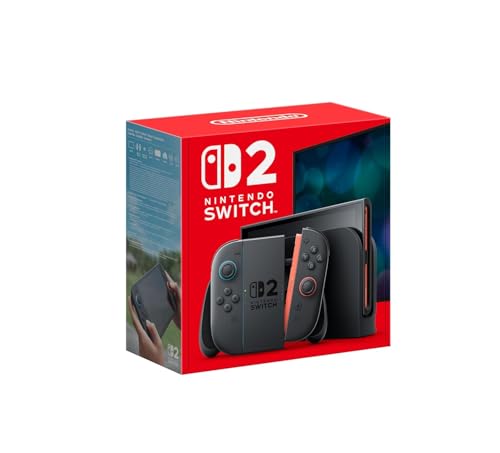
Best portable monitor for Nintendo Switch 2? One with an HDMI input, connected through the dock
Many people assume that if a portable monitor has USB-C, one cable to the console is enough. It isn't. BenQ says in its support pages that connecting the Switch 2 directly to a display with a USB-C cable gives no picture.
So look for a monitor with an HDMI input (usually mini HDMI). You put the console in the original dock, and connect the dock to the monitor with an HDMI cable. A monitor with only a USB-C input won't work.
At home, at a desk, a regular Full HD monitor and a wall outlet are enough to power the dock and the monitor. On the road, you also need to carry the dock and its power adapter in your bag, and you can power the monitor from a power bank. Both setups need the same thing: the dock and HDMI.
Why a USB-C cable doesn't give a picture
Notebookcheck cites a Nintendo representative who confirmed that the Switch 2 outputs video only through the dock.
GamesRadar checked it in practice. The reviewer connected the console to several portable monitors with DisplayPort Alt Mode, and tried USB-C adapters and third-party docks. The console sent no picture in any of these cases.
Tom's Hardware gave the explanation: Nintendo uses its own protocol on the USB-C port. That's why most third-party docks and accessories don't work, even if they look compatible on paper.
Fun fact: the original Switch sent video to a portable monitor over a single USB-C cable, but the Switch 2 no longer does (GamesRadar).
Below we've collected portable monitors with a 15.6-16 inch screen that have a mini HDMI input and USB-C. The HDMI input is the requirement here, and USB-C is handy for power.
Portable monitors for Nintendo Switch 2 we recommend

1. KYY 15.6 inch FHD portable monitor
15.6 inch · Full HD · USB-C and mini HDMI
Full HD portable monitor with USB-C and mini HDMI inputs according to the manufacturer. Ranks high in portable monitor sales.

2. ARZOPA 16 inch 2.5K portable monitor
2560 x 1600 · IPS · USB-C and mini HDMI
16-inch portable monitor with a 2560 x 1600 resolution according to the manufacturer. Sharper text than Full HD, with USB-C and mini HDMI inputs.
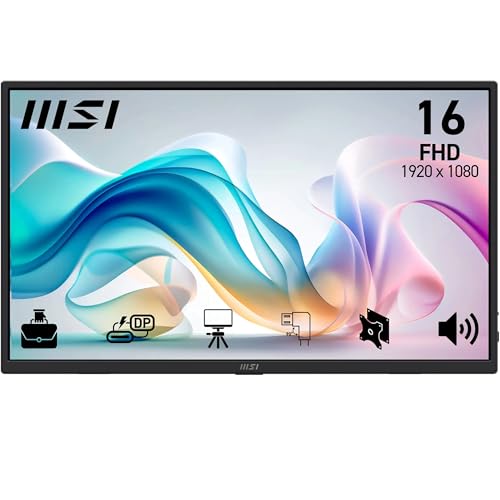
3. MSI PRO MP165 E6 portable monitor
15.6 inch · Full HD · IPS · USB-C and mini HDMI
Lightweight 15.6-inch Full HD portable monitor. According to MSI, it has USB-C and mini HDMI inputs.

4. ASUS ZenScreen MB169CK
15.6 inch · Full HD · IPS · two USB-C and mini HDMI
15.6-inch Full HD portable monitor from a well-known brand. According to ASUS, it has two USB-C ports and a mini HDMI input.

5. ASUS ZenScreen MB16AHV / MB16AHVE
15.6 inch · Full HD · IPS · USB-C and mini HDMI · stand
15.6-inch Full HD portable monitor with a fold-out stand. According to ASUS, it has USB-C and mini HDMI inputs.
How to connect it step by step
Setup takes a few minutes if you have the right parts on hand.
- Dock: put the console in the original Switch 2 dock.
- Dock power adapter: plug it into the dock. GamesRadar, citing accessory maker Jsaux, reports that the dock needs 20 V to switch on TV mode. A typical weaker charger may not be enough.
- HDMI cable: connect the dock to the monitor's HDMI input. Portable monitors usually have mini HDMI, and a cable is sometimes included, so check the seller's listing.
- Monitor power: plug the monitor into a charger or power bank over USB-C. HDMI carries the picture, but it doesn't power the screen.
If there's no picture in TV mode, Nintendo says to check three things: the HDMI cable, the dock's power adapter and the input selected on the monitor. The problem is most often in one of them.
Fun fact: the top USB-C port on the Switch 2 doesn't output video at all. It's for charging and accessories, and the picture comes out only through the bottom port and only via the dock (Notebookcheck).
Full HD, 1440p or 4K, and what about 120 Hz
According to RTINGS, the console in the dock outputs 4K at 60 Hz, or 1080p and 1440p up to 120 Hz. HDMI is all a monitor needs, with no extra adapters.
A 15.6-inch Full HD monitor is enough for most games. At that size the difference from higher resolutions is small, and the monitor is light and usually easier to run from a power bank.
If you want 120 Hz mode in games that support it, pick a 1440p or 2.5K monitor with a 120-144 Hz refresh rate. The mode depends on the individual game, so check whether your titles offer it before you buy.
A portable 4K monitor has no advantage here: it will get 60 Hz at most from the console. A separate article covers a regular desktop monitor for the Switch 2.
In short: get a portable monitor with a mini HDMI input, Full HD if you mainly play for convenience, or 1440p with 120-144 Hz if you care about 120 Hz mode, and remember the original dock with its power adapter.
Common questions about portable monitors for the Switch 2
Which portable monitor for Nintendo Switch 2?
One with an HDMI input, usually mini HDMI. A 15.6-inch Full HD screen is enough for most games, and 120 Hz mode needs a 1440p or 2.5K screen with a 120-144 Hz refresh rate. A monitor with only USB-C won't work.
Does the Switch 2 work with a portable monitor over USB-C?
No. BenQ and GamesRadar confirm that a direct USB-C cable connection gives no picture, even with monitors that support DisplayPort Alt Mode. Tom's Hardware explains this by Nintendo's own protocol on the USB-C port.
Do you need the Switch 2 dock for a portable monitor?
Yes. The picture reaches the monitor only through the dock, and the dock connects to the monitor with an HDMI cable. Most third-party docks don't work, so get the original.
Will a portable monitor show 120 Hz from the Switch 2?
Yes, if the monitor has a 1440p or 2.5K panel with a 120-144 Hz refresh rate and the game supports that mode. A Full HD monitor will show a picture, but without the benefit of the higher refresh rate. A 4K monitor will get 60 Hz at most from the console.
How do you power a portable monitor with the Switch 2?
The monitor needs its own power over USB-C, from a charger or power bank. The dock with the console has a separate power adapter that supplies 20 V. The HDMI input doesn't power the monitor.
See also
- Best monitor for Nintendo Switch 2 - 1440p 120 Hz or 4K
- Best dock for Nintendo Switch 2 - which third-party docks actually work
- Best charging station for Joy-Con 2 - Nintendo Charging Grip or a multi-controller dock
- Best portable monitor for MacBook Pro M6 - one USB-C cable, powered by your laptop
Sources
- Nintendo Support: No video output to TV in TV Mode on Nintendo Switch 2 - manufacturer page (en-americas-support.nintendo.com)
- Notebookcheck: Nintendo Switch 2's top USB-C port lacks video output - industry article (notebookcheck.net)
- GamesRadar: The OG Switch has one massive advantage over the Switch 2 - industry article (gamesradar.com)
- Tom's Hardware: Nintendo is restricting the Switch 2's USB-C port - industry article (tomshardware.com)
- BenQ: Why can I not connect the Switch 2 to my projector with a USB-C cable? - industry article (benq.com)
- RTINGS: The best monitors for Nintendo Switch 2 - industry article (rtings.com)
- GamesRadar: Switch 2 docks require a 20V power input to activate TV mode - industry article (gamesradar.com)

Leave a comment
This site is protected by hCaptcha and the hCaptcha Privacy Policy and Terms of Service apply.