









As an Amazon Associate I earn from qualifying purchases.
Quick answer: our top pick is SanDisk Extreme 512GB (512 GB · UHS-I · A2, U3, V30 · up to 190 MB/s).
Best microSD card for Steam Frame?
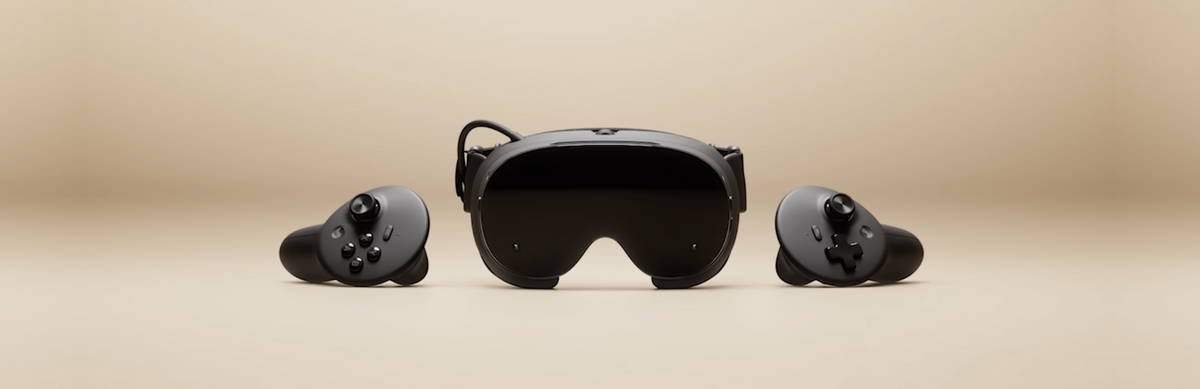
The best and safest choice for the Steam Frame headset is a microSD card with the UHS-I standard and A2 performance class, ideally with a capacity of 512 GB or 1 TB. Valve equipped the device with a memory card slot, which is officially confirmed by the specifications on the manufacturer's website. The hardware features 256 GB or 1 TB of built-in UFS storage, and the additional slot is used to expand game storage without connecting to a computer.
Official information from Valve does not specify the speed class of the built-in reader or the maximum supported storage capacity. However, a Gizmodo reviewer tested a simple thing: A card taken straight out of a Steam Deck works in the headset immediately after being inserted into the reader.
By choosing a 512 GB model, you immediately double the storage of the base headset version. If you want to keep multiple demanding titles directly on the headset, a 1 TB card combined with the 256 GB version will provide a total of around 1.25 TB of usable space.
Is it worth paying extra for microSD Express cards?
MicroSD Express cards tempt buyers with promises of transfer speeds close to SSDs, but in the case of Steam Frame, purchasing such media currently makes no economic sense. Valve has not confirmed support for the microSD Express standard in the headset slot in its official materials. Without clear confirmation from the manufacturer, paying extra for an expensive card might simply yield no benefit.
According to technical analyses by Dexerto, microSD Express cards remain backward compatible, but in readers without support for this standard, they operate strictly at the speed of a traditional slot. If you insert an Express card into a standard UHS-I reader, transfer rates will be limited to UHS-I specifications. You end up paying for technology that the device cannot utilize at all.
Industry outlet PCVR Gamer directly points out that the slot in Steam Frame is a classic UHS-I interface, not Express. Keep in mind, however, that these are editorial reports rather than an official statement from Valve. By sticking to proven UHS-I cards, you avoid unnecessary expenses and ensure reliable, stable performance.
Fun fact: On the front of the Steam Frame housing, the manufacturer included a physical expansion slot featuring a PCIe Gen 4 single-lane interface or two high-speed camera interfaces, designed with external accessories in mind.
A1, A2, U3, and V30 classes and choosing capacity
Markings on memory cards can be confusing, but for gaming, one parameter matters most. The Application Performance Class, designated by the A1 or A2 symbol, defines the drive's performance in random data reads and writes. Games installed directly on the card constantly read small files, textures, and scripts at random moments.
Cards labeled A2 handle this task significantly better than older A1 media. For games running from the card, this can reduce loading times. An A1 card, such as the popular SanDisk Ultra, works well as storage for movies or lighter games, but for installing large titles, it is better to choose an A2 card, such as the SanDisk Extreme or Lexar Blue.
Meanwhile, the U3 and V30 symbols indicate a minimum sustained write speed of 30 MB/s. When it comes to capacity, the choice is simple. For Steam Frame 256 GB owners, 512 GB is an optimal upgrade, while those with the 1 TB version can choose a 1 TB card to avoid uninstalling games as often.
Below are UHS-I cards: three in class A2 and one cheaper A1.
Recommended microSD cards for Steam Frame

1. SanDisk Extreme 512GB
512 GB · UHS-I · A2, U3, V30 · up to 190 MB/s
A UHS-I card rated A2, which means better app and game performance than A1 cards. 512 GB doubles the storage of the 256 GB Steam Frame.
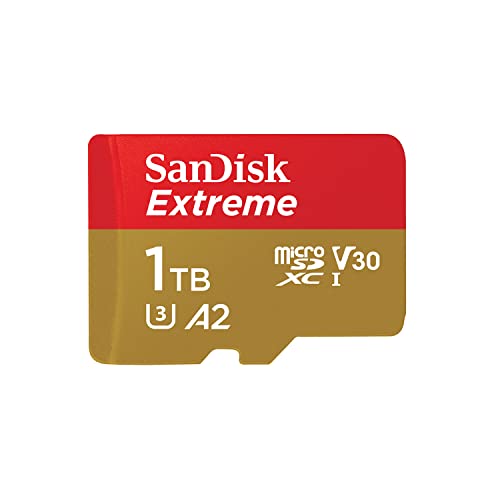
2. SanDisk Extreme 1TB
1 TB · UHS-I · A2, U3, V30 · up to 190 MB/s
The same A2 card in 1 TB. Paired with the 256 GB model it adds up to about 1.25 TB, more than the 1 TB Steam Frame.

3. SanDisk Ultra 512GB
512 GB · UHS-I · A1 · up to 150 MB/s
The best-selling microSD card on Amazon. UHS-I and A1: cheaper than A2 cards but slower with apps, so it works better as storage for games and videos.
Using a Steam Deck card and data transfer
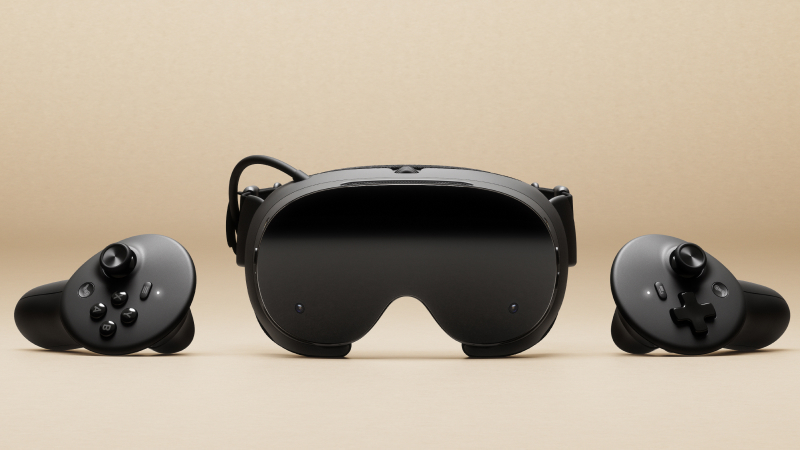
SteamOS, used on Valve devices, focuses on convenient game library management. As noted by a Gizmodo reviewer, simply moving the microSD card directly from Steam Deck to the Steam Frame headset immediately expanded the storage. No complicated initial setup was required.
It is worth noting that Steam Deck itself also only supports UHS-I standard cards. If you already have a fast A2 card set up in your Steam Deck, you can use it interchangeably between both devices.
According to Road to VR, the memory card slot in Steam Frame is designed specifically for hassle-free expansion of game storage. The card allows you to fit more standalone games to play without connecting to a PC.
See also: Best charger for Steam Frame - the power supply is sold separately, Best power bank for Steam Frame - play past the 90-minute mark
Questions and answers about memory cards for Steam Frame
Does Steam Frame have a microSD card slot?
Yes, the headset features a built-in microSD card slot. This information is confirmed by Valve's official specifications, pointing to the slot as a way to expand the built-in 256 GB or 1 TB UFS storage.
Will a microSD Express card be faster in Steam Frame?
There is no guarantee that an Express card will deliver higher speeds. Valve has not confirmed support for this standard, and reports from PCVR Gamer suggest the presence of a standard UHS-I slot. An Express card in a standard slot steps down to the speeds supported by that slot.
Will a Steam Deck card work in Steam Frame?
Yes, a Steam Deck card will work in the headset. This was confirmed by tests from Gizmodo, where the reviewer moved the card directly from the console to the headset, instantly gaining extra storage space.
What microSD card capacity for Steam Frame 256 GB?
The most practical choice is a 512 GB or 1 TB card. The 512 GB model doubles the device's base storage, while a 1 TB card provides a total of around 1.25 TB of space for standalone games installed without a PC.
What is the difference between an A1 and A2 card?
The A2 class offers significantly higher random read and write performance for small chunks of data compared to the A1 class. In practice, apps and games launched from the card can run more smoothly.
Sources
- Valve: Steam Frame specs - manufacturer page (store.steampowered.com)
- Gizmodo: Steam Frame review - industry article (gizmodo.com)
- Road to VR: Steam Frame Review - industry article (roadtovr.com)
- Dexerto: microSD Express and Steam Deck - industry article (dexerto.com)
- PCVR Gamer: Steam Frame microSD slot - industry article (pcvrgamer.net)

Leave a comment
This site is protected by hCaptcha and the hCaptcha Privacy Policy and Terms of Service apply.