








As an Amazon Associate I earn from qualifying purchases.
Quick answer: our top pick is Kingston Canvas Go! Plus 256 GB (256 GB · UHS-I · A2, U3, V30 · up to 200 MB/s).
Best microSD card for DJI Osmo Nano? Short answer
Get a microSD card from DJI's recommended list, rated U3, A2 and V30, with a capacity of 128 GB or more. The camera supports cards up to 1 TB in exFAT format.
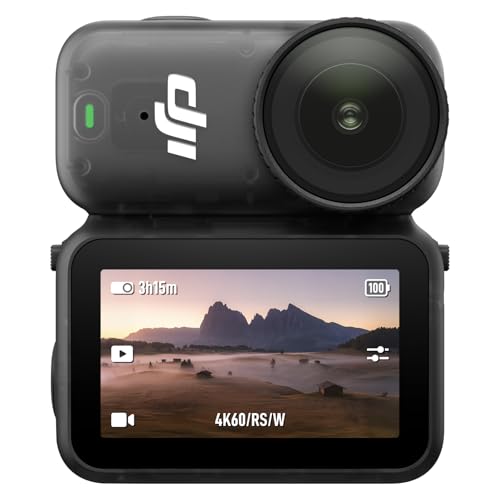
There is one catch, though: the Osmo Nano does not record to the card. Video goes to the built-in storage, and the card has a different job. It sits in the Vision Dock and is used to offload footage from the camera to free up space on it.
Reviews that describe the card as a storage expansion oversimplify things. According to DJI, it is a place for a backup copy, not for recording.

How it works: built-in storage, the dock and the Mimo app
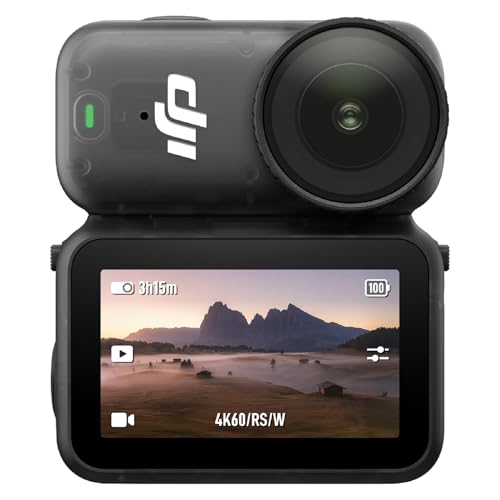
The camera has built-in storage in two versions: 64 GB or 128 GB, and part of that storage is taken up by the system.
When storage runs low, you place the camera in the Vision Dock with a microSD card inside. Your footage moves to the card, and the camera has room for new shots. You don't need a laptop or a cable for this.
The Mimo app downloads files to your phone from both the card and the built-in storage. So the card is a stop along the way: first you offload the camera to it, and you do the editing and transfer to your phone when you have time.
The camera is small, light and attaches magnetically to clothing, so it will most often be with you while traveling. In that case, clearing storage without a computer is really useful.
The cards in the boxes below come from series that DJI lists as recommended, rated A2 and V30.

Recommended microSD cards for DJI Osmo Nano
1. Kingston Canvas Go! Plus 256 GB
On sale256 GB · UHS-I · A2, U3, V30 · up to 200 MB/s
The newer Gen4 version of the Kingston Canvas Go! Plus card, with read speeds up to 200 MB/s, A2, and V30. The series is on camera makers' recommended lists.
2. Kingston Canvas Go! Plus 128 GB
On sale128 GB · UHS-I · A2, U3, V30 · up to 200 MB/s
Kingston Canvas Go! Plus (Gen4) in a 128 GB capacity, with A2 and V30 ratings. An affordable option for shorter trips.

3. Kingston Canvas Go! Plus 512 GB
On sale512 GB · UHS-I · A2, U3, V30 · up to 200 MB/s
Kingston Canvas Go! Plus (Gen4) in 512 GB capacity, with A2 and V30 classes and read speeds up to 200 MB/s.

4. Lexar Professional SILVER PLUS 1 TB
On sale1 TB · UHS-I · A2, U3, V30 · up to 205 MB/s
Lexar SILVER PLUS with 1 TB capacity, read speeds up to 205 MB/s, A2, and V30 ratings.
What card capacity for the Osmo Nano
The rule is simple: the card should hold several full loads of the camera's storage. With the smaller camera version, a 256 GB card holds several full offloads. With the larger version, which has 107.6 GB of space for footage, it holds more than two full offloads.
For a short trip or a weekend, a smaller card is enough, as long as you also offload footage to your phone via Mimo. For a longer trip without access to a computer, take a larger one. Once the card is full, you will have nowhere to dump further footage.
DJI's list ranges from 64 GB to 1 TB. The smallest card on the list (64 GB) will not even hold one full offload from the larger camera version, so treat it as the minimum. The camera accepts cards up to 1 TB, but that is a solution for people who shoot a lot and rarely get back to a computer.
Fun fact: out of 64 GB of storage in the base camera version, 48 GB is left for footage.
V30 class, exFAT and formatting
V30 means a sustained write speed of at least 30 MB/s, or 240 Mb/s. The maximum video bitrate in the Osmo Nano is 120 Mb/s, so a card with that headroom is twice as fast as the camera will ever produce. The camera records video up to 4K (3840 x 2160) at 60 fps, and with that footage there is still headroom.
What is more, the card does not receive a stream from the lens, only ready-made files from the dock. When offloading, capacity matters most, not record-breaking speed. So don't overpay for the fastest model, but stick to the U3, A2 and V30 classes from DJI's list.
The file system is exFAT. Most high-capacity cards come in this format from the factory, but check it on a computer before first use. Formatting erases everything on the card, so do it on an empty one.
Buy cards from a trusted store. Counterfeits with inflated capacity can lose files halfway through offloading, and that is the worst moment to find out.
Most common questions about the Osmo Nano card
Which microSD card for DJI Osmo Nano?
Choose a card from the list recommended by DJI, in the U3, A2 and V30 classes. Pick a capacity that holds several full loads of the camera's storage, and for most people 256 GB is a good starting point.
Does the DJI Osmo Nano record to a microSD card?
No. Footage goes to the built-in storage, in the 48 GB or 107.6 GB of available space version. The card is used only for offloading from the camera via the Vision Dock.
Where do you insert the microSD card in the DJI Osmo Nano?
Into the Vision Dock, not the camera itself. You put the camera into the dock, and the dock transfers the footage to the card. Then you can download the files to your phone via the Mimo app.
Which cards does DJI recommend for the Osmo Nano?
DJI provides a list of U3, A2 and V30 cards from two manufacturers, in capacities from 64 GB to 1 TB. Choose from it if you want reliable operation with the dock.
What is the largest card that fits the Osmo Nano?
microSD cards up to 1 TB are supported. The card must work with the exFAT file system, and you will also find the 1 TB capacity on the list of cards recommended by DJI.
Fun fact: the card does not go into the camera itself. It sits in the Vision Dock and serves there as the storage for offloading footage.
See also
- Best microSD card for DJI Osmo Action 6 - DJI's list and the 1 TB limit
- Best microSD card for DJI Osmo Pocket 4 - cards from DJI's list
- Best microSD card for DJI Osmo 360 II - DJI's list, 220 Mbps and the 1 TB limit
Sources
- DJI Support: Osmo Nano specs and FAQ - manufacturer page (dji.com)
- Engadget: DJI Osmo Nano review - industry article (engadget.com)
- TechRadar: DJI Osmo Nano review - industry article (techradar.com)
- Expert Reviews: DJI Osmo Nano review - industry article (expertreviews.co.uk)
- Tom's Guide: DJI Osmo Nano review - industry article (tomsguide.com)


Leave a comment
This site is protected by hCaptcha and the hCaptcha Privacy Policy and Terms of Service apply.