








As an Amazon Associate I earn from qualifying purchases.
Quick answer: our top pick is Dell 27 Plus S2725DC (27 inch · 1440p · USB-C · desktop).
Best monitor for Samsung DeX? A short answer for Galaxy S26
The most convenient choice is a monitor with a USB-C input that accepts video. You connect the phone with a single cable and DeX starts right away on the big screen.
If you already have a monitor with HDMI only, a USB-C to HDMI adapter is enough. If you want no cable at all, a Samsung Smart Monitor or another screen with Miracast will work.
For travel, a portable monitor is the best fit. With a phone and a Bluetooth keyboard, you can set up a small computer in a hotel or on a train.

How to connect your phone: cable, adapter, or Miracast
According to Samsung, DeX runs the phone's desktop on an external screen. You can do it in three ways, so the choice depends on which screen you have at hand.
Video cable to a monitor with USB-C
Samsung Knox describes it this way: a monitor connected directly must support DisplayPort, meaning it has a USB-C input with video. Not every USB-C port on a monitor can do this, so check the specs.
The cable matters too. An ordinary USB-C charging cable may not carry video, so you need a cable that supports video (DisplayPort).
USB-C to HDMI adapter
For a regular monitor or TV with HDMI, a USB-C to HDMI adapter is enough. You can also use a compatible dock, which adds ports for accessories.
Wirelessly via Miracast
DeX also works without a cable, with Samsung Smart Monitor models and other screens with Miracast. It's handy in a living room or an office where you don't want to deal with tangled cords.
A cable doesn't depend on your home network, so for all-day work it's more convenient to connect the phone with a wire.
Fun fact: wireless DeX works with Samsung TVs from the 2018 model year onward. If you have such a TV at home, you can try it without buying anything.
We selected monitors with a USB-C input that supports video, as well as portable models that you can connect with a single cable.
Monitors for Samsung DeX on Galaxy S26 we recommend
1. Dell 27 Plus S2725DC
27 inch · 1440p · USB-C · desktop
The best-selling USB-C monitor in this roundup. You connect your phone with a single USB-C cable, no HDMI adapter needed. 27 inches and 1440p give you plenty of room for several DeX windows.

2. ARZOPA 16" 2.5K portable monitor
On sale16 inch · 2560 x 1600 · USB-C · portable
A portable monitor with a higher 2560 x 1600 resolution in a 16:10 ratio, with USB-C and HDMI inputs. Sharper text when you work on documents in DeX.

3. Dell 27 Plus S2725QC
On sale27 inch · 4K · USB-C · desktop
The 4K version with a USB-C input. A sharp picture for movies and work, and the same monitor also serves your laptop when your phone is in your pocket.

4. Samsung Smart Monitor M7 M70F 32"
On sale32 inch · 4K · wireless DeX · USB-C
A Samsung monitor with its own system and apps that supports DeX wirelessly, with no cable or adapter. It also has a USB-C port, so you can connect your phone with a cable too.
What DeX can't do
DeX supports only one external display at a time. You can't turn your phone into a dual-monitor setup where you work in separate windows on each screen.
Tom's Guide tested what happens when you connect two monitors. Both showed the same image, and there was no desktop extension across two screens. If you need more space, it's better to buy one larger monitor than two smaller ones.
The same test showed that DeX on the Galaxy S26 looks more like Windows. The desktop layout feels fairly familiar, even if it's your first time working this way.
Fun fact: the DeX for PC app doesn't work on the Galaxy S26. Samsung replaced it with the Link to Windows feature, so that's what you need to use to connect to a computer.
Keyboard, mouse, and monitor size for work
The monitor isn't everything. iGeeksBlog points out that DeX requires a Bluetooth keyboard and mouse. Without them, a desktop on a big screen would be awkward to use, because you'd have to control the phone by touch.
With a monitor, keyboard, and mouse, the Galaxy S26 can replace a computer for everyday office work. That's what Android Central and PhoneArena say. Documents, email, a browser, and spreadsheets are tasks DeX handles without any problem.
When choosing a monitor, look at two things: size and resolution. A large screen, for example 27 inches, leaves room for several windows side by side. Higher resolution means sharper text, which you notice especially during long sessions working on documents.
When traveling, a smaller portable monitor is the better choice. It's light, and power and video often travel over a single USB-C cable. Choose one that also has HDMI, so you can connect other devices to it too.
Frequently asked questions about DeX on the Galaxy S26
Which monitor for Samsung DeX on the Galaxy S26?
The simplest choice is a monitor with a USB-C input that supports video, because a single cable is enough. For a monitor with HDMI, buy a USB-C to HDMI adapter. A Samsung Smart Monitor works without a cable, and for travel, take a portable monitor.
Does the Galaxy S26 support Samsung DeX?
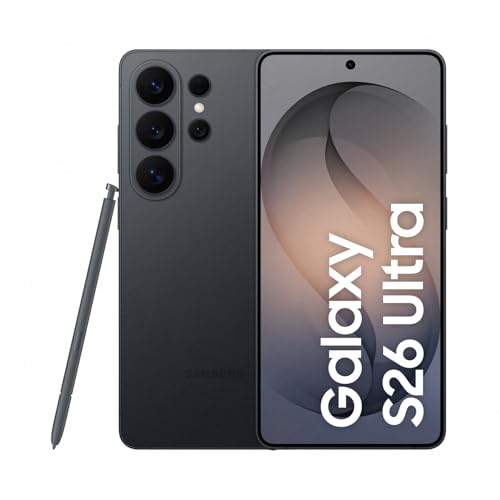
Yes. The Galaxy S26 series launched in February 2026, and DeX works on it on an external display. The DeX for PC app, which was replaced by Link to Windows, does not work.
Do you need a special cable for DeX?
For a USB-C monitor, you need a cable that supports video (DisplayPort). A regular charging cable may not carry video. If you use a USB-C to HDMI adapter, you connect the monitor with a regular HDMI cable.
Does DeX work without a cable?
Yes, with Samsung Smart Monitors, Samsung TVs, and other screens that support Miracast. Wireless is a convenient way to set up DeX in your living room, but for longer work sessions a cable is better.
Can Samsung DeX handle two monitors?
No. DeX supports one external display at a time. When you connect two monitors, both show the same image, with no desktop extension across two screens.
See also
- Which charger for Samsung S26? Let's find out!
- Best power bank for Galaxy S26 and S26+ - 25 W or 45 W with PPS
- Best Monitor for iPhone Duo - USB-C, 4K and What the Screen Shows
Sources
- Samsung US Support: Use the Samsung DeX screen on your Galaxy phone or tablet - manufacturer page (samsung.com)
- Samsung Knox: Beginner's guide to Samsung DeX - manufacturer page (samsungknox.com)
- Tom's Guide: Samsung DeX gets a makeover with the Galaxy S26 - industry article (tomsguide.com)
- Android Central: Samsung DeX on the Galaxy S26 - industry article (androidcentral.com)
- PhoneArena: How the Galaxy S26 replaced my PC for a week - industry article (phonearena.com)
- iGeeksBlog: DeX accessories for the Galaxy S26 Ultra - industry article (igeeksblog.com)

Leave a comment
This site is protected by hCaptcha and the hCaptcha Privacy Policy and Terms of Service apply.