








As an Amazon Associate I earn from qualifying purchases.
Quick answer: our top pick is Lexar CFexpress 4.0 Type A Silver 256 GB (CFexpress Type A · 256 GB · read up to 1750 MB/s).
Best Memory Card for Sony A7R VI? The short answer
If you shoot bursts or record 8K video, buy a CFexpress Type A card. For more relaxed shooting, a fast SD UHS-II card with the V90 rating is enough, and it is the cheaper route.
The V60 class is the cheapest option. It works for single shots and lower bitrate video. The camera is sold without a card, so you need to buy one right away.
When buying, look for the Type A marking on the packaging. It is the only CFexpress format that fits this body.

Which cards fit the A7R VI
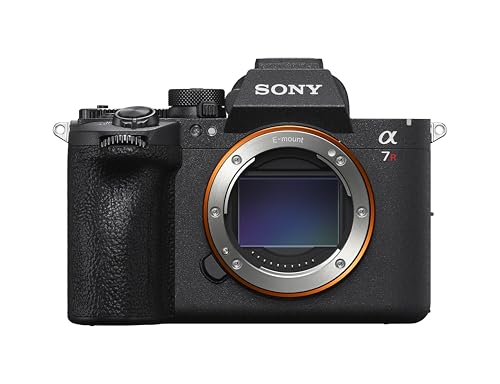
The Sony A7R VI (ILCE-7RM6) has two card slots. Each accepts an SD card (UHS-I or UHS-II) or a CFexpress Type A card. So you can insert two SD cards, two CFexpress cards, or one of each type.
CFexpress Type B cards will not fit in the camera. They are larger and fit Canon and Nikon cameras, so they are easy to confuse with Type A. Pay attention to the suffix in the product name.
An SD UHS-I card will work, but with a 66.8 MP sensor there is no point in saving on speed. For this camera, aim for UHS-II.
Below we have gathered cards in both formats, CFexpress Type A and SD UHS-II, in the V90 and V60 classes. We chose them so that you can pick either a fast card for bursts or a cheaper one for relaxed shooting.

Memory cards for the Sony A7R VI we recommend

1. Lexar CFexpress 4.0 Type A Silver 256 GB
CFexpress Type A · 256 GB · read up to 1750 MB/s
A CFexpress Type A card, the type that clears the A7R VI buffer fastest after a burst of shots. The 256 GB capacity makes sense with 66.8 MP files and 8K video. It fits both slots in the camera.

2. Sony CFexpress Type A Tough 240 GB
CFexpress Type A · 240 GB · VPG400 · original Sony
Original Sony card from the Tough series, in the same CFexpress Type A format and with the VPG400 rating for video. A pick for those who prefer a card from the camera maker.

3. SanDisk Extreme PRO SD UHS-II V90 128 GB
SD UHS-II · V90 · 128 GB · read up to 300 MB/s
Fast SD card with the V90 class, a cheaper route than CFexpress. Good enough for relaxed shooting and as a second card for backup. After a long burst, the buffer clears more slowly than on CFexpress Type A.

4. Lexar Professional 2000x SD UHS-II V90 128 GB
SD UHS-II · V90 · 128 GB · read up to 300 MB/s
Another SD card with the V90 class. A good match for an identical card in the second slot, because when writing to both cards at once, two identical ones work best.
See Lexar Professional 2000x SD UHS-II V90 128 GB on Amazon →

5. Lexar SILVER PRO SD UHS-II V60 128 GB
SD UHS-II · V60 · 128 GB · read up to 280 MB/s
The cheapest card on the list, with the V60 class. Enough for single shots and video at a lower bitrate. For long bursts and 8K, it's better to pay extra for V90 or CFexpress Type A.

CFexpress Type A or SD UHS-II
The biggest difference shows up after a burst of shots. According to the Alpha Shooters guide, CFexpress Type A cards clear the buffer faster than SD cards. The camera returns to full readiness sooner, and you don't have to wait with your lens aimed while the write finishes.
The author of that guide tested 23 CFexpress Type A cards and 28 SD UHS-II cards in the A7R V. He shot uncompressed RAW bursts with JPEG. He expects very similar results in the A7R VI, which has two slots like its predecessor. This is a forecast, not a measurement on the new camera, but the direction is clear.
Fun fact: The A7R VI has the first completely new sensor in the A7R series since the A7R IV from 2019. It is fully stacked and works with the BIONZ XR2 processor (OWC).
For video, bitrate matters. For the A7R VI, Sony lists XAVC HS 8K 7680 x 4320 at up to 29.97 fps with a bitrate of 400 or 200 Mb/s. Check the Sony manual to see which video modes require which card, because that is where the manufacturer gives the requirements.
The speeds printed on card labels are read speeds. They don't tell you directly how the card writes in the camera. That's why a "300 MB/s" figure on the packaging alone doesn't settle the choice. What counts is the V90 or V60 class and the format.
In practice it looks like this:
- RAW bursts, sports, wildlife, 8K: CFexpress Type A,
- landscape, portrait, relaxed-pace reportage: SD UHS-II V90,
- single shots and lower-bitrate video: SD UHS-II V60.
Two cards at once and capacity
If you record to both cards at the same time, put two identical cards in the camera. They can be two CFexpress cards or two UHS-II cards. Writing then runs at the same speed on both media.
Mixing formats comes at a price. Paying extra for a fast CFexpress card won't help if a slower card sits in the other slot.
Fun fact: when one slot holds a CFexpress card and the other an SD card, simultaneous writing to both slows down to the speed of the SD card. The faster card simply waits for the slower one.
Choose capacity based on how you work. Files from the 66.8 MP sensor are large, and 8K video takes up even more space. That's why a larger size, for example 240 or 256 GB, makes sense for CFexpress. With SD cards, 128 GB is enough for a shorter session, but for a longer trip take several cards or a larger capacity.
When writing to two cards, each of them fills up at the same rate. The smaller one therefore limits the entire session. Choose cards of the same capacity.
Frequently asked questions about cards for the A7R VI
Which memory card for the Sony A7R VI?
For 66.8 MP bursts and 8K video, choose CFexpress Type A. For relaxed shooting, an SD UHS-II V90 card is enough. The V60 class is a cheaper option for photos and lower-bitrate video.
Does the Sony A7R VI support SD cards?
Yes. Each of the two slots accepts an SD card in the UHS-I or UHS-II standard. It's better to choose UHS-II, because the buffer clears faster, though still more slowly than with CFexpress Type A.
Does the Sony A7R VI work with CFexpress Type B?
No. Type B cards are larger and are used in Canon and Nikon cameras. For the A7R VI, buy only cards marked Type A.
Does the Sony A7R VI need a CFexpress card?
It isn't mandatory, because both slots also accept SD cards. However, CFexpress Type A clears the buffer faster after a burst. You'll find the requirements for video modes in the Sony manual.
Does the Sony A7R VI come with a card?
No. The camera is sold without a memory card, so you have to buy one separately. It's best to get two identical ones right away if you plan to record to both.
See also
- Best microSD card for a dash cam - 70mai A810 Lite and High Endurance cards
- Best microSD card for Insta360 X6 - UHS-I V30 and only 47 GB built in
- Best microSD card for DJI Osmo Action 6 - DJI's list and the 1 TB limit
Sources
- Sony: ILCE-7RM6 specifications - manufacturer page (sony.co.th)
- Alpha Shooters: Best Sony A7R VI memory cards - industry article (alphashooters.com)
- OWC: This is the new Sony Alpha 7R VI - industry article (owc.com)
- The-Digital-Picture: Sony Alpha 7R VI specifications - industry article (the-digital-picture.com)

Leave a comment
This site is protected by hCaptcha and the hCaptcha Privacy Policy and Terms of Service apply.