








As an Amazon Associate I earn from qualifying purchases.
Quick answer: our top pick is Apple Magic Keyboard with Touch ID (Touch ID · Bluetooth · USB-C · compact).
Best keyboard for Mac mini M4? The short answer
If you want to unlock your Mac with your fingerprint, buy an Apple keyboard with Touch ID. It's the only way, because the Mac mini has no fingerprint reader of its own, and keyboards from other brands don't have one either.
If backlit keys and working across several devices matter more, choose a Logitech keyboard with Bluetooth. You can then switch between your Mac, laptop, and tablet with a single key.
The box with the Mac mini M4 or M4 Pro contains only the computer and a 6 ft power cord. There's no monitor, keyboard, mouse, or camera, so you need to buy a keyboard separately. The Mac mini also has no built-in camera. Your choice comes down to three questions: do you want Touch ID, do you need backlighting, and do you work on several devices?
A separate article covers the monitor for the Mac mini M4, so here we focus on the keyboard alone.

Touch ID on the Mac mini: how it works and what you need
Touch ID on the Mac mini works only through an Apple keyboard, because the reader is built into the keyboard.
According to Apple, the keyboard with Touch ID (USB-C) works with Macs with Apple silicon running macOS 15.1 or later. The Mac mini with M4 and M4 Pro is exactly that kind of computer, but check your system version before buying.
Apple offers three versions of this keyboard:
- with a lock key, without Touch ID,
- with Touch ID,
- with Touch ID and a numeric keypad.
The version without Touch ID looks almost the same, so be careful when ordering. If the reader is your reason for buying, look for the exact words "Touch ID" in the description.
The version with a numeric keypad makes sense if you do a lot of calculations in spreadsheets or enter codes and amounts. Cult of Mac notes that this variant suits Apple silicon Macs such as the Mac mini. On a small desk, the compact version will leave more room for your mouse.
Fun fact: after every restart of the Mac mini, you first have to type your password, and only then can you unlock it with your finger.
We chose keyboards based on the two scenarios from the start of the article: Apple with Touch ID for those who want to log in with a fingerprint, and Logitech with Bluetooth, backlighting, and multi-device support.
Keyboards for Mac mini M4 we recommend
1. Apple Magic Keyboard with Touch ID
Touch ID · Bluetooth · USB-C · compact
Apple keyboard with a Touch ID sensor, the only way to unlock a Mac mini with your fingerprint. Works with Apple silicon Macs running macOS 15.1 or later, and pairs automatically once you connect it with the USB-C cable.

2. Apple Magic Keyboard with Touch ID and Numeric Keypad
Touch ID · numeric keypad · Bluetooth · USB-C
The same Apple keyboard with Touch ID, but full size, with a numeric keypad and navigation keys. For anyone who types a lot of numbers, in spreadsheets for example.
See Apple Magic Keyboard with Touch ID and Numeric Keypad on Amazon →

3. Logitech MX Keys Mini
On salecompact · backlit · Bluetooth · USB-C
The smaller MX Keys without a number pad, backlit and charged over USB-C, in the for Mac version. It leaves more room for the mouse on a small Mac mini desk.

4. Logitech Pebble Keys 2 K380s
On saleslim · Bluetooth · 3 devices · battery powered
A light, low-cost Bluetooth keyboard that switches between three devices and has custom shortcuts. Enough for email and browsing when you need neither Touch ID nor a backlight.
Bluetooth or USB receiver: which to choose for Mac mini
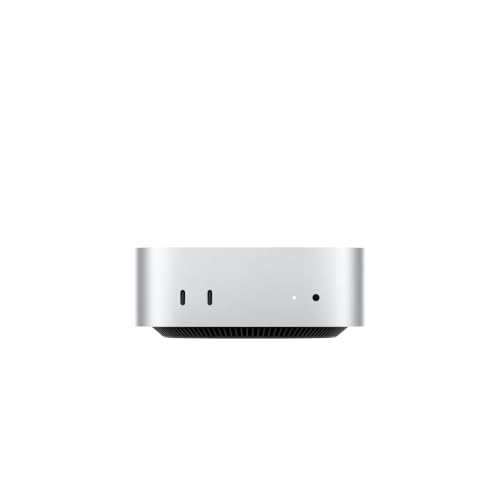
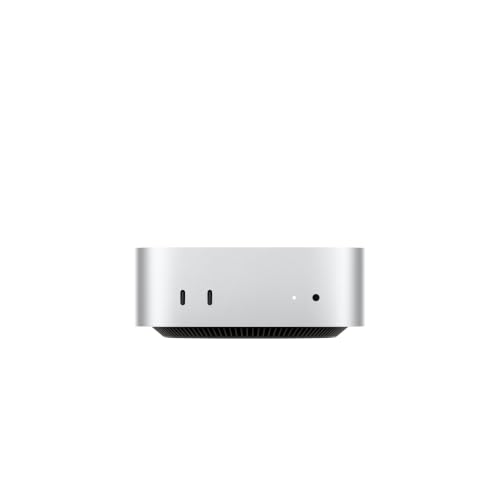
The Mac mini has no USB-A ports at all. At the front there are two USB-C ports (USB 3, up to 10 Gb/s), and at the back there are three Thunderbolt ports: the M4 version has Thunderbolt 4, and the M4 Pro has Thunderbolt 5. On top of that, there are HDMI and Ethernet.
A keyboard with a small USB-A receiver therefore needs an adapter, which takes up a port. A Bluetooth keyboard doesn't need one, because the Mac mini has Bluetooth 5.3 and connects directly.
The USB-C ports will come in handy for other things: an external drive, a card reader, or charging your keyboard. That's why Bluetooth is the more sensible choice here, unless you specifically want the receiver that comes with a particular keyboard and mouse set.
Fun fact: an Apple keyboard with Touch ID pairs with the Mac mini automatically, you just need to connect it with a USB-C cable. The same cable is used for charging, so during the first setup you don't have to go into the Bluetooth settings.
Logitech keyboards are usually paired manually from the Bluetooth settings in macOS. It takes a moment, and you only do it once for each device.
Key layout: buy the version for your country
Keyboards are sold in different layouts, and the Mac mini can't change that. The layout is listed in the product description, so check it before ordering.
A mistake costs more than it seems at first. The key legends won't match what you actually type, and special characters and accents will land in different places. The layout matters for both Apple and Logitech keyboards.
Frequently asked questions about a keyboard for the Mac mini M4
Which keyboard for the Mac mini M4 has Touch ID?
Only Apple keyboards in the Touch ID version and the Touch ID with numeric keypad version have Touch ID. The version with just a lock key has no sensor. The keyboard requires macOS 15.1 or later.
Does Touch ID work with a Logitech keyboard?
No. The Mac mini has no fingerprint reader of its own, and keyboards from other brands don't have a Touch ID sensor. With a Logitech, you log in with a password, or with other methods available in macOS.
Does the Mac mini M4 come with a keyboard?
No. The box contains just the computer. You need to buy a display, keyboard, mouse and camera separately, as iMore also confirms.
Will a keyboard with a USB receiver work with the Mac mini M4?
It will, but not directly, because the Mac mini has no USB-A ports. For a USB-A receiver you need a USB-C adapter. A Bluetooth keyboard doesn't need any extras.
Which keyboard for the Mac mini has backlighting?
Logitech keyboards in the full-size and compact versions have backlighting. Cult of Mac names the full-size Logitech keyboard as the top choice for the Mac mini because of its combination of features and a reasonable price. If you also want Touch ID, you need to choose an Apple keyboard and give up the Logitech backlighting.
See also
- Best SSD for Mac mini M4 - which port gives full speed
- Best Monitor for Mac mini M4 - 4K or 5K and How Many Screens
- Best webcam for Mac mini M4 - USB-C or iPhone
Sources
- Apple Support: Mac mini (2024) tech specs - manufacturer page (support.apple.com)
- Apple Support: Magic Keyboard with Touch ID for Mac models with Apple silicon - manufacturer page (support.apple.com)
- Cult of Mac: Best keyboards for Mac mini - industry article (cultofmac.com)
- iMore: The best keyboards for Mac mini - industry article (imore.com)
- Macworld: M4 Pro Mac mini review - industry article (macworld.com)

Leave a comment
This site is protected by hCaptcha and the hCaptcha Privacy Policy and Terms of Service apply.