









Updated: 30.09.2026
As an Amazon Associate I earn from qualifying purchases.
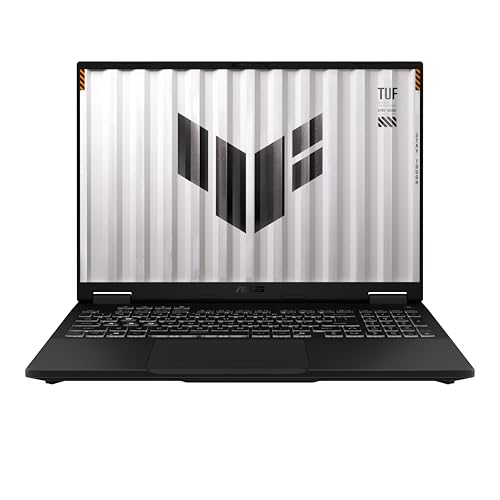
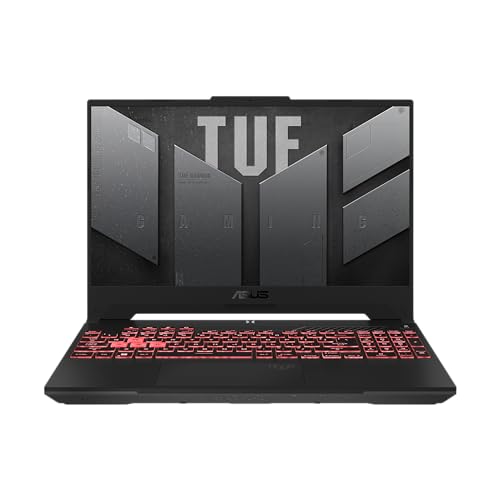
Quick answer: Which charger for ASUS TUF Gaming A16? The simplest choice is UGREEN Nexode 100W 100 W - the full 100 W the laptop accepts over USB-C; keep the bundled adapter for gaming. The minimum is 45 W - a weaker charger will not do. Cheaper alternatives below.
Which charger for ASUS TUF Gaming A16? Leaving the heavy power brick at home
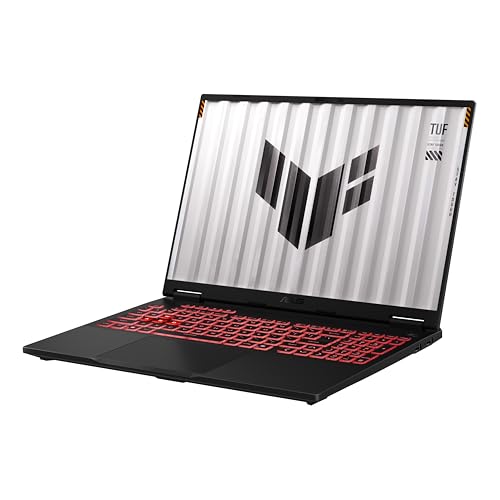
If you are wondering which charger for ASUS TUF Gaming A16 will let you leave the massive 240 W power brick at home, the short answer is yes: this laptop fully supports USB-C charging. It accepts power through the USB Power Delivery (USB PD) standard within a range of 45 W to 100 W, meaning you can easily pack a compact travel adapter for everyday use.
You have to keep expectations realistic, though. A lightweight USB-C charger is designed for lectures, office work, web browsing, and travel. When running demanding games, 100 W cannot replace the high-wattage barrel charger included in the box, but for mobile productivity, it changes how you carry your gear.
Here is what you need to know about wattage limits, port selection, and real-world battery behavior before picking an adapter for your backpack.
Specs and charging
The ASUS TUF Gaming A16 specs that matter when choosing an adapter:
- Battery: 90 Wh
- USB-C charging (regular USB PD charger): 45-100 W
- Bundled barrel adapter (for gaming): up to 240 W

Everyday productivity vs. intense gaming on a compact adapter
When connected to a compatible USB-C charger, the TUF Gaming A16 runs comfortably across all standard office and multimedia workloads. Independent tests from LaptopMedia show the 90 Wh battery delivers around 8 hours of continuous video playback, while Root-Nation recorded roughly 14 hours in PCMark Office at half screen brightness. A 100 W USB-C charger provides plenty of juice to keep the battery full or top it up while you work.
Gaming under heavy load is a completely different story. The factory barrel charger supplies up to 240 W, whereas USB-C caps out at 100 W on this machine. Independent testing from PC Gamer notes that while the laptop will top up over USB-C if fed enough watts, you will still want the main charger for heavy gaming sessions. Under heavy gaming loads on USB-C, the system may throttle performance or slowly drain the battery to make up the power deficit.
Can you use the power adapter currently sitting on your desk?
Not every power supply handles a gaming laptop the same way. Here is how the ASUS TUF Gaming A16 behaves across different wattage tiers:
- Phone chargers under 45 W: ASUS specifies an input range of 45 W to 100 W for Type-C charging. Anything below 45 W falls below the manufacturer's specified minimum range.
- Laptop and MacBook chargers (65 W - 70 W): Fully functional for mobile work. Independent testing by Root-Nation confirms that the laptop starts accepting power right at the 45 W floor, so a standard 65 W laptop brick charges the battery without issue during light tasks.
- 100 W USB-C chargers: The sweet spot for this machine. A 100 W adapter hits the maximum charging speed supported by the laptop's USB-C circuitry.
- 140 W or higher USB-C chargers: These work safely, but the laptop will negotiate a maximum of 100 W. Feeding it a 140 W charger will not provide any extra charging speed or gaming headroom.
Selecting the right compact USB-C travel companion
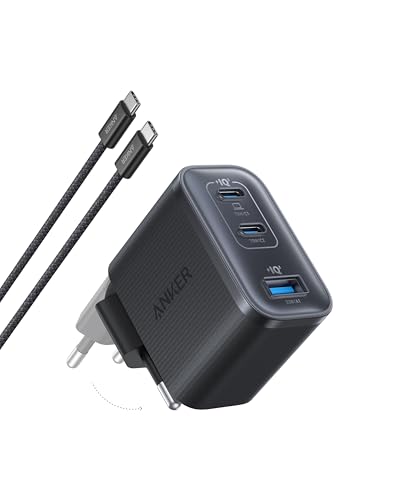
If you want the most affordable way to hit the maximum 100 W charging ceiling, the UGREEN Nexode 100W is the most direct pick. It reaches 100% of the A16's real USB-C maximum and provides four ports so you can power other accessories at the same time.
If you prefer real-time status and a slightly tighter travel form factor, the Anker Nano 100W (3 Ports, Smart Display) matches the full 100 W speed while showing live output right on its built-in screen across three ports.
For desk setups where you also charge headphones, tablets, and phones simultaneously, the Anker Charger 140W 4-Port PD 3.1 (A2697) delivers the maximum 100 W to the A16 while reserving plenty of power for the other ports. Keep in mind that when using multi-port chargers, plugging in a second device divides the total wattage, so ensure the primary laptop port stays at or above 45 W.
| Charger | Power | Estimated speed |
|---|---|---|
| UGREEN Nexode 100W | 100 W | 100% |
| Anker Nano 100W (3 Ports, Smart Display) | 100 W | 100% |
| Anker Charger 140W 4-Port PD 3.1 (A2697) | 140 W | 100% |
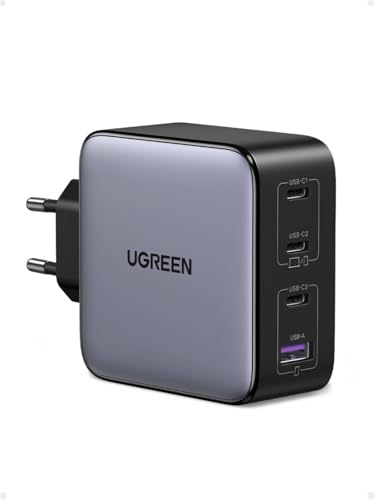
1. UGREEN Nexode 100W (100W GaN)
Cheapest at full speed · 4 ports - several devices at once
100W GaN charger. With the ASUS TUF Gaming A16 it charges at up to about 100 W via USB PD (100% of the laptop's full charging speed, estimate based on specs and protocols).

2. Anker Nano 100W (3 Ports, Smart Display) (100W GaN)
3 ports - several devices at once
100W GaN charger. With the ASUS TUF Gaming A16 it charges at up to about 100 W via USB PD (100% of the laptop's full charging speed, estimate based on specs and protocols).

3. Anker Charger 140W 4-Port PD 3.1 (A2697) (140W GaN)
4 ports - several devices at once
140W GaN charger. With the ASUS TUF Gaming A16 it charges at up to about 100 W via USB PD (100% of the laptop's full charging speed, estimate based on specs and protocols).
Two critical hardware details to check on the A16
The most common mistake owners make involves port selection. The TUF Gaming A16 features two Type-C ports side by side: one USB4 port (40 Gbps) and one USB 3.2 Gen 2 port (10 Gbps). According to official ASUS specifications and Root-Nation tests, only the USB 3.2 Gen 2 port accepts incoming power. If you plug your charger into the USB4 port next to it, the laptop will not receive any charge at all.
Another point to remember is configuration variance. Depending on whether you have the 2024 (FA608) or 2025 variant, your laptop carries either a 90 Wh or 70 Wh battery pack, and some regional packages bundle a compact ASUS 100 W Type-C adapter alongside or instead of the standard 240 W brick. Both generations share the exact same 45 W to 100 W USB-C charging limits.
Fun fact: Even though the laptop's high-speed USB4 port handles ultra-fast 40 Gbps data transfers and display output, ASUS routed the internal charging traces exclusively to the slower 10 Gbps USB 3.2 port.
Common questions about powering the ASUS TUF Gaming A16
Which charger for ASUS TUF Gaming A16 is best for everyday commuting?
A multi-port 100 W USB PD charger is the ideal choice for commuting. It maxes out the laptop's 100 W Type-C charging limit while being significantly lighter than the factory 240 W power brick.
Which USB-C port charges the ASUS TUF Gaming A16?
Only the USB 3.2 Gen 2 Type-C port (10 Gbps) accepts incoming power. The adjacent 40 Gbps USB4 port does not support Power Delivery input, so plugging a charger into it will not charge the machine.
Can you play games while charging the laptop via USB-C?
You can launch games, but 100 W is not enough power for full gaming performance compared to the 240 W brick. Under heavy loads, the laptop will lower performance or drain power from the battery alongside the charger.
Will a 65 W power brick charge the ASUS TUF Gaming A16?
Yes, tests show that ASUS sets the minimum charging threshold at 45 W. A 65 W charger works reliably for web browsing, office tasks, and recharging the battery when the laptop is idle or asleep.
Does a 140 W USB-C charger provide faster charging than a 100 W unit?
No, the internal charging controller on the TUF Gaming A16 caps USB-C Power Delivery input at 100 W. A 140 W charger will step down to 100 W and will not charge the battery any faster.
Sources
- ASUS TUF Gaming A16 - asus.com - official manufacturer specifications (asus.com)
- ASUS TUF Gaming A16 - asus.com - official manufacturer specifications (asus.com)
- ASUS TUF Gaming A16 - pcgamer.com - industry article (pcgamer.com)
- ASUS TUF Gaming A16 - root-nation.com - industry article (root-nation.com)
- ASUS TUF Gaming A16 - laptopmedia.com - industry article (laptopmedia.com)


Leave a comment
This site is protected by hCaptcha and the hCaptcha Privacy Policy and Terms of Service apply.