









Updated: 01.10.2026
As an Amazon Associate I earn from qualifying purchases.
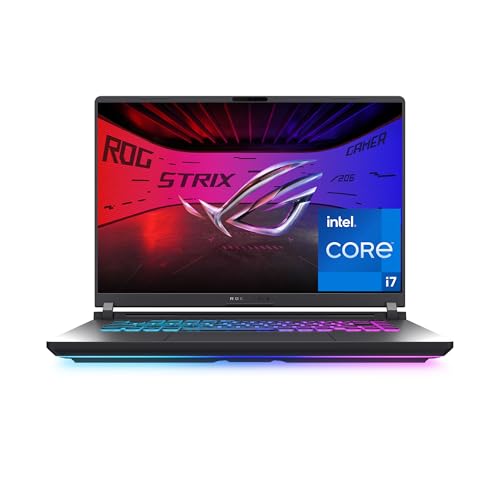
Quick answer: Which charger for ASUS ROG Strix G16? The simplest choice is UGREEN Nexode 100W 100 W - the full 100 W the laptop accepts over USB-C; keep the bundled adapter for gaming. Cheaper alternatives below.

Which charger for ASUS ROG Strix G16? Portable USB-C power for your backpack
Yes, the ROG Strix G16 supports USB-C charging through standard USB Power Delivery (USB PD) up to 100 W. If you are researching which charger for ASUS ROG Strix G16 makes the most sense for mobility, a compact 100 W adapter is the ideal travel companion. It lets you top up the battery at school, in the library, or at the office without lugging around the hefty factory power brick.
Keep in mind that USB-C power on this machine is strictly meant for daily productivity, note-taking, and media streaming. To unlock full graphics power in modern games, you will still need the high-wattage barrel adapter included in the box.
Specs and charging
The ASUS ROG Strix G16 specs that matter when choosing an adapter:
- Battery: 90 Wh
- USB-C charging (regular USB PD charger): 100 W
- Bundled barrel adapter (for gaming): up to 380 W

USB-C power on the ROG Strix G16: what works and what happens under gaming load?
Connecting a 100 W USB-C charger lets you comfortably handle general computing, office suites, web browsing, and video playback. You can also recharge the 90 Wh battery at a steady pace while working or when the laptop is powered down.
Gaming under USB-C power yields very different results. Independent testing by UltrabookReview on the G615LW revealed that USB PD power limits system controls exclusively to Silent and Performance modes. In practice, the hardware operates at power levels very close to Silent mode, with the CPU capped at roughly 50 W in Performance mode (around 4000 benchmark points, mirroring unplugged battery behavior). Under heavy graphical loads, 100 W is simply not enough, meaning the battery may gradually drain while plugged in.

Can you use your existing power adapters with the Strix G16?
If you already have a collection of USB-C chargers at home, here is how the Strix G16 handles different power outputs:
- Phone chargers (20 W - 45 W): ASUS does not publish a minimum operating wattage for USB-C charging. Because smartphone adapters fall well below documented specifications, how the laptop behaves on them is an unknown.
- Standard office laptop chargers (65 W - 70 W): The manufacturer provides no minimum wattage threshold for power input. Without official guidance on sub-100 W bricks, an everyday 65 W adapter remains an uncertain choice, making 100 W the only reliable target.
- 100 W USB-C chargers: This delivers the exact ceiling that the Strix G16 can accept over USB Power Delivery, giving you optimal travel charging speeds.
- 140 W or higher chargers: Higher-wattage units are completely safe to plug in, but they will not speed up the process. The Strix G16 Type-C circuitry stops pulling power at 100 W.
Which compact USB-C charger should you choose for your bag?
When selecting a secondary travel charger, stick to tested hardware that hits the full 100 W profile. If your main goal is an affordable and capable multi-device brick, the UGREEN Nexode 100W delivers full speed across 4 ports without stretching your budget. If you prefer to monitor power draw in real time, the Anker Nano 100W (3 Ports, Smart Display) gives you instant visual confirmation across 3 ports. For travelers carrying several demanding devices at once, the Anker Charger 140W 4-Port PD 3.1 (A2697) packs 4 ports and ample overhead to supply the laptop its required 100 W while charging accessories. Keep in mind that multi-port bricks divide their power when several cables are plugged in simultaneously.
| Charger | Power | Estimated speed |
|---|---|---|
| UGREEN Nexode 100W | 100 W | 100% |
| Anker Nano 100W (3 Ports, Smart Display) | 100 W | 100% |
| Anker Charger 140W 4-Port PD 3.1 (A2697) | 140 W | 100% |
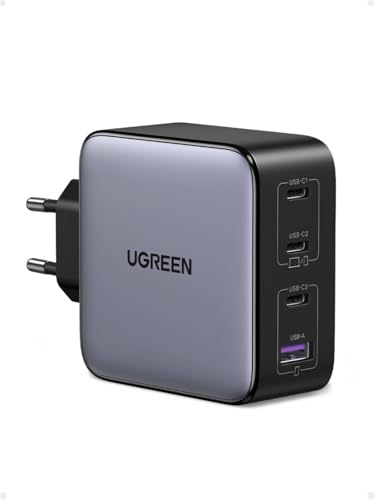
1. UGREEN Nexode 100W (100W GaN)
Cheapest at full speed · 4 ports - several devices at once
100W GaN charger. With the ASUS ROG Strix G16 it charges at up to about 100 W via USB PD (100% of the laptop's full charging speed, estimate based on specs and protocols).

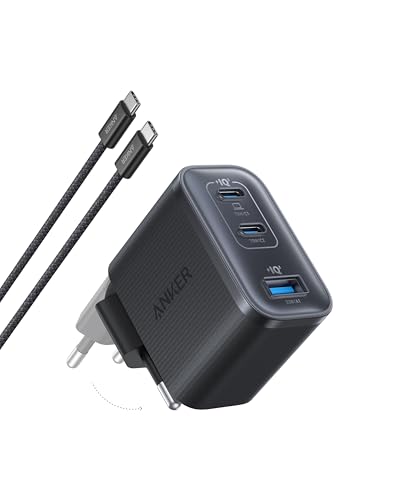
2. Anker Nano 100W (3 Ports, Smart Display) (100W GaN)
3 ports - several devices at once
100W GaN charger. With the ASUS ROG Strix G16 it charges at up to about 100 W via USB PD (100% of the laptop's full charging speed, estimate based on specs and protocols).

3. Anker Charger 140W 4-Port PD 3.1 (A2697) (140W GaN)
4 ports - several devices at once
140W GaN charger. With the ASUS ROG Strix G16 it charges at up to about 100 W via USB PD (100% of the laptop's full charging speed, estimate based on specs and protocols).
Important technical caveats: port differences across G16 generations
Port assignments differ depending on which specific Strix G16 variant you own. On the 2025 and 2026 G615 models, both the USB 3.2 Gen 2 Type-C port and the Thunderbolt 4 port support Power Delivery, while the G615LW model offers two Thunderbolt 5 ports that both handle charging. However, on AMD-powered G614 models, only one of the two USB4 ports supports Power Delivery, so you must use the correct socket to charge.
Do not expect third-party proprietary charging rates above 100 W. While the laptop supports USB Power Delivery up to that threshold, the internal power controller will not negotiate higher wattage over Type-C, preserving standard PD parameters.
Fun fact: Depending on the internal graphics card, the primary barrel charger bundled with the Strix G16 can reach up to 380 W, which is nearly four times the maximum intake allowed through its USB-C port.
Frequently asked questions about charging the ASUS ROG Strix G16
Which charger for ASUS ROG Strix G16 is best for everyday travel?
A reputable 100 W USB Power Delivery adapter is the ideal travel pick. It matches the maximum charging speed the laptop supports over Type-C and fits easily into an everyday commuter bag.
Does the ASUS ROG Strix G16 charge through USB-C?
Yes, the ROG Strix G16 supports USB-C charging up to 100 W using standard USB Power Delivery. It is designed to sustain office work, lectures, and battery replenishment on the go.
Can you play demanding games while charging over USB-C?
No, 100 W is insufficient for high-performance gaming on this hardware. Tests show that PD power limits the laptop to profiles resembling Silent mode, capping the CPU around 50 W and potentially draining the battery under load.
Will a 140 W USB-C charger charge the Strix G16 faster?
No, it will not charge any faster. The Strix G16 hardware caps USB Power Delivery input strictly at 100 W, so a 140 W charger will simply negotiate down to 100 W.
Which USB-C port accepts charging on the ROG Strix G16?
On Intel G615 models, power input works on both the USB 3.2 Gen 2 Type-C port and the Thunderbolt port (or both Thunderbolt 5 ports on the G615LW). On AMD G614 models, only one of the two USB4 ports supports Power Delivery.
Sources
- ASUS ROG Strix G16 - rog.asus.com - official manufacturer specifications (rog.asus.com)
- ASUS ROG Strix G16 - rog.asus.com - official manufacturer specifications (rog.asus.com)
- ASUS ROG Strix G16 - ultrabookreview.com - industry article (ultrabookreview.com)
- ASUS ROG Strix G16 - pcworld.com - industry article (pcworld.com)
- ASUS ROG Strix G16 - root-nation.com - industry article (root-nation.com)



Leave a comment
This site is protected by hCaptcha and the hCaptcha Privacy Policy and Terms of Service apply.