









Updated: 30.09.2026
As an Amazon Associate I earn from qualifying purchases.
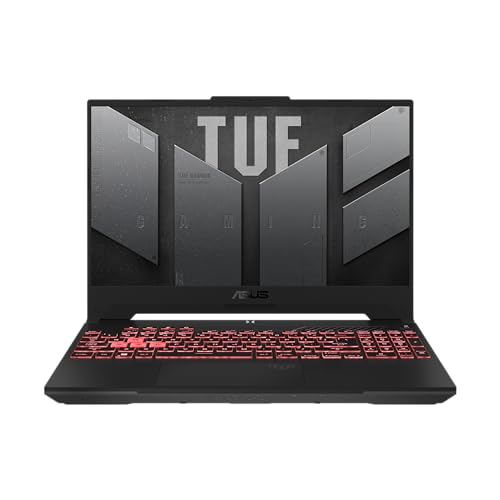
Quick answer: Which charger for ASUS TUF Gaming A15? The simplest choice is UGREEN Nexode 100W 100 W - the full 100 W the laptop accepts over USB-C; keep the bundled adapter for gaming. Cheaper alternatives below.

Which charger for ASUS TUF Gaming A15? Power your gaming laptop without the heavy brick
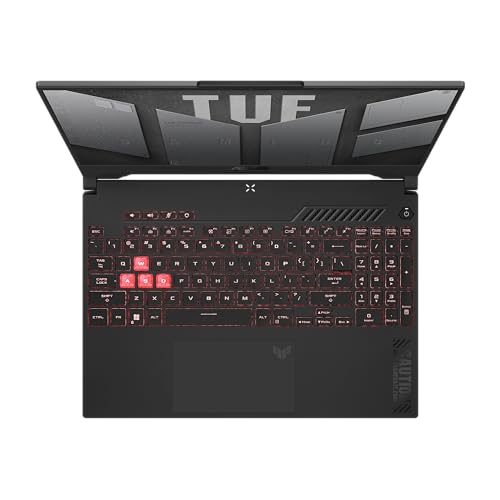
If you are wondering which charger for ASUS TUF Gaming A15 allows you to leave the bulky stock brick behind, the answer is straightforward: newer models support charging via USB-C using standard USB Power Delivery up to 100 W. You just need to connect a capable charger to the specific Type-C port wired for power delivery, which accepts a 20 V / 5 A profile.
Keep in mind that 100 W is intended for office work, study sessions, web browsing, and travel. Demanding gaming sessions draw far more power than any USB-C port can provide on this laptop, which is why the bundled 240 W barrel adapter remains necessary when you want maximum frame rates.
This guide is for anyone who loves their TUF Gaming A15 but hates hauling a heavy proprietary brick in their backpack every single day.
Specs and charging
The ASUS TUF Gaming A15 specs that matter when choosing an adapter:
- Battery: 90 Wh
- USB-C charging (regular USB PD charger): 100 W
- Bundled barrel adapter (for gaming): up to 240 W
What USB-C power delivery handles, and where it falls short in games
A compact 100 W USB-C charger completely changes how you use this machine on the go. Independent tests by Notebookcheck confirmed that the 90 Wh battery can be charged using a standard USB-C power supply, eliminating the need to drag the proprietary adapter to work or coffee shops. It easily handles productivity tasks, spreadsheets, video streaming, and charging the battery when the laptop is asleep or powered off.
Gaming under USB-C power is an entirely different story. Testing by Stuff on the FA507NV model highlighted that while the Type-C port charges the laptop, it cannot deliver power quickly enough for gaming. Because 100 W is less than half the capacity of the original 240 W power supply, running a heavy 3D game on USB-C will cause the system to throttle performance or steadily drain the battery while plugged in.

Can you use the charger you already have in a drawer?
- Phone chargers (20 W - 45 W): ASUS gives no minimum USB-C charging power for this model, so there is no telling whether they charge it at all. Do not count on them.
- Standard office laptop chargers (65 W - 70 W): ASUS gives no minimum, so there is no guarantee whether or how fast they charge the TUF A15. The safe choice is 100 W, like ASUS's optional Type-C adapter.
- 100 W USB Power Delivery chargers: This is the exact ceiling for the TUF Gaming A15 over Type-C. It delivers the maximum charging rate the laptop accepts without the proprietary brick.
- 140 W or higher USB-C chargers: Connecting a charger capable of 140 W will not charge this laptop any faster. The TUF A15 caps incoming USB Power Delivery at 100 W, though the extra overhead is useful if you charge multiple gadgets at once.
Top USB-C adapters to pack in your everyday backpack
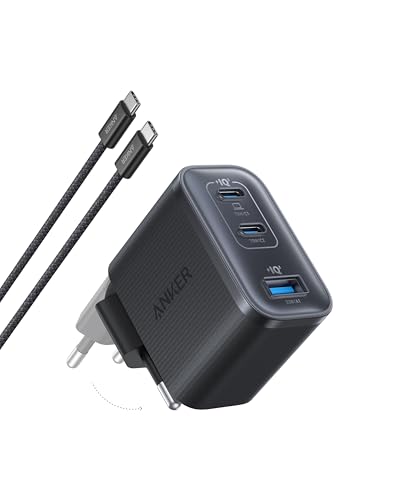
If you want the most affordable way to hit full speed, the UGREEN Nexode 100W delivers the full 100 W to the laptop and gives you 4 ports to power your other gadgets simultaneously. For those who want real-time information on power draw, the Anker Nano 100W (3 Ports, Smart Display) offers a compact 3-port setup with a built-in display showing live output. If you frequently charge several power-hungry devices together, the Anker Charger 140W 4-Port PD 3.1 (A2697) caps at 100 W for the TUF A15, but provides 4 ports with plenty of headroom so plugging in your phone does not slow down your laptop charging.
| Charger | Power | Estimated speed |
|---|---|---|
| UGREEN Nexode 100W | 100 W | 100% |
| Anker Nano 100W (3 Ports, Smart Display) | 100 W | 100% |
| Anker Charger 140W 4-Port PD 3.1 (A2697) | 140 W | 100% |
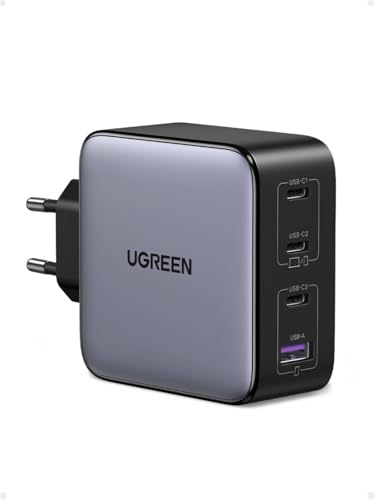
1. UGREEN Nexode 100W (100W GaN)
Cheapest at full speed · 4 ports - several devices at once
100W GaN charger. With the ASUS TUF Gaming A15 it charges at up to about 100 W via USB PD (100% of the laptop's full charging speed, estimate based on specs and protocols).

2. Anker Nano 100W (3 Ports, Smart Display) (100W GaN)
3 ports - several devices at once
100W GaN charger. With the ASUS TUF Gaming A15 it charges at up to about 100 W via USB PD (100% of the laptop's full charging speed, estimate based on specs and protocols).

3. Anker Charger 140W 4-Port PD 3.1 (A2697) (140W GaN)
4 ports - several devices at once
140W GaN charger. With the ASUS TUF Gaming A15 it charges at up to about 100 W via USB PD (100% of the laptop's full charging speed, estimate based on specs and protocols).
Model years and port quirks: traps to avoid with the TUF A15
Before buying a compact adapter, verify your laptop generation. Testing by UltrabookReview revealed that the 2022 TUF series (model code FA507R) does not support USB-C charging at all; on that model, the 90 Wh battery only charges through the proprietary barrel plug, filling in about 2 hours. USB Power Delivery was introduced on the 2023 (FA507N) and 2024 (FA507U) editions.
On the 2024 model, port selection is equally critical. Notebookcheck noted that only the USB 3.2 Gen 2 Type-C port offers Power Delivery, while the adjacent USB4 port does not accept charging. If you plug a USB-C charger into the USB4 socket, the battery simply will not charge.
Fun fact: Even though the 2024 TUF Gaming A15 features a cutting-edge USB4 port, ASUS routed the Power Delivery charging circuitry exclusively to the older USB 3.2 Gen 2 Type-C port right beside it.
Frequently asked questions about ASUS TUF Gaming A15 charging
Which charger for ASUS TUF Gaming A15 will charge at maximum USB-C speed?
Any reliable USB Power Delivery charger rated at 100 W (providing 20 V / 5 A) will charge the laptop at its maximum Type-C rate. Chargers with higher ratings, such as 140 W, will work safely but will be capped at 100 W by the laptop.
Can I charge the ASUS TUF Gaming A15 through any USB-C port?
No, you must use the specific port wired for charging. On 2024 models, only the USB 3.2 Gen 2 Type-C port supports Power Delivery, whereas the USB4 port does not. Furthermore, 2022 models (FA507R) do not support USB-C charging on any port.
Can I play heavy games while running on a 100 W USB-C charger?
You can run games, but not with full hardware performance. Because 100 W is significantly lower than the bundled 240 W barrel adapter, tests show the laptop will throttle its components or discharge the battery during intensive gaming.
Does the 2022 ASUS TUF Gaming A15 support USB-C charging?
No, independent tests confirm that the 2022 TUF A15 (FA507R) does not support USB Power Delivery at all. Owners of that generation must use the original barrel power brick to charge the battery.
Will a 140 W charger charge the TUF A15 faster than a 100 W charger?
No, a charger rated above 100 W will not provide extra charging speed. The ASUS TUF Gaming A15 firmware limits incoming Type-C power to 100 W, so a 140 W adapter simply provides spare headroom for other connected devices.
Sources
- ASUS TUF Gaming A15 - asus.com - official manufacturer specifications (asus.com)
- ASUS TUF Gaming A15 - notebookcheck.net - industry article (notebookcheck.net)
- ASUS TUF Gaming A15 - stuff.tv - industry article (stuff.tv)
- ASUS TUF Gaming A15 - ultrabookreview.com - industry article (ultrabookreview.com)


Leave a comment
This site is protected by hCaptcha and the hCaptcha Privacy Policy and Terms of Service apply.