








As an Amazon Associate I earn from qualifying purchases.
Quick answer: our top pick is OWC Express 1M2 USB4 NVMe enclosure (USB4 enclosure · your own M.2 SSD · fanless).
Best SSD enclosure for Mac mini M6? USB4 40 Gb/s, plugged into the back
You unbox a Mac mini M6 with a 256 GB drive, and a few weeks later your photos, libraries and projects barely fit. Adding storage at purchase isn't always an option, because you have to pick the capacity up front. The simplest fix is an empty USB4 40 Gb/s enclosure. Put your own M.2 NVMe drive in it and plug it into a port on the back of the Mac mini.
The same setup also works on the front, but the drive gets 10 Gb/s at most. You'll notice the difference when copying large files and when working directly from the external drive.
Mac mini M6 ports: 40 Gb/s at the back, 10 Gb/s at the front
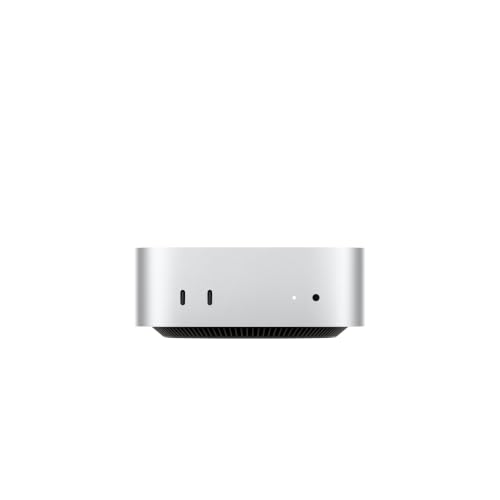
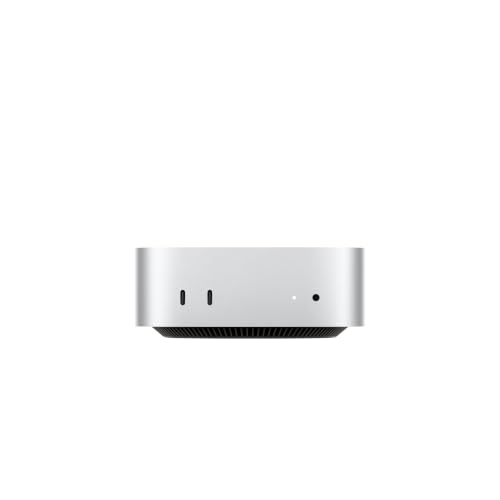
On the back, the Mac mini with M6 has three Thunderbolt 4 ports. These support USB4 at up to 40 Gb/s, so this is where you plug in a fast enclosure.
On the front there are two USB-C ports running USB 3, up to 10 Gb/s. In practice that's about 1000 MB/s. It's plenty for a backup, but not much for a drive that can go faster.
An enclosure is just an empty case. You buy the M.2 NVMe drive separately and install it yourself, and most enclosures take M.2 2280 drives.
If you plan to use several drives, count your ports. The Eclectic Light Company points out that with several NVMe drives connected to a Mac mini, you start running out of Thunderbolt ports. In that case, one enclosure for multiple drives is a better choice than several separate ones.
We picked the enclosures by port type and use: fast USB4 for work, slower 10 Gb/s for archives, and a stand for the Mac mini with a built-in drive bay.
The Best SSD Enclosures for Mac mini M6 We Recommend

1. OWC Express 1M2 USB4 NVMe enclosure
USB4 enclosure · your own M.2 SSD · fanless
An enclosure for your own M.2 NVMe SSD. OWC recommends it for the M6 Mac mini because it uses the full 40 Gbps of the rear ports. The aluminium body cools the drive without a fan, so it stays quiet. The SSD is sold separately.

2. UGREEN 40Gbps USB4 M.2 NVMe enclosure
USB4 enclosure · up to 3848 MB/s · tool-free
The best-selling USB4 enclosure in our check and the cheaper route to a fast drive: you fit a regular M.2 2280 NVMe SSD without tools. The maker states up to 3848 MB/s, as long as it is connected to a Thunderbolt port on the back of the Mac mini.
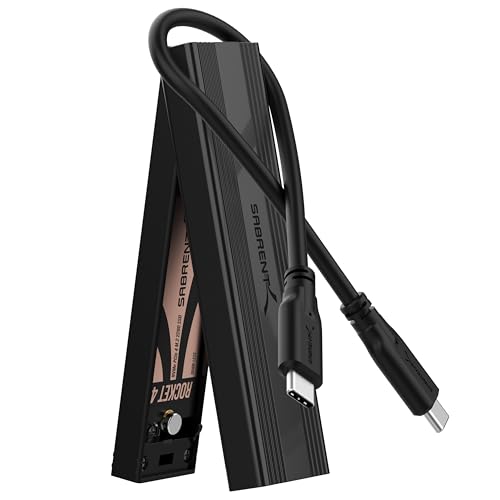
3. SABRENT M.2 NVMe enclosure 10Gbps
USB-C · 10 Gb/s · M.2 NVMe SSD
A 10 Gb/s enclosure for M.2 NVMe SSDs, ranking high in enclosure sales. According to the manufacturer, it opens without tools.

4. UGREEN M.2 NVMe enclosure 10Gbps
USB 3.2 Gen 2 · 10 Gb/s · M.2 NVMe 2280 SSD
The most popular M.2 NVMe SSD enclosure in this roundup. The 10 Gb/s port is plenty for backups and archives, even on the front ports of the Mac mini.

5. UGREEN Mac mini Dock and Stand with M.2 enclosure
Mac mini stand · M.2 NVMe slot · extra ports
A Mac mini stand with an M.2 NVMe SSD slot and extra ports. UGREEN lists compatibility with Mac mini M6, M5 Pro and M4.
See UGREEN Mac mini Dock and Stand with M.2 enclosure on Amazon →
USB4, 10 Gb/s, 20 Gb/s or Thunderbolt 5: what makes sense for the M6
A 10 Gb/s enclosure is enough for Time Machine backups and archives, where nobody is watching the stopwatch. If the drive is for everyday work, get USB4 40 Gb/s.
Fun fact: Macs don't support USB 3.2 Gen 2x2, so an enclosure sold as 20 Gb/s runs on a Mac like a regular 10 Gb/s enclosure (Thewearify).
Only the Mac mini with M5 Pro has Thunderbolt 5 ports, up to 120 Gb/s. So with the M6, there's no point in shopping for an enclosure built around that standard.
Fun fact: according to OWC, a Thunderbolt 5 enclosure is no faster in the Mac mini M6 than a good USB4 enclosure, because the M6 port runs at 40 Gb/s.
Take two cases. At home, the enclosure sits next to the computer, so you pick USB4 and plug it into the back. You can also choose a Mac mini stand with a drive bay if you want a tidy desk. If you carry the drive around, for backups or an archive, say, a 10 Gb/s enclosure is plenty, because every Mac mini port can handle it.
Our advice: for daily work, get a USB4 40 Gb/s enclosure and plug it into the back. Keep the 10 Gb/s enclosure for backups and archives.
Which drive to use, how to format it and what about cooling
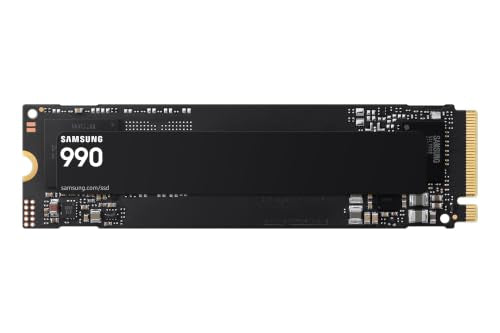
The enclosure takes a standard M.2 NVMe drive, most often in the 2280 size. Before you buy, check the enclosure's description for the sizes it accepts. A separate article covers ready-made SSDs for the Mac mini M6.
We don't recommend third-party internal SSD modules inside the Mac mini, because their compatibility with the M6 isn't confirmed. An external enclosure is the safer route.
Format the drive for your Mac as APFS in Disk Utility. Choose exFAT only if the drive also has to work with Windows.
Among USB4 40 Gb/s enclosures, two types come up most often: fanless aluminum ones and ones with a fan. The first kind runs quietly, so it suits a desk with a Mac mini on it.
Most common questions about enclosures for the Mac mini M6
Which SSD enclosure for the Mac mini M6?
A USB4 40 Gb/s enclosure for an M.2 NVMe drive, connected to a rear port. That's exactly what OWC recommends for the M6. If the drive will only hold backups, the cheaper 10 Gb/s version is enough.
Which Mac mini M6 port should the enclosure go into?
One of the three ports on the back. The front ports give up to 10 Gb/s, so a faster drive loses part of its speed there. Keep the front for flash drives and less demanding drives.
Does a Thunderbolt 5 enclosure make sense with the Mac mini M6?
It will work, but with the M6 you won't get its advantages. Full speed only comes with the M5 Pro. For the M6, USB4 is plenty.
Can the Mac mini M6 boot from a drive in an enclosure?
Yes. A Mac mini with Apple silicon can run macOS from an external NVMe drive connected over Thunderbolt or USB4. So for this use, pick a USB4 enclosure and a rear port.
Which M.2 drive should go in the enclosure?
An M.2 NVMe drive, ideally in the 2280 size, since that's what most enclosures list. Choose the capacity based on what you plan to store. Before you buy, check the enclosure's description for the drives it accepts.
See also
- Best drive for Time Machine on a Mac mini M6 - capacity, APFS and HDD or SSD
- Best NAS for Mac mini M6 - Time Machine and 2.5 Gb/s Port
- Best external SSD for Mac mini M6 - which port gives full speed
Sources
- Apple: Mac mini (M6, M5 Pro) technical specifications - manufacturer page (apple.com)
- OWC: docks and drives for the M6 and M5 Pro Mac mini - industry article (owc.com)
- Thewearify: Best external storage for Mac mini - industry article (thewearify.com)
- iThinkDiff: Best external SSDs for M6 Mac mini - industry article (ithinkdiff.com)
- Thunderbolt Laptop: Best USB4 NVMe enclosures in 2026 - industry article (thunderboltlaptop.com)
- The Eclectic Light Company: External storage, OWC Express 4M2 - industry article (eclecticlight.co)

Leave a comment
This site is protected by hCaptcha and the hCaptcha Privacy Policy and Terms of Service apply.