








As an Amazon Associate I earn from qualifying purchases.
Quick answer: our top pick is Logitech M240 Silent Bluetooth (Bluetooth · quiet clicks · AA battery).
Best mouse for Galaxy Tab S12? A regular Bluetooth one is enough
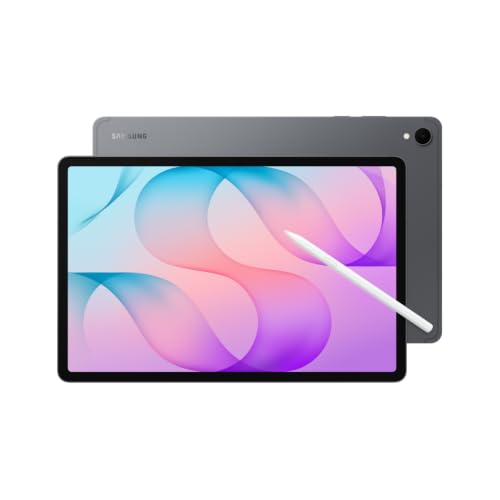
You're sitting with the tablet on your lap, and you need to click many tiny cells in a spreadsheet. Your finger keeps missing, and the stylus doesn't always help. The easiest fix is a Bluetooth mouse. The Tab S12+ and Tab S12 Ultra have Bluetooth 6.0, so they pair with one without a receiver.
The Galaxy Tab S12 series has two models: the S12+ and the S12 Ultra. There's no standard Tab S12, so everything below applies to both tablets.
A Bluetooth mouse has one more perk: it doesn't take up the USB-C port. That port stays free for a charger, a flash drive, or a monitor cable.

Pairing and pointer settings
Turn the mouse on and switch it to pairing mode. On the tablet, open the quick settings panel and press and hold the Bluetooth icon. The mouse will show up in the device list, and you just tap it.
If the pointer is too fast or too slow, go to Settings, then Connected devices, Samsung DeX, Mouse and touchpad, and finally More settings. There you can set the pointer speed, the primary mouse button, and the scroll wheel speed. You can also change pointer precision, plus the pointer's size and color. A large, high-contrast cursor helps a lot on a big screen when you work from a distance.
Before you pick a mouse, check three things:
- Whether the box clearly says Bluetooth, and not just a USB receiver.
- How the mouse is powered: batteries or a rechargeable battery charged over USB-C. The first needs spare batteries, the second needs a cable in your bag.
- What case you have on the tablet and whether it has a trackpad. That decides whether the mouse will be an everyday tool or just an extra.
For work on the go, a small, flat mouse that fits in the case pocket is a good choice. At a desk, a larger, contoured mouse works better, because it's easier on your wrist after a few hours. If you work somewhere quiet, look for a model with silent clicks. A mouse that pairs with several devices comes in handy when you switch between a tablet and a laptop.
Bottom line: for everyday work on the Tab S12+ and Ultra, get a Bluetooth mouse. Choose a small one for travel or a large one if you sit at a desk.
We picked the products below using the same criteria: Bluetooth connection without a receiver, different sizes, and different power options.
Mice for the Galaxy Tab S12 we recommend

1. Logitech M240 Silent Bluetooth
Bluetooth · quiet clicks · AA battery
A simple Bluetooth mouse with quiet clicks, one of the most popular picks. It connects without a receiver, so it doesn't take up a USB-C port.

2. Logitech Pebble Mouse 2 M350s
slim · Bluetooth · 3 devices
A slim, lightweight mouse that fits in the pocket of the case. It pairs with three devices and has quiet clicks.

3. Logitech MX Anywhere 3S
compact · Bluetooth · works on glass · USB-C
A small mouse with a fast scroll wheel and a battery charged over USB-C. It even works on a glass table.
DeX and an external monitor
A mouse shows its value best in DeX mode. Android switches to a layout that suits a keyboard and pointer: apps open in windows, and the desktop can extend to external monitors.
According to Tom's Guide's review, DeX mode needs an external monitor to work fully. If you plan to work on a big screen, get a cable or adapter for the monitor. A Bluetooth mouse leaves the port free for that connection.
There is one limitation worth knowing. According to SamMobile's review, DeX doesn't turn Android apps into the equivalent of Windows or macOS versions. If you need a specific desktop program, first check whether it has an Android version.
When you don't need a mouse: the touchpad case and Multi control
Not everyone has to buy a mouse. The Pro Keyboard case has a touchpad and a Galaxy AI key. Samsung also lists DeX, Keyboard Sharing and a touchpad on/off option among its features. According to SamMobile, it's no longer just for the Ultra and is expected to be available for every Tab S12 model. If you already have it or plan to get it, a mouse is an add-on for longer sessions.
The Book Cover Keyboard Slim for the Tab S12+ is different. It has no touchpad, so you need a separate mouse for a mouse pointer.
Fun fact: with the Book Cover Keyboard Slim, the touchscreen and the S Pen are the main ways to control the cursor, since there's no touchpad.
The second case is Multi control. If you have a Galaxy Book laptop, you can use its keyboard and mouse to control the tablet. Turn on Wi-Fi, Bluetooth and the Multi control feature on both devices, and you won't need a separate mouse for the tablet.
Fun fact: Multi control lets you treat a Galaxy Book and a mobile device like one device, moving files between them.
We cover Tab S12 keyboards in a separate article.
Frequently asked questions about a mouse for the Tab S12
How do I connect a mouse to the Galaxy Tab S12?
Put the mouse in pairing mode. On the tablet, open the quick settings panel, press and hold the Bluetooth icon, then pick the mouse from the list. Thanks to Bluetooth 6.0 in both models, you don't need a receiver.
Does a mouse work in DeX mode on the Tab S12?
Yes, and DeX is its natural place to work, because apps run in windows there. You can set pointer speed and buttons in Settings, Connected devices, Samsung DeX, Mouse and touchpad. If you want to use DeX fully, get an external monitor too.
Does the keyboard case for the Tab S12 have a touchpad?
It depends on the case. The Pro Keyboard has a touchpad, and the Book Cover Keyboard Slim for the Tab S12+ doesn't. With the Slim, buy a separate mouse.
Will a mouse with a USB receiver work with the tablet?
The receiver would take up the USB-C port, which you often need for charging or a monitor. Bluetooth 6.0 in both tablets makes this simpler, since you pair a Bluetooth LE mouse without a receiver. If you have a mouse with a receiver, check the manufacturer's description to see whether it also has a Bluetooth mode.
Can I use a Galaxy Book mouse on the tablet?
Yes, thanks to Multi control. Turn on Wi-Fi, Bluetooth and Multi control, and the laptop's keyboard and mouse will control the Galaxy tablet.
Sources
- Samsung Support: Use a keyboard and mouse with Samsung DeX - manufacturer page (samsung.com)
- Samsung Support: Use Multi control to share a keyboard and mouse - manufacturer page (samsung.com)
- Samsung Newsroom: Galaxy Tab S12 series - manufacturer page (news.samsung.com)
- Samsung: Book Cover Keyboard Slim for Galaxy Tab S12+ - manufacturer page (samsung.com)
- Samsung: Pro Keyboard fuer Galaxy Tab S11 Ultra | Tab S12 Ultra - manufacturer page (samsung.com)
- GSMArena: Galaxy Tab S12 Ultra and Tab S12+ debut - industry article (gsmarena.com)
- SamMobile: every Galaxy Tab S12 accessory Samsung announced - industry article (sammobile.com)
- SamMobile: Galaxy Tab S12 Ultra review - industry article (sammobile.com)
- Tom's Guide: Galaxy Tab S12 Ultra review - industry article (tomsguide.com)
- Expert Reviews: Galaxy Tab S12 Ultra review - industry article (expertreviews.co.uk)

Leave a comment
This site is protected by hCaptcha and the hCaptcha Privacy Policy and Terms of Service apply.