









As an Amazon Associate I earn from qualifying purchases.
Quick answer: our top pick is SanDisk microSDXC dla Nintendo Switch 256 GB (256 GB · UHS-I · U3 · up to 100 MB/s).
See SanDisk microSDXC dla Nintendo Switch 256 GB on Amazon →
Best microSD card for Nintendo Switch OLED and Lite? Quick answer
For the Nintendo Switch OLED, Lite, and standard model, you need a standard microSDXC card compliant with the UHS-I standard. The most optimal choice for most gamers is a capacity of 256 GB or 512 GB. Such storage allows you to install many digital games without worrying about running out of free space.
You do not need to invest in more expensive microSD Express cards. Consoles from the current Switch family do not support this standard, so the extra expense will not bring you any benefits. All first-generation models have exactly the same hardware memory requirements.
You will not find a memory card in the console box. You need to purchase it separately to freely download larger titles from the digital store.
Nintendo requirements and content stored on the card
Only microSD format cards fit the console. You cannot use full-size SD or miniSD cards in it. The device supports three standards: basic microSD up to 2 GB, microSDHC with capacities from 4 to 32 GB, and microSDXC from 64 GB and above.
If you choose a modern microSDXC card, the console will require an internet system update before using it for the first time. Nintendo recommends using high-speed UHS-I cards with transfer speeds between 60-95 MB/s. The higher the transfer speed offered by the card, the faster data loads during gameplay.
Games downloaded from the Nintendo eShop, all updates, DLC add-ons, as well as your screenshots and video captures are saved to the external memory card. Once inserted into the slot, the card becomes the default save location for newly installed titles.
Fun fact: Your game save data will never be stored on a microSD card. Nintendo designed the console so that save states always remain directly in the device system memory and cannot be copied to an external storage medium.
Below you will find proven memory cards that perfectly match the requirements of Nintendo Switch consoles and ensure stable game performance.
Recommended microSD cards for Nintendo Switch OLED and Lite

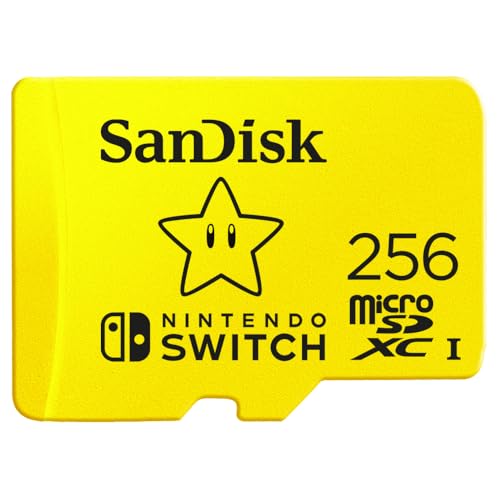
1. SanDisk microSDXC dla Nintendo Switch 256 GB
256 GB · UHS-I · U3 · up to 100 MB/s
Nintendo-licensed SanDisk card designed for Nintendo Switch consoles, with read speeds up to 100 MB/s. It will not work for Switch 2, as it only saves games to microSD Express cards.
See SanDisk microSDXC dla Nintendo Switch 256 GB on Amazon →

2. SanDisk microSDXC dla Nintendo Switch 512 GB
512 GB · UHS-I · U3 · up to 100 MB/s
Nintendo-licensed SanDisk card with 512 GB capacity, with read speeds up to 100 MB/s. Great for anyone who buys most games digitally.
See SanDisk microSDXC dla Nintendo Switch 512 GB on Amazon →

3. SanDisk microSDXC dla Nintendo Switch 1 TB (Zelda)
1 TB · UHS-I · U3 · up to 100 MB/s
Nintendo-licensed 1 TB SanDisk card featuring Zelda graphics. Read speeds up to 100 MB/s.
See SanDisk microSDXC dla Nintendo Switch 1 TB (Zelda) on Amazon →

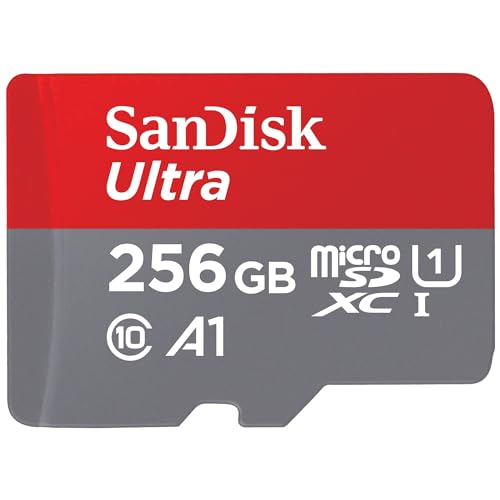
4. SanDisk Ultra 512 GB
512 GB · UHS-I · A1, U1 · up to 150 MB/s
The best-selling microSD card on Amazon, more affordable than the Extreme series. Rated A1 and U1, so it works for games and files, but not for cameras requiring V30.

5. SanDisk Ultra 1 TB
1 TB · UHS-I · A1, U1 · up to 150 MB/s
1 TB SanDisk Ultra with A1 rating and read speeds up to 150 MB/s. One of the most affordable 1 TB cards from a well-known brand.
Nintendo-licensed card or a standard model?
On the market, you will find official Nintendo-licensed SanDisk cards decorated with graphics from popular games, as well as classic models like the SanDisk Ultra. The licensed versions offer read speeds of up to 100 MB/s. Standard SanDisk Ultra models reach read speeds of up to 150 MB/s and feature A1 and U1 ratings.
Both types of cards perform great in the console and easily exceed the manufacturer's recommendations. The licensed variants make a fun gadget for fans, while standard models without colorful prints deliver equally good performance in everyday use.
The choice of capacity depends on your habits. If you mainly buy physical game cartridges and only need storage for updates and a few smaller titles, 256 GB will be a solid choice. If you prefer digital purchases, it is better to go for 512 GB or even 1 TB.
Installation, downloading games, and switching consoles
Games previously downloaded to the console's internal memory cannot simply be moved to a microSD card from the menu. To free up space on the device's storage, you must delete the game and then download it again from the Nintendo eShop with the card inserted into the console.
The most convenient solution is to buy one high-capacity card instead of juggling multiple media cards. Nintendo officially recommends using a single card in the console.
Fun fact: Games stored on two separate microSD cards cannot later be merged onto a single card.
Keep the future in mind as well if you plan to upgrade to the next generation of hardware. Nintendo Switch 2 supports only microSD Express cards. A standard microSDXC card from the Switch will not work on the new console for installing games.
Frequently asked questions about Switch cards
Which microSD card for Nintendo Switch OLED?
For the OLED model, it is best to choose a UHS-I compliant microSDXC card with read speeds of at least 60-95 MB/s. A capacity of 256 GB or 512 GB will provide enough space to install many digital games. The OLED console has the exact same card requirements as the standard and Lite versions.
What is the maximum card size for Nintendo Switch?
Nintendo Switch family consoles support microSDXC memory cards with capacities up to 2 TB. Keep in mind that you must perform a system update on the console before using any microSDXC card for the first time.
Are game saves stored on the microSD card?
No, save data is not stored on the memory card. It is always saved exclusively in the console's internal system memory. According to Nintendo, save data cannot be copied to a microSD card.
Will a Switch card work on the Switch 2?
A card from the current Switch will not work for storing games on the new console. Nintendo Switch 2 requires newer microSD Express standard media, which makes existing standard microSDXC cards incompatible with next-generation games.
Is a Nintendo-branded card better?
A card with the Nintendo logo does not offer higher technical specifications than quality standard models. It features an official license and unique artwork on the casing, but a standard UHS-I microSDXC card with adequate transfer speeds performs identically in games.
Sources
- Nintendo UK Support: microSD Card FAQ - manufacturer page (nintendo.com)
- Nintendo Support: Which microSD cards are supported? - manufacturer page (nintendo.com)
- TechRadar: Nintendo Switch's memory will expand by up to 2TB - industry article (techradar.com)
- Western Digital: Nintendo Switch memory cards - industry article (westerndigital.com)
- SeekingTech: Best compatible microSD cards for Nintendo Switch OLED - industry article (seekingtech.com)

Leave a comment
This site is protected by hCaptcha and the hCaptcha Privacy Policy and Terms of Service apply.