









As an Amazon Associate I earn from qualifying purchases.
Quick answer: our top pick is SanDisk Ultra 256 GB (256 GB · UHS-I · A1, U1 · up to 150 MB/s).
Best microSD card for Samsung Galaxy Tab A9+?
For the Samsung Galaxy Tab A9+, it is best to choose a microSD card with a capacity from 256 GB to 1 TB in the UHS-I standard with an A1 rating, such as the SanDisk Ultra series. All models of this tablet support cards up to 1 TB, so you can easily gain plenty of space for your files.
The tablet is great for watching videos and listening to music, but its internal storage can fill up quickly. A memory card solves this problem and lets you freely store media for trips.
Digital Citizen rates this model as a reliable and cost-effective tablet, citing slow charging as one of its few drawbacks. Meanwhile, reviewers from BGR note that it is a budget device that cuts corners in sensible areas.
What you can save on a memory card and what must stay on the tablet
Before choosing a specific card model, keep in mind how this device manages data. The manufacturer clearly states that external storage is intended for media, such as photos, videos, and music.
Storing apps on the card may be limited or completely unavailable. Apps and games install directly to the device's internal storage, so the card will not increase space for apps themselves.
The Samsung Galaxy Tab A9+ comes in variants with 4 GB RAM and 64 GB storage or 8 GB RAM and 128 GB storage, depending on regional availability. The 64 GB variant benefits the most from a microSD card.
Fun fact: The 64 GB internal storage version of the tablet can accommodate a card sixteen times larger than its built-in drive, meaning a model with up to 1 TB of capacity.
We have selected popular and proven cards from reputable manufacturers that work seamlessly with this tablet.
Recommended microSD cards for Samsung Galaxy Tab A9+

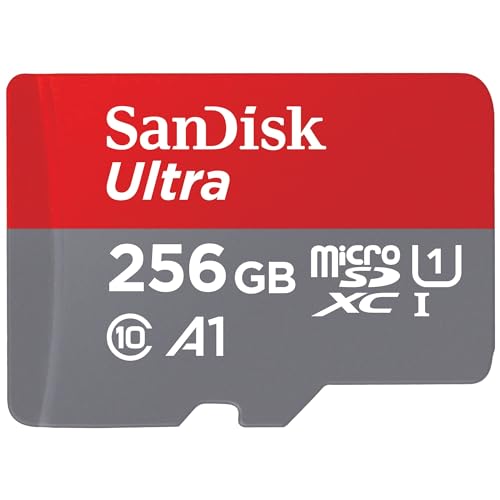
1. SanDisk Ultra 256 GB
256 GB · UHS-I · A1, U1 · up to 150 MB/s
SanDisk Ultra 256 GB with A1 rating, one of the best-selling microSD cards on Amazon.

2. SanDisk Ultra 512 GB
512 GB · UHS-I · A1, U1 · up to 150 MB/s
The best-selling microSD card on Amazon, more affordable than the Extreme series. Rated A1 and U1, so it works for games and files, but not for cameras requiring V30.

3. SanDisk Ultra 1 TB
1 TB · UHS-I · A1, U1 · up to 150 MB/s
1 TB SanDisk Ultra with A1 rating and read speeds up to 150 MB/s. One of the most affordable 1 TB cards from a well-known brand.

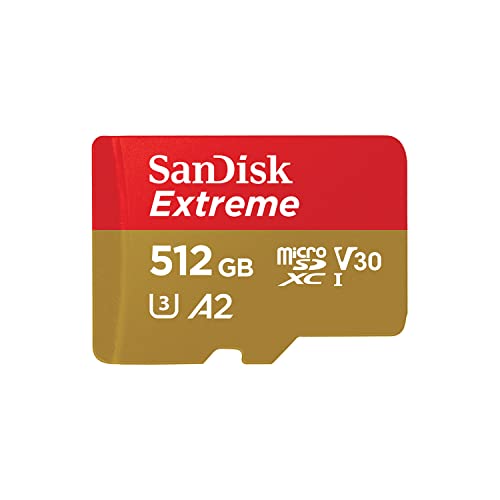
4. SanDisk Extreme 256 GB
256 GB · UHS-I · A2, U3, V30 · up to 190 MB/s
One of the best-selling microSD cards. It features a V30 rating for 4K video recording and an A2 rating for apps and games.
Which capacity and speed class will work best
A tablet memory card is primarily used for media, so an affordable UHS-I card with an A1 rating is more than enough. It ensures completely smooth high-definition video playback and seamless photo browsing.
A faster card rated A2 and V30 will only be useful in one situation. It is worth choosing if you plan to move the same card to a photo camera or a video camera.
A capacity of 256 GB or 512 GB is the optimal choice if you download cartoons for your child or TV shows for long trips.
The 1 TB version works well for people who want to have entire TV show seasons at hand and dislike regularly deleting old files.
Fun fact: Samsung intends the card in Galaxy Tab A9+ primarily for photos, videos, and music, and apps usually cannot be moved to it.
How to insert the card and set up file downloads
You insert the card into the microSD slot on the tablet casing; the exact method is described in Samsung's manual for your version.
Once you turn on the tablet, the system will immediately recognize the new external storage. You can go straight to the camera settings so that new photos and videos are saved directly to the card.
It is also worth opening your video and music streaming apps to change the default location for offline downloads. By directing downloaded files to the microSD card, the device's internal storage will remain free for more apps.
Frequently asked questions about Galaxy Tab A9+ storage
What is the maximum microSD card capacity for Galaxy Tab A9+?
All Samsung Galaxy Tab A9+ models support microSD cards up to 1 TB. Whether you have the version with 64 GB or 128 GB of internal storage, the tablet will easily handle storage media up to 1 TB.
Can apps be installed on the microSD card in Tab A9+?
The manufacturer notes that storing apps on the memory card may be limited or entirely unavailable. The external card is primarily intended for storing media, such as downloaded videos, music, and captured photos.
What card capacity for Galaxy Tab A9+?
For most users, a 256 GB or 512 GB card is the best choice. This amount of space easily allows you to save plenty of movies for trips, and if you have very high multimedia needs, you can choose the largest 1 TB option.
Is an A1 card enough for a tablet?
Yes, a standard UHS-I card with an A1 rating is completely sufficient for everyday media consumption on a tablet. Faster cards rated A2 and V30 make sense mainly if you also insert the same card into a video camera or photo camera.
Does Galaxy Tab A9+ come with a card included?
No, the tablet does not include a memory card in the box. The manufacturer sells the microSD card separately, so you need to purchase the required capacity as an optional accessory.
Sources
- Samsung Canada: Galaxy Tab A9+ (11.0", Wi-Fi) specifications - manufacturer page (samsung.com)
- Samsung South Africa: Galaxy Tab A9+ 5G - manufacturer page (samsung.com)
- GSMArena: Samsung Galaxy Tab A9+ specifications - industry article (gsmarena.com)
- BGR: Samsung Galaxy Tab A9+ review - industry article (bgr.com)
- Digital Citizen: Samsung Galaxy Tab A9+ review - industry article (digitalcitizen.life)

Leave a comment
This site is protected by hCaptcha and the hCaptcha Privacy Policy and Terms of Service apply.