









As an Amazon Associate I earn from qualifying purchases.
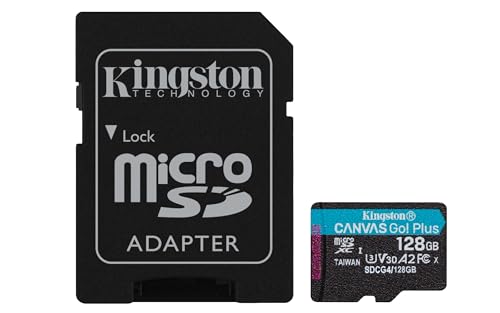
Quick answer: our top pick is Kingston Canvas Go! Plus 128 GB (128 GB · UHS-I · A2, U3, V30 · up to 200 MB/s).
Best microSD card for DJI Osmo Action 4?
For the DJI Osmo Action 4 camera, you need a V30 speed microSD card with a capacity of up to 512 GB. The simplest and most recommended choice is the Kingston Canvas Go! Plus series. Keep in mind that this camera does not have any built-in memory, so without an inserted card, you cannot take photos or record video.
If you bought the camera second-hand or found a good deal, you do not need to look for expensive, top-tier media. A proven card from a well-known manufacturer that meets the hardware maker's basic requirements is all you need.
Fun fact: The Osmo Action 4 has no built-in memory at all, so it will not record a single second without a card. In the newer Osmo Action 5 Pro model, the manufacturer added 47 GB of built-in storage for recordings.
Technical requirements, bitrate, and list of recommended media
The maximum video bitrate of the DJI Osmo Action 4 is 130 Mb/s. This means the camera transmits at most that much data per second of recording. A card rated V30 guarantees a sustained minimum write speed of 30 MB/s, which translates to 240 Mb/s. So you have plenty of speed margin over the hardware requirements.
For this reason, there is no need to pay extra for very expensive V60 or V90 cards. As Have Camera Will Travel notes, any major-brand UHS-I V30 card is more than enough for this camera. More expensive V60 and V90 cards offer no additional benefits for video recording in this device.
In the official specifications, DJI lists specific models that have passed compatibility tests. The list of recommended media includes:
- SanDisk Extreme PRO 32 GB U3 A1 V30,
- Kingston Canvas Go! Plus 64 GB and 128 GB U3 A2 V30,
- Kingston Canvas React Plus 64 GB, 128 GB, and 256 GB U3 A1 V90,
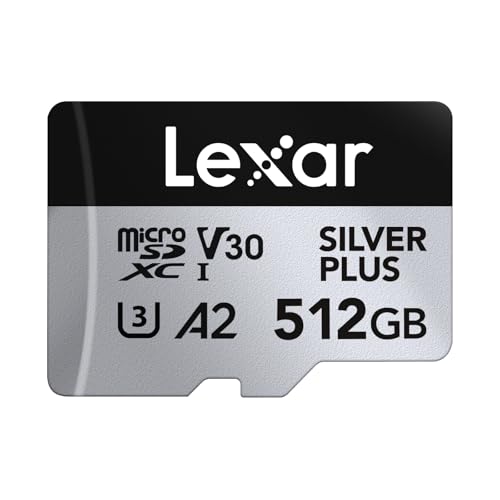
- Lexar Professional 1066x 64 GB and 512 GB U3 A2 V30.
Lexar 1066x series cards can currently be harder to find in stores. Also, pay attention to the maximum capacity. A 1 TB card will not work in this camera because the device only supports cards up to 512 GB.
Fun fact: The supported memory card limit in the Osmo Action 4 is 512 GB. Meanwhile, in the newer Osmo Action 5 Pro model, this limit has been increased to 1 TB.
Below you will find our recommended memory cards for this camera. We have selected proven options from a single manufacturer that perfectly match this model's requirements.
Recommended microSD cards for DJI Osmo Action 4

1. Kingston Canvas Go! Plus 128 GB
128 GB · UHS-I · A2, U3, V30 · up to 200 MB/s
Kingston Canvas Go! Plus (Gen4) in a 128 GB capacity, with A2 and V30 ratings. An affordable option for shorter trips.

2. Kingston Canvas Go! Plus 64 GB
64 GB · UHS-I · A2, U3, V30 · up to 200 MB/s
The lowest capacity Kingston Canvas Go! Plus (Gen4) card, with A2 and V30 classes. Great as a backup card.

3. Kingston Canvas Go! Plus 256 GB
256 GB · UHS-I · A2, U3, V30 · up to 200 MB/s
The newer Gen4 version of the Kingston Canvas Go! Plus card, with read speeds up to 200 MB/s, A2, and V30. The series is on camera makers' recommended lists.

4. Kingston Canvas Go! Plus 512 GB
512 GB · UHS-I · A2, U3, V30 · up to 200 MB/s
Kingston Canvas Go! Plus (Gen4) in 512 GB capacity, with A2 and V30 classes and read speeds up to 200 MB/s. This version is sold without an SD adapter.
Choosing the right card capacity for an action camera
It is worth matching the card capacity to how you use the gear in the field. Smaller capacities, such as 64 GB or 128 GB, are a safe choice for everyday outings or shorter activities. Both of these capacities from the Kingston Canvas Go! Plus series are featured directly on the official list of cards recommended by DJI.
If you are planning longer trips away from a computer, the 256 GB and 512 GB variants will be a natural choice. However, it should be noted that in these specific capacities, the Kingston Canvas Go! Plus series has not been separately tested by the camera manufacturer. Nevertheless, they fall within the official 512 GB limit and operate based on the same V30 standard.
A larger card allows you to offload footage less often, but it also carries some risk. In the event of damage or loss of the card, you lose all the recorded files from the entire trip. For this reason, many users prefer to use two smaller cards instead of one large one.
In-camera formatting and the importance of a backup card
The DJI Osmo Action 4 camera uses the exFAT file system. After inserting a new microSD card, always format it directly from the camera menu. This helps avoid write errors and sets up the folder structure exactly as required by the device's software.
Formatting in the camera itself is safer than preparing the storage media on a computer. It removes any unnecessary partitions and minimizes the risk of interrupted recording during dynamic shots. Remember to transfer all necessary files to an external drive before each format.
It is always a good idea to keep a second card with you in a case or backpack. In action cameras, memory cards operate under harsh thermal conditions and constant load. A spare microSD card, even with a smaller capacity of 64 GB, will protect you from a situation where a full or corrupted card prevents further recording.
Frequently asked questions about memory cards for DJI Osmo Action 4
What is the maximum microSD card size for DJI Osmo Action 4?
The maximum capacity supported by this camera is 512 GB. The device requires a microSD card operating at a minimum speed of V30. Cards with larger capacities are not supported by this model.
Does Osmo Action 4 record without a card?
No, this camera does not have any built-in storage for user files. To record video or take photos, you must insert a compatible microSD card into the slot.
Will a 1 TB card work in Osmo Action 4?
A 1 TB card will not work in DJI Osmo Action 4. DJI specifies a 512 GB limit for this camera, so larger cards are not supported.
Which cards does DJI recommend for Osmo Action 4?
In its official specifications, the manufacturer recommends selected models from several brands. These include SanDisk Extreme PRO 32 GB V30, Kingston Canvas Go! Plus 64 and 128 GB V30, Kingston Canvas React Plus from 64 to 256 GB V90, and Lexar Professional 1066x in 64 and 512 GB V30 versions.
Is it worth buying a V90 card for Osmo Action 4?
There is no need to buy a more expensive V90 or V60 card. The camera records video at a maximum bitrate of 130 Mb/s, while a standard V30 card provides transfer speeds of 240 Mb/s. A faster card will not improve image quality or recording stability in this device.
Sources
- DJI: Osmo Action 4 specs (supported and recommended microSD cards) - manufacturer page (dji.com)
- Have Camera Will Travel: Best SD cards for DJI Osmo Action 4, 5 Pro and 6 - industry article (havecamerawilltravel.com)
- ProjectGo.Pro: Best SD card for DJI Osmo Action 4 - industry article (projectgo.pro)
- SD Association: Bus Speed (UHS-I, UHS-II, SD Express) - industry article (sdcard.org)

Leave a comment
This site is protected by hCaptcha and the hCaptcha Privacy Policy and Terms of Service apply.