








As an Amazon Associate I earn from qualifying purchases.
Quick answer: our top pick is SanDisk Extreme 256 GB (256 GB · UHS-I · A2, U3, V30 · up to 190 MB/s).
Best microSD card for GoPro MISSION 1 PRO? Quick answer
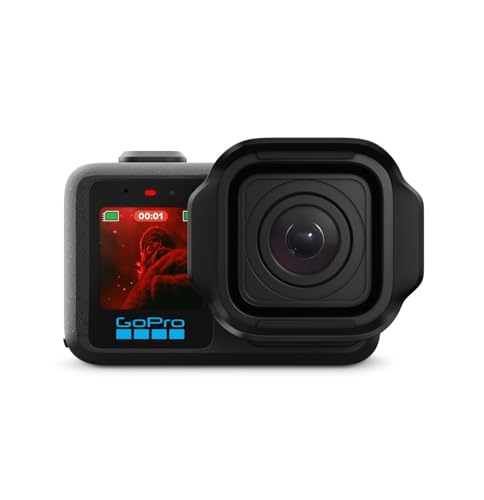
For the GoPro MISSION 1 PRO, buy a microSD card rated A2 and V30, preferably from a well-known manufacturer and with at least 256 GB. This is not an optional extra but a necessity: according to FutureFive, unlike the new DJI Osmo Action cameras, this camera has no built-in storage, so you can't record anything without a card.
GoPro recommends UHS-3 / V30 and A2 cards (as stated by ProjectGo), and its compatibility list covers cards up to 1 TB. The store offering the camera requires an A2 V30 card or higher, so don't try to get by with cheaper classes.
If you want to keep it simple, GoPro sells the SanDisk Extreme in its store in 64, 128 and 256 GB capacities and lists the MISSION 1 PRO next to them. It's a safe starting point.

Why there is no headroom at 240 Mb/s
The highest bitrate of this camera is 240 Mb/s (as stated by Y.M.Cinema and Photospecialist). Converted, that gives 30 MB/s. The camera records video up to 8K 60 fps or 4K 240 Open Gate, so this write speed really does occur.
The V30 class guarantees a minimum sustained write speed of exactly 30 MB/s. That means the card barely keeps up and there is no headroom. That's why, according to ProjectGo, a weak or counterfeit card is the most common cause of errors. Under this kind of load, the quality of the card matters, not just the label on the casing.
Fun fact: the camera's highest bitrate is exactly the V30 class minimum, that is 30 MB/s.
V60 and V90 cards are tempting, but they won't help here. The camera has a UHS-I interface, so a more expensive class won't speed up writing. It's better to spend the money on capacity or a second card.
We selected the cards based on several criteria: A2 and V30 classes, capacity from 256 GB, and the presence of the brands on camera manufacturers' lists. The SanDisk Extreme is in the GoPro store with the MISSION 1 PRO camera listed. GoPro's list for earlier cameras also includes the SanDisk Extreme PRO and Kingston Canvas Go! Plus, but we don't know whether it applies to the MISSION 1 PRO, so treat it with caution. Lexar 512 GB and 1 TB cards are not included here, because GoPro marked them as not recommended for the HERO13.

Recommended microSD cards for GoPro MISSION 1 PRO

1. SanDisk Extreme 256 GB
256 GB · UHS-I · A2, U3, V30 · up to 190 MB/s
One of the best-selling microSD cards. It features a V30 rating for 4K video recording and an A2 rating for apps and games.

2. SanDisk Extreme 512 GB
512 GB · UHS-I · A2, U3, V30 · up to 190 MB/s
SanDisk Extreme in a 512 GB capacity. The V30 rating handles 4K recording, while A2 speeds up app and game loading times.
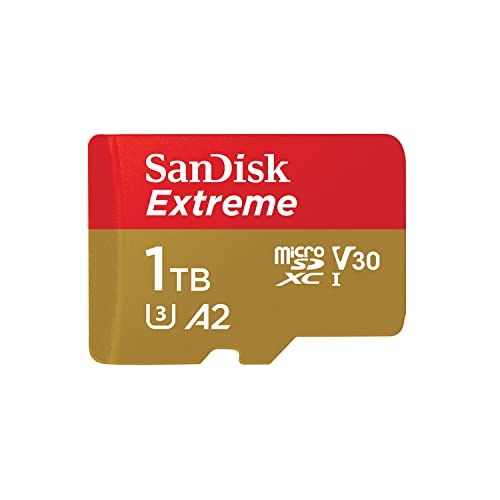
3. SanDisk Extreme 1 TB
1 TB · UHS-I · A2, U3, V30 · up to 245 MB/s
SanDisk Extreme with 1 TB capacity, featuring A2 and V30 ratings. It holds many hours of footage.
Buying on Black Friday? Read our guide: best microSD card for Switch 2, cameras and phones.

Which capacity: 256 or 512 GB
Fun fact: at the highest bitrate of 240 Mb/s, one hour of footage takes up about 108 GB (ProjectGo's calculation). That is a lot, so 64 and 128 GB will fill up quickly. For a camera in this class, a sensible starting point is 256 GB.
Choose 256 GB if you record short clips and copy the footage to a computer after every trip. Go for 512 GB if you shoot longer scenes in the highest quality or do not have anywhere to offload your footage. 1 TB cards are on GoPro's compatibility list, but they are for people who know they will actually fill that much space.
Also remember that one large card is a single point of failure. Two smaller ones are often more convenient than one huge one.
Card errors, fakes and good habits
The most common cause of errors is a weak or counterfeit card. Buy from reliable shops, avoid offers that are clearly cheaper than the rest, and do not buy cards without A2 and V30 markings. A fake can show the full capacity and still fail when writing.
Format a new card in the camera itself, not on a computer. The camera sets up the file system for its own needs. Do this also when the card has previously been used in another device, but copy everything off it first.
Take a second card with you. With a camera that has no built-in storage, it is the only way not to lose a shot when the first card fills up or starts causing trouble.
Frequently asked questions about cards for the MISSION 1 PRO
Does the GoPro MISSION 1 PRO have built-in storage?
No. According to FutureFive, unlike the new DJI Osmo Action, this camera has no built-in storage. Without a microSD card you will not be able to record a single shot.
Which microSD card for the GoPro MISSION 1 PRO?
An A2 and V30 (UHS-3) class card, preferably from a well-known brand and from 256 GB. In its store, GoPro sells the SanDisk Extreme in 64, 128 and 256 GB and lists this camera next to them.
Will a V60 card make the GoPro MISSION 1 PRO faster?
No. The camera has a UHS-I interface, so V60 and V90 cards will not write data any faster than V30. For the same money, it is better to buy more capacity.
What is the maximum microSD card size for the GoPro MISSION 1 PRO?
According to ProjectGo, GoPro's compatibility list covers cards up to 1 TB. At that capacity, be sure to choose an A2 V30 card from a reliable manufacturer.
Why does the GoPro MISSION 1 PRO show a card error?
Most often the culprit is a weak or counterfeit card, as ProjectGo confirms. At 240 Mb/s a V30 card has no headroom, so a poorer one fails quickly. Format the card in the camera and, if the problem returns, replace it with an original one from the manufacturer's list.
See also
- Best microSD card for GoPro MAX2 - V30 and A2 for 360 video
- Best microSD card for DJI Mavic 4 Pro - 42 GB built in and DJI's list
- Which microSD card for Insta360 Luna Ultra and Luna Pro - cards from Insta360's list
Sources
- GoPro: SanDisk Extreme microSD for GoPro cameras - manufacturer page (gopro.com)
- GoPro: microSD card considerations - manufacturer page (community.gopro.com)
- ProjectGo: best SD card for GoPro Mission 1 and Mission 1 Pro - industry article (projectgo.pro)
- Y.M.Cinema: GoPro MISSION 1 PRO hits 240 Mbps - industry article (ymcinema.com)
- FutureFive: hands-on review of the GoPro Mission 1 series - industry article (futurefive.com.au)
- Photospecialist: GoPro MISSION 1 Pro - industry article (photospecialist.ie)

Leave a comment
This site is protected by hCaptcha and the hCaptcha Privacy Policy and Terms of Service apply.