








As an Amazon Associate I earn from qualifying purchases.
Quick answer: our top pick is Samsung T7 Shield (USB 3.2 Gen 2 · up to 1050 MB/s · IP65).
Best external SSD for iMac M6? A 10 Gb/s drive is enough for backups and photos
If you need space for photos, music and a Time Machine backup, buy a regular 10 Gb/s external drive, for example the Samsung T7 or SanDisk Extreme. On the iMac M6 it runs at full speed, which is about 1000 MB/s.
For video editing and working straight from the drive, it's better to get a USB4 drive or a USB4 enclosure for an M.2 drive. The Thunderbolt / USB 4 ports in the iMac deliver up to 40 Gb/s, so this kind of hardware won't choke there.
One warning up front: don't pay extra for USB 3.2 Gen 2x2 drives (20 Gb/s). On a Mac you get nothing from it, and the explanation is below.


How much space the base model gives and whether you can add an internal drive
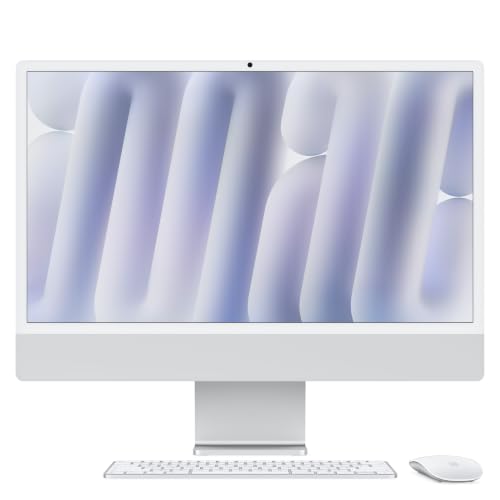
The base iMac M6 has 256 GB. The version with the 10-core CPU also offers 512 GB or 1 TB, and the version with the 12-core CPU goes up to 2 TB.
You choose the capacity at purchase and that's it. Apple lists it only as a configuration option, and in the 24-inch iMac M4, according to community answers on iFixit, the storage is soldered to the motherboard. There is no teardown for the M6 yet, so cautiously assume it will be similar.
The practical takeaway: with 256 GB, you'll have to add space externally. The internal drive is fast, though, because according to MacRumors it uses PCIe 5.0 and Apple talks about up to twice the speed.
Fun fact: the base 256 GB is the same as in the entry-level Mac mini M6.

The trap: Samsung T9 and Gen 2x2 drives on a Mac
The Samsung T9 and other USB 3.2 Gen 2x2 drives have 20 Gb/s printed on the box. Macwelt writes that on a Mac the Gen 2x2 mode doesn't switch on, so the T9 works like the T7. Techtest.org reports about 1000 MB/s on Thunderbolt and USB4 ports.
That's why the T9, despite its high position in Amazon rankings, isn't in our picks. Treat other drives promising 2000 MB/s over USB 3.2 Gen 2x2 the same way: don't buy them for the number on the box.
When you really need more than 10 Gb/s, look for USB4 or Thunderbolt, not Gen 2x2.
Below we've gathered drives and enclosures that we chose based on the iMac M6 ports, popularity among buyers, and recommendations from manufacturers and sites such as iThinkDifferent and OWC.

Recommended external SSDs for iMac M6

1. Samsung T7 Shield
USB 3.2 Gen 2 · up to 1050 MB/s · IP65
The same speed as the regular T7 in a rubber-coated case rated IP65 for dust and water. A good pick when the drive also travels in a bag and does not just sit next to the iMac.

2. SanDisk Extreme Portable SSD (new model)
USB-C · IP65 · runs at 10 Gb/s on a Mac
The new SanDisk Extreme. The maker lists up to 2000 MB/s, but on a Mac expect the 10 Gb/s mode, about 1000 MB/s. Buy it because it is in stock and rated IP65, not for the bigger number on the box.

3. UGREEN 40 Gb/s USB4 M.2 enclosure
USB4 40 Gb/s · M.2 NVMe · drive sold separately
The best-selling USB4 enclosure in this list. You drop in a regular M.2 2280 NVMe drive without tools and get a fast external drive in whatever size you choose. The drive is sold separately.

4. OWC Express 1M2 USB4 (M.2 enclosure)
USB4 40 Gb/s · aluminum · drive sold separately
The enclosure OWC recommends for M6 Macs with Thunderbolt 4 ports. The aluminum body sheds heat, so it suits longer work. The M.2 drive is sold separately.
Ready-made drive or an M.2 enclosure
A ready-made drive is the simplest route. You take it out of the box, plug it in and it works. The Samsung T7, T7 Shield and SanDisk Extreme 10 Gb/s are a good choice for backups and photos, and the IP65 versions will do well when the drive travels in a bag.
An M.2 enclosure makes sense when you want to choose the capacity yourself or replace just the drive later. You buy the NVMe drive separately. Your options include UGREEN with USB4 40 Gb/s, which takes an M.2 2280 drive without tools.
The OWC Express 1M2 USB4 is an enclosure that OWC recommends for Macs with M6 and Thunderbolt 4 ports. The aluminum body dissipates heat, so it is suitable for longer work sessions.
Don't want to assemble a kit, but need speed? There is also a ready-made SanDisk Extreme PRO with USB4, which gets the full 40 Gb/s in the iMac.
Two ports in the cheaper iMac, APFS and Time Machine
The version with the 10-core CPU has only two Thunderbolt / USB 4 ports, so a permanently connected drive will take up one of them. The 12-core version has four Thunderbolt 4 ports. There is also no USB-A, HDMI or card reader, only a headphone jack.
If you are short on ports, a hub or dock will help. Take a look at our guide to docking stations.
Format the drive for Mac in APFS using Disk Utility. Choose exFAT only if it also has to work with Windows. A 10 Gb/s drive is enough for Time Machine backups.
Fun fact: the internal drive of the M6 iMac runs on PCIe 5.0 (MacRumors), and Apple talks about speeds up to twice as high as before.
Frequently asked questions about an SSD for the M6 iMac
Can you replace the drive in the M6 iMac?
Probably not. Apple lists capacity only as an option at the time of purchase, and in the 24-inch M4 iMac the storage is soldered to the motherboard (answer from the iFixit community). There is no teardown for the M6 yet, so this is a cautious conclusion. You can add space with an external drive.
Will the Samsung T9 be faster than the T7 on the M6 iMac?
No. According to Macwelt, the Gen 2x2 mode does not switch on on the Mac and the T9 works like the T7, that is, in 10 Gb/s mode. Techtest.org reports about 1000 MB/s. The more expensive T9 gives no advantage here.
Which external drive for the M6 iMac is enough for backups?
A 10 Gb/s drive is enough for Time Machine backups, for example the Samsung T7 or the SanDisk Extreme. iThinkDifferent lists both models among the drives for the M6. Choose a capacity larger than the space used on your iMac.
Is it worth buying a USB4 enclosure for the M6 iMac?
It is worth it if you work on video straight from the drive or want to choose the capacity yourself. The iMac's ports deliver up to 40 Gb/s, so a USB4 enclosure runs at full speed. For backups and photos alone it is not necessary.
How do you format an external drive for the iMac?
Open Disk Utility and choose APFS. The exFAT format only makes sense if the drive also has to work with Windows. Remember that formatting erases the data on the drive.
More iMac M6 guides
See also
- Best external SSD for MacBook Neo - which port and what is worth buying
- Best external SSD for Mac mini M6 - which port gives full speed
Sources
- Apple: iMac - Technical Specifications - manufacturer page (apple.com)
- Apple Germany: iMac - Technische Daten - manufacturer page (apple.com)
- MacRumors: Apple announces new iMac with M6 chip - industry article (macrumors.com)
- iThinkDifferent: best external SSDs for the M6 Mac mini - industry article (ithinkdiff.com)
- OWC: docks and drives for the M6 Mac mini - industry article (owc.com)
- Macwelt: Samsung Portable SSD T9 test - industry article (macwelt.de)
- techtest.org: Samsung T9 and USB 3.2 Gen 2x2 - industry article (techtest.org)
- iFixit Answers: upgrading the SSD in an iMac M4 - industry article (ifixit.com)

Leave a comment
This site is protected by hCaptcha and the hCaptcha Privacy Policy and Terms of Service apply.