








As an Amazon Associate I earn from qualifying purchases.
Quick answer: our top pick is WD Red Pro 16TB NAS HDD (3.5 inch · 16 TB · CMR · 7200 RPM).
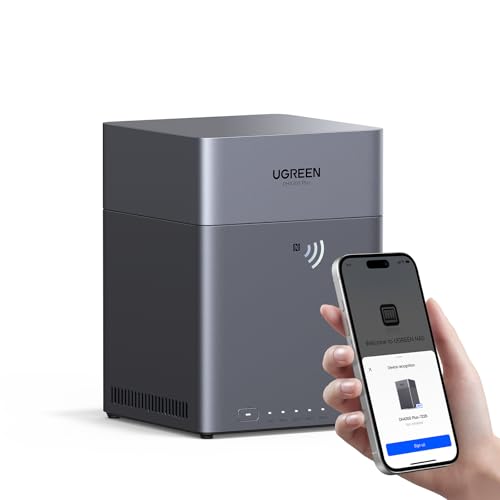
Best drives for UGREEN DH4300 Plus?
Four NAS drives with CMR recording, all the same capacity, set up in RAID 5. You use every bay, get the capacity of three drives, and survive the failure of one of them.
UGREEN sells the DH4300 Plus without drives, so the choice is up to you. Avoid SMR drives and ordinary desktop drives, because they cause problems in RAID arrays. If your data is very important to you, go with RAID 6 instead of RAID 5.
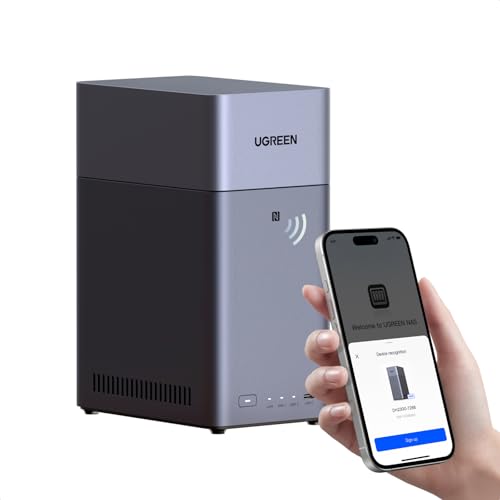
Don't want to buy four drives at once? Start with two in RAID 1 and add more later. Drives for the smaller DH2300 model are covered in a separate article.
What the DH4300 Plus has and what it lacks
This is a NAS with four SATA bays for 3.5 or 2.5 inch drives. These four slots are all you get. There are no M.2 NVMe slots and no SSD option, so all your data goes onto regular spinning drives. That's why it matters so much that they are built to run in a NAS.
Inside you'll find a Rockchip RK3588C processor and 8 GB of LPDDR4X memory. The memory is soldered on, so you can't upgrade it. The network port runs at 2.5 GbE, and to make use of that speed you need a router or switch with a matching port.
The NAS supports Docker containers with ARM64 images, but it can't run virtual machines. The available array modes are JBOD, Basic, RAID 0, 1, 5, 6 and 10. Reviewers praise it as beginner-friendly and easy to expand.
Fun fact: The DH4300 Plus accepts four 30 TB drives, for a total of 120 TB.
We picked NAS drives with CMR recording in several capacities, so everyone can match a setup to their home.
Drives for the UGREEN DH4300 Plus we recommend

1. WD Red Pro 16TB NAS HDD
On sale3.5 inch · 16 TB · CMR · 7200 RPM
The more powerful WD series for NAS units with more drives: 16 TB, CMR recording and 7200 RPM. For people who want a lot of space right away and use their NAS for work.

2. WD Red Plus 12TB NAS HDD
3.5 inch · 12 TB · CMR · 7200 RPM
The higher-capacity option in the WD Red Plus series: 12 TB per drive, CMR recording and 7200 RPM. It runs louder than the smaller models in this series, but it gives you a lot of space in a single bay.

3. WD Red Plus 8TB NAS HDD
3.5 inch · 8 TB · CMR · for NAS
The best-selling NAS drive in this roundup. CMR recording, 24/7 operation and a slower spin speed, so it runs quieter than 7200 rpm drives. A safe choice for photos, computer backups and movies at home.

4. Toshiba N300 8TB NAS HDD
3.5 inch · 8 TB · 7200 rpm · 512 MB
A faster NAS drive: 7200 rpm and 512 MB of cache. Handy when several people use files at the same time, but it runs louder than 5400 rpm drives.
RAID 1, 5, 6, and 10 in plain English
RAID combines several drives into one pool of storage and keeps your files safe if one drive fails. You pay for that safety with some of your capacity. Here are the four most popular modes:
- RAID 1: two drives, with the capacity of one. The second is a mirror copy, so it's the simplest place to start.
- RAID 5: four drives give you the capacity of three. If one drive dies, your data stays safe.
- RAID 6: four drives give you the capacity of two. You can survive two drives failing at the same time.
- RAID 10: needs four drives and combines mirroring with data striping. Usable capacity is half the total of all drives.
Buy drives of the same capacity for the array. The array sizes itself by the smallest drive, so a larger drive next to a smaller one simply goes to waste.
RAID is not a backup. If you delete a file by accident or ransomware encrypts your data, the change shows up on all drives at once. Keep your important photos on a separate device outside the NAS as well.
How many terabytes and what speed to choose
Start with what you plan to store. Phone and computer backups in a small household fit on modest drives, and family photos rarely need more. A movie library grows fastest, so aim for bigger drives if that's your plan. Four 8 TB drives in RAID 5 give you 24 TB of usable space.
Keep in mind that in RAID 5 a quarter of the total capacity goes to protecting your data. So plan your headroom around the capacity of three drives, not four.
The second thing is rotation speed. 7200 RPM drives are faster, but louder than 5400-5640 RPM drives. Picture a NAS in the living room next to the TV. You're watching a movie in the evening, and a loud drive keeps humming and clicking in the background. At lower speeds that noise nearly disappears, and for photos, movies, and backups the speed is more than enough.
Faster drives make sense when several people use the files at once and the NAS sits in a closet or hallway. As for warranty, popular series usually come with 3 years, and the pricier Pro versions with up to 5 years.
Fun fact: through its HDMI output, the DH4300 Plus can play video at up to 8K 60 fps.
Our advice: buy four NAS CMR drives with lower rotation speed and the same capacity, set up RAID 5, and choose RAID 6 if your data is very important.
Frequently asked questions about drives for the DH4300 Plus
Which drives for the UGREEN DH4300 Plus?
NAS drives with CMR recording, ideally four of the same capacity. Skip SMR drives and ordinary desktop drives. For everyday home use, 5400-5640 RPM models are enough.
Does the UGREEN DH4300 Plus have M.2 slots?
No. It has only four SATA bays, so you can't add an M.2 NVMe drive, and there's no SSD option at all. All your data storage comes from hard drives.
Which RAID should I choose in the DH4300 Plus?
With four drives, most people pick RAID 5. It gives you the capacity of three drives and survives one drive failing. If your data is very important, choose RAID 6, which can handle two drives failing.
Can I start with two drives in the DH4300 Plus?
Yes. Two drives in RAID 1 give you the capacity of one, with a mirror copy on the second. You can add more drives later when you run out of space.
What is the maximum drive size the DH4300 Plus supports?
For an average home, the capacity of four bays is plenty of headroom. What matters more than record capacity is that all your drives are the same.
See also
- Best drives for UGREEN DXP2800 - two HDDs up to 80 TB and two M.2
- Best Drives for UGREEN DH2300 - Two HDDs up to 60 TB and RAID 1
- Best drives for UGREEN DXP2800 GT - two HDDs, RAID 1 and M.2 for cache
Sources
- NAS Compares: UGREEN DH4300 Plus review - industry article (nascompares.com)
- Neowin: UGREEN NASync DH4300 Plus review - industry article (neowin.net)
- AppleInsider: Ugreen NASync DH4300 Plus review - industry article (appleinsider.com)
- StorageReview: UGREEN expands NASync lineup with affordable DH series - industry article (storagereview.com)
- Android Central: Best long-lasting hard drives for a Synology NAS - industry article (androidcentral.com)
- WunderTech: Best Synology NAS hard drives - industry article (wundertech.net)

Leave a comment
This site is protected by hCaptcha and the hCaptcha Privacy Policy and Terms of Service apply.