

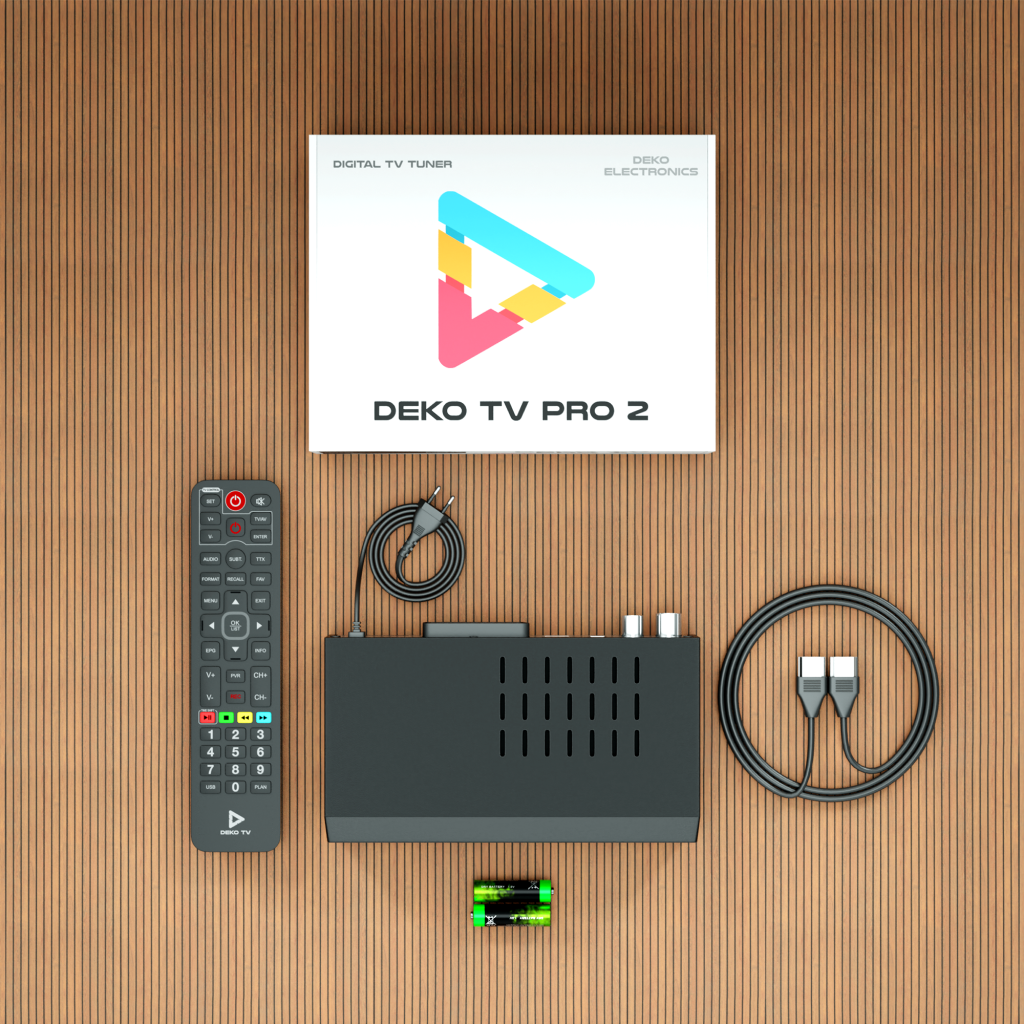
Introduction to DVB‑T2 Set‑Top Boxes
A DVB‑T2 set‑top box is a key component for receiving terrestrial television in the new broadcasting standard. DVB‑T2 offers better picture and sound quality, as well as a greater number of channels available within digital TV. However, the introduction of this technology also brings certain challenges, such as issues with channel scanning or the need to choose the right set‑top box model.

Which DVB-T2 Set‑Top Box Should You Choose?
Key Parameters
When choosing a DVB-T2 set‑top box, it’s worth paying attention to a few key features:
- HEVC (H.265) codec support – Modern channels require this encoding standard.
- Option to connect an indoor antenna – Useful for people who don’t have access to an outdoor antenna.
- Program recording function (PVR) – Allows you to save your favorite programs to an external USB drive.
- EPG (Electronic Program Guide) option – Allows you to conveniently plan your TV viewing.
- Dolby Digital support – For better sound quality.
- Accessories – HDMI cable included, batteries for the remote control

Best DVB-T2 Set-Top Box Models
DVB-T2 Set‑Top Box with WiFi YouTube
DVB-T2 set-top boxes equipped with Wi-Fi allow you to use streaming apps such as YouTube. This is a great solution for people who want to combine traditional terrestrial TV with the possibilities of the internet.


DVB-T2 HEVC set-top box
The HEVC (H.265) codec is a key technology that allows bandwidth savings and better picture quality. If you want access to the full range of channels, choose a model that supports this standard.
DVB‑T2 Set‑Top Box with Indoor Antenna
If you can’t connect an outdoor antenna, it’s worth choosing a set-top box with a built-in indoor antenna. These devices can provide good signal reception in areas with strong DVB‑T2 coverage.


Ranking and Price
DVB-T2 Decoder Ranking 2025
Every year new set-top box models appear, so it’s worth keeping an eye on product rankings. In 2025, the most recommended are set-top boxes with HEVC support, additional multimedia features and an intuitive interface.
DEKO TV PRO2 is number 1 on "rankingdekoderów.pl"
Affordable and Good DVB-T2 Set-Top Box
If you’re looking for a budget-friendly option, it’s worth considering entry-level models. The cheapest receivers offer basic functionality and are often sufficient for the average user.
DVB-T2 Decoder for Seniors
Older users often prefer set-top boxes with a simple interface and large buttons on the remote. It’s worth choosing a model that is easy to operate and has a clear, legible menu.

FAQ – Frequently Asked Questions
1. Which DVB-T2 set-top box should you choose?
It’s best to choose a set-top box that supports the HEVC codec, has a PVR recording option and supports Dolby Digital. It’s also worth checking whether the device has an EPG function for scheduling programs.
2. Does a DVB‑T2 set‑top box work without an antenna?
No, the set-top box requires an antenna to receive the signal. You can use either an outdoor or an indoor antenna, depending on reception conditions.
3. Why does my DVB-T2 receiver only find some channels?
This may be related to limited signal coverage. It’s worth checking the antenna position and trying a manual channel search.
4. How can I check whether my TV supports DVB-T2?
The easiest way is to check the TV specifications in the user manual or on the manufacturer’s website.
5. How do you connect a DVB‑T2 set‑top box to a TV?
You can connect the set-top box using an HDMI or SCART cable, depending on the ports available on your TV.
Podsumowanie
Choosing the right DVB-T2 set-top box depends on the user’s individual needs. The key is to pay attention to the supported standards, additional features and other users’ reviews. Whether you need a model with WiFi, an indoor antenna, or a simple box for a senior, you’ll find a wide range of products on the market.


Leave a comment
This site is protected by hCaptcha and the hCaptcha Privacy Policy and Terms of Service apply.