


As an Amazon Associate I earn from qualifying purchases.
Quick answer: our top pick is UGREEN USB-C 10 Gb/s, 4K 60 Hz, 240 W, 1 m (USB-C · 4K 60 Hz video · 240 W).
1. Introduction
USB-C technology has become a standard in modern devices, offering fast charging, data transfer, and video transmission using a single cable. More and more monitors support USB-C connectivity, which simplifies workstation setup by eliminating the need for multiple cables, such as HDMI or DisplayPort. However, not every USB-C cable for a monitor works the same way. Different versions and specifications directly affect image quality, compatibility, and functionality. Below, we explain which USB-C cable for a monitor to choose to achieve proper image quality and stable hardware operation.
2. Does every USB-C cable support a monitor?
Not every USB-C cable for a monitor allows video transmission. For a monitor to receive a video signal, the source device (e.g., laptop, tablet), the monitor, and the cable itself must support DisplayPort Alternate Mode (DP Alt Mode), Thunderbolt, or USB4. Furthermore, the cable must be a full-featured model equipped with SuperSpeed transmission lines. USB-C 2.0 cables intended solely for charging (even those rated at 60 W or 100 W) do not carry video.
Types of USB-C cables:

- USB-C 2.0 (charging and basic data only) - common cables bundled with chargers; they do not support video transmission.
- USB-C with DP Alt Mode (DisplayPort Alt Mode) - full-featured USB-C cables with SuperSpeed lines, allowing stable high-resolution video transmission.
- USB-C with Power Delivery (PD) - allow simultaneous video transmission and laptop power directly from the monitor.
- USB-C USB4 / Thunderbolt 3 and 4 - advanced standards delivering bandwidth up to 40 Gb/s, support for high-resolution, high-refresh-rate monitors, and docking stations.
How to check if a USB-C cable supports a monitor?
- Check manufacturer specifications - make sure the cable is a full-featured version supporting DisplayPort Alternate Mode (DP Alt Mode) or USB4/Thunderbolt, not a standard USB 2.0 charging cable.
- Look for markings - cables that support video often feature the DisplayPort logo, Thunderbolt logo, or bandwidth markings (e.g., 10 Gb/s, 20 Gb/s, 40 Gb/s).
- Check for an e-Marker chip - cables supporting high charging power (above 60 W) and high video transfer speeds feature a built-in e-Marker chip.
3. How does video transmission over USB-C work?
DisplayPort Alternate Mode (DP Alt Mode) allows the transmission of a native DisplayPort signal from the device to the monitor via a USB-C cable. This allows you to connect a monitor directly, eliminating the need for separate HDMI or DisplayPort cables.
What resolutions does USB-C support?
The maximum resolution and refresh rate do not depend solely on the cable's marketing name (e.g., USB 3.1 or USB 3.2), but on the DisplayPort version supported by the ports on the laptop and monitor, as well as on lane allocation:
- DP Alt Mode on 4 signal lanes - allows for at least 4K resolution at 60 Hz (or higher when newer DisplayPort versions such as DP 1.4 with DSC are supported) by dedicating all bandwidth to the video signal (USB data is then limited to USB 2.0 speeds).
- DP Alt Mode on 2 signal lanes (video + USB 3.x data) - splits bandwidth between the video signal and high-speed data transfer for the monitor's hub; the achievable resolution (e.g., 4K at 30 Hz or 4K at 60 Hz with DSC compression) depends directly on the DisplayPort version on the computer and monitor.
- USB4 / Thunderbolt (up to 40 Gb/s) - dynamically tunnels DisplayPort and PCIe/USB data, allowing seamless support for 4K at 120 Hz, 8K at 60 Hz, and multi-monitor setups.
When choosing a USB-C cable for a 4K monitor, make sure it is a full-featured USB-C cable (at least 10 Gb/s with DP Alt Mode) or a USB4 cable.

USB-C does not detect the monitor - what to do?
If no image is displayed after connecting the monitor via a USB-C cable, check the following:
- Whether the cable supports DP Alt Mode - a standard USB-C cable included with a phone charger operates under USB 2.0 standards and does not transmit video signals.
- Whether the USB-C port on the laptop supports video - not all USB-C ports on computers support DP Alt Mode. If the laptop's USB-C port lacks video output, a basic USB-C to HDMI adapter will not transmit video either; in this situation, the only solution is an external graphics adapter or docking station based on DisplayLink technology.
- Driver updates - outdated graphics card or chipset drivers can prevent proper video signal negotiation.
4. Powering a laptop via USB-C from a monitor
USB cable for a monitor - why?
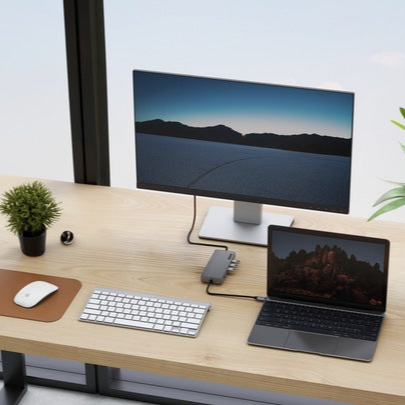
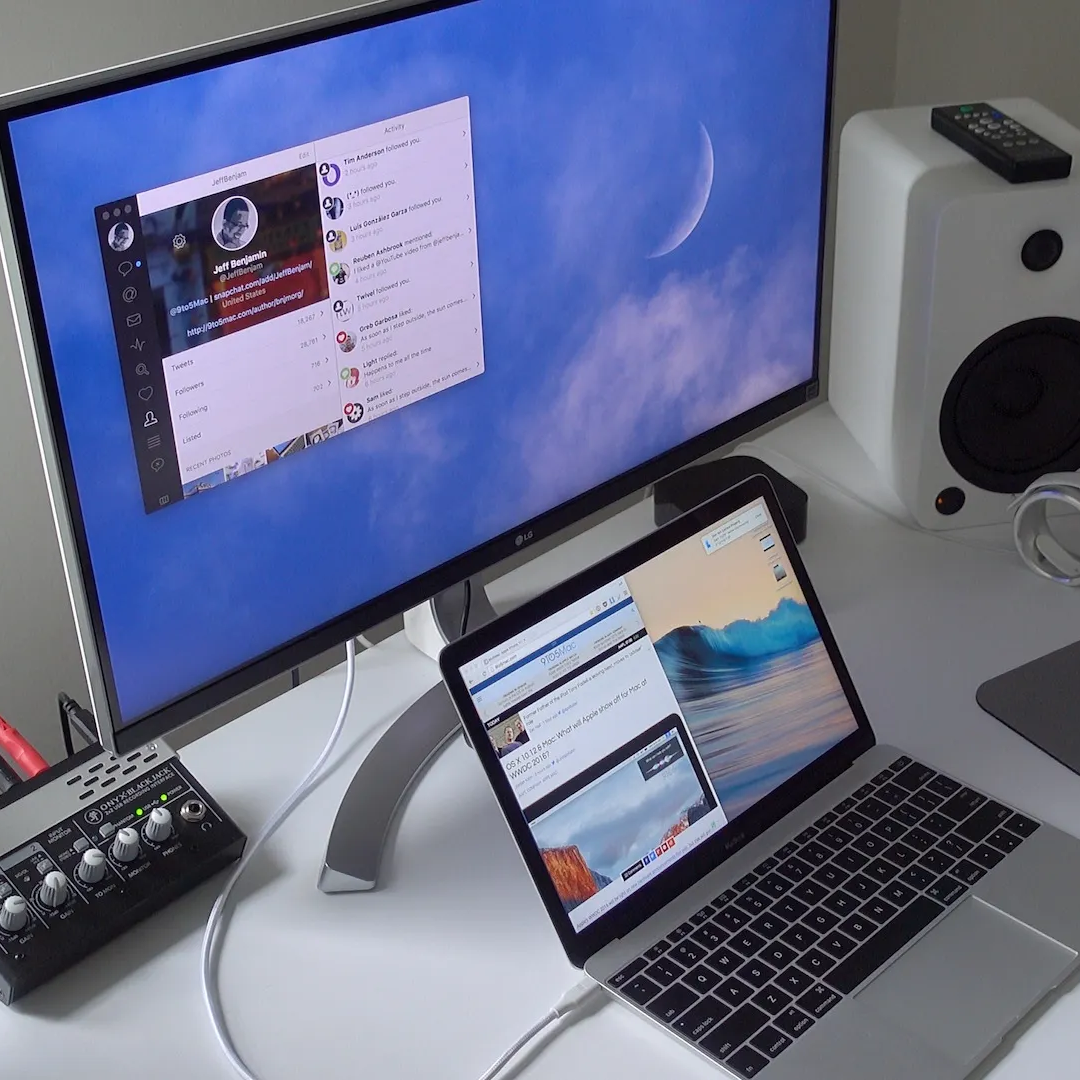
Many USB-C monitors feature Power Delivery (PD), meaning they can charge a laptop through the very same cable used to transmit video. As a result, a single connection is enough to power the computer, receive video, and run peripherals connected to the monitor's hub.
How to connect a laptop to a monitor with USB-C power delivery?
- Check the monitor's power output - the monitor must provide sufficient power for your computer (often 65 W or 90 W).
- Use the right cable - the cable must support DP Alt Mode and the appropriate Power Delivery profile. For charging above 60 W, a cable supporting 5 A with a dedicated e-Marker chip (up to 100 W or 240 W) is required.
- Connect the devices - a single full-featured USB-C cable simultaneously transmits video and power to the laptop.
Recommended USB-C cables for a monitor

1. UGREEN USB-C 10 Gb/s, 4K 60 Hz, 240 W, 1 m
USB-C · 4K 60 Hz video · 240 W
The simplest pick for a monitor with a USB-C input. It is a full-featured USB 3.2 Gen 2 cable, so it carries video over DP Alt Mode and charges the laptop from a monitor with Power Delivery at the same time.

2. Cable Matters USB4 40 Gb/s, 2 m
USB4 · 40 Gbps · 2 m
When the laptop sits further from the monitor or you connect a USB4 or Thunderbolt dock. Two metres give you room on the desk, and 40 Gbps is plenty for high resolution, high refresh monitors.

3. Cable Matters Thunderbolt 4, 1 m
Thunderbolt 4 · Intel certified · 240 W
A certified Thunderbolt 4 cable for MacBooks, Thunderbolt laptops and monitors with a Thunderbolt input. It also works as a regular USB-C cable, so it suits any USB-C monitor.
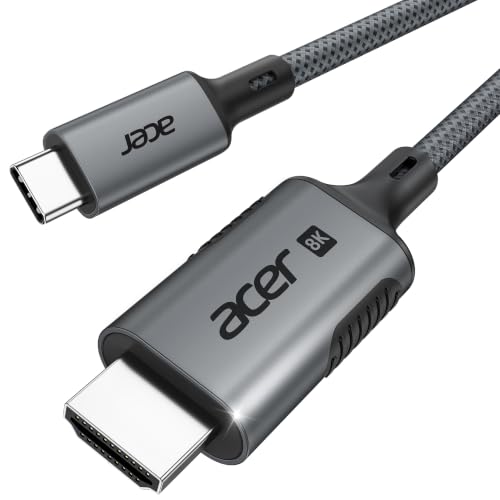
4. Acer USB-C / HDMI 2.1, 2 m
USB-C to HDMI 2.1 · 4K up to 240 Hz
For when the monitor or TV has no USB-C input. The cable works one way only, from laptop to screen, and you get full HDMI 2.1 performance only if the laptop's USB-C port supports it.

5. UGREEN USB-C / DisplayPort 1.4
USB-C to DisplayPort 1.4 · 8K 60 Hz
For monitors with a DisplayPort input, such as high refresh gaming monitors. The signal comes straight from DP Alt Mode with no conversion, which makes it the best option when the monitor has no USB-C.
Which cable to choose depending on the application?
Choosing the right USB-C cable should depend on the monitor's specifications, the laptop's power requirements, and the port configuration of your devices:
1. USB4 / Thunderbolt cables (up to 240W, 40 Gb/s)
- Application: Advanced docking stations, monitors with resolutions above 4K, displays with a refresh rate of 120 Hz or higher, and multi-monitor setups (Daisy Chaining).
- Power supply: They support Power Delivery up to 100 W or 240 W (EPR), effortlessly powering even the most demanding workstations from a high-output monitor.
- Features: Bandwidth of up to 40 Gb/s enables simultaneous transmission of uncompressed video and high-speed data transfer from connected drives and peripherals. The built-in e-Marker chip ensures safe power negotiation.
2. Full-featured USB-C cables 10 Gb/s or 20 Gb/s (up to 100W)
- Application: Standard office and 4K 60 Hz monitors with a built-in USB-C video port and laptop charging capabilities.
- Power supply: Depending on the model, these cables carry 60 W, 100 W, or 240 W (240 W models are USB PD 3.1 EPR cables), allowing efficient powering of laptops from a monitor delivering, for example, 65 W or 90 W.
- Features: They transmit the DisplayPort signal in DP Alt Mode alongside USB data transmission, serving as a practical and cost-effective solution for everyday office work.
When to choose a USB-C to DisplayPort or HDMI cable?
- Monitors without a USB-C input: If the monitor only features DisplayPort or HDMI ports and the laptop has a USB-C port with DP Alt Mode support, the optimal choice is a dedicated USB-C to DisplayPort cable (the least problematic) or a USB-C to HDMI cable.
- Upstream charging requirements: A USB-C to HDMI or DisplayPort cable transmits video only and does not charge the laptop; charging from the monitor requires a USB-C to USB-C connection.
- Video transmission requirements: Always ensure that the USB-C port on your laptop supports video Alt Mode; the lack of this feature means no signal on the screen without using a DisplayLink docking station.
5. Summary
Which USB-C cable for a monitor should you choose? The choice depends on the specifications of your hardware. For a standard 4K 60 Hz monitor, a full-featured USB-C cable with DP Alt Mode support and Power Delivery matched to the monitor's output is sufficient. For more demanding setups, high-refresh-rate monitors, or advanced docking stations, a USB4 or Thunderbolt cable with 40 Gb/s bandwidth is the best fit. If the monitor does not have a USB-C port, the solution is a USB-C to standard DisplayPort or HDMI cable.
Sources
- VESA: DisplayPort Alt Mode for USB Type-C - manufacturer page (vesa.org)
- Cable Matters: What is DP Alt Mode? - industry article (cablematters.com)
- Plugable: Understanding USB-C Alt Mode - industry article (kb.plugable.com)
- BenQ: What is USB-C DisplayPort Alt Mode - industry article (benq.com)

Leave a comment
This site is protected by hCaptcha and the hCaptcha Privacy Policy and Terms of Service apply.