









Updated: 07.10.2026
As an Amazon Associate I earn from qualifying purchases.
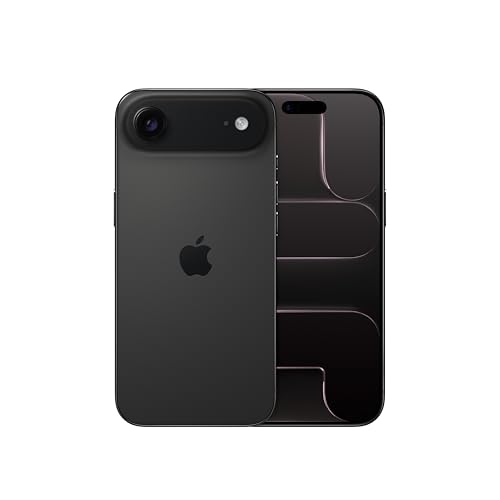
Quick answer: Which charger for Apple iPhone Air? The best choice is Apple 20W USB-C Power Adapter 20 W - about 100% of the maximum charging speed (phone: max 20 W). A regular USB-PD charger also delivers full power.
Which charger for Apple iPhone Air? The simple answer to power your device
If you are wondering which charger for Apple iPhone Air will deliver full charging speed, the good news is simple: you only need a standard 20 W USB-C power adapter that supports USB Power Delivery (USB PD). The phone caps out at around 18-20 W, meaning expensive high-wattage bricks will not charge it any faster.
A standard USB PD charger without PPS works at the full ~20 W rate without any slowdowns. However, using an old legacy power adapter without any fast-charging standard will throttle the charging rate down to a sluggish 5-10 W.
You will find only a USB-C charging cable inside the retail box, so this practical guide will help you determine whether your old charger is good enough or if it makes sense to buy a new one.
Specs and charging
The key Apple iPhone Air specs that matter when choosing a charger:
- Battery: 3149 mAh, litowo-jonowa
- Wired charging: 20 W (USB-C Power Delivery)
- On a standard USB PD charger: ~20 W
- Wireless charging: 20 W (MagSafe / Qi2)
Will your old drawer plug work with this phone?
Before spending money on a new plug, check the tiny regulatory print on the back or bottom of the power adapters you already own. Here is what you can expect when connecting your iPhone Air to different existing chargers:
- Standard 20 W Apple or third-party USB-C charger: Delivers the full peak power of 20 W. It gives you 100% of the phone's maximum charging speed with no compromises.
- USB-C laptop power bricks (45 W, 65 W or more): Perfectly safe to use via the USB Power Delivery handshake. The iPhone Air simply negotiates what it needs and draws roughly 18-20 W.
- Fast chargers from other phone brands (using standard USB PD): Modern plugs from Samsung or Google supply the required fixed voltage profiles, safely hitting the full 20 W limit.
- Old rectangular USB-A wall plugs: Plugs lacking USB Power Delivery negotiate down to basic legacy speeds, supplying only about 5-10 W. Recharging will take hours.
Fun fact: According to testing by GSMArena, the iPhone Air, unlike the other iPhone 17 models, does not support the new USB PD 3.2 mode with AVS, and measured power did not exceed 18 W.
Real charging times: what the battery tests show
Because the iPhone Air draws a peak of around 18 W to 20 W, its charging curve is predictable. You do not need extreme wattage to get quick top-ups during your morning routine.
According to Apple, a standard 20 W adapter provides a 50% charge in 30 minutes. Independent testing by GSMArena confirms this profile: a quick 15-minute plug-in reaches 33%, while 30 minutes gets you to 57%. A full charge from zero to 100% takes about 1 hour and 33 minutes, topping out at around 18 W.
In practice, grabbing a quick cup of coffee for fifteen minutes gives you a one-third battery boost, which is plenty to keep the phone alive on your way out the door.
Selecting the right adapter for your daily setup
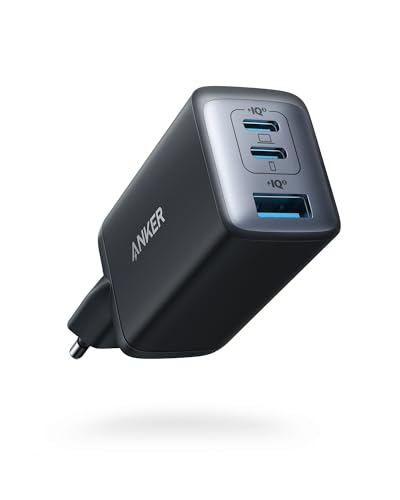
If you want the cheapest adapter that still hits full speed, the Samsung 25W Power Adapter EP-T2510 is a compact, single-port brick that delivers around 20 W, unlocking 100% of this phone's real maximum speed. Alternatively, single-port options like the Google 45W USB-C Charger or the Samsung 45W Power Adapter EP-T4511 also deliver that exact same 20 W peak to your device.
If you want to charge two devices from one wall plug, the Apple 35W Dual USB-C Port Power Adapter has two USB-C ports and still gives your iPhone Air its full 20 W.
| Charger | Power | Estimated speed |
|---|---|---|
| Apple 20W USB-C Power Adapter | 20 W | 100% |
| Apple 35W Dual USB-C Port Power Adapter | 35 W | 100% |
| Samsung 25W Power Adapter EP-T2510 | 25 W | 100% |
| Google 45W USB-C Charger | 45 W | 100% |
| Samsung 45W Power Adapter EP-T4511 | 45 W | 100% |

1. Apple 20W USB-C Power Adapter (20W)
Original Apple charger · Compact, single port
20W charger. With the Apple iPhone Air it charges at up to about 20 W via USB PD (100% of the phone's maximum power, estimate based on specs and protocols).

2. Apple 35W Dual USB-C Port Power Adapter (35W)
Original Apple charger · 2 ports - several devices at once
35W charger. With the Apple iPhone Air it charges at up to about 20 W via USB PD (100% of the phone's maximum power, estimate based on specs and protocols).

3. Samsung 25W Power Adapter EP-T2510 (25W GaN)
Cheapest at full speed · Compact, single port
25W GaN charger. With the Apple iPhone Air it charges at up to about 20 W via USB PD (100% of the phone's maximum power, estimate based on specs and protocols).

4. Google 45W USB-C Charger (45W GaN)
45W GaN charger. With the Apple iPhone Air it charges at up to about 20 W via USB PD (100% of the phone's maximum power, estimate based on specs and protocols).

5. Samsung 45W Power Adapter EP-T4511 (45W)
45W charger. With the Apple iPhone Air it charges at up to about 20 W via USB PD (100% of the phone's maximum power, estimate based on specs and protocols).
Shopping pitfalls to avoid with this slim model
The biggest trap is overpaying for high-wattage chargers expecting ultra-fast speeds. The iPhone Air charges slower than the rest of the 17 series: it is limited to roughly 18-20 W even when plugged into an 80 W or 100 W charger, so buying an oversized adapter strictly for this phone is a waste of money.
Another issue comes from old legacy chargers with rectangular USB-A ports. Because they lack USB Power Delivery, they drop the power transfer to a crawl of roughly 5-10 W, which roughly doubles your time tethered to the wall.
Fun fact: In BGR's measurements, the iPhone Air charged slightly faster wirelessly via MagSafe (around 21 W) than over a cable with an Apple power adapter (18-19 W).
Essential charging questions for iPhone Air owners
Which charger for Apple iPhone Air gives the fastest speed?
Any reliable USB-C adapter rated for 20 W or higher that supports standard USB Power Delivery (USB PD) provides the maximum speed. The device pulls up to roughly 18-20 W, so a basic 20 W to 25 W plug gives you 100% of its real performance.
Is there a charging brick included in the box?
No, there is no wall charger included in the packaging. Apple only includes a USB-C charging cable, so you will need to use a compatible USB-C power adapter you already have or purchase one separately.
Can I safely charge this phone with a 65W laptop adapter?
Yes, completely safely. Modern USB Power Delivery devices communicate automatically, meaning the iPhone Air takes only the ~20 W it needs while the 65 W charger safely handles the rest.
How long does it take to fully recharge the battery?
Using a 20 W USB PD power adapter, the phone reaches 50% in roughly 30 minutes, based on Apple data. GSMArena testing shows it hits 33% in 15 minutes, 57% in 30 minutes, and finishes a complete 0 to 100% charge in about 1 hour and 33 minutes.
Will an old USB-A charger work properly?
It will charge the device, but very slowly. Basic USB-A wall adapters do not support the USB Power Delivery fast-charging protocol, limiting output to around 5-10 W and significantly extending your charging time.
Chargers for the other models in this series
- Which charger for iPhone 17? A simple choice for fast charging (40W+)
- Which charger for Apple iPhone 17 Pro - protocols, watts and full speed
- Which charger for Apple iPhone 17 Pro Max - ranking of compatible chargers
- Which charger for Apple iPhone 17e - protocols, watts and full speed
Sources
- Apple iPhone Air - apple.com - official manufacturer specifications (apple.com)
- Apple iPhone Air - gsmarena.com - industry article (gsmarena.com)
- Apple iPhone Air - bgr.com - industry article (bgr.com)
- Apple iPhone Air - igeeksblog.com - industry article (igeeksblog.com)
- Apple iPhone Air - ithinkdiff.com - industry article (ithinkdiff.com)



Leave a comment
This site is protected by hCaptcha and the hCaptcha Privacy Policy and Terms of Service apply.