

As an Amazon Associate I earn from qualifying purchases.
Quick answer: our top pick is Apple USB-C / Lightning, 1 m (Lightning iPhone · USB-C car).
What is Apple CarPlay and how does it work?
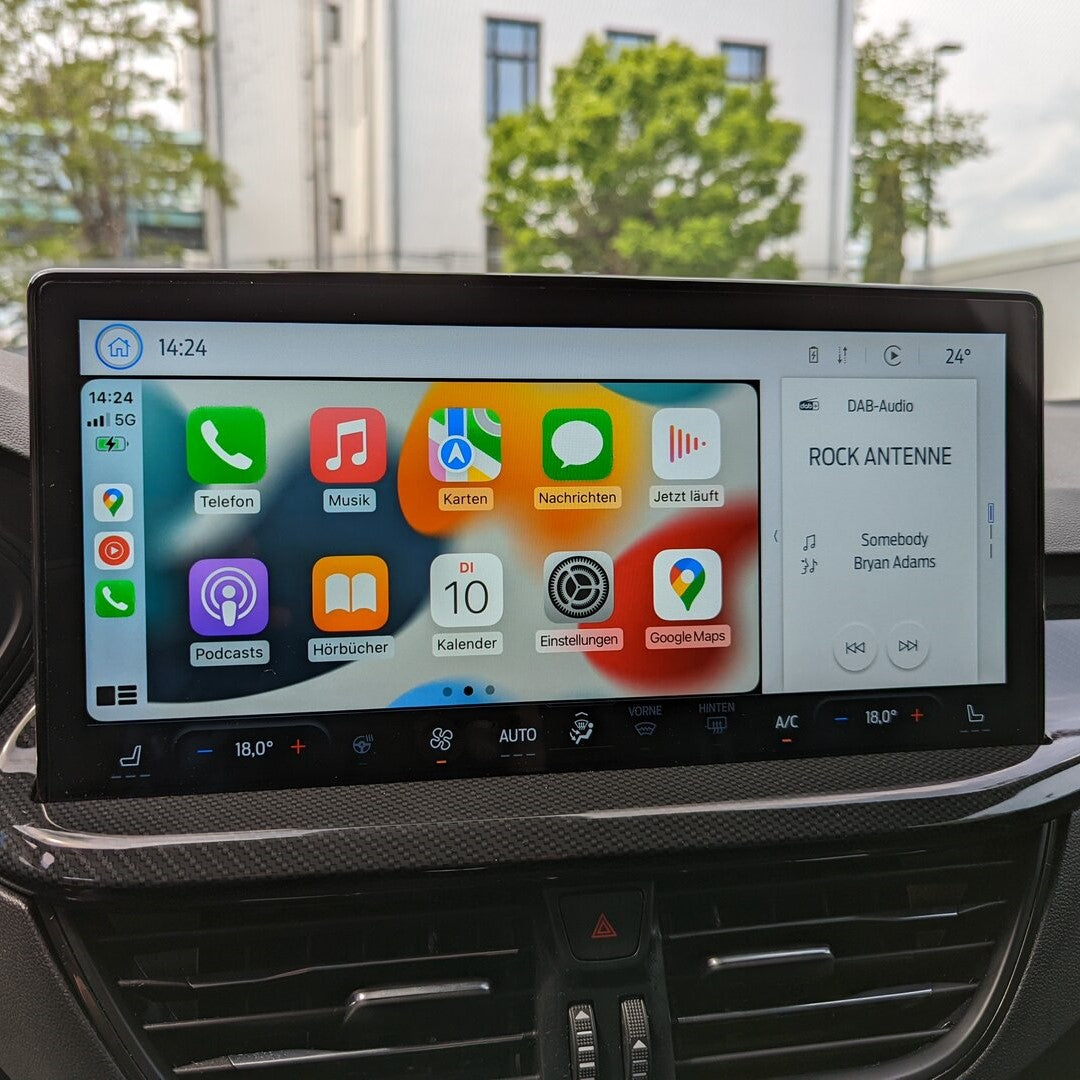
Apple CarPlay is a system that allows you to integrate your iPhone with your car's multimedia screen. This allows you to use apps such as Google Maps, Spotify, or WhatsApp directly on the car display.
For CarPlay to work properly, you need to connect your iPhone using the appropriate USB-C or Lightning cable if your car does not support the wireless version. Wireless CarPlay works in cars that support it from the factory, while in cars equipped only with a wired connection, you can use a wireless adapter plugged into the USB port.

Which cable for CarPlay will be the best? USB-C or Lightning?
The choice of cable depends on your iPhone model and the USB port in your car. Apple recommends using an original Apple cable or an MFi-certified cable for Lightning connectors.
For iPhone 15, iPhone 16 and newer (including 16e, 17): in a car with a USB-C port, a USB-C to USB-C cable is used. In a car with a USB-A port, a USB-A to USB-C cable that supports data transfer is required (many cheap cables are for charging only, and Apple does not offer such a cable). A USB-C to USB-C cable is not strictly required for iPhone 15; it is determined by the port in the car.
For iPhone 14 and older: a Lightning to USB-A or Lightning to USB-C cable is required, depending on the port in the car.
Recommended cables and adapters for CarPlay

1. Apple USB-C / Lightning, 1 m
Lightning iPhone · USB-C car
Apple's own cable for iPhone 14 and older in cars with a USB-C port. Apple recommends its own cables for CarPlay, so this is the safest pick.

2. Anker USB-A / Lightning MFi, 1 m
Lightning iPhone · USB-A car · MFi
For Lightning iPhones in cars with the older USB-A port. It is MFi certified, meaning Apple approved it for use with iPhone, and the nylon braid handles daily plugging in the car well.

3. Apple USB-C 60 W, 1 m
iPhone 15 and newer · USB-C car
For iPhone 15 and newer in cars with a USB-C port. It is the same braided cable Apple ships with new iPhones, so a second one can live in the car.

4. Anker USB-A / USB-C, 90 cm
iPhone 15 and newer · USB-A car
For iPhone 15 and newer in cars with a USB-A port. Apple does not sell this cable, and many cheap USB-A to USB-C cables only charge. This Anker also carries data, so CarPlay works.

5. Carlinkit Mini Ultra
wireless CarPlay · Android Auto too
An adapter that turns wired CarPlay into wireless. It plugs into the USB port and the iPhone connects on its own when you start the car. It only works in cars with factory wired CarPlay.
CarPlay cable for iPhone 15 and newer - what has changed?
Starting with the iPhone 15, Apple replaced the Lightning port with USB-C. This means that newer models can no longer use the previous Lightning cable for CarPlay.
If your car only supports USB-A, you will need a USB-A to USB-C cable that supports data transfer or a suitable adapter. Apple does not sell USB-A to USB-C cables, so you should choose a reliable third-party cable.
Does every USB cable work with CarPlay?
Not every USB cable works with CarPlay. The system requires a cable that supports data transfer, although the USB 2.0 (480 Mb/s) standard is sufficient for stable operation. An expensive USB-C 3.2 (20 Gb/s) cable is neither needed nor recommended in this case.
Issues when using incorrect or cheap charging cables:
No connection to the system
CarPlay disconnecting while driving
Slow iPhone charging
It is also worth paying attention to the markings in your car. The dedicated CarPlay port is often labeled with a CarPlay icon or a smartphone symbol.

Best CarPlay cables for cars: Mercedes, VW, Audi, BMW, Skoda
The port type does not depend on the car brand itself, but rather on the specific model and year of manufacture. Newer models from brands such as Volkswagen, Audi, BMW, Mercedes, or Skoda are typically equipped with USB-C ports, while older vehicles feature USB-A ports. Before choosing a cable, check the multimedia port type in your car.
CarPlay issues - why is the cable not working?
When CarPlay disconnects or fails to launch, it is worth checking several things:
No connection: check if the cable supports data transfer rather than just charging. For Lightning connectors, use an Apple or MFi-certified cable.
Intermittent connection: the cause may be a damaged cable or a worn-out port. Apple recommends testing a different cable and plugging it into a different USB port in the vehicle.
Car does not detect iPhone: restarting the phone and rebooting the infotainment system can help. It is also worth checking for available software updates for the car stereo.
Frequently Asked Questions (FAQ)
1. Which CarPlay cable for iPhone 15 and iPhone 16?
The choice depends on the port in your car. If the car has a USB-C port, choose a USB-C to USB-C cable. If the car has a traditional USB-A port, you need a USB-A to USB-C cable that supports data transfer.
2. Does every USB cable support CarPlay?
No. The cable must support data transfer. USB 2.0 speeds (480 Mb/s) are sufficient, so USB-C 3.2 cables are not necessary. For Lightning connectors, an Apple cable or an MFi-certified cable is recommended.
3. CarPlay is not working - what to do?
Check the cable and try another USB port in the car. Test a different cable, restart your iPhone and the infotainment system, and update the car stereo software.
4. Which CarPlay cable for Mercedes?
The cable type depends on the car's model and year, not the brand. Check whether there is a USB-A or USB-C port in the console. If you have an iPhone 15 or newer, choose either a data-transfer USB-A to USB-C cable or a USB-C to USB-C cable accordingly.
5. Can I use a USB-A cable with iPhone 15 and iPhone 16?
Yes, you can use a USB-A to USB-C cable or an adapter, provided it supports data transfer.
6. Does cable length matter?
Yes. A cable that is too long or of poor quality can cause signal transmission interference. For in-car use, cables between 0.5 and 1.5 meters work best.
Sources
- Apple: If you need help with CarPlay - manufacturer page (support.apple.com)
- Apple: About the USB-C to Lightning Adapter - manufacturer page (support.apple.com)
- 9to5Mac: Upgrade to iPhone 15? You'll need this cable for CarPlay - industry article (9to5mac.com)
- Tech Nerdiness: Best USB-C cables for Apple CarPlay - industry article (technerdiness.com)
- Cabletime: Choosing a USB-A to USB-C cable for iPhone 15 and 16 CarPlay - industry article (cabletimetech.com)


Leave a comment
This site is protected by hCaptcha and the hCaptcha Privacy Policy and Terms of Service apply.