




In the digital age, more and more devices in our homes need an internet connection to fully unlock their potential. This also applies to set-top boxes which, when connected to the network, offer access to additional features such as VOD services, software updates or interactive TV programs. In this article, you’ll learn, step by step, how to connect your set-top box to the internet.
Why should you connect your set‑top box to the internet?
Connecting the set-top box to the internet opens up a range of new possibilities for the user. This way you can:
- Use streaming services such as YouTube, Netflix or HBO Max.
- Receive software updates that improve device performance and add new features.
- Gain access to interactive TV guides and additional information about the content you’re watching.
- Record programs in the cloud and use the PVR (Personal Video Recorder) function.
Connecting the set‑top box to the internet is therefore a step that significantly improves the comfort of using television.
Instructional video – How to connect the DekoTV set-top box to the internet?
To make the whole process even easier, we’ve prepared a short instructional video that shows step by step how to connect the DekoTV set‑top box to the internet. In the video you’ll see how to configure a wireless (Wi‑Fi) connection. The video is available below, and after watching it, connecting the set‑top box to the internet will be even easier.
What are the ways to connect the set-top box to the internet?
The basic methods of connecting the set-top box to the network are:
a) Wireless connection (Wi‑Fi)
Most modern set-top boxes also support a Wi‑Fi connection, which allows you to connect to the internet conveniently without needing a cable.
How to do it?
- In the set‑top box menu, go to network settings and select the "Wi‑Fi Connection" option.
- Find your network in the list of available Wi‑Fi networks and select it.
- Enter the network password.
- After entering the password correctly, the set‑top box will connect to the internet.
b) Connection via Wi‑Fi adapter
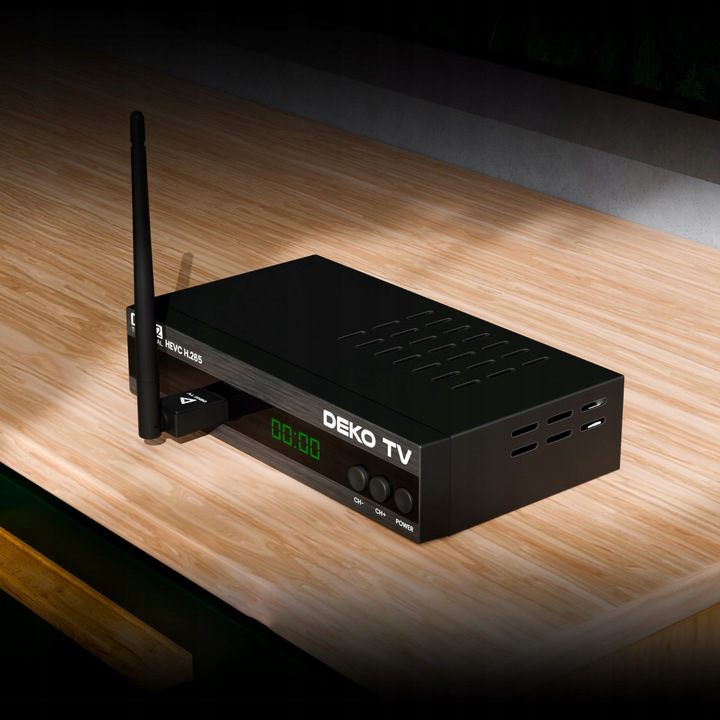
If your set-top box doesn’t support Wi‑Fi but you still want to use a wireless connection, you can use a Wi‑Fi adapter. This is a small device that you plug into the USB port on the set-top box to add wireless connectivity.
How to do it?
- Plug the Wi-Fi adapter into the USB port on the set-top box.
- In the network settings, select the “Wi‑Fi Connection” option.
- Select your Wi‑Fi network and enter the password.
What problems can occur when connecting the set-top box to the internet?
Some issues may occur when connecting the set‑top box to the internet. Here are a few of the most common ones:
a) Wi‑Fi connection issues
If your set-top box won’t connect to Wi‑Fi, check:
- Whether you entered the correct Wi‑Fi password.
- Check whether the set‑top box is within Wi‑Fi range.
- Whether the router is working properly.
b) Low internet speed
With a slow internet connection, you may experience stuttering during video streaming. In that case, it’s worth connecting the set‑top box via an Ethernet cable, which provides a more stable and faster connection.
c) Network configuration issues
Some set-top boxes may require manual configuration of IP or DNS addresses. In that case, contact your internet service provider or check the user manual for your box.
Summary – How to easily connect your set-top box to the internet
Connecting a set-top box to the internet is a quick and simple process that opens access to numerous features and services. By choosing your connection method – Ethernet cable, Wi‑Fi or Wi‑Fi adapter – you can tailor it to your needs. Remember that a stable connection ensures a better user experience, especially when using streaming services or interactive TV programs. Set-top boxes such as DekoTV are an excellent solution for people who want to get the most out of their devices.


Leave a comment
This site is protected by hCaptcha and the hCaptcha Privacy Policy and Terms of Service apply.