








As an Amazon Associate I earn from qualifying purchases.
Quick answer: our top pick is Dell 27 Plus S2725QC (27-inch · 4K · 120 Hz · USB-C 65 W).
Best monitor for MacBook Pro OLED? Start with a 27-inch 4K with USB-C
Which monitor for a MacBook Pro OLED? For office work and everyday use, choose a 27-inch 4K with USB-C. If you mostly look at text and code, consider 5K, because it is noticeably sharper.
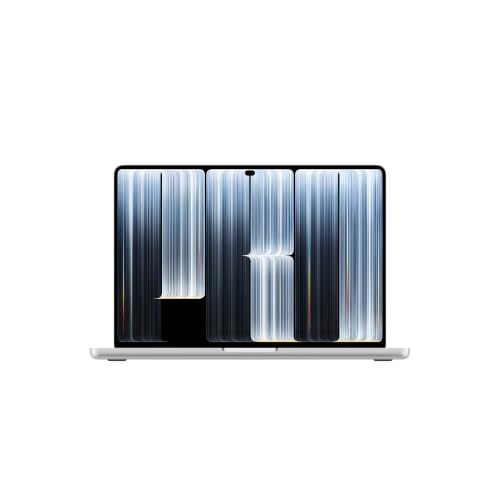
The MacBook Pro with an OLED display (Apple calls it PROLED XDR) has been on sale since November 6, 2026, in 14 and 16-inch versions. With the M5 Pro chip you can connect up to three external monitors, and with the M5 Max up to four.
Everything can run over a single Thunderbolt 5 cable. Macworld notes that the M5 Pro and M5 Max support multiple displays on one cable, which regular MacBooks can't do.
Tom's Guide writes that the cheaper MacBook Pro M6 has only Thunderbolt 4, while the OLED model gets Thunderbolt 5. This matters if you plan to run several displays on one cable.
Fun fact: the OLED model has the same M5 Pro and M5 Max chips as the MacBook Pro with the Liquid Retina XDR display from March 2026 (as reported by CineD). So the difference lies mainly in the display and ports, not in the processor itself.


How many monitors you can connect and how
The laptop has three USB-C ports with Thunderbolt 5 (up to 120 Gb/s), plus HDMI, an SDXC card reader, a headphone jack and MagSafe 3. The limits depend on the chip, and Apple lists them as follows:
- M5 Pro: up to three external monitors, each up to 6K 60 Hz or 4K 165 Hz.
- M5 Max: up to four monitors, each up to 6K 60 Hz or 4K 165 Hz.
- M5 Max, dual-display variant: two monitors up to 8K 60 Hz, 5K 120 Hz or 4K 240 Hz.
Apple says the same number of monitors also works through a single Thunderbolt port. So one Thunderbolt cable from the laptop is enough, for example to a docking station that the monitors connect to.
The laptop's HDMI port comes in handy when one of your monitors has no USB-C. It then takes up one input, but doesn't use up a Thunderbolt port.
Fun fact: the M5 Max can handle even four 6K monitors at once, including through a single Thunderbolt port (Apple data).
For the list below, we picked 27-inch monitors with USB-C or Thunderbolt: several 4K models for work, two 5K models for sharp text and one designed for photo editing.

Recommended monitors for MacBook Pro OLED (M5 Pro and M5 Max)
1. Dell 27 Plus S2725QC
27-inch · 4K · 120 Hz · USB-C 65 W
The best-selling USB-C monitor in this list: 27 inches, 4K and 120 Hz. One USB-C cable carries video and data and charges the MacBook at 65 W.

2. LG UltraFine 27UP850K
27-inch · 4K · 95% DCI-P3 · USB-C about 90 W
A 27-inch 4K panel with 95% DCI-P3 and DisplayHDR 400 per LG. USB-C charges the laptop at about 90 W (listings say 90 or 96 W), plus two HDMI ports and DisplayPort.

3. Apple Studio Display (2026)
27-inch · 5K · 600 nits · Thunderbolt 5
Apple's monitor: 27-inch 5K, 600 nits, two Thunderbolt 5 ports, a 12 MP camera and six speakers. All in one housing, so no separate webcam or speakers on the desk.
Charging from a monitor: how many watts you need
Apple lists a recommended minimum charging power. For the 14-inch model it is 70 W, and fast charging starts at 96 W. For the 16-inch model the minimum is 94 W, and fast charging starts at 140 W.
The Dell S2725QC delivers 65 W. That is below the minimum for both sizes, so the laptop will charge more slowly, and under heavy load the battery may even drain.
The LG 27UP850K delivers about 90 W (listings say 90 or 96 W). For the 14-inch model that is enough, but for the 16-inch model it is below the recommended 94 W.
With several monitors, it is simpler to charge the laptop via MagSafe 3 and treat the monitors purely as screens. Pick an adapter that matches the model: at least 70 W for the 14-inch and 94 W for the 16-inch, or 96 W and 140 W for fast charging.
- 14-inch: minimum 70 W, fast charging from 96 W.
- 16-inch: minimum 94 W, fast charging from 140 W.
- A 65 W monitor is not enough for either version.
- A monitor of about 90 W is not enough for the 16-inch model.
4K or 5K
4K on a 27-inch screen looks good and costs less, and it also offers a high refresh rate. The Dell S2725QC has 120 Hz, and Apple supports 4K at up to 165 Hz per monitor, so there is plenty to choose from if you like smooth motion.
5K has more pixels, so text is sharper. The ASUS ProArt PA27JCV has 5120 x 2880, which is the same number of pixels as the Apple Studio Display.
The Apple Studio Display has Thunderbolt 5, a camera and speakers, so you don't need anything else on your desk. If you edit photos, take a look at the ASUS ProArt PA279CRV: 4K, 99% DCI-P3 and Calman calibration according to ASUS.
With three or four screens, a sensible setup is one good main monitor, with cheaper 4K models next to it as secondary screens.
FAQ: the most common questions about monitors for the MacBook Pro OLED
How many monitors does the MacBook Pro OLED with M5 Pro support?
Up to three external monitors. Each can run at a resolution of up to 6K at 60 Hz or 4K at 165 Hz.
How many monitors does the MacBook Pro OLED with M5 Max support?
Up to four monitors, each up to 6K at 60 Hz or 4K at 165 Hz. You can also connect two monitors at up to 8K 60 Hz, 5K 120 Hz or 4K 240 Hz.
Will a USB-C monitor charge a 16-inch MacBook Pro OLED?
Yes, but only if it delivers at least 94 W. A 65 W monitor and one with about 90 W are below the recommended minimum for the 16-inch model, so charging will be slower, or under heavy load the battery may drain. Fast charging for the 16-inch model starts at 140 W.
Can several monitors work over a single Thunderbolt cable?
Yes. Apple states that as many monitors as the given chip supports also work through a single Thunderbolt port. Macworld adds that standard MacBooks can't do this.
Is a 4K or 5K monitor better for the MacBook Pro OLED?
For everyday work 4K is enough, especially if you care about a higher refresh rate or multiple screens. If you mostly look at text, choose 5K, because it will be sharper. For photographers, color coverage and calibration matter most.
Sources
- Apple: MacBook Pro with PROLED XDR display, technical specifications - manufacturer page (apple.com)
- Apple Deutschland: MacBook Pro mit PROLED XDR Display, technische Daten - manufacturer page (apple.com)
- Macworld: M5 Pro and Max MacBooks break Apple's multi-monitor shackles - industry article (macworld.com)
- CineD: Apple touch screen MacBook Pro announced - industry article (cined.com)
- Tom's Guide: MacBook Pro OLED vs MacBook Pro M6 - industry article (tomsguide.com)

Leave a comment
This site is protected by hCaptcha and the hCaptcha Privacy Policy and Terms of Service apply.