








As an Amazon Associate I earn from qualifying purchases.
Quick answer: our top pick is Dell 27 Plus S2725QS (27 inch · 4K · IPS · 120 Hz).
Best monitor for GTA 6 on PS5? Get a 27-inch 4K with an HDMI input
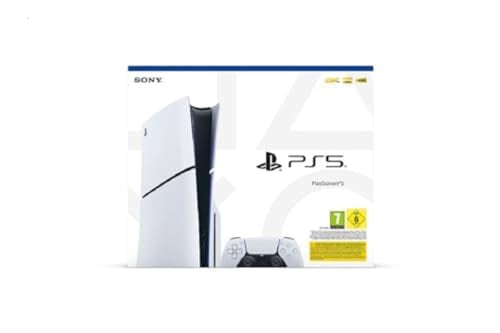
You sit down at your desk in the evening, the console is right next to you, and GTA 6 is about to launch. You wonder if you need a 240 Hz monitor for it. You don't. For GTA 6 on PS5 and PS5 Pro, the best pick is a 27-inch 4K monitor with an HDMI input, because the game targets 30 frames per second and a high refresh rate won't change anything.
The game comes to PlayStation 5 and Xbox Series X|S on November 19, 2026. A 27-inch monitor sits closer to your face than a TV in the living room, so you will clearly see the sharpness of 4K on it.
So instead of the refresh rate, look at three things: 4K resolution, contrast and HDR quality. That's where you gain the most in this game.
What Rockstar has said about GTA 6, and what it hasn't
According to a Rockstar statement from November 10, 2026, the game was built from the ground up for the current console generation and targets 30 frames per second. Beebom and Insider Gaming report that there is no 60 fps mode at launch on any console, including the PS5 Pro.
Fun fact: Rockstar explains the 30 fps target as a matter of the density and quality of the game world's image.
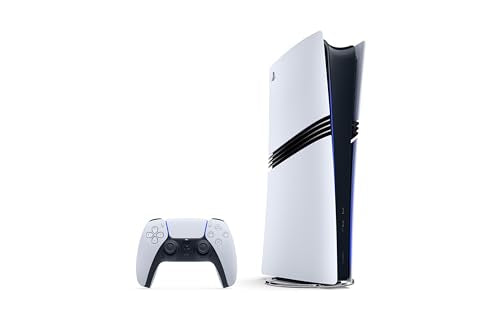
On the PS5 Pro, the image should look sharper thanks to PSSR, an AI-assisted image upscaling technology.
Fun fact: ray-traced shadows in GTA 6 are available only on the PS5 Pro.
Rockstar has not announced the game's resolution and has not described an HDR mode. So we don't yet know how the game will use your screen's capabilities in that respect. The mention of a 120 Hz mode on the PS5 Pro comes from a leak described by Notebookcheck, and Rockstar has not confirmed it, so don't base your purchase on it.
Before you start comparing models, check three things in the product listing:
- whether the monitor has an HDMI 2.1 input, because only that type will accept 4K at 120 Hz from a console,
- whether the resolution is 4K, if sharpness in single-player games matters to you,
- whether the manufacturer lists an HDR certification, not just an "HDR" sticker.
Below, we've collected 27-inch monitors chosen by these criteria: resolution, HDMI inputs and panel type.
Our recommended monitors for GTA 6 on PS5

1. Dell 27 Plus S2725QS
27 inch · 4K · IPS · 120 Hz
A 4K monitor with an IPS panel and a refresh rate of up to 120 Hz according to Dell. It has built-in speakers and height adjustment. A good pick for games the console runs at 30 or 60 fps, since resolution matters most in that case.

2. ASUS TUF Gaming VG27UQ1A
27 inch · 4K · 160 Hz · 2x HDMI 2.1
A 4K monitor with two HDMI 2.1 inputs according to ASUS, so the PS5 can send it a 4K picture at 120 Hz. It supports variable refresh rate (FreeSync Premium, G-SYNC Compatible) and has 2 x 2 W speakers.

3. LG UltraGear OLED 27GX704A
27 inch · OLED · 1440p · 240 Hz
A 1440p OLED monitor with two HDMI 2.1 inputs and DisplayHDR True Black 400 certification according to LG. The PS5 offers a 1440p resolution in its settings, so it suits this screen. A pick for those who prefer OLED black levels and contrast over 4K resolution. It has no speakers.
Why HDMI 2.1 and 120 Hz
A console is more than one game. The PS5 supports HDMI 2.1 and 4K at 120 Hz, which helps in titles that have a 120 Hz mode. You're buying a monitor for years, so it's good to have headroom for future games.
After you connect it, check the console settings. According to Sony, the resolution settings include 2160p (4K) and 1440p, and automatic mode picks the highest resolution the screen supports. The "Enable 120 Hz Output" option turns on 120 Hz for screens and games that support it.
VRR matches the screen's refresh rate to what the game is currently showing. It works on screens and in games that support it, and the result depends on the monitor itself. HDR has two modes: "always on" and "on when supported". Choose the second one if you don't want to switch the picture by hand.
If 4K 120 Hz won't start, check the cable first. Sony recommends the cable from the box or an Ultra High Speed cable, plugged into the monitor's HDMI 2.1 port. If any part doesn't match, the picture may show as 1080p 120 Hz, which is clearly less sharp.
Games with big maps also need storage space. A separate article covers the SSD for PS5.
4K IPS or 1440p OLED: which one for whom
A 4K monitor with an IPS panel is a sensible choice if you mostly play games at 30 or 60 frames and want a sharp picture. You usually also get built-in speakers and height adjustment, which makes setup easier on a small desk. The downside: IPS contrast can't match OLED, so dark scenes look flatter.
A 1440p OLED monitor suits people who prefer deep blacks and contrast over pixel count. The PS5 has a 1440p resolution setting, so you can connect such a screen without any fuss. The downside is obvious: details will be less fine than in 4K, and at 27 inches and a short viewing distance you may notice it.
There's also a third option: a 4K OLED monitor, which combines both. It costs the most, so it makes sense when you're buying one monitor for several years for both console and PC.
Our advice: for GTA 6 and relaxed play on PS5, get a 27-inch 4K monitor with HDMI 2.1. Pick a 1440p OLED only if you value contrast more than sharpness.
Frequently asked questions about a monitor for GTA 6 on PS5
Which monitor for GTA 6 on PS5?
Ideally 27 inches, 4K, with an HDMI input, good contrast and HDR. The game targets 30 frames, so resolution and picture quality matter more than refresh rate. If you want headroom for other games, choose a model with HDMI 2.1.
Do you need a 120 Hz monitor for GTA 6?
No. Rockstar lists a target of 30 frames per second, so 120 Hz changes nothing in this game. A high refresh rate helps in other PS5 games that have a 120 Hz mode.
Does GTA 6 run at 60 frames on PS5 Pro?
According to Beebom and Insider Gaming, there is no 60 frame mode at launch on any console, including the PS5 Pro. The information about a 120 Hz mode on PS5 Pro comes from a leak described by Notebookcheck and isn't confirmed by Rockstar.
Is a 4K or 1440p monitor better for PS5?
For GTA 6, 4K is better, because it gives a sharper picture up close. Choose a 1440p OLED monitor if you value contrast and black levels more than resolution. The PS5 supports both settings.
Can I connect a PS5 to a monitor via DisplayPort?
No. The console has only an HDMI output on the back and no DisplayPort. Look for a monitor with an HDMI input, and for 4K 120 Hz, one with an HDMI 2.1 port.
Sources
- Rockstar Games Newswire: Pre-Load Grand Theft Auto VI Now - manufacturer page (rockstargames.com)
- PlayStation Support: How to change PS5 console resolution - manufacturer page (playstation.com)
- Beebom: Does GTA 6 have a performance mode on PS5 and Xbox? - industry article (beebom.com)
- Notebookcheck: GTA 6 PS5 Pro build ran at 60 fps with major compromises - industry article (notebookcheck.net)
- Insider Gaming: Does GTA 6 have a 60 FPS mode? - industry article (insider-gaming.com)
- TechRadar: The best monitors for PS5 and PS5 Pro - industry article (techradar.com)

Leave a comment
This site is protected by hCaptcha and the hCaptcha Privacy Policy and Terms of Service apply.