









As an Amazon Associate I earn from qualifying purchases.
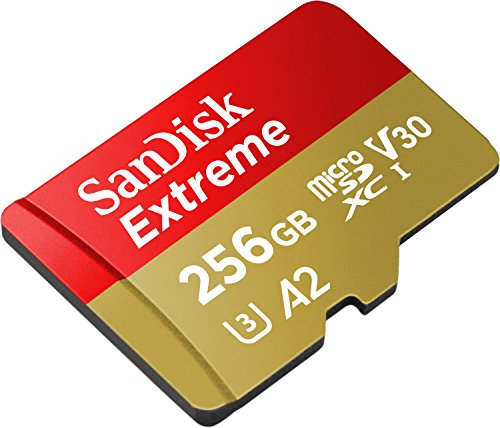
Quick answer: our top pick is SanDisk Extreme 256 GB (256 GB · UHS-I · A2, U3, V30 · up to 190 MB/s).
Best microSD card for Insta360 X5?
For the Insta360 X5 camera, you need a UHS-I microSD card with a V30 speed class or higher, formatted in the exFAT file system. Its capacity should be at least 128 GB and up to 1 TB. Avoid UHS-II and UHS-III cards, as the manufacturer clearly states a lack of compatibility with these technologies.
Choosing the right card determines the camera's operating stability. If you insert an incompatible card, the device might stop recording mid-shot. In extreme cases, the file will become corrupted and you will not be able to play it back on your phone or computer.
Later in this article, we explain why newer and more expensive cards will not work well with this device at all. You will also learn how to choose the right capacity and prepare the card for use straight out of the box.
V30 markings, lack of UHS-II support, and capacity limits
The V30 rating is a standard defined by the SD Association. It indicates that the card guarantees a minimum sustained write speed of 30 MB/s. For a 360-degree camera, this is a critical parameter, as the continuous data stream from the sensors cannot withstand a momentary drop in write speed.
In the manual for the X5 model, Insta360 clearly states not to use UHS-II or UHS-III cards. Although UHS-II cards offer faster transfer speeds in many cameras, according to Insta360 they are not compatible with the X5 and may cause issues during recording.
Fun fact: Insta360 advises against using faster UHS-II cards for the X5, which surprises many buyers.
The same limitation applies to the memory card capacity. The camera does not support storage larger than 1 TB. Any attempts to use larger capacities will lead to device malfunctions.
Fun fact: A card larger than 1 TB will not work in the X5, even if it meets the V30 class requirements.
Below, we have prepared a list of proven models that meet the manufacturer's requirements, selected based on the official technical specifications.
Recommended microSD cards for Insta360 X5

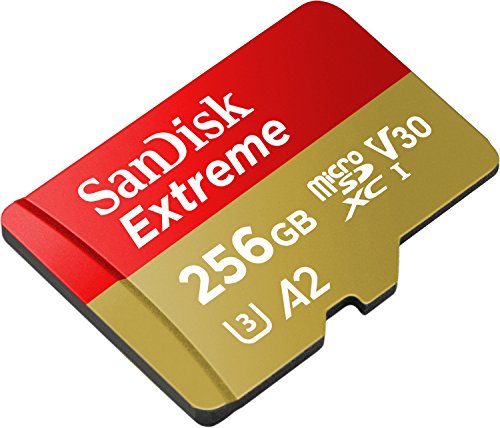
1. SanDisk Extreme 256 GB
256 GB · UHS-I · A2, U3, V30 · up to 190 MB/s
One of the best-selling microSD cards. It features a V30 rating for 4K video recording and an A2 rating for apps and games.

2. SanDisk Extreme 512 GB
512 GB · UHS-I · A2, U3, V30 · up to 190 MB/s
SanDisk Extreme in a 512 GB capacity. The V30 rating handles 4K recording, while A2 speeds up app and game loading times.
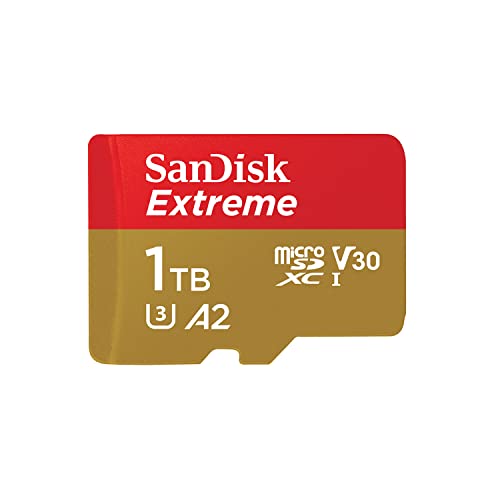
3. SanDisk Extreme 1 TB
1 TB · UHS-I · A2, U3, V30 · up to 190 MB/s
SanDisk Extreme with 1 TB capacity, featuring A2 and V30 ratings. It holds a large game library or many hours of footage.

4. SanDisk Extreme PRO 1 TB
1 TB · UHS-I · A2, U3, V30 · up to 200 MB/s
A higher-tier SanDisk series with read speeds up to 200 MB/s, A2 and V30 ratings, and 1 TB capacity.

5. Lexar Professional SILVER PLUS 512 GB
512 GB · UHS-I · A2, U3, V30 · up to 205 MB/s
Lexar SILVER PLUS in a 512 GB capacity, with read speeds up to 205 MB/s, A2, and V30 ratings.
Choosing capacity: from 128 GB to 1 TB
Full 360-degree video files take up a lot of storage space. For this reason, the manufacturer advises on its blog to consider 128 GB as a reasonable minimum.
A capacity of 128 GB or 256 GB works well if you record short scenes and can regularly offload footage to a hard drive. It is a solid choice for weekend outings or single sporting events. SanDisk Extreme cards in these capacities offer reliable V30 write stability and the A2 application class.
If you plan longer trips without a computer on hand, it is better to go for 512 GB or 1 TB. This extra storage allows you to record plenty of shots without constantly checking available space. Good choices in this category include the Lexar Professional SILVER PLUS 512 GB, which according to Lexar is compatible with the X5 and enables buffer-free 8K recording, as well as high-capacity 1 TB versions of SanDisk Extreme and Extreme PRO.
exFAT formatting and handling write errors
The Insta360 X5 camera requires the memory card to be formatted in the exFAT file system. The safest approach is to format it directly in the camera menu after inserting the card. In-camera formatting creates the correct folder structure and prepares the media for continuous recording of large files.
What should you do if a card too slow message appears on the screen? A card that is too slow can stop recording or permanently corrupt your video files. The first troubleshooting step is to reformat the card in the camera menu, which clears any file system errors and restores optimal sector layout.
If reformatting to exFAT does not help, make sure the card actually carries the UHS-I rating and the V30 symbol. Missing these markings means the card does not sustain the minimum write speed of 30 MB/s, and the camera stops recording to protect the footage from corruption.
Questions and answers
Which microSD card for Insta360 X5?
For the Insta360 X5, you need a UHS-I microSD card with a V30 speed class or higher, formatted in exFAT. The manufacturer recommends capacities from 128 GB up to 1 TB. Using slower cards risks interrupted recording and damaged video files.
Will a UHS-II card work in the Insta360 X5?
No, Insta360 explicitly states in the manual that UHS-II and UHS-III cards are not compatible with the X5. Despite offering higher speeds in other devices, a UHS-II card in this camera can cause errors or prevent recording altogether. Choose only cards marked UHS-I.
Does the Insta360 X5 support a 1 TB card?
Yes, 1 TB capacity is supported and represents the upper limit for this device. However, the card must meet the UHS-I standard and V30 speed class, such as the SanDisk Extreme 1 TB. Cards larger than 1 TB will not work properly.
What is the minimum card capacity for the Insta360 X5?
Insta360 points out on its blog that the best starting point is a card with at least 128 GB of capacity. 360-degree video recordings take up a lot of storage, so smaller capacities fill up too quickly. A 128 GB card provides stable performance and a reasonable amount of space to get started.
How to format a card for the Insta360 X5?
The card should be formatted in the exFAT file system, ideally directly from the Insta360 X5 camera settings. This process deletes all data and optimizes the media for error-free video recording. You can also do this on a computer by selecting exFAT as the file system.
Sources
- Insta360: X5 Storage Compatibility - manufacturer page (onlinemanual.insta360.com)
- Insta360 Blog: How to choose the best microSD card for Insta360 - manufacturer page (insta360.com)
- Lexar: Best microSD cards for action cameras and drones - industry article (americas.lexar.com)
- Have Camera Will Travel: Best SD cards for action cameras (tested) - industry article (havecamerawilltravel.com)
- SD Association: Bus Speed (UHS-I, UHS-II, SD Express) - industry article (sdcard.org)

Leave a comment
This site is protected by hCaptcha and the hCaptcha Privacy Policy and Terms of Service apply.