








As an Amazon Associate I earn from qualifying purchases.
Quick answer: our top pick is WD_BLACK P10 Game Drive (HDD drive · up to 5 TB · USB 3.2 · Works with PlayStation version).
Best external drive for PS5? Short answer
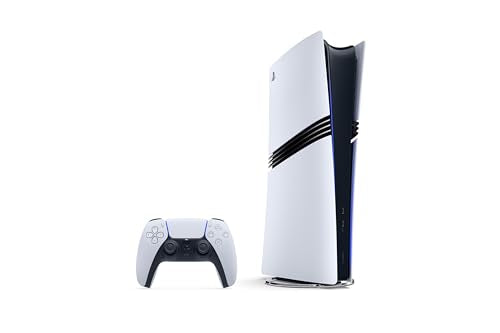
Running out of space on your PS5 or PS5 Pro and wondering if a USB drive is the way to go? Yes, as long as you use it for storage and for PS4 games. For the PS5 games you play every day, you need an M.2 drive inside the console.
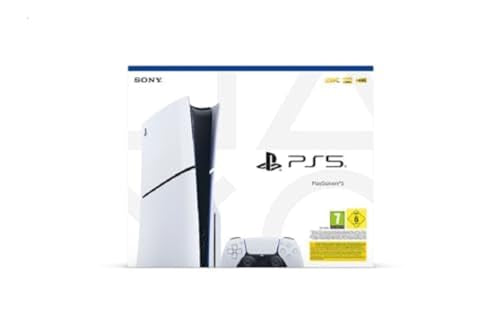
Sony's rules for USB extended storage apply to the PS5, PS5 Slim and PS5 Pro (the Pro has been on sale since November 7, 2024).
GTA 6 launches on November 19, 2026. Rockstar hasn't announced the game's size ahead of launch, and GamesRadar estimates put it at 150-300 GB. With a range that wide, it's better to leave yourself plenty of room than to hope it all fits.
A separate article covers what to do when your PS5 storage is full. Here we focus on the external drive.
What a USB drive can do on PS5
Sony calls this USB extended storage. The console accepts only a drive that meets a few requirements, and you can check all of them on the casing or in the seller's listing before you pay:
- Capacity: from 250 GB to 8 TB. The console won't work with a smaller or larger drive.
- Port speed: SuperSpeed USB 5 Gb/s or faster. Look for this label next to the drive's port.
- Port and cable: you plug the drive straight into the console, with no USB hub, so the cable has to fit both sockets.
Only one such drive works at a time. Pick a capacity with room to spare right away, because you can't connect a second drive next to the first.
Fun fact: PS4 games run straight from a USB drive, while PS5 games have to be moved back to the console before you play them.
The drives in the boxes below are external USB drives, both hard disk drives and SSDs. The selection depends on what's available in the US.
External drives for PS5 we recommend
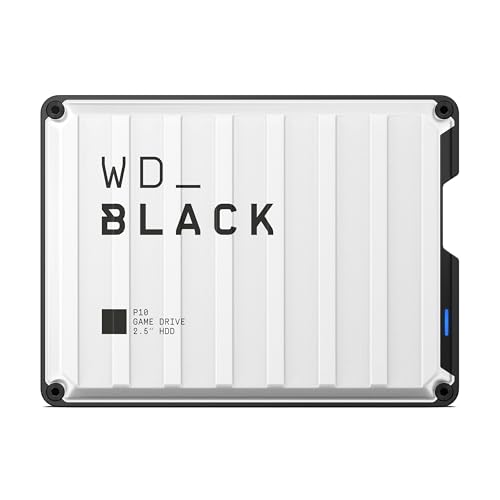
1. WD_BLACK P10 Game Drive
HDD drive · up to 5 TB · USB 3.2 · Works with PlayStation version
Hard disk drive in the version WD describes as PlayStation compatible. Plenty of room for PS4 games and for storing PS5 games, which you copy back before playing.
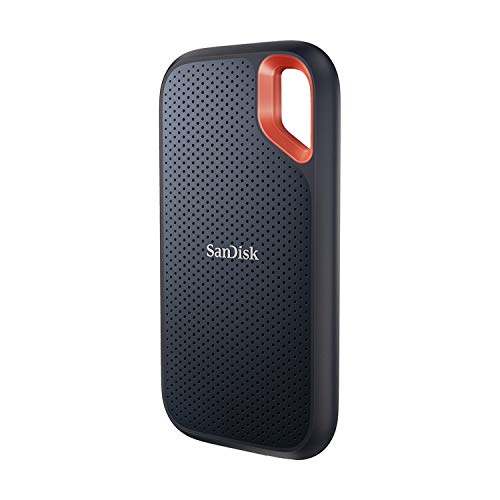
2. SanDisk Extreme Portable SSD
SSD · USB-C · up to 1050 MB/s · drop resistant
Fast portable SSD. PS4 games load faster from it than from a hard disk drive, and copying PS5 games takes less time.
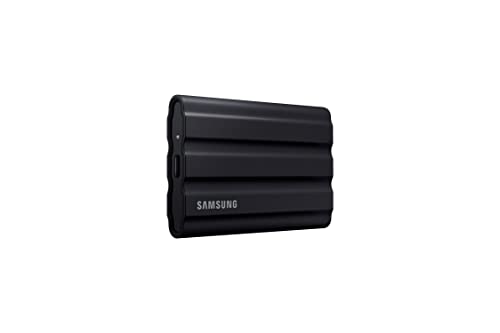
3. Samsung T7 Shield portable SSD
SSD · USB-C · up to 1050 MB/s · rubber casing
Portable SSD in a rubber casing, also popular as a drive for a console and a laptop.
HDD or SSD over USB
An SSD over USB copies and loads PS4 games faster than a hard drive. A hard drive gives you more terabytes, though, so more room for your whole library.
If you have a lot of PS4 games and just want to free up space, a hard drive is plenty. If you often move games between the drive and the console, or you hate waiting for loading screens, go with an SSD.
Copying a PS5 game back from a USB drive takes less time than downloading it again. That's a point in favor of either drive, especially for huge games like GTA 6.
Don't overpay for the fastest model on the market. The console uses the drive over USB, so the port limits the speed anyway.
In short: pick a hard drive when capacity and PS4 games matter most, and an SSD when you want fast copying and shorter load times.
How to connect and format the drive
- Plug the drive straight into a USB port on the console, with no hub.
- Use a port on the back of the console. The drive stays there for good, so it doesn't stick out of the front and get in the way.
- Format the drive in the console as USB extended storage.
Formatting erases everything on the drive. If you used the drive for photos or videos before, copy them somewhere else first.
Once it's formatted, the drive is ready. You can move games and captures onto it to free up space on the console.
When an M.2 drive is the better choice
PS5 games run directly only from the built-in storage and from an M.2 drive inside the console. If you want several big PS5 games ready to play at once, USB can't do that.
The PS5 Pro starts with more space: 2 TB, of which about 1.89 TB is left for games (Push Square). With that much storage, a USB drive is mostly useful as a storage shelf.
Fun fact: Of the 825 GB in the first PS5, only about 667 GB is left for games (Tom's Guide).
The two options don't rule each other out. M.2 holds the games you're playing now, and the USB drive holds PS4 games, captures, and PS5 titles for later.
Frequently asked questions about PS5 drives
Which external drive for PS5?
One that offers 250 GB to 8 TB and a SuperSpeed USB 5 Gb/s connection or faster. A hard drive gives more space, an SSD is faster. For PS5 games you play regularly, look for an M.2 drive.
Can you play PS5 games from a USB drive?
Not directly. PS5 games run from the console's storage or from an M.2 drive. A USB drive is just storage for them, and you copy the game back from it.
Which USB drive for PS5 Pro?
The same Sony rules apply as on the other models, so you check the same three things on the drive's case. With a lot of built-in storage, a USB drive mostly serves for keeping PS4 games and captures.
External drive or M.2 for PS5?
An external drive is the cheaper way to get extra space and play PS4 games. Pick M.2 if you want to play more PS5 games without copying them over each time.
How to format an external drive on PS5?
Plug the drive straight into the console, with no hub, and format it in the console as USB extended storage. Remember that formatting erases the data on the drive, so copy it off first.
See also
Sources
- PlayStation Support: PS5 USB extended storage - manufacturer page (playstation.com)
- PlayStation Support: PS5 M.2 SSD - manufacturer page (playstation.com)
- Western Digital: WD_BLACK P10 Game Drive - manufacturer page (westerndigital.com)
- Tom's Guide: PS5 doesn't have as much storage as you think - industry article (tomsguide.com)
- Push Square: PS5 Pro gives you almost all its 2TB of storage - industry article (pushsquare.com)
- GamesRadar: GTA 6 file size - industry article (gamesradar.com)
- Tom's Hardware: Best PS5 SSDs - industry article (tomshardware.com)

Leave a comment
This site is protected by hCaptcha and the hCaptcha Privacy Policy and Terms of Service apply.