








As an Amazon Associate I earn from qualifying purchases.
Quick answer: our top pick is Apple 240W USB-C Woven Charge Cable (2 m) (Apple original · braided · 240 W · 2 m).
Best cable for iPhone 17? A good USB-C cable with Power Delivery is enough
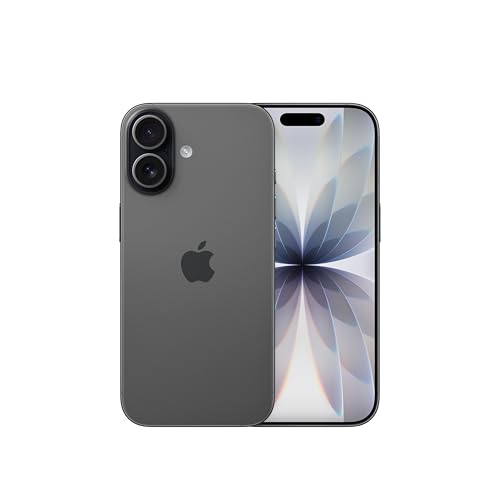
50% battery in 20 minutes: that's what iPhone 17 can do with a 40 W or stronger charger and a USB-C cable. About as long as it takes to make coffee and get dressed. All you need is a regular USB-C cable with USB Power Delivery support and solid build quality.
A pricier data cable won't speed anything up here. iPhone 17 transfers data at USB 2 speed, up to 480 Mb/s, so a 10 Gb/s cable won't make photo transfers or backups any faster. You'd be paying for a spec the phone can't use.
So when you pick a spare or longer cable, look at two things: does it charge via PD, and will it survive daily bending near the plug. The rest is extras.

Fast charging: a 40 W charger and a cable that won't hold it back
The cable is only half the setup. The other half is the charger, because fast charging to 50% in 20 minutes only works with a 40 W or stronger charger, bought separately. A weaker charger will still fill up your phone, even with an expensive cable. It just takes longer.
Before you buy anything, check the label on your own charger. There are three things to look for:
- Power: look for 40 W or more. With a lower rating you won't reach 50% in 20 minutes.
- Protocol: PD or Power Delivery means the charger can negotiate with the phone.
- Port: USB-C. If you have an older charger with USB-A, fast charging is unlikely.
Cables rated 100 W and 240 W have plenty of headroom beyond what a phone needs. That also makes them handy for a laptop, so one cable can cover your desk, your backpack and your computer.
We chose USB-C charging cables, from basic ones to a braided cable and a two-pack, based on power, length and manufacturer descriptions. All of them support USB-C charging. They differ in build and in how many cables you get.
Our advice: if you want peace of mind and one cable that also works with a laptop, get a 100 W or 240 W model. If you charge in two places, go for a two-pack.
Cables for iPhone 17 we recommend
1. Apple 240W USB-C Woven Charge Cable (2 m)
Apple original · braided · 240 W · 2 m
Braided Apple USB-C cable, 2 m long, for charging at up to 240 W. Transfers data at USB 2 speed.
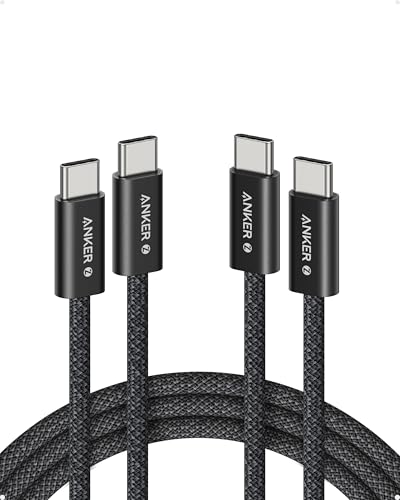
2. Anker 240W USB-C to USB-C cable, 2-pack
2-pack · 240 W · PD 3.1 · 1.8 m
Two USB-C cables, 1.8 m long, for charging at up to 240 W (PD 3.1). One for home, the other for your bag or car.

3. UGREEN 100W USB-C to USB-C cable
100 W · PD 3.0 · braided
Popular USB-C cable for charging at up to 100 W. Transfers data at USB 2 speed.
Car cable and CarPlay
For wired CarPlay you need a USB-C to USB-C cable or a USB-C to USB-A cable, depending on the port in your car. For details and tips on what to do when the connection keeps dropping, see the separate article on CarPlay cables.
In the car, it's better to have a cable that stays there. That way you don't unplug it from your desk in the morning and forget it on your way out.
Length and durability: how long and what to look for
3 ft (1 m) is a sensible choice for a desk and a car. The cable stays close, doesn't tangle around the gear shifter and doesn't hang loose over the desktop.
6 ft (2 m) works by the bed or the couch, when the outlet is far away and you want to use your phone comfortably while it charges. The downside is that a longer cable twists more easily and wears out faster at the connector, so don't go for it where 3 ft is enough.
Judge durability by two spots: the connector and the end right next to it. That's where cables fail most often. A braided jacket and thicker strain relief at the connector usually handle daily bending better than thin rubber insulation.
Fun fact: iPhone 17 also charges wirelessly over MagSafe at up to 25 W.
Fun fact: the USB-C port in iPhone 17 carries not just power and data, but also video over DisplayPort.
Common questions about the iPhone 17 cable
What cable for iPhone 17?
A well-made USB-C cable with USB Power Delivery support. Data speed doesn't matter, because the phone uses USB 2.
Does iPhone 17 come with a cable in the box?
Yes, there's a USB-C cable in the box. There's no power adapter, so for fast charging you need to buy one separately.
Will a 240 W cable damage iPhone 17?
No. The wattage on a cable is the most it can handle, not what it forces into the phone. It's extra headroom that also comes in handy with a laptop.
What cable for CarPlay with iPhone 17?
USB-C to USB-C or USB-C to USB-A, depending on the port in your car. Check which port your car has before you order a cable.
Will an expensive cable speed up photo transfers from iPhone 17?
No. iPhone 17 transfers data at USB 2 speed, so a faster cable won't change the copy time. It's better to spend the money on solid build quality.
See also
- Best power bank for iPhone 17 - 25 W MagSafe without a cable
- Which 3-in-1 charger for iPhone 17? Phone, watch and earbuds at once
- Which wireless charger for iPhone 17? MagSafe and Qi2.2 25W
- Best Apple Charger for iPhone 17 and iPhone 18 Pro - 20 W, 35 W or 40 W
- Best cable for iPhone 18 Pro - charging and fast USB 3
Sources
- Apple: iPhone 17 technical specifications - manufacturer page (apple.com)
- SlashGear: How fast is the USB port on the iPhone 17? - industry article (slashgear.com)
- Android Central: Best USB-C cables for iPhone - industry article (androidcentral.com)
- iGeeksBlog: USB-C cables worth buying for iPhone - industry article (igeeksblog.com)
- IZReview: Best USB-C cables for iPhone 17 - industry article (izreview.com)

Leave a comment
This site is protected by hCaptcha and the hCaptcha Privacy Policy and Terms of Service apply.