








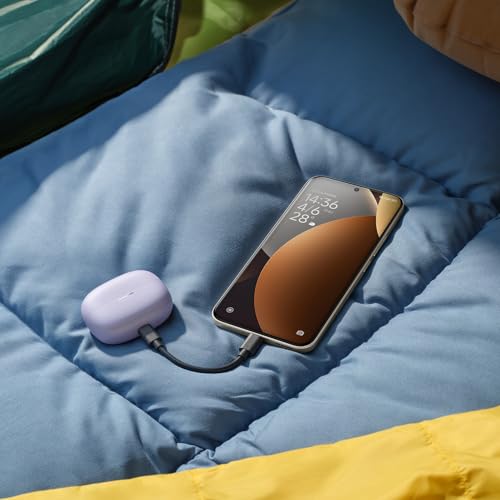
Got the newer model? Read: Which charger for Redmi Note 17 Pro Max 5G - choosing a GaN charger
As an Amazon Associate I earn from qualifying purchases.
Quick answer: Which charger for Redmi Note 15 Pro+ 5G? The best choice is Baseus Enerfill 100W 100 W - about 100% of the maximum charging speed (phone: max 100 W).
Which charger for Redmi Note 15 Pro+ 5G? Full 100W speeds and protocols explained
If you are wondering which charger for Redmi Note 15 Pro+ 5G will unlock its top speed, the simple answer is an adapter capable of 100W. The phone supports two main paths to hit that peak: Xiaomi HyperCharge and the open USB Power Delivery PPS standard. While both can feed the battery at maximum power, they behave slightly differently depending on the accessory you plug in.
Note for US buyers: Xiaomi does not sell the Redmi Note 15 Pro+ 5G officially in the US. Amazon listings are imports, so check that the phone supports your carrier's bands before you buy.
In the retail box, you will find only a USB-C cable and no charging plug. That means you need to supply your own wall brick to get the phone running. Whether you want to reuse an old adapter from your drawer or buy a fresh multi-port charger, understanding how this specific model draws power will save you both money and waiting time.
Fun fact: Xiaomi is one of the few smartphone makers that allows open-standard USB Power Delivery PPS to reach speeds as high as 100W, rather than locking top performance entirely behind a proprietary protocol.
Specs and charging
The key Redmi Note 15 Pro+ 5G specs that matter when choosing a charger:
- Battery: 6500 mAh
- Wired charging: 100 W (Xiaomi HyperCharge 100 W (USB PD))
- Reverse charging: 22.5 W
Can you use an older charger from your drawer?
Before spending extra money, check the small print printed on the power bricks you already own. Here is what to look for and how your Redmi Note 15 Pro+ 5G will handle them:
- USB PD with PPS support: Look for the letters "PPS" (Programmable Power Supply, which adjusts voltage and current dynamically) and a rating of up to 20V / 5A. If your third-party brick supports this specific profile, you can reach up to the full 100W. If the PPS profile caps at 3A, charging power drops considerably.
- Laptop USB-C chargers: Most laptop bricks deliver standard USB Power Delivery at 65W or 100W, but many lack PPS profiles. On a standard USB PD brick without PPS, the phone still charges safely, but at a noticeably slower pace.
- Older phone plugs (such as 20W iPhone or 18W Android bricks): These will safely top up your phone overnight or at your desk. However, do not expect rapid top-ups before heading out the door.
- Proprietary chargers from other brands: Plugs from OnePlus, Oppo, or Vivo rely on incompatible proprietary protocols. When plugged into this Redmi, they fall back to basic charging speeds.
Real-world charging speed: how many minutes do you actually need?
The speed differences between protocols show up clearly when looking at verified test data from GSMArena. Using an official Xiaomi 120W HyperCharge adapter, the phone gains 45% in just 15 minutes, hits 78% in 30 minutes, and finishes a complete 0 to 100% cycle in roughly 48 minutes.
If you prefer an open-standard USB PD 100W charger with full PPS support, the pace remains fast but slightly more relaxed. In tests, a compatible 100W USB PD source delivered 64% in 30 minutes and completed a full charge in about 61 minutes. That is only a 13-minute difference across an entire cycle.
In everyday life, a quick 15-minute top-up while drinking coffee gives you almost half a tank of battery on HyperCharge. If you charge at your desk or by the nightstand, even a slower USB PD adapter is plenty fast for daily use.
Finding the right adapter for your daily routine
If you want the absolute fastest refill, go with our top pick, the Baseus Enerfill 100W. It pushes the full ~100W to the phone. The UGREEN Nexode 100W does the same with more headroom for a USB-C laptop.
For those who want a single universal charger for travel, the UGREEN Nexode 100W is an excellent choice. It features 4 ports, can power your phone and laptop at once, and reaches ~100W on the Redmi Note 15 Pro+ 5G (100% of real maximum).
A compact multi-port adapter like the Anker Nano 100W (hits ~55W) offers a smaller footprint. While it charges this specific model at roughly half power due to its internal PPS limits, it remains a versatile pick if you prioritize size over raw speed.
| Charger | Power | Estimated speed |
|---|---|---|
| Baseus Enerfill 100W | 100 W | 100% |
| UGREEN Nexode 100W | 100 W | 100% |
| Baseus PicoGo Pro AH22 100W | 100 W | 100% |
| UGREEN Nexode 65W | 65 W | 60% |
| Anker Nano 100W (3 Ports, Smart Display) | 100 W | 55% |

1. Baseus Enerfill 100W (100W GaN)
On sale3 ports - several devices at once · Enough power for a USB-C laptop
100W GaN charger. With the Note 15 Pro+ 5G it charges at up to about 100 W via USB PD PPS, which is full speed. Handy when several devices share one power strip at home.

2. UGREEN Nexode 100W (100W GaN)
On sale4 ports - several devices at once · Enough power for a USB-C laptop
100W GaN charger. With the Note 15 Pro+ 5G it charges at up to about 100 W via USB PD PPS, which is full speed. One charger for the desk: the Note 15 Pro+ 5G, earbuds and watch from a single outlet.

3. Baseus PicoGo Pro AH22 100W (100W GaN)
On sale3 ports - several devices at once · Enough power for a USB-C laptop
100W GaN charger. With the Note 15 Pro+ 5G it charges at up to about 100 W via USB PD, which is full speed. Saves an outlet when several devices charge overnight.

4. UGREEN Nexode 65W (65W GaN)
On sale3 ports - several devices at once · Enough power for a USB-C laptop
65W GaN charger. With the Note 15 Pro+ 5G it charges at up to about 60 W via USB PD PPS, about 60% of what it can take. Handy when several devices share one power strip at home. The only downside: it doesn't quite reach top speed here.

5. Anker Nano 100W (3 Ports, Smart Display) (100W GaN)
On sale3 ports - several devices at once · Enough power for a USB-C laptop
100W GaN charger. With the Note 15 Pro+ 5G it charges at up to about 55 W via USB PD PPS, about 55% of what it can take. One charger for the desk: the Note 15 Pro+ 5G, earbuds and watch from a single outlet. To be fair: with the Note 15 Pro+ 5G it stays a bit below the maximum.
Charging quirks and PPS limits: what to watch out for
The biggest trap with the Redmi Note 15 Pro+ 5G is assuming that every charger labeled "100W" will charge it at 100W. To reach full speed on non-Xiaomi adapters, the charger must support a PPS profile operating up to 20V at 5A. Many 100W chargers on the market cap their PPS output at 3A or lower voltages, which drops the phone down to around 50W to 55W.
Another detail involves standard USB Power Delivery without PPS. While the phone works reliably with regular PD chargers, charging speed is reduced compared to both HyperCharge and 100W PPS connections. If rapid charging is a priority, verify PPS specifications on the charger label before buying.
Fun fact: The USB Power Delivery PPS standard works by letting the phone communicate with the charger every few milliseconds, requesting tiny adjustments to keep power transfer efficient.
Common questions about powering the Redmi Note 15 Pro+ 5G
Which charger for Redmi Note 15 Pro+ 5G delivers the fastest recharge?
The fastest recharge comes from an official Xiaomi 120W HyperCharge wall adapter, which delivers the phone's maximum ~100W and finishes a full charge in around 48 minutes. A compatible third-party USB PD charger with 100W PPS support finishes just behind it at about 61 minutes.
Does the Redmi Note 15 Pro+ 5G include a charger in the box?
Usually the box does not include a wall charging plug. You receive only the phone and a USB-C charging cable, meaning you need to provide your own compatible USB power adapter.
Can a 120W or 140W charger damage the phone's battery?
No, it cannot damage the phone. Modern smartphones strictly control how much current and voltage they draw, so plugging into a 120W or higher brick simply allows the phone to pull its supported 100W ceiling safely.
How long does a typical charge take in practice?
On a Xiaomi HyperCharge adapter, you reach 45% in 15 minutes, 78% in 30 minutes, and 100% in roughly 48 minutes. On a 100W USB PD connection, you reach 64% in 30 minutes and a full refill takes about 61 minutes.
Can you charge the Redmi Note 15 Pro+ 5G wirelessly?
No, the phone does not support wireless charging. All charging must be done through the built-in USB-C port using a compatible wired wall adapter.
Every model in one table: Which charger for Xiaomi, Redmi and POCO? Every model compared
Chargers for the other models in this series
- Which charger for Redmi Note 15 5G - compatibility and power
- Which charger for Redmi Note 15 4G - 33 W over USB PD
- Which charger for Redmi Note 15 Pro 5G - protocols, watts and full speed
Sources
- Redmi Note 15 Pro+ 5G - mi.com - official manufacturer specifications (mi.com)
- Redmi Note 15 Pro+ 5G - gsmarena.com - industry article (gsmarena.com)
- Redmi Note 15 Pro+ 5G - gsmarena.com - industry article (gsmarena.com)
- Redmi Note 15 Pro+ 5G - digitalcameraworld.com - industry article (digitalcameraworld.com)
- Redmi Note 15 Pro+ 5G - us.smartprix.com - industry article (us.smartprix.com)

Leave a comment
This site is protected by hCaptcha and the hCaptcha Privacy Policy and Terms of Service apply.