

As an Amazon Associate I earn from qualifying purchases.
Quick answer: our top pick is UGREEN Nexode 65W (2x USB-C + USB-A · 65 W · PD, PPS, QC 4.0).
Choosing a charger for a Lenovo laptop can be confusing. A regular USB-C charger is not always enough, especially if it lacks sufficient power or does not support the required charging standard. Below, we have compiled specific information on how to choose a power adapter for Lenovo IdeaPad Slim 3 Chrome 14M868, Lenovo V17 G4, and Lenovo Chromebook IdeaPad Duet 3 models. We also explain whether it is worth getting a more powerful charger (e.g. 65 W or 100 W instead of the factory one).
What parameters must a good Lenovo charger have?
Not every USB-C charger will power a laptop properly. Here are the parameters you need to pay attention to:
- Power (W) - each laptop has specific minimum requirements. You can safely use a more powerful charger, but a charger with too low wattage will not charge the computer while it is in use.
- Power Delivery (PD) - this is a protocol that allows safe negotiation of higher voltages and currents via the USB-C port. A laptop charger must support it.
- Connector type - some Lenovo models use a traditional round plug (Round Tip), while others use a USB-C port. Some designs support both of these standards.
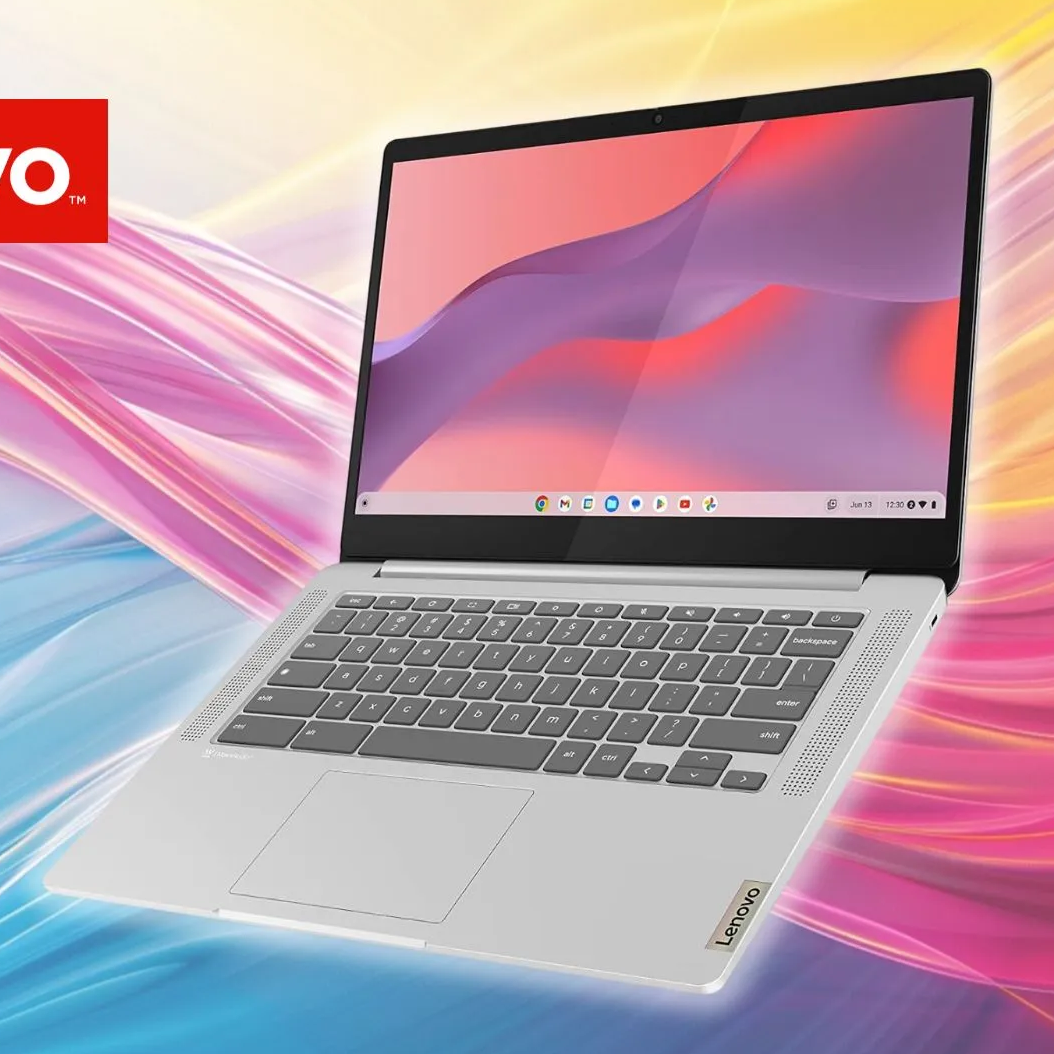
Which charger for Lenovo IdeaPad Slim 3 Chrome 14M868?

The Lenovo IdeaPad Slim 3 Chrome 14M868 comes with a 45 W USB-C power adapter supporting Power Delivery 3.0. The device is equipped with a 47 Wh battery and one USB-C 3.2 Gen 1 port that supports Power Delivery 3.0 and DisplayPort 1.1a standards. For proper operation and charging, it requires a power adapter of at least 45 W, so a small smartphone charger will not be enough.
Recommended USB-C chargers for Lenovo laptops

1. UGREEN Nexode 65W
2x USB-C + USB-A · 65 W · PD, PPS, QC 4.0
Three ports and 65 W from a single USB-C port, enough for most 13 to 14-inch laptops. It supports USB PD with PPS for Samsung and Pixel phones and Quick Charge for older Android phones.
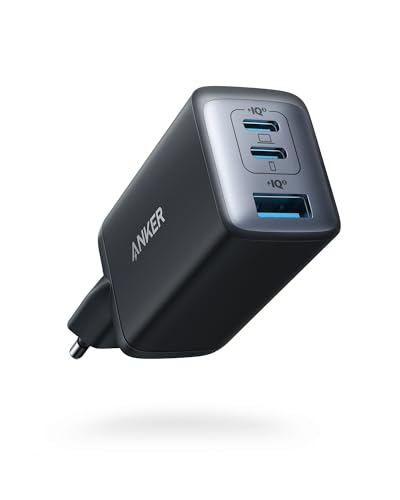
2. Anker 735 (Nano II 65W)
2x USB-C + USB-A · 65 W · PD, PPS
A small GaN charger with 65 W from one USB-C port. It is enough for a laptop that charges over USB-C; with two devices plugged in, the power is split between the ports.
Can I use a more powerful charger? Yes, you can safely connect a 65 W or 100 W power adapter with USB PD support. The laptop will only draw as much power as its charging controller allows.
Lenovo IdeaPad Slim 3 Chrome 14M868 specifications
Which charger for Lenovo V17 G4?

Lenovo V17 G4 IRU comes with a 65 W power adapter with a round tip, and its 45 Wh battery supports Rapid Charge technology, which charges the battery up to 80% in an hour. The computer also features a USB-C (5 Gb/s) port with DisplayPort 1.2 support and USB PD charging in the 45-65 W range. Although a connected 100 W USB-C charger will work properly, the laptop will draw at most 65 W from it.
Fun fact: Lenovo V17 G4 offers two ways to charge: via the round tip connector or through USB-C.
Which charger for Lenovo Chromebook IdeaPad Duet 3?

Lenovo IdeaPad Duet 3 Chrome 11Q727 includes a 30 W USB-C power adapter and a 29 Wh battery. The device offers two USB-C (5 Gb/s) ports, both of which support USB Power Delivery 3.0 and DisplayPort 1.4.
Fun fact: The IdeaPad Duet 3 tablet comes with a 30 W power adapter, which is less powerful than many modern phone chargers.
Lenovo Chromebook IdeaPad Duet 3 specifications
Summary
For each of these devices, providing the correct voltage and Power Delivery profile is essential. It is worth noting that all three models can be charged using a 65 W USB-C PD charger, making such an adapter a highly versatile choice for travel and desk use.
Frequently Asked Questions (FAQ)
1. Can I charge a Lenovo laptop with a phone charger?
Usually not. Most basic phone chargers deliver around 10-18 W and lack the appropriate voltage profiles (such as 15 V or 20 V). However, if you have a smartphone charger with USB PD technology delivering 45 W or 65 W, it will easily power a compatible laptop.
2. Can I use a more powerful charger, e.g. 100W, if my laptop requires 45W?
Yes, the laptop will only draw as much power as it needs. A more powerful USB PD charger is completely safe and works great for charging other devices simultaneously.
3. What should I do if the laptop does not charge despite having a compatible charger?
Check the USB-C cable (it must support the required current), the port condition, and ensure that the charger definitely supports the Power Delivery protocol with the required voltage. Resetting the power management controller or updating the firmware (BIOS) can also help at times.
4. What are the consequences of using a non-original charger?
If a charger from a reputable manufacturer complies with USB Power Delivery standards and delivers the required power, the laptop will charge just as efficiently and safely as with the factory adapter.
5. Can I charge a Lenovo laptop with a power bank?
Yes, provided that the power bank features a USB-C output supporting Power Delivery with sufficient power (typically at least 45 W for laptops or 30 W for the IdeaPad Duet 3).
Sources
- Lenovo PSREF: IdeaPad Slim 3 Chrome 14M868 - manufacturer page (psref.lenovo.com)
- Lenovo PSREF: Lenovo V17 G4 IRU - manufacturer page (psref.lenovo.com)
- Lenovo PSREF: IdeaPad Duet 3 Chrome 11Q727 - manufacturer page (psref.lenovo.com)
- USB-IF: USB Charger (USB Power Delivery) - industry article (usb.org)

Leave a comment
This site is protected by hCaptcha and the hCaptcha Privacy Policy and Terms of Service apply.